
Snapmark
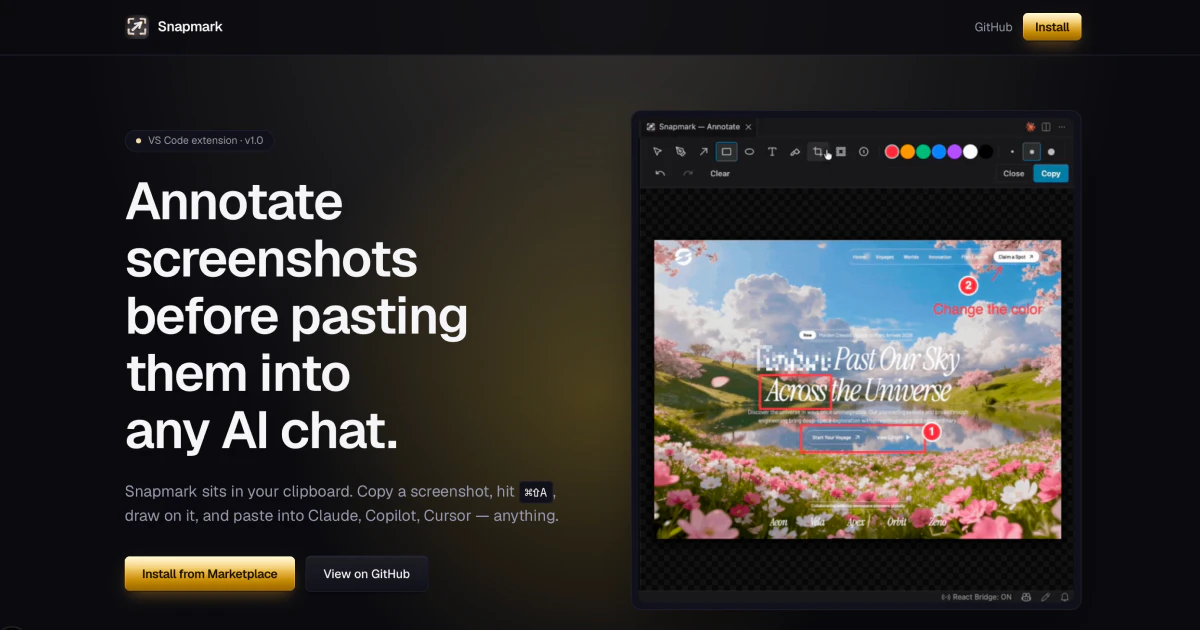
Annotate screenshots before pasting them into any AI chat
About Snapmark
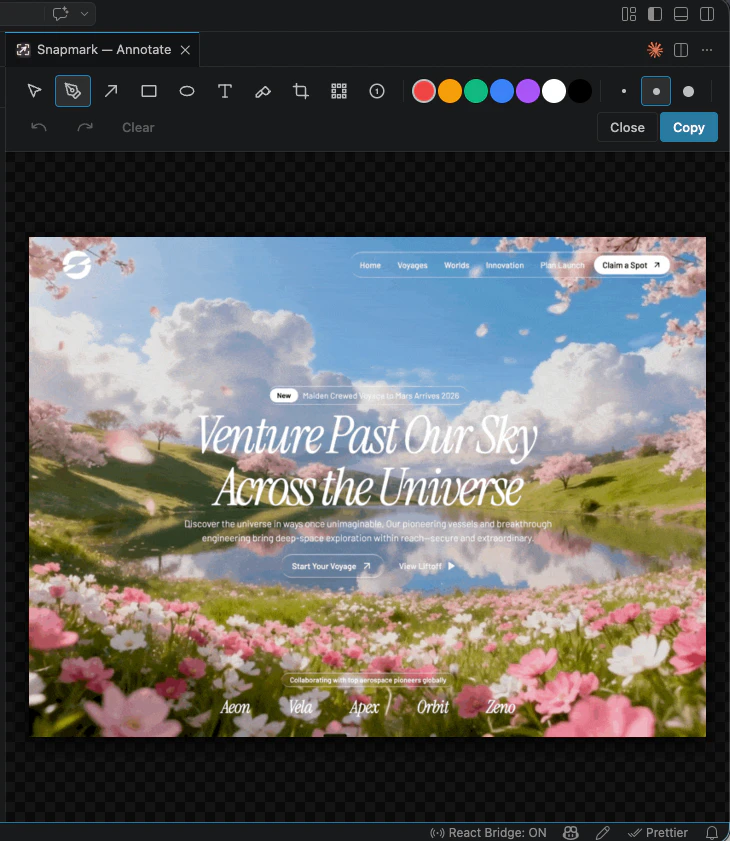
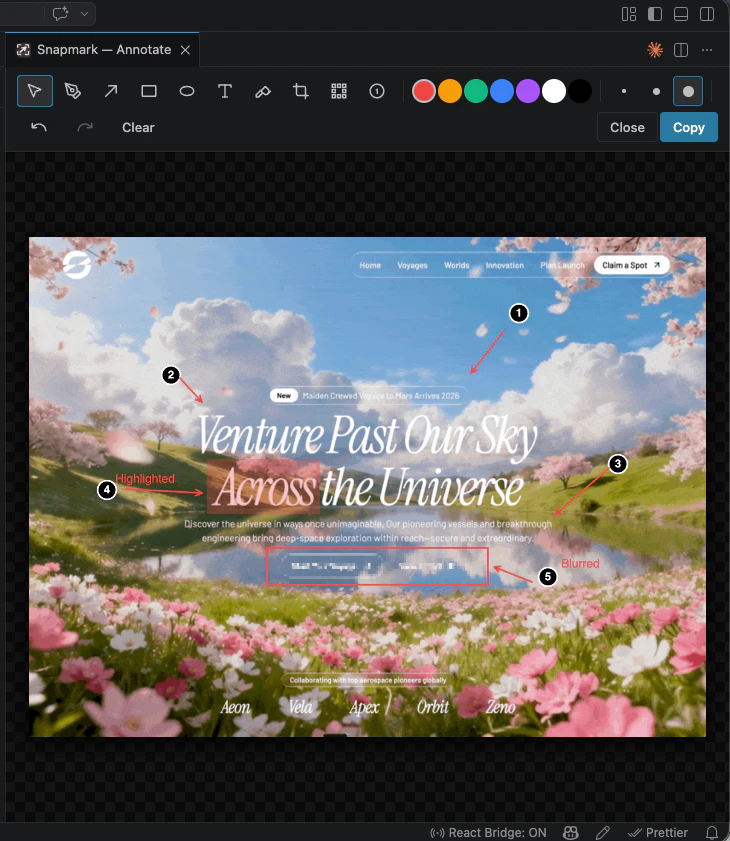
Snapmark is a privacy-focused, open-source tool designed to enhance the way developers and AI users handle screenshots. It allows users to annotate screenshots with callouts, labels, and numbered steps before pasting them into any AI chat or coding environment. Its unique features include auto-blurring of API keys and PII to ensure data privacy, numbered step callouts for clear UI flow explanations, and auto-compression to keep image sizes optimal for token budgets. The tool works seamlessly with popular IDEs like VS Code, simply activated with ⌘⇧A, and can be used anywhere images are pasted. Its 100% local operation and open-source MIT license make it a trustworthy choice for privacy-conscious developers and AI enthusiasts, offering a streamlined way to communicate visual information effectively without compromising sensitive data.
Screenshots
Pros
- ✓Ensures data privacy by auto-blurring sensitive information
- ✓Supports detailed annotations with numbered steps
- ✓Auto-compresses images to optimize token usage
- ✓Works across various platforms and environments
- ✓Open source with no telemetry for privacy assurance
Cons
- ✗May require some setup or familiarity with command shortcuts
- ✗Limited integration with specific AI tools out of the box
- ✗Features are primarily focused on annotation and privacy, not image editing
Use Cases
Pricing
Free and open source under the MIT license, with no paid tiers or subscription fees.
Quick Info
Topics
Similar Tools in Developer Tools




Embed Badge
Add this badge to your website to show that Snapmark is featured on Visalytica.
<a href="https://www.visalytica.com/tool/snapmark" target="_blank" rel="noopener noreferrer" style="display:inline-flex;align-items:center;gap:6px;padding:6px 14px;background:#7c3aed;color:#fff;border-radius:8px;font-family:-apple-system,system-ui,sans-serif;font-size:13px;font-weight:600;text-decoration:none;transition:background .2s" onmouseover="this.style.background='#6d28d9'" onmouseout="this.style.background='#7c3aed'"><svg width="14" height="14" viewBox="0 0 24 24" fill="none" stroke="currentColor" stroke-width="2.5" stroke-linecap="round" stroke-linejoin="round"><path d="M12 20V10"/><path d="M18 20V4"/><path d="M6 20v-4"/></svg>Featured on Visalytica</a>