
Zeity for macOS
A menu-bar timezone companion for distributed teams
About Zeity for macOS
Zeity for macOS is a streamlined menu-bar application designed to simplify timezone management for distributed teams and remote workers. It allows users to quickly view their contacts' or teammates' local times with a single click, eliminating the need for mental math or manual conversions. The tool offers a search feature by city or place name, making it easy to find and add relevant timezones. Custom emoji avatars add a personal touch, instantly indicating whether someone is awake or asleep. With native desktop widgets, AppleScript support, and seamless data synchronization between macOS and Chrome via JSON, Zeity provides a cohesive experience across platforms. Its launch-at-login feature ensures it's always ready when needed, making it a practical addition to any remote work setup. Overall, Zeity aims to enhance productivity and communication for globally distributed teams by keeping time zones transparent and accessible.
Screenshots

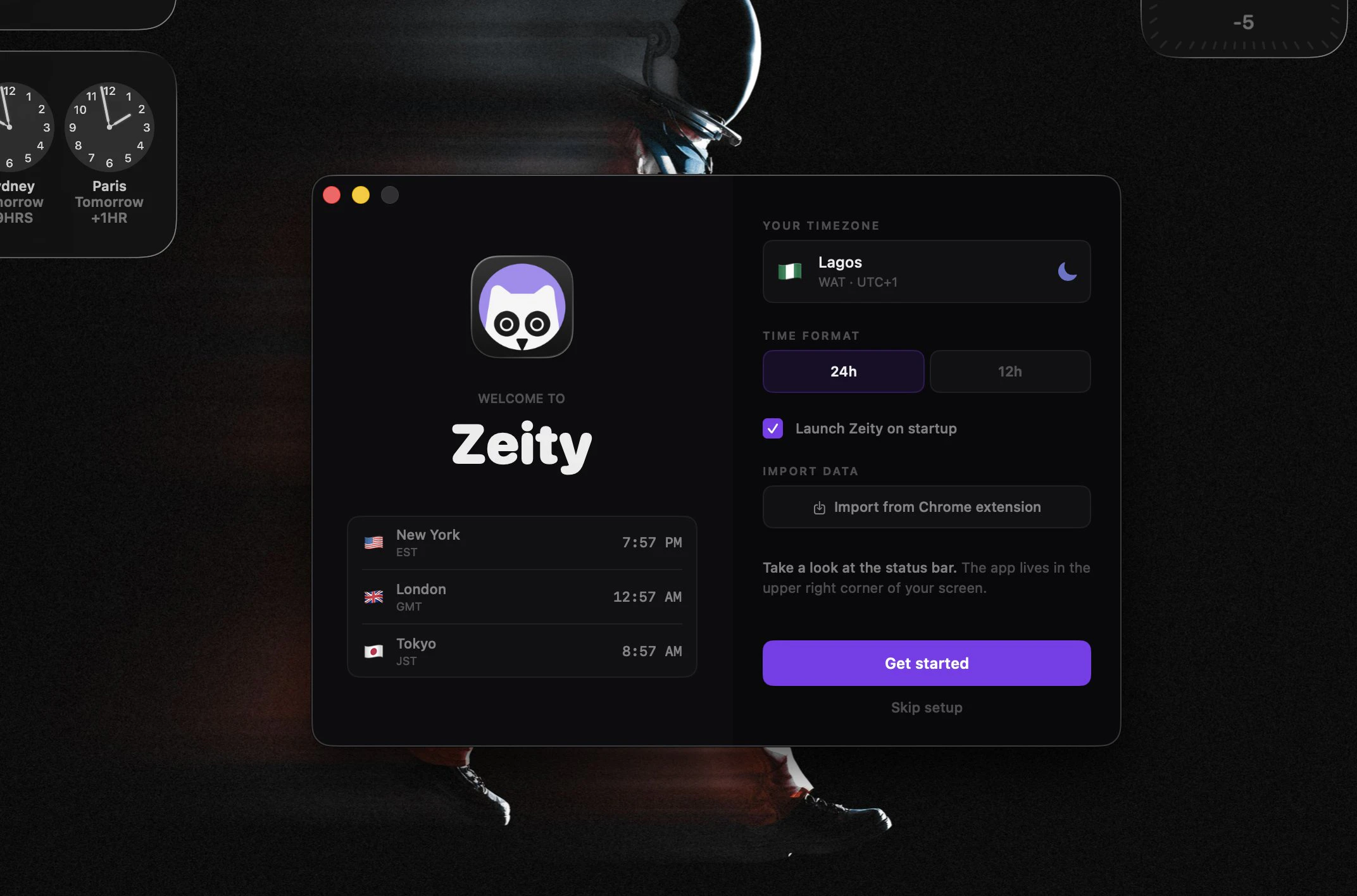
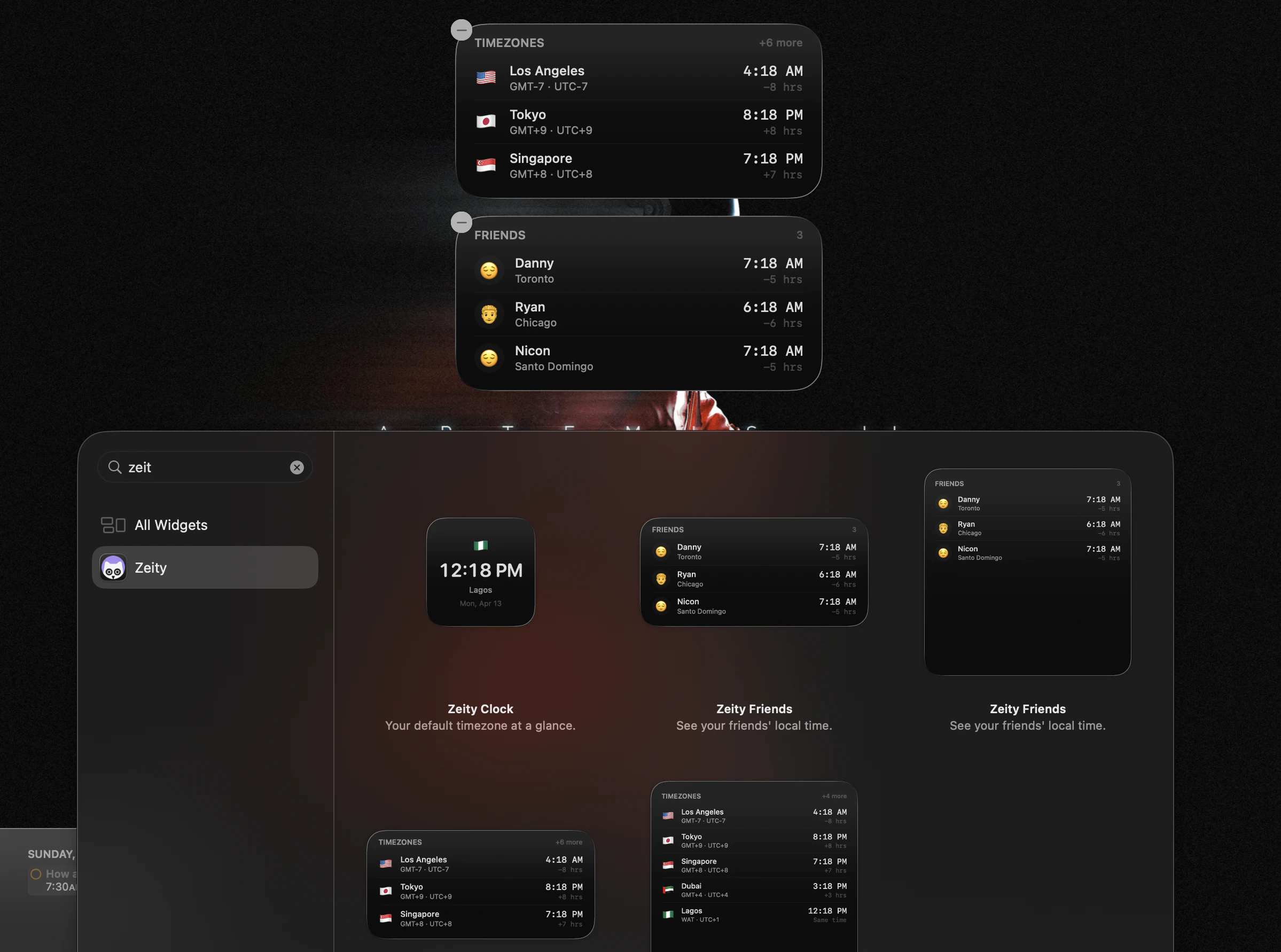
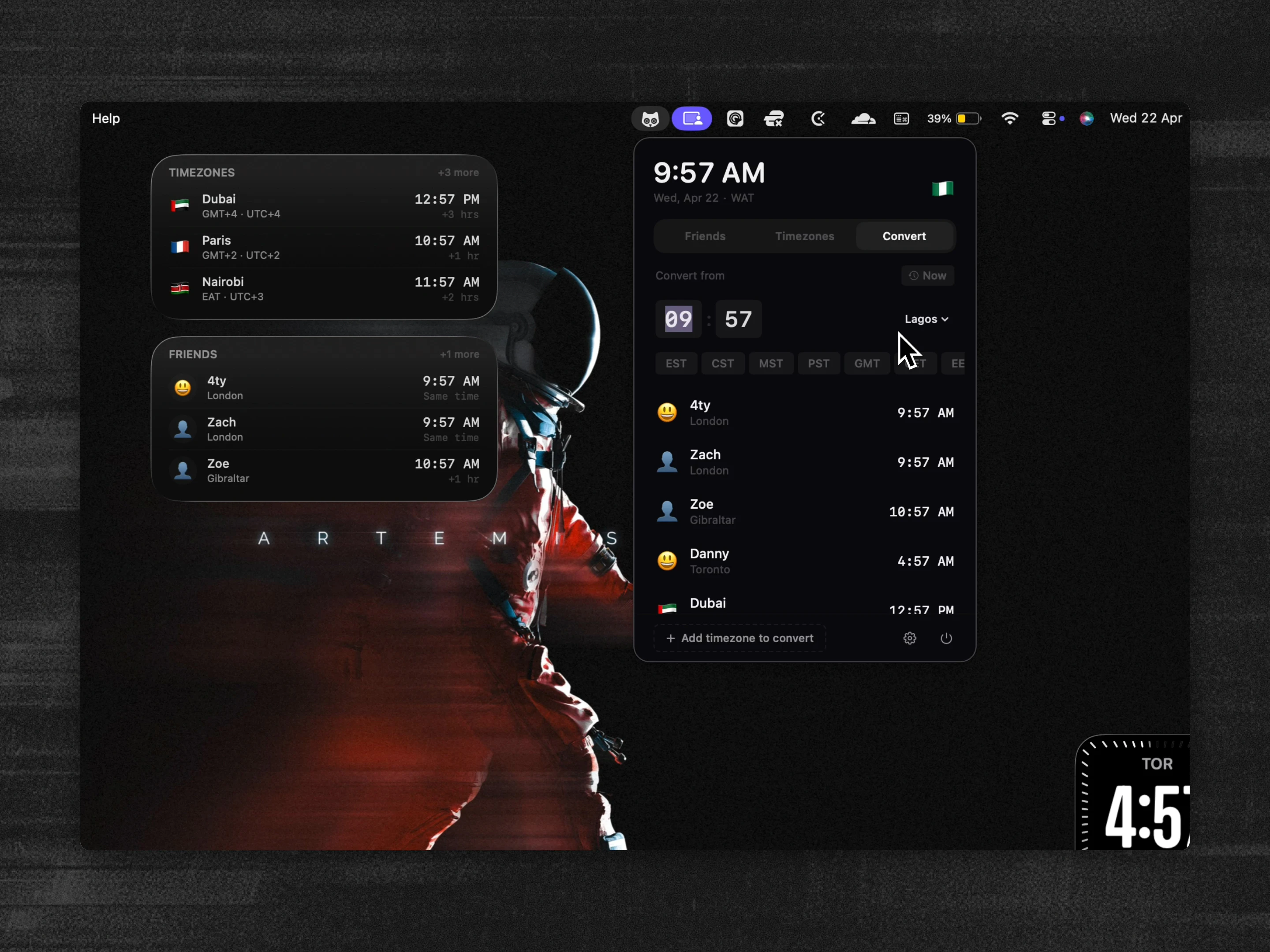
Pros
- ✓Intuitive menu-bar interface for quick timezone access
- ✓Search functionality by city or place name
- ✓Customizable emoji avatars for easy recognition
- ✓Cross-platform sync between macOS and Chrome
- ✓Supports native widgets and AppleScript for automation
Cons
- ✗Limited information on free vs. paid features, pricing details are unclear
- ✗Potential learning curve for users unfamiliar with custom integrations
- ✗No mention of collaborative features or team management tools
Use Cases
Pricing
Likely follows a freemium model with basic features available for free and premium features or upgrades offered through paid plans, though exact details are not specified.
Quick Info
Topics
Alternatives
Similar Tools in Productivity




Embed Badge
Add this badge to your website to show that Zeity for macOS is featured on Visalytica.
<a href="https://www.visalytica.com/tool/zeity-for-macos" target="_blank" rel="noopener noreferrer" style="display:inline-flex;align-items:center;gap:6px;padding:6px 14px;background:#7c3aed;color:#fff;border-radius:8px;font-family:-apple-system,system-ui,sans-serif;font-size:13px;font-weight:600;text-decoration:none;transition:background .2s" onmouseover="this.style.background='#6d28d9'" onmouseout="this.style.background='#7c3aed'"><svg width="14" height="14" viewBox="0 0 24 24" fill="none" stroke="currentColor" stroke-width="2.5" stroke-linecap="round" stroke-linejoin="round"><path d="M12 20V10"/><path d="M18 20V4"/><path d="M6 20v-4"/></svg>Featured on Visalytica</a>