Xero Integration for Zoho CRM
Sync invoices, quotes, POs and contacts: Xero to Zoho CRM
About Xero Integration for Zoho CRM
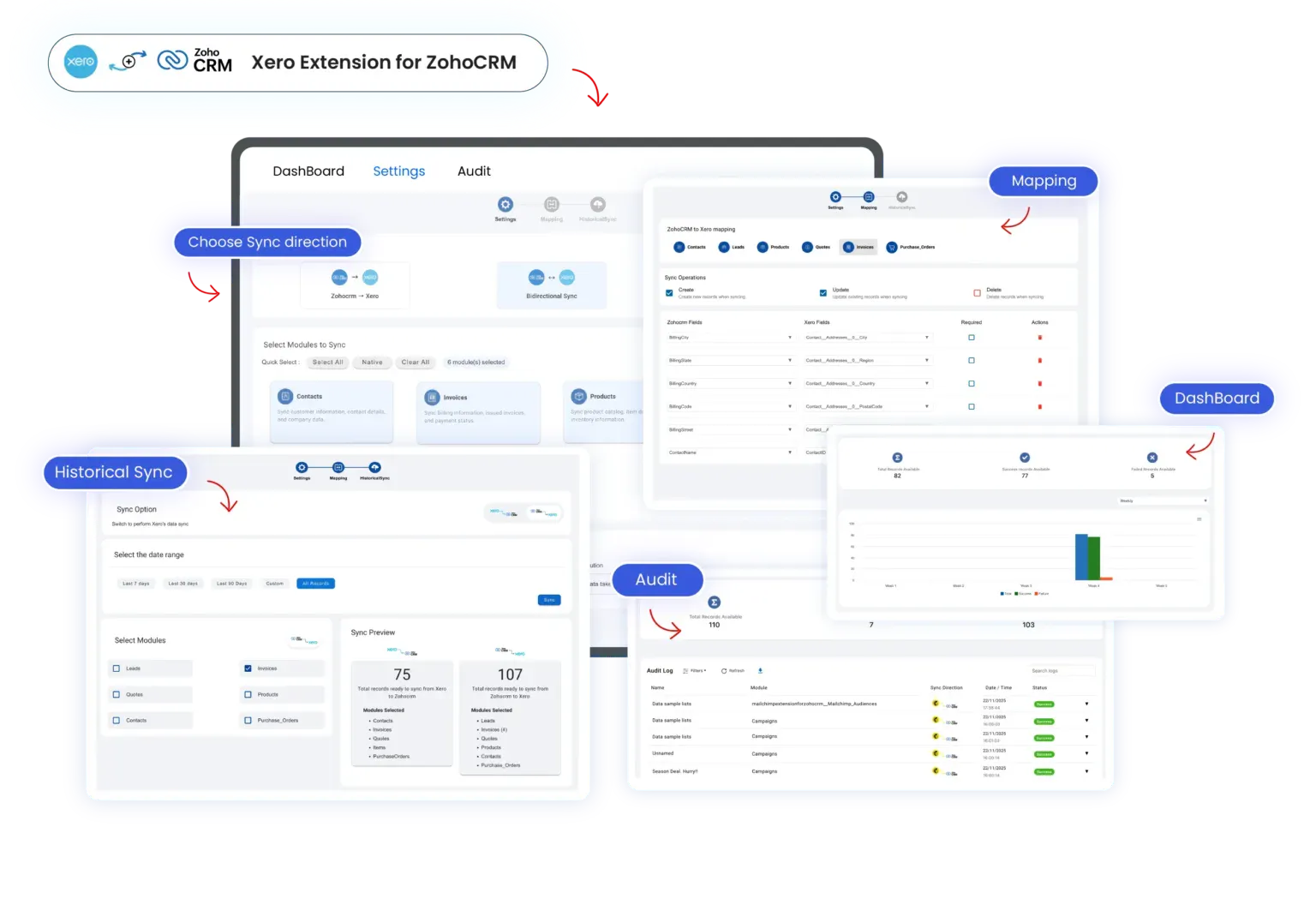
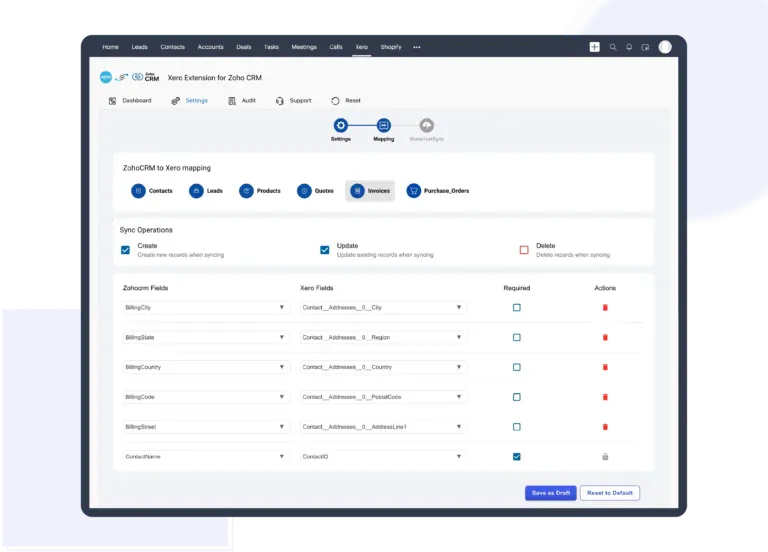
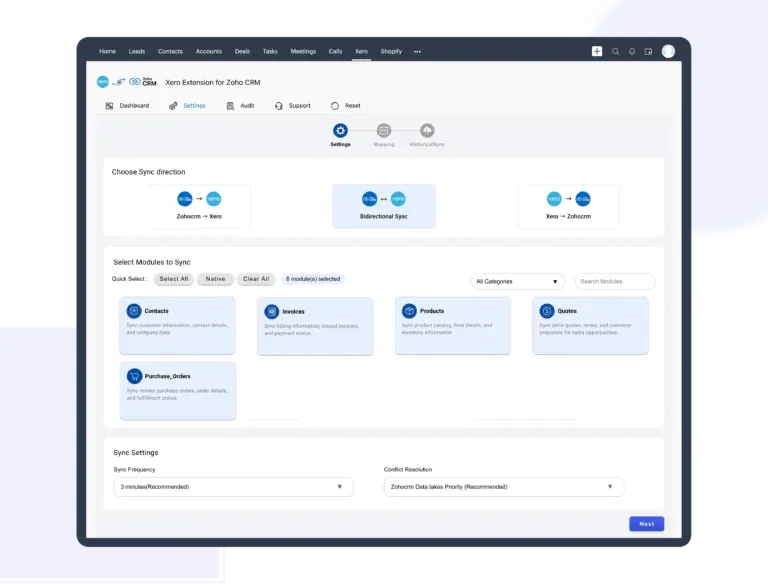
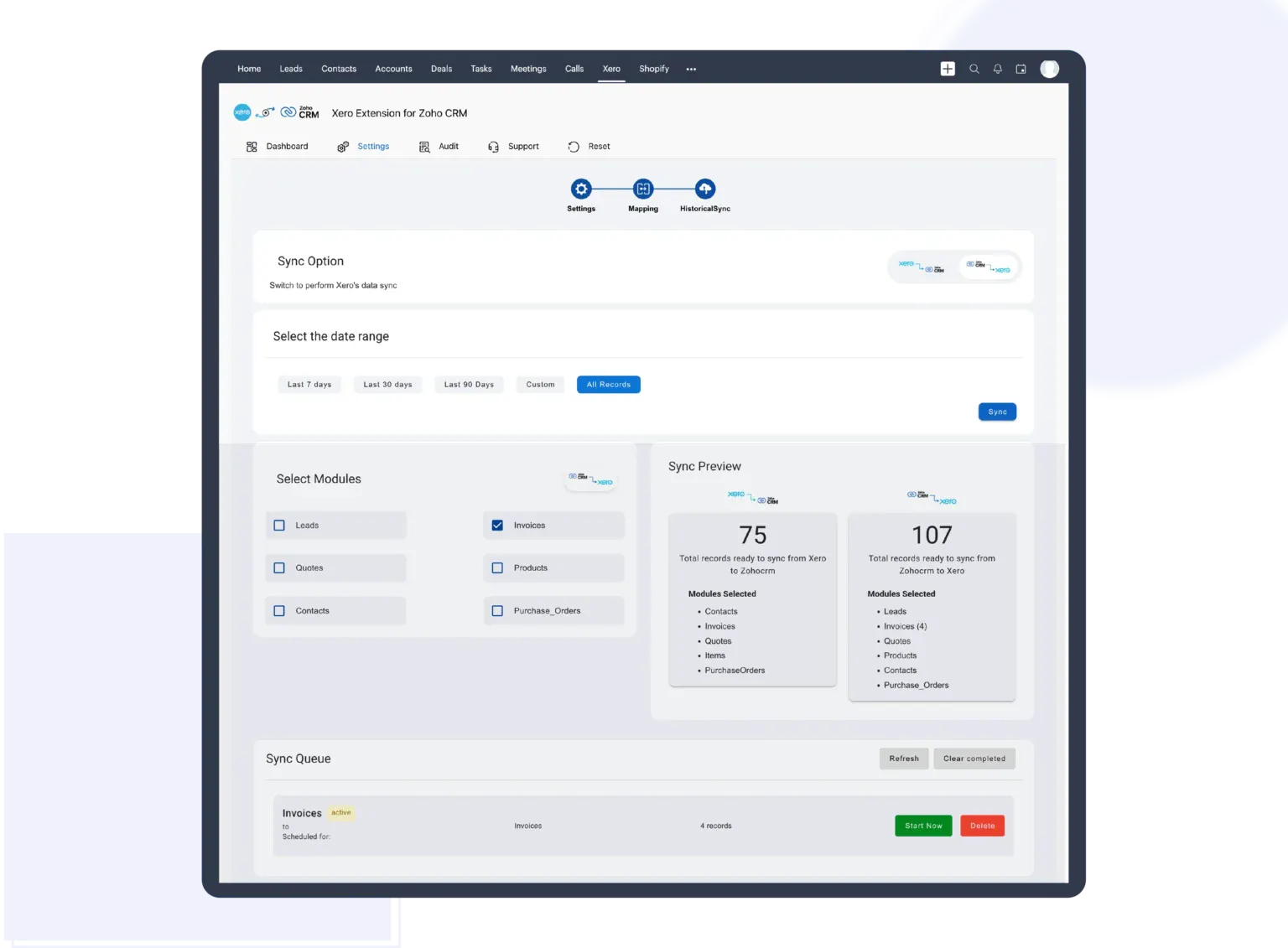
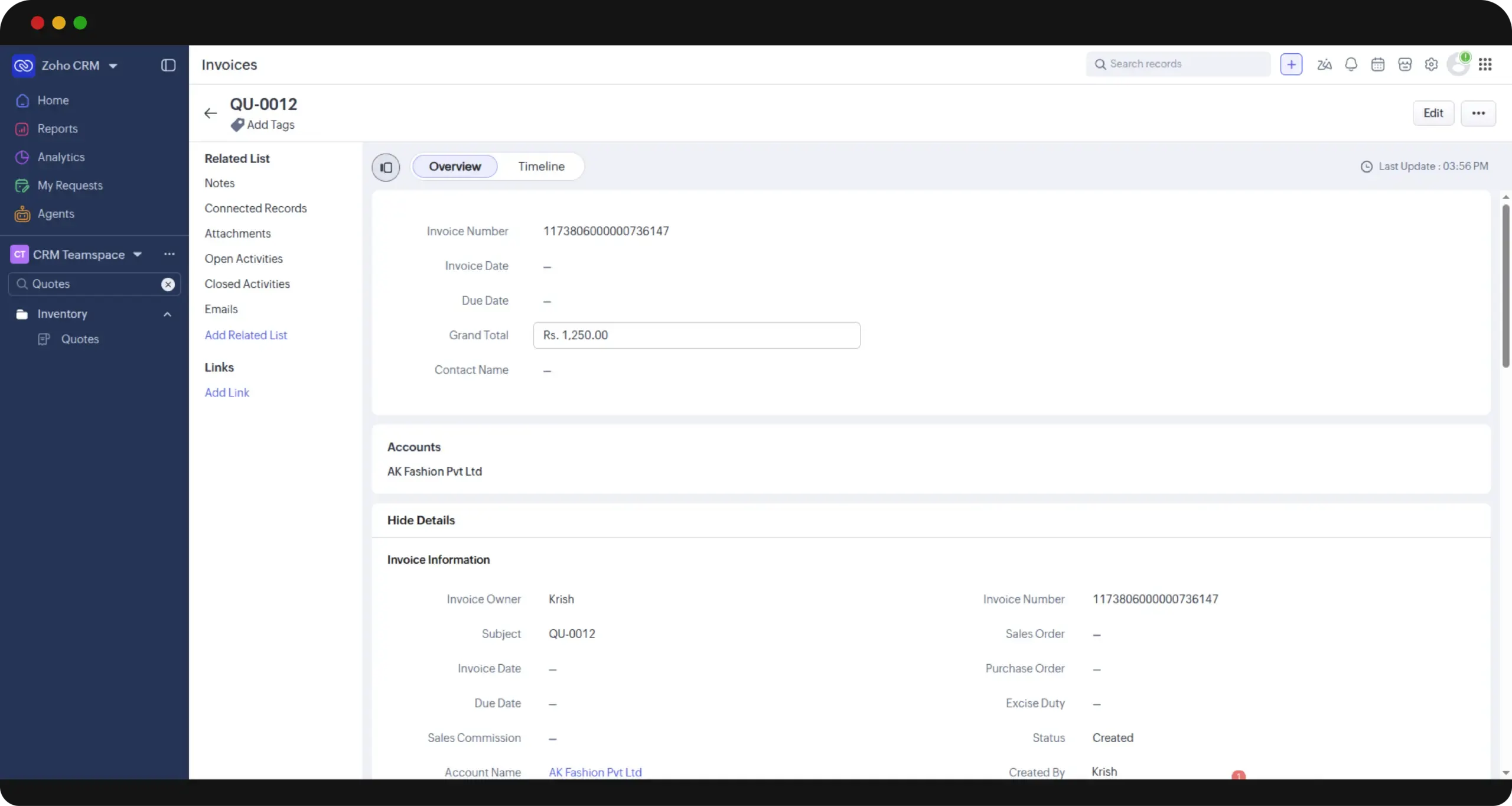
The Xero Integration for Zoho CRM seamlessly bridges the gap between accounting and sales, enabling businesses to synchronize invoices, quotes, purchase orders, contacts, and products between Xero and Zoho CRM. Designed for sales teams, accountants, and small to medium-sized enterprises, this tool eliminates manual data entry and double bookkeeping, ensuring real-time, bidirectional sync. Its automation converts quotes into invoices automatically once deals close, keeping financial data and sales pipelines perfectly aligned. Trusted by over 800 businesses and boasting a 5.0-star rating on Zoho Marketplace, it offers an efficient, reliable way to streamline financial workflows and improve operational accuracy. Whether you need tailored field mapping or custom workflows, the solution provides flexibility, making it suitable for various business needs and growth stages.
Screenshots
Pros
- ✓Real-time bidirectional synchronization between Xero and Zoho CRM
- ✓Automated conversion of quotes to invoices post-deal closure
- ✓Eliminates manual data entry and reduces errors
- ✓Highly customizable with field mapping and workflows
- ✓Trusted by a large user base with positive ratings
Cons
- ✗Potential setup complexity for highly customized workflows
- ✗Limited details on pricing tiers and costs
- ✗Requires ongoing management to ensure sync accuracy
Use Cases
Pricing
Likely operates on a subscription-based model with tiered plans, possibly offering a free trial; detailed pricing specifics are not publicly provided but may vary based on features and usage levels.
Quick Info
Topics
Makers

Muthu Raja I
Alternatives
Similar Tools in Sales & CRM




Embed Badge
Add this badge to your website to show that Xero Integration for Zoho CRM is featured on Visalytica.
<a href="https://www.visalytica.com/tool/xero-integration-for-zoho-crm" target="_blank" rel="noopener noreferrer" style="display:inline-flex;align-items:center;gap:6px;padding:6px 14px;background:#7c3aed;color:#fff;border-radius:8px;font-family:-apple-system,system-ui,sans-serif;font-size:13px;font-weight:600;text-decoration:none;transition:background .2s" onmouseover="this.style.background='#6d28d9'" onmouseout="this.style.background='#7c3aed'"><svg width="14" height="14" viewBox="0 0 24 24" fill="none" stroke="currentColor" stroke-width="2.5" stroke-linecap="round" stroke-linejoin="round"><path d="M12 20V10"/><path d="M18 20V4"/><path d="M6 20v-4"/></svg>Featured on Visalytica</a>