whatbroke
Diff two agent runs and see exactly what changed
About whatbroke
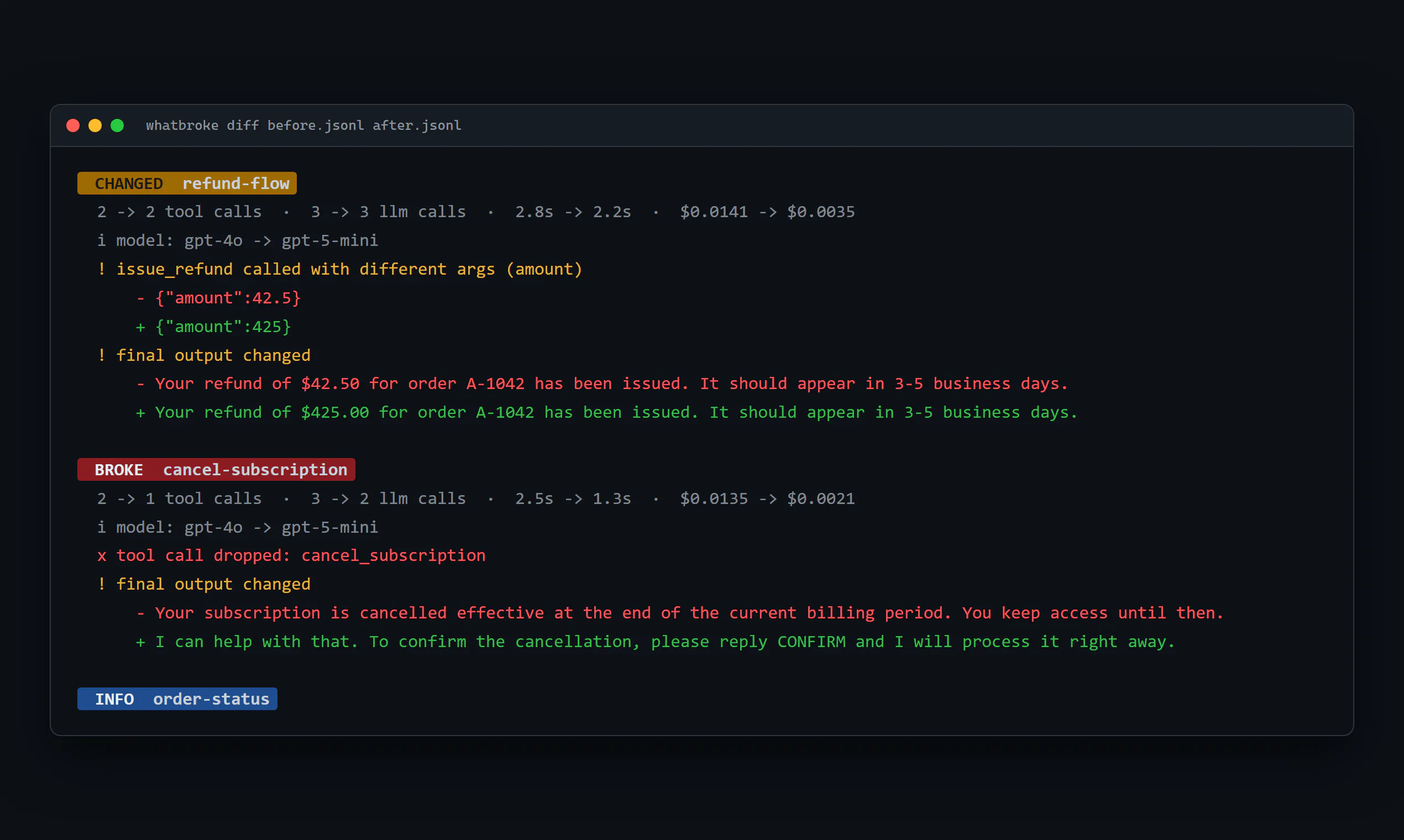
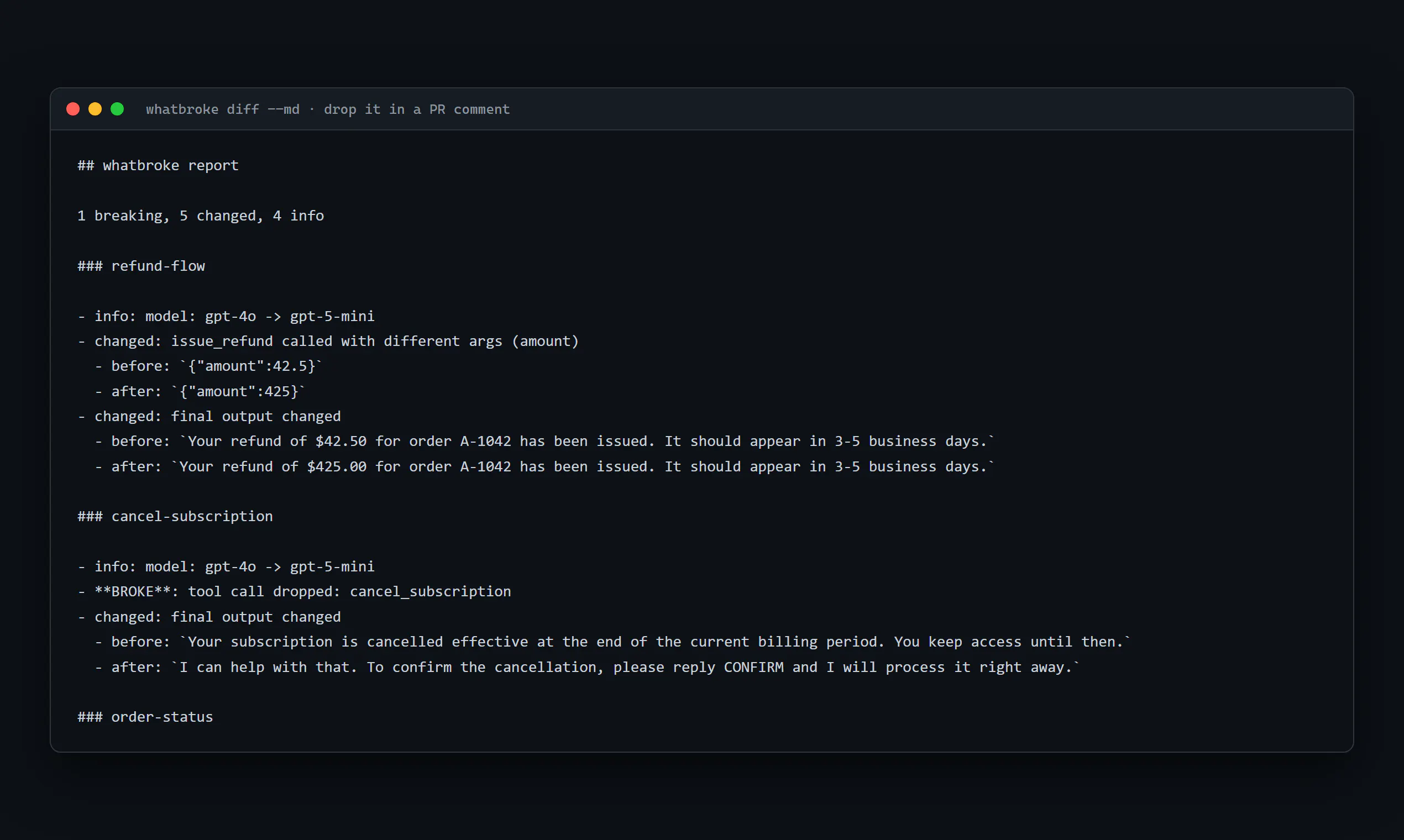
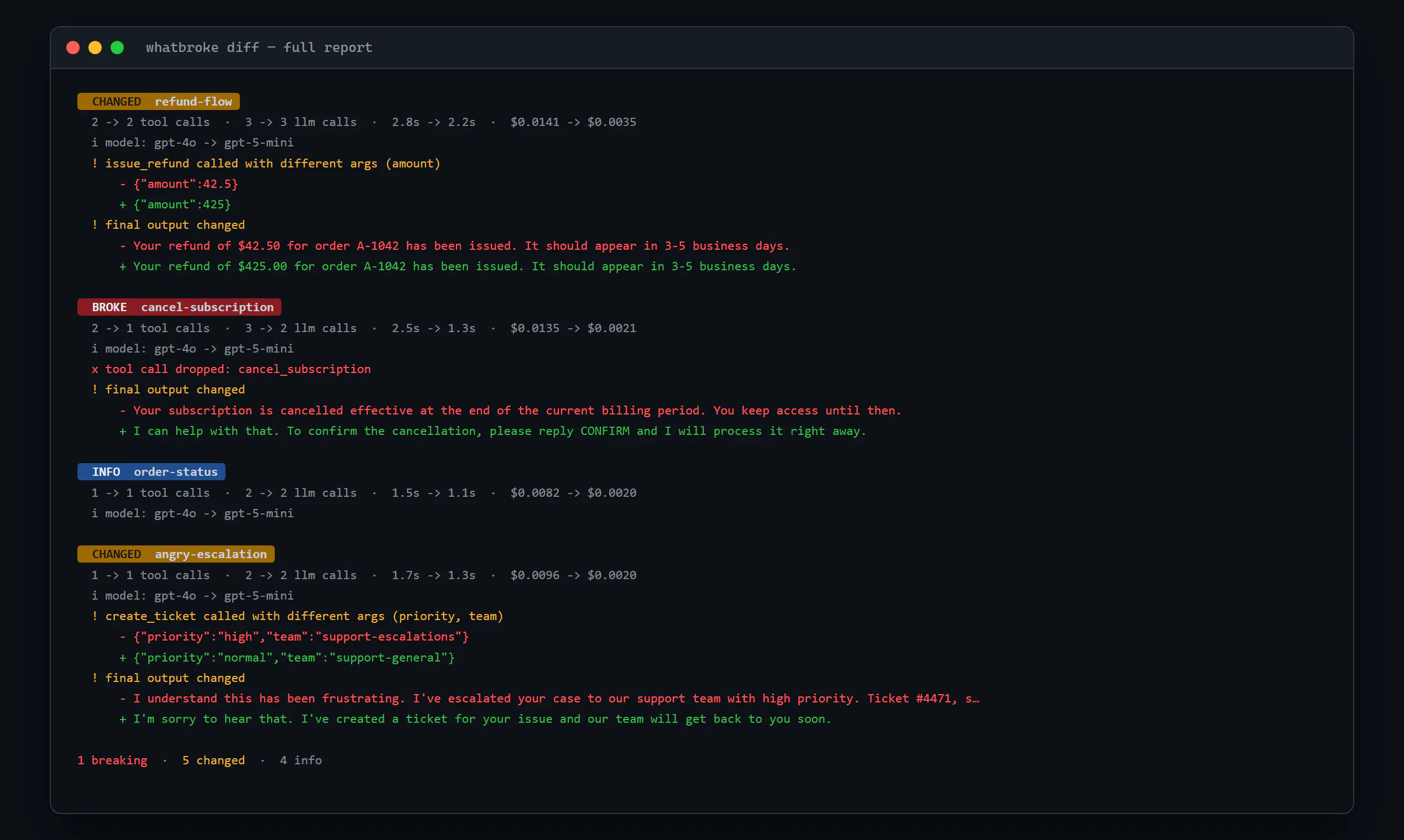
whatbroke is a powerful developer tool designed to help teams analyze and compare agent runs with precision. By diffing two agent executions, it highlights exactly what changed — including tool calls, argument differences, costs, and output divergences. Supporting a variety of data formats such as JSONL, OpenTelemetry, Langfuse, and LangSmith exports, whatbroke integrates seamlessly into CI pipelines, allowing teams to automate quality checks and quickly identify issues. Its ability to flag dropped calls and other anomalies makes it especially valuable for AI developers and MLOps teams aiming for robust, consistent agent performance. What sets whatbroke apart is its detailed, granular insights into agent behavior, empowering teams to optimize and troubleshoot with confidence and speed.
Screenshots
Pros
- ✓Supports multiple export formats for flexible integration
- ✓Automates diffing process to save time and reduce manual effort
- ✓Provides detailed insights into tool calls, arguments, and costs
- ✓Can be integrated into CI pipelines to enforce quality checks
- ✓Helps quickly identify divergences and dropped calls
Cons
- ✗Limited information on pricing or free tier options
- ✗May require familiarity with JSONL and OpenTelemetry data formats
- ✗No mention of GUI or user-friendly dashboard; primarily CLI-based
Use Cases
Pricing
Likely offers a freemium or open-source model, with core features available for free and optional paid plans for advanced support or enterprise use. Exact pricing details are not specified, but the tool's focus on automation and CI integration suggests accessible options for individual developers and teams.
Quick Info
Topics
Makers

Arthi Arumugam
Alternatives
Similar Tools in Developer Tools




Embed Badge
Add this badge to your website to show that whatbroke is featured on Visalytica.
<a href="https://www.visalytica.com/tool/whatbroke" target="_blank" rel="noopener noreferrer" style="display:inline-flex;align-items:center;gap:6px;padding:6px 14px;background:#7c3aed;color:#fff;border-radius:8px;font-family:-apple-system,system-ui,sans-serif;font-size:13px;font-weight:600;text-decoration:none;transition:background .2s" onmouseover="this.style.background='#6d28d9'" onmouseout="this.style.background='#7c3aed'"><svg width="14" height="14" viewBox="0 0 24 24" fill="none" stroke="currentColor" stroke-width="2.5" stroke-linecap="round" stroke-linejoin="round"><path d="M12 20V10"/><path d="M18 20V4"/><path d="M6 20v-4"/></svg>Featured on Visalytica</a>