
WhaleRead
Locally translate TXT, Markdown, and EPUB
About WhaleRead
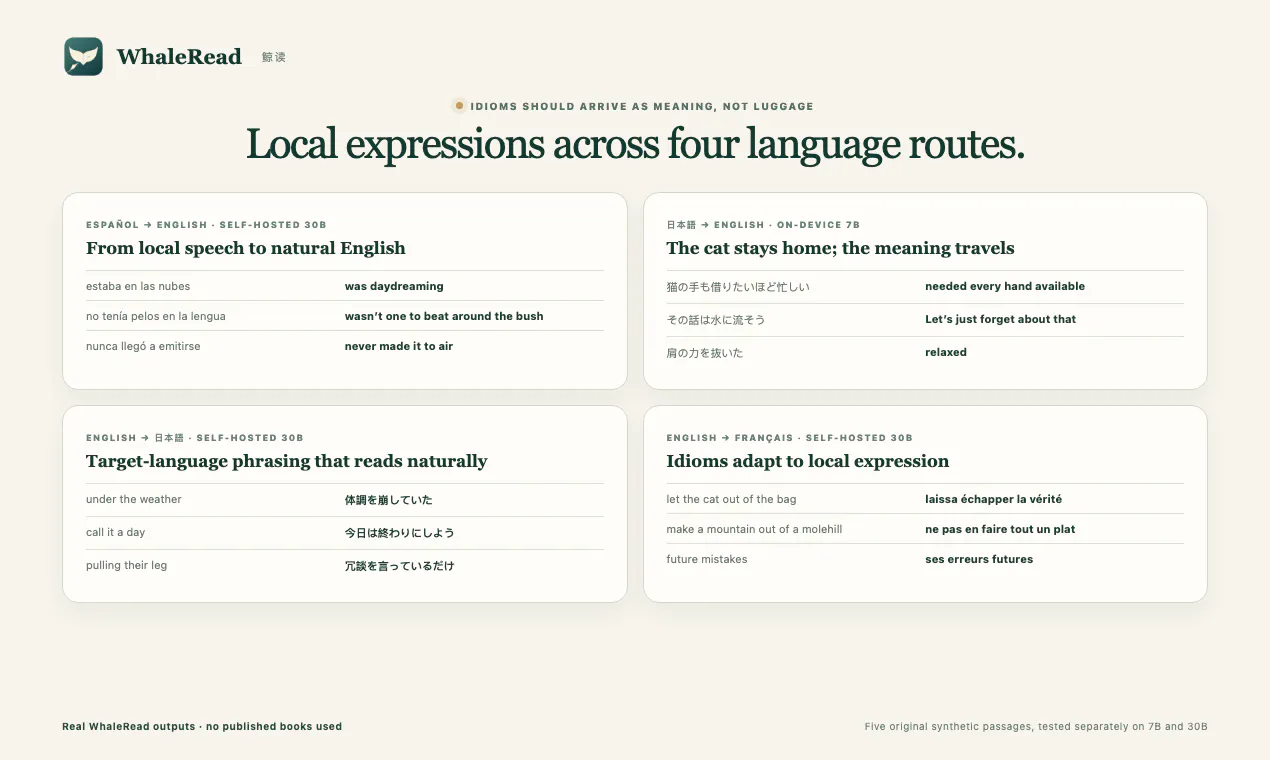
WhaleRead is a privacy-focused macOS application designed for reading and translating text, Markdown, and EPUB files locally on the device. It leverages on-device 7B or self-hosted 30B private AI models to provide seamless translation capabilities, ensuring user data remains secure and under their control. The tool is ideal for bilingual readers, researchers, and writers who need accurate, on-device translation without relying on cloud services. Its unique features include preserving bilingual reading experiences, human-confirmed review processes, and an integrated Ask AI feature for quick assistance. WhaleRead’s local-first approach makes it appealing for users prioritizing privacy, security, and reliable offline access, all while maintaining a user-friendly interface tailored for macOS users.
Screenshots




Pros
- ✓Local AI processing ensures maximum privacy and data security
- ✓Supports multiple formats: TXT, Markdown, EPUB for versatile reading
- ✓Includes human-confirmed review for improved translation quality
- ✓Offers integrated Ask AI for quick assistance and insights
- ✓Preserves bilingual reading experience for language learners and researchers
Cons
- ✗Limited to macOS, not available cross-platform
- ✗Requires setup of self-hosted models for advanced features, which may be complex for some users
- ✗Voter count on ProductHunt indicates limited user feedback at this stage
Use Cases
Pricing
Pricing not verified
Quick Info
Topics
Makers

New User
Alternatives
Similar Tools in AI Assistants




Embed Badge
Add this badge to your website to show that WhaleRead is featured on Visalytica.
<a href="https://www.visalytica.com/tool/whaleread" target="_blank" rel="noopener noreferrer" style="display:inline-flex;align-items:center;gap:6px;padding:6px 14px;background:#7c3aed;color:#fff;border-radius:8px;font-family:-apple-system,system-ui,sans-serif;font-size:13px;font-weight:600;text-decoration:none;transition:background .2s" onmouseover="this.style.background='#6d28d9'" onmouseout="this.style.background='#7c3aed'"><svg width="14" height="14" viewBox="0 0 24 24" fill="none" stroke="currentColor" stroke-width="2.5" stroke-linecap="round" stroke-linejoin="round"><path d="M12 20V10"/><path d="M18 20V4"/><path d="M6 20v-4"/></svg>Featured on Visalytica</a>