
WattMate
Which app is draining your Mac, in watts and minutes saved
About WattMate
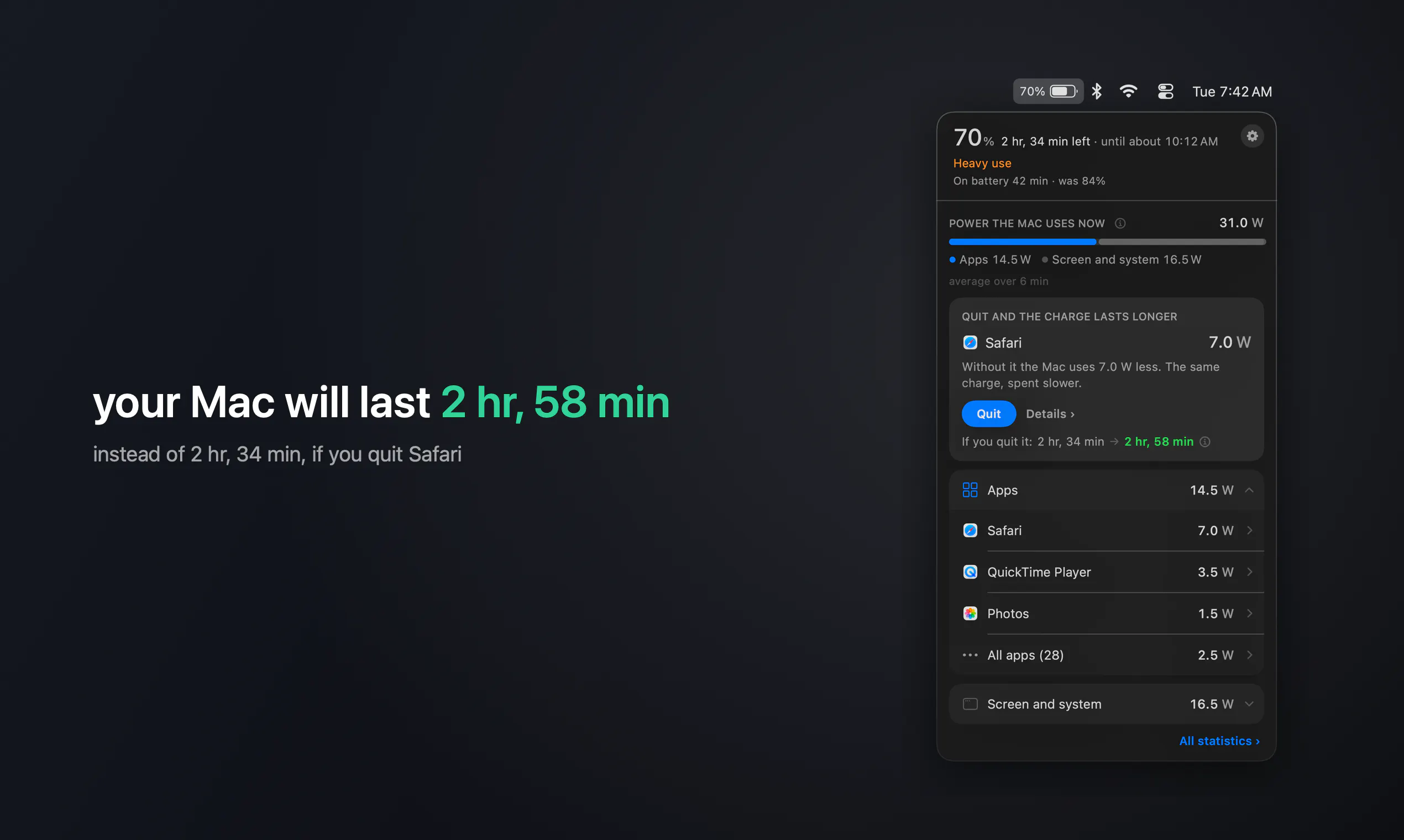
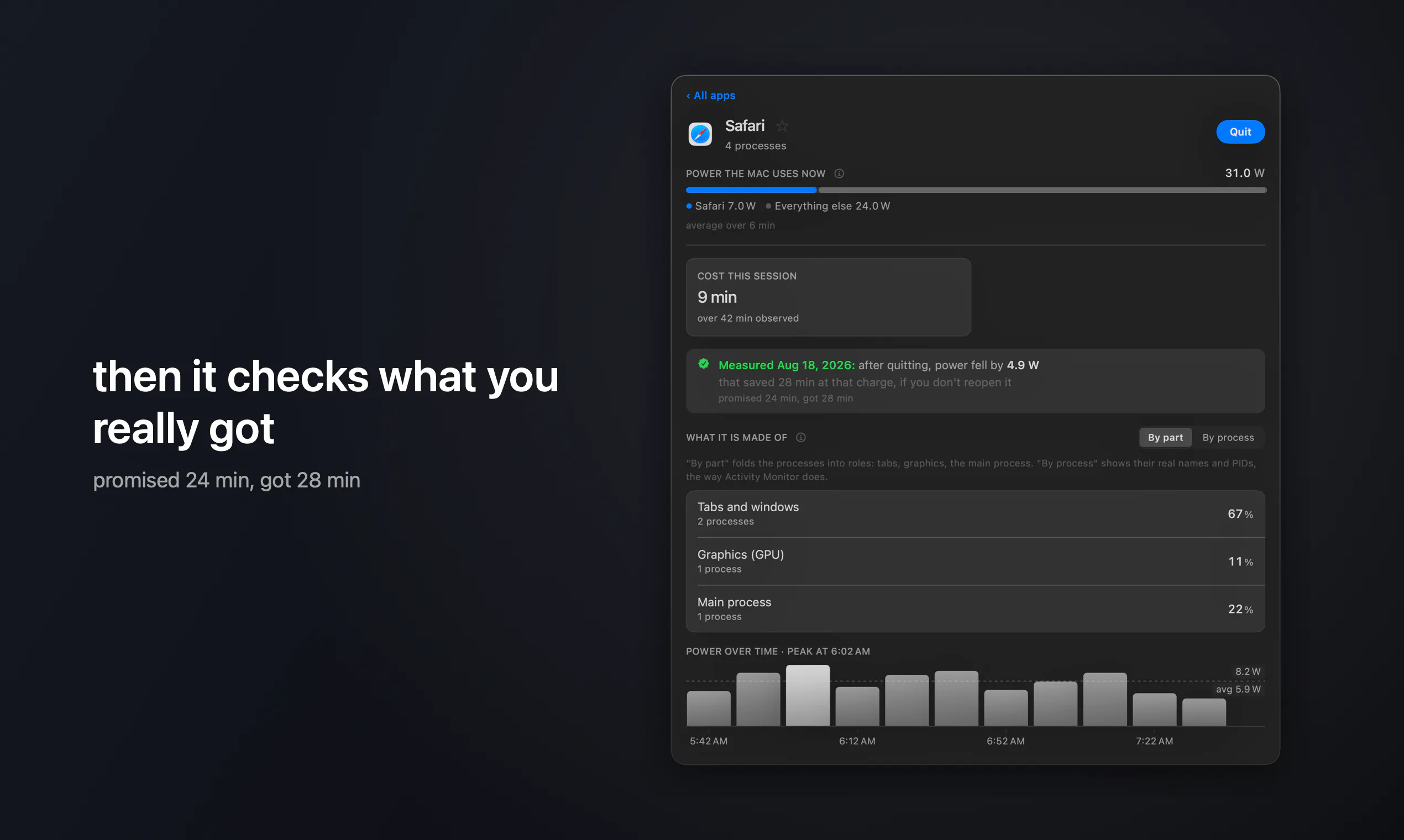
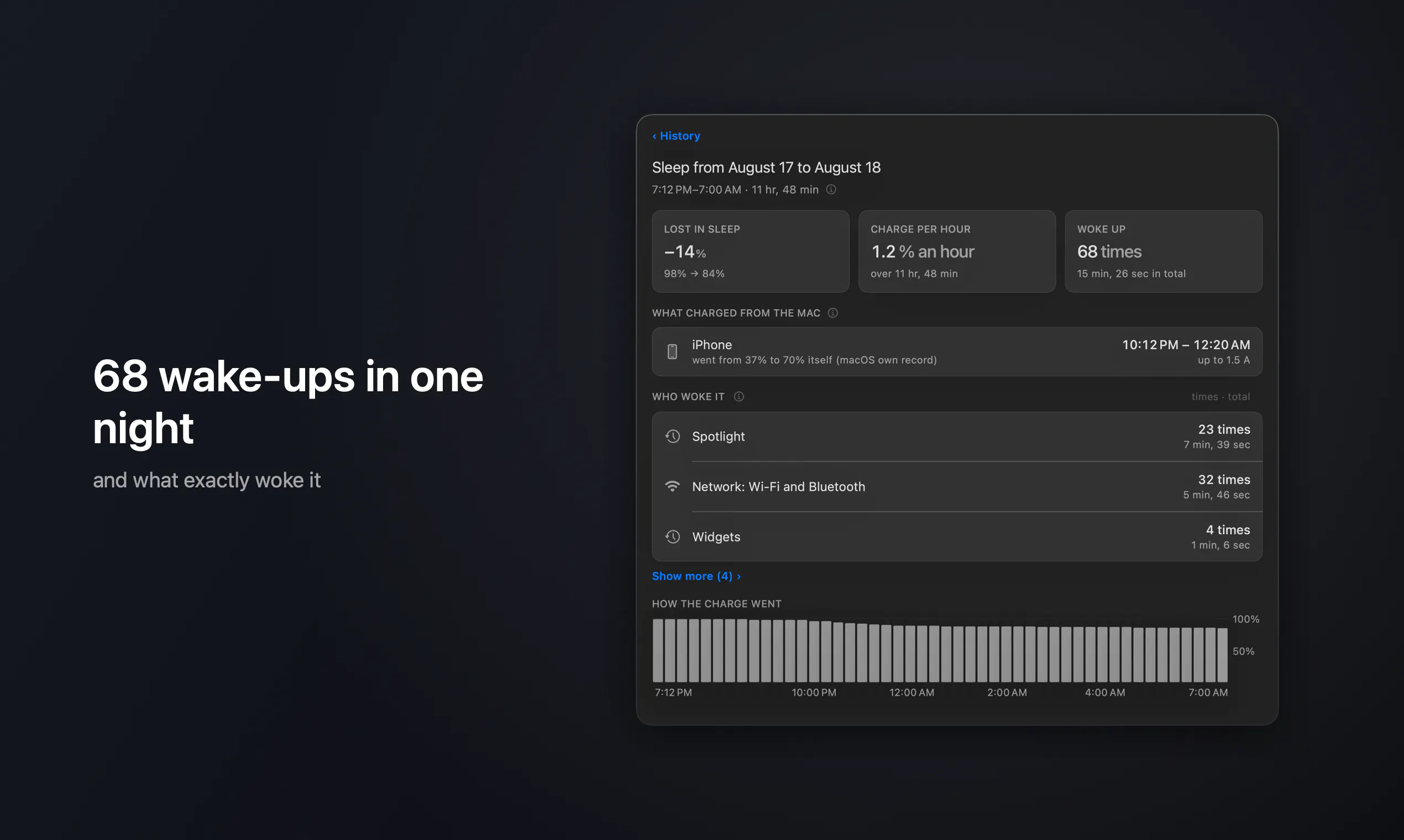
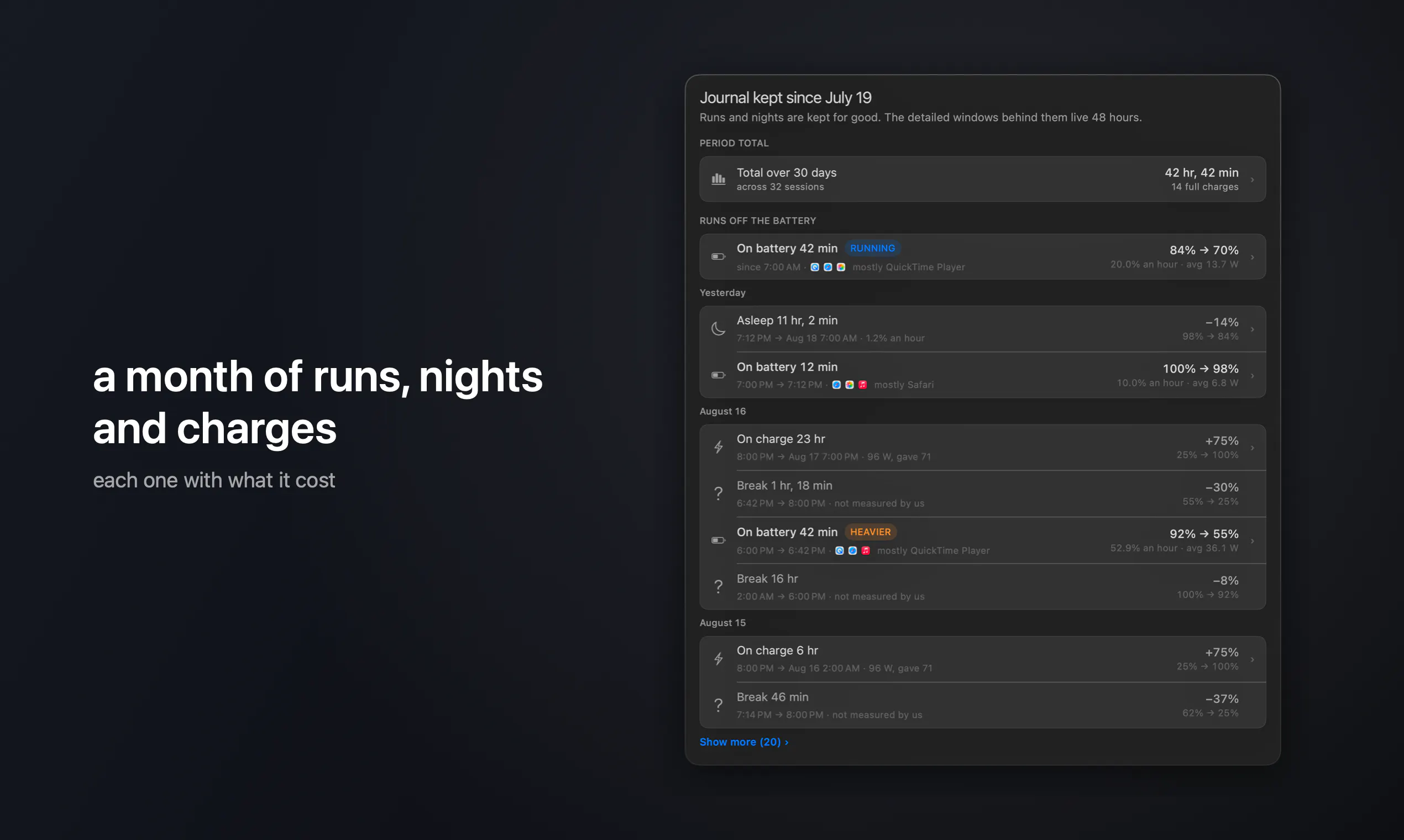
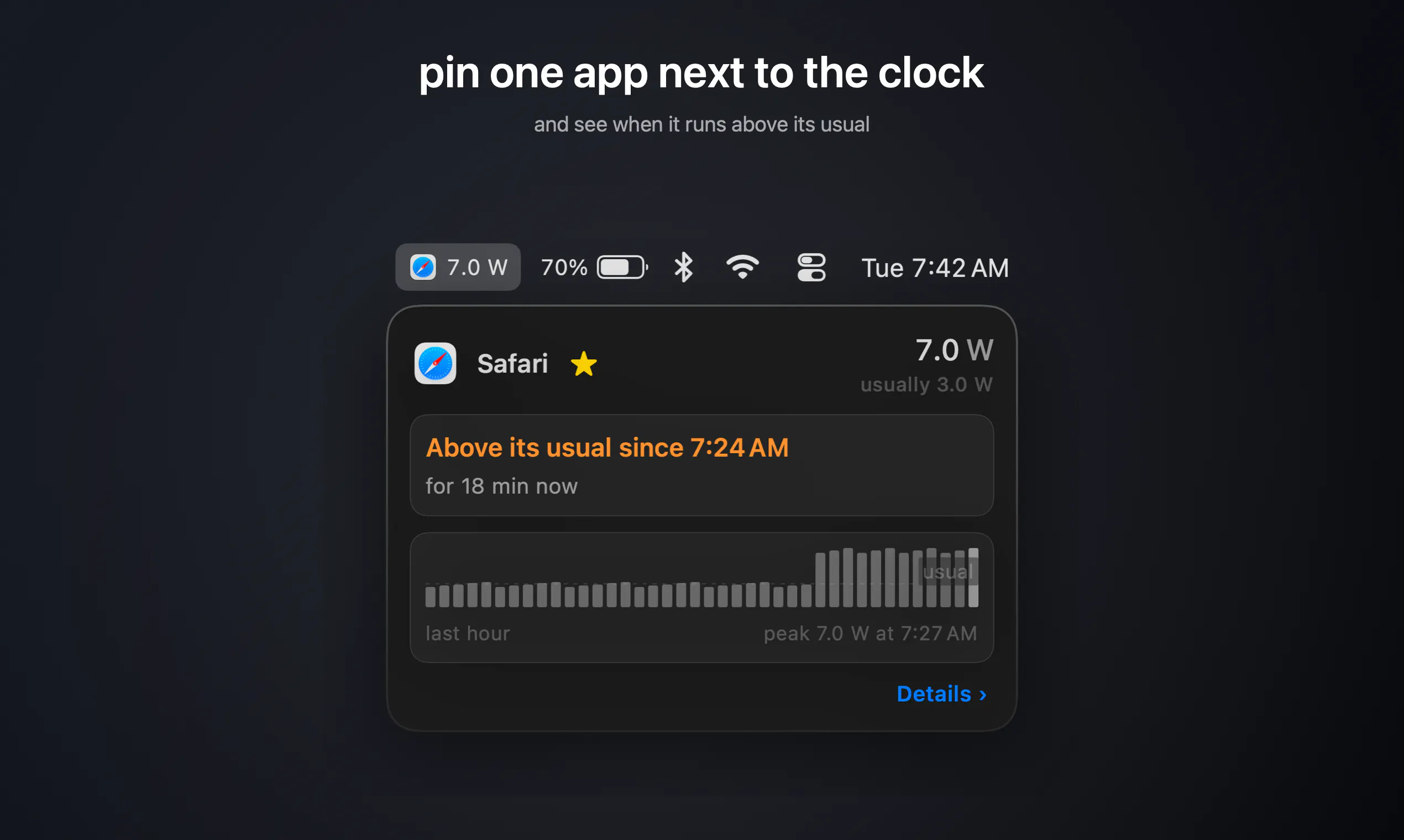
WattMate is a sleek and practical menu bar app designed for Mac users who want to optimize their battery life and understand their app usage. It provides real-time insights into which applications are draining power, displaying their current watt consumption and estimating how many minutes of usage you can save by quitting them. Its unique feature of measuring battery impact both before and after quitting an app helps users make informed decisions about resource management. Built specifically for Apple Silicon Macs running macOS 14 and above, WattMate offers a simple yet powerful way to enhance productivity and extend battery longevity. Whether you're a power user, a professional relying on prolonged battery life, or someone keen on reducing energy waste, WattMate delivers valuable transparency directly from the menu bar, making it a must-have utility for efficient Mac use.
Screenshots
Pros
- ✓Real-time app power consumption insights in watts
- ✓Provides estimated minutes saved by quitting apps
- ✓Easy-to-access information directly from the menu bar
- ✓Measures impact before and after quitting for accurate results
- ✓Optimized for Apple Silicon and macOS 14+
Cons
- ✗Limited to Mac users with Apple Silicon and macOS 14+
- ✗No pricing information available
- ✗User interface details and customization options not specified
Use Cases
Pricing
Pricing not verified
Quick Info
Topics
Makers

Vitali
Alternatives
Similar Tools in AI Assistants




Embed Badge
Add this badge to your website to show that WattMate is featured on Visalytica.
<a href="https://www.visalytica.com/tool/wattmate" target="_blank" rel="noopener noreferrer" style="display:inline-flex;align-items:center;gap:6px;padding:6px 14px;background:#7c3aed;color:#fff;border-radius:8px;font-family:-apple-system,system-ui,sans-serif;font-size:13px;font-weight:600;text-decoration:none;transition:background .2s" onmouseover="this.style.background='#6d28d9'" onmouseout="this.style.background='#7c3aed'"><svg width="14" height="14" viewBox="0 0 24 24" fill="none" stroke="currentColor" stroke-width="2.5" stroke-linecap="round" stroke-linejoin="round"><path d="M12 20V10"/><path d="M18 20V4"/><path d="M6 20v-4"/></svg>Featured on Visalytica</a>