Vibeocus Lens
Bridge your live frontend directly to your AI agent.
About Vibeocus Lens
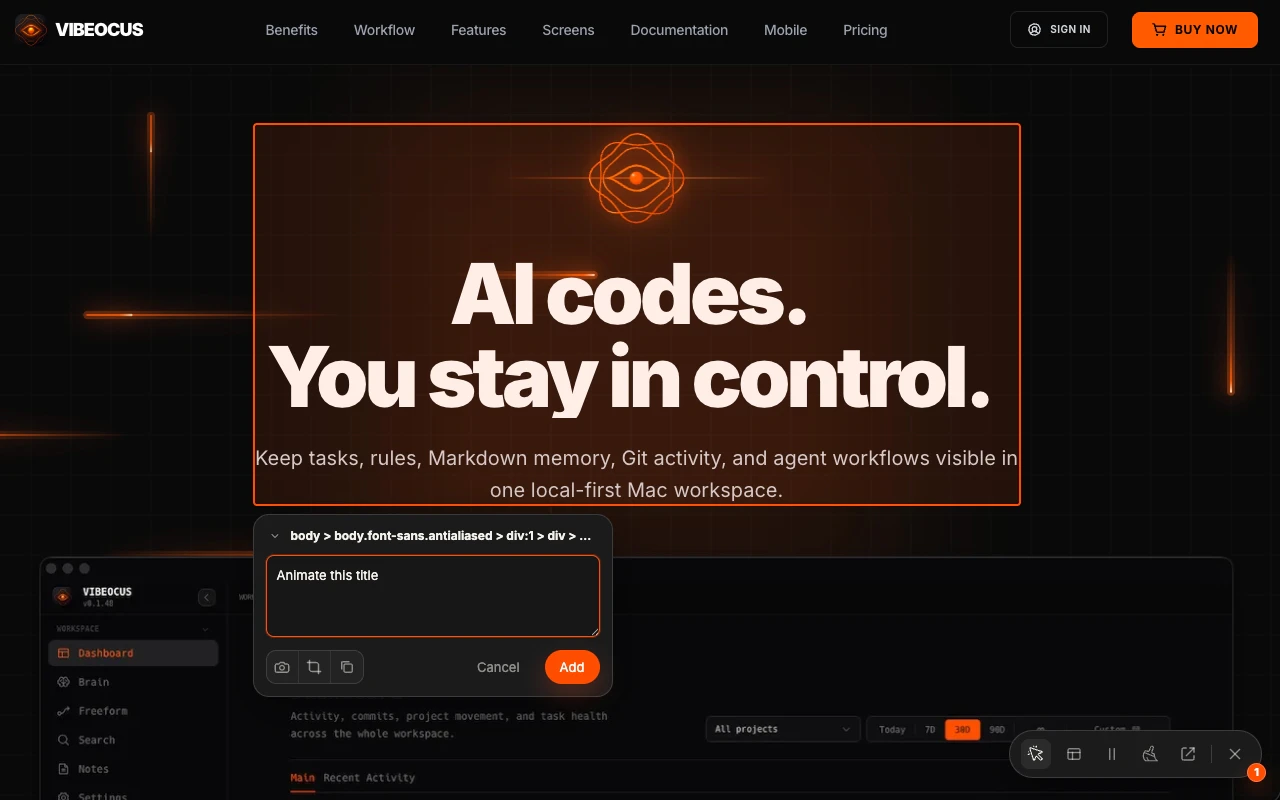
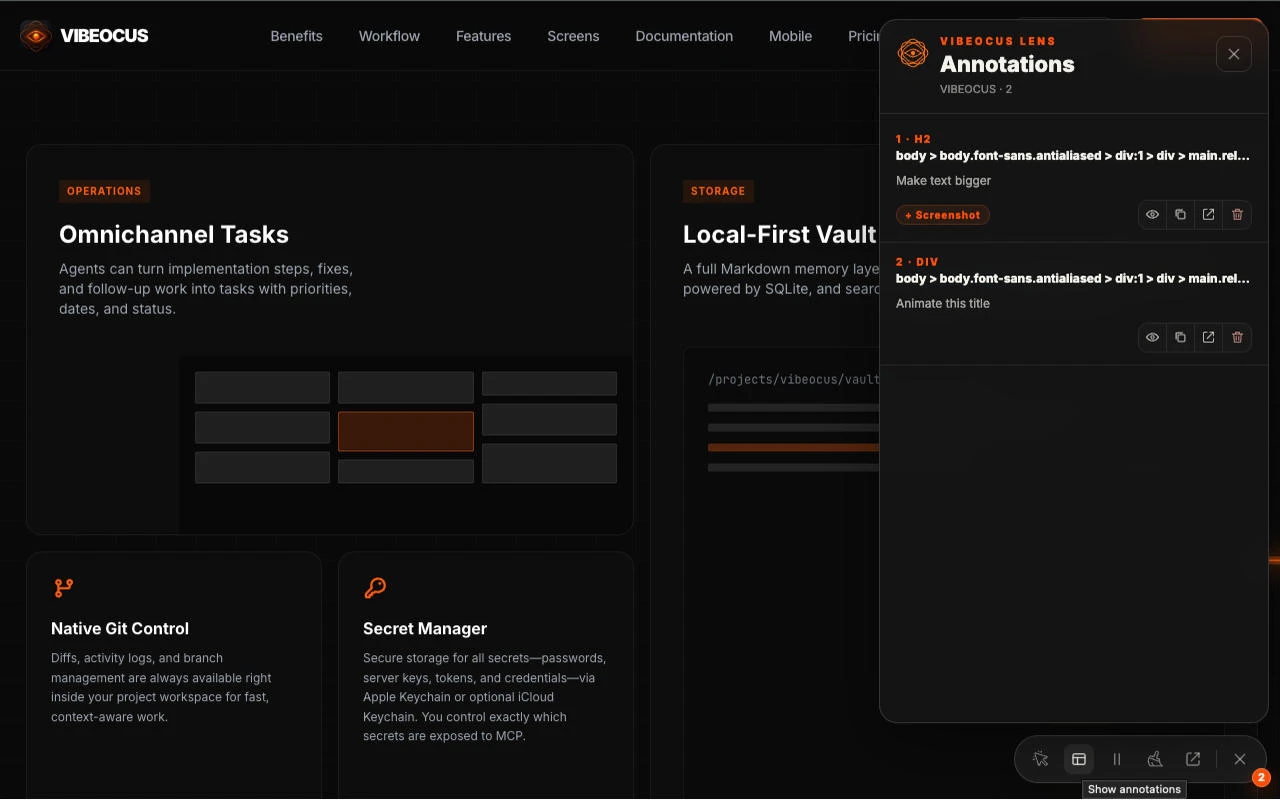
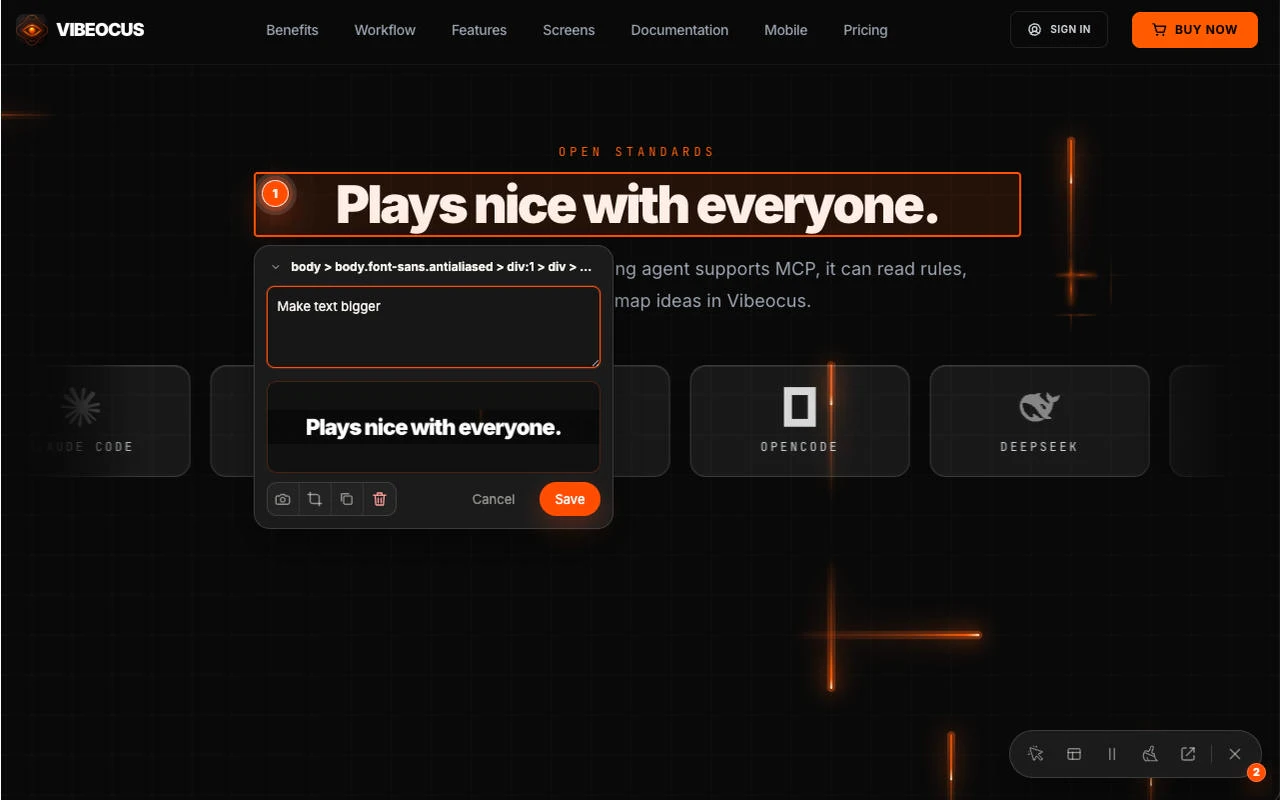
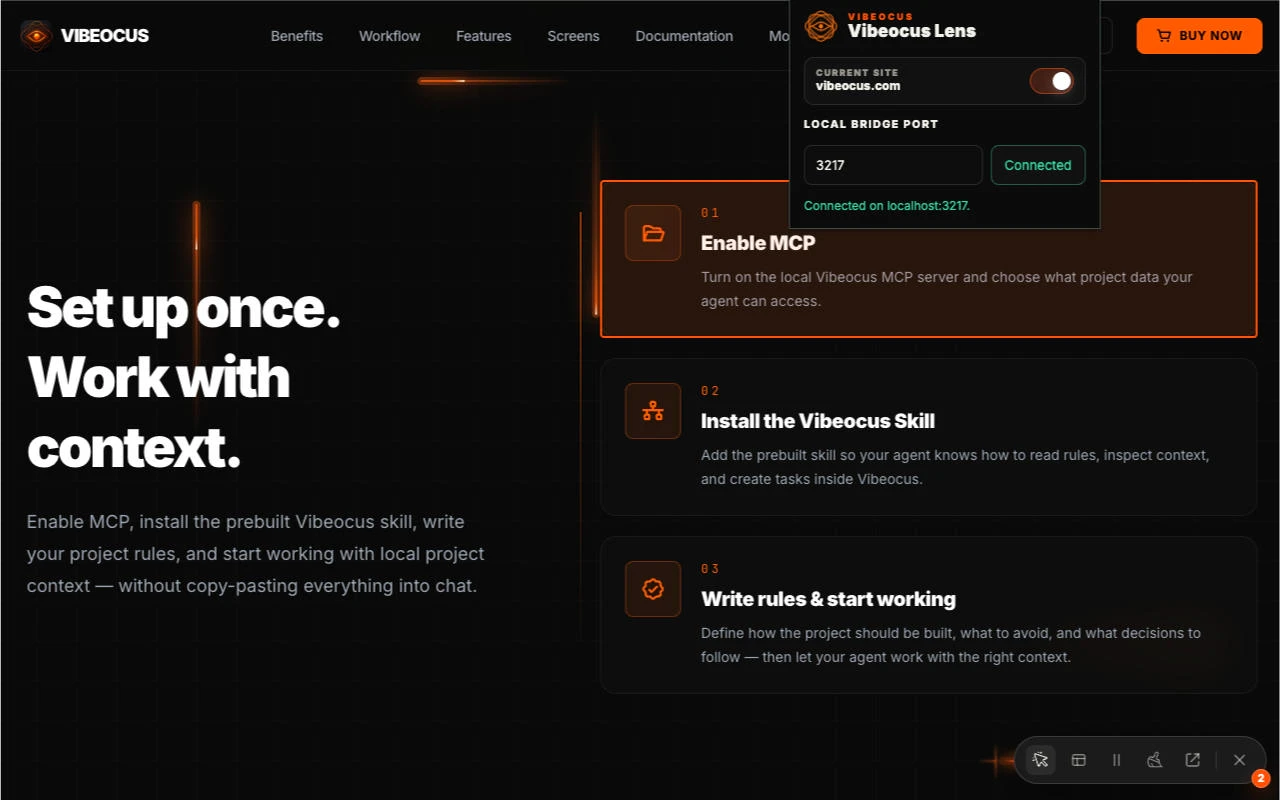
Vibeocus Lens is a powerful Chrome extension designed for developers and QA professionals seeking a more efficient way to capture frontend bugs and UI states. Instead of manually copying HTML code or taking screenshots, users can leverage Vibeocus Lens to directly capture precise DOM nodes, visual states, and annotations from their browser. This data is streamed seamlessly into the local workspace via MCP, enabling faster debugging and collaboration. Its ability to accurately record the exact frontend context makes it especially valuable for teams working on complex web applications, where pinpointing issues quickly is critical. What sets Vibeocus Lens apart is its focus on streamlining the bug reporting process, reducing manual effort, and providing detailed insights that improve troubleshooting efficiency.
Screenshots
Pros
- ✓Automates capturing of DOM nodes and visual states, saving time
- ✓Integrates smoothly into local development workflows via MCP
- ✓Reduces manual copying and screenshotting, minimizing errors
- ✓Facilitates detailed bug reports with annotations and exact context
- ✓User-friendly interface tailored for developers and QA teams
Cons
- ✗Limited information on pricing or free tier availability
- ✗Potential learning curve for those unfamiliar with DOM or MCP
- ✗Requires browser extension setup, which might not suit all environments
Use Cases
Pricing
Likely operates on a freemium model, offering basic features for free with premium plans for advanced functionalities or integrations. Exact pricing details are not specified.
Quick Info
Topics
Similar Tools in AI Assistants




Embed Badge
Add this badge to your website to show that Vibeocus Lens is featured on Visalytica.
<a href="https://www.visalytica.com/tool/vibeocus-lens" target="_blank" rel="noopener noreferrer" style="display:inline-flex;align-items:center;gap:6px;padding:6px 14px;background:#7c3aed;color:#fff;border-radius:8px;font-family:-apple-system,system-ui,sans-serif;font-size:13px;font-weight:600;text-decoration:none;transition:background .2s" onmouseover="this.style.background='#6d28d9'" onmouseout="this.style.background='#7c3aed'"><svg width="14" height="14" viewBox="0 0 24 24" fill="none" stroke="currentColor" stroke-width="2.5" stroke-linecap="round" stroke-linejoin="round"><path d="M12 20V10"/><path d="M18 20V4"/><path d="M6 20v-4"/></svg>Featured on Visalytica</a>