
Translate Like Me
Translate selected text on Mac, in your own writing style
About Translate Like Me
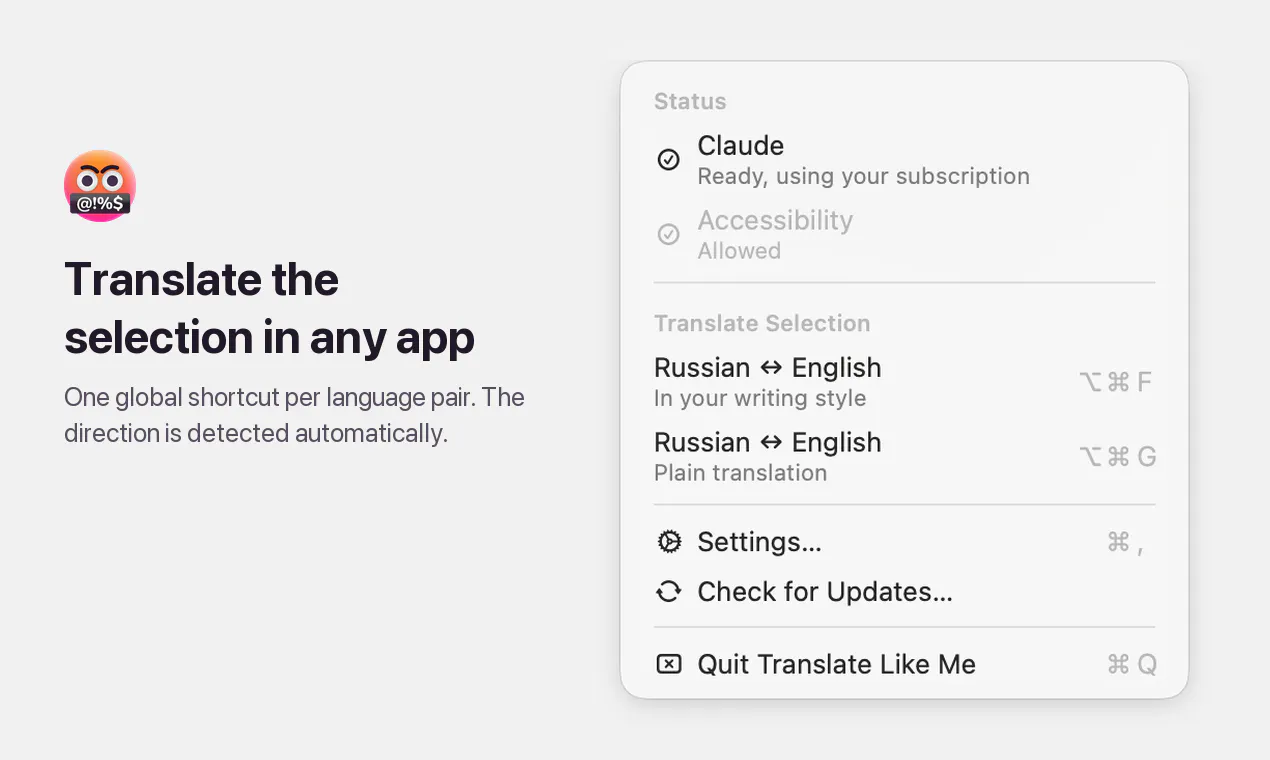
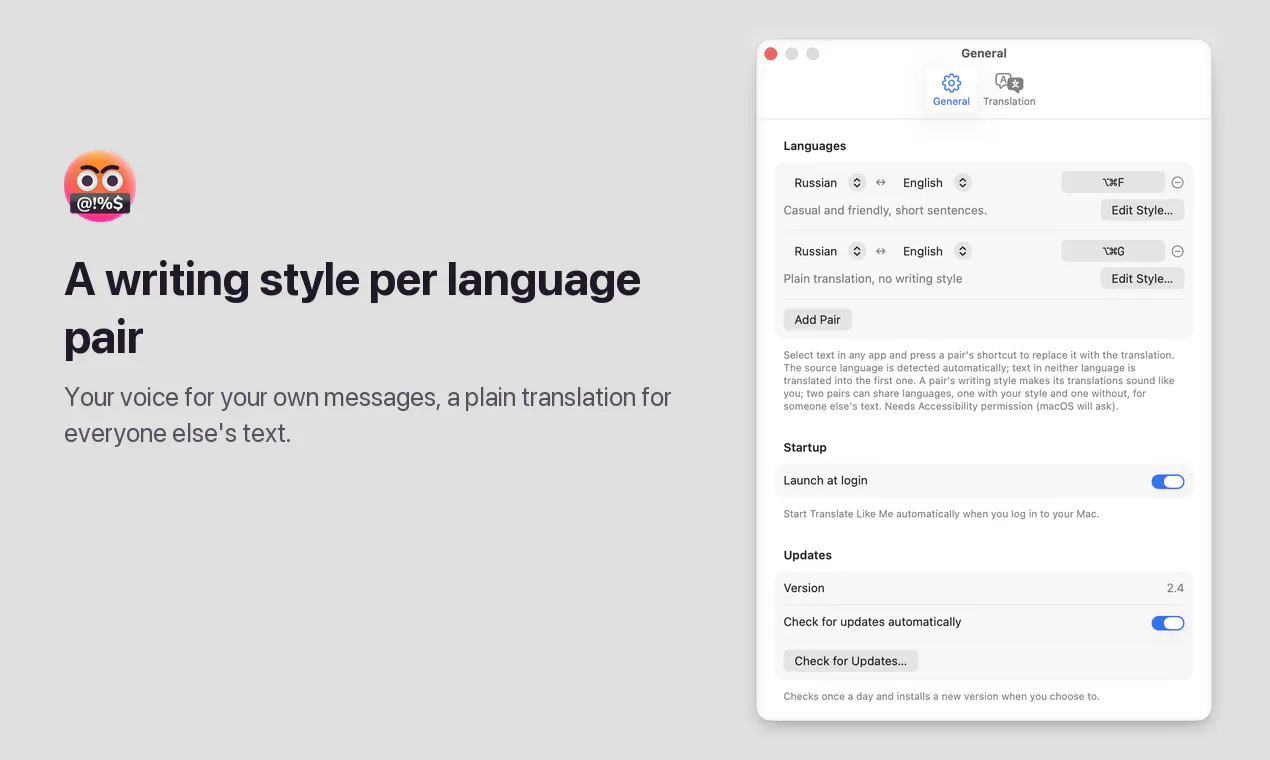
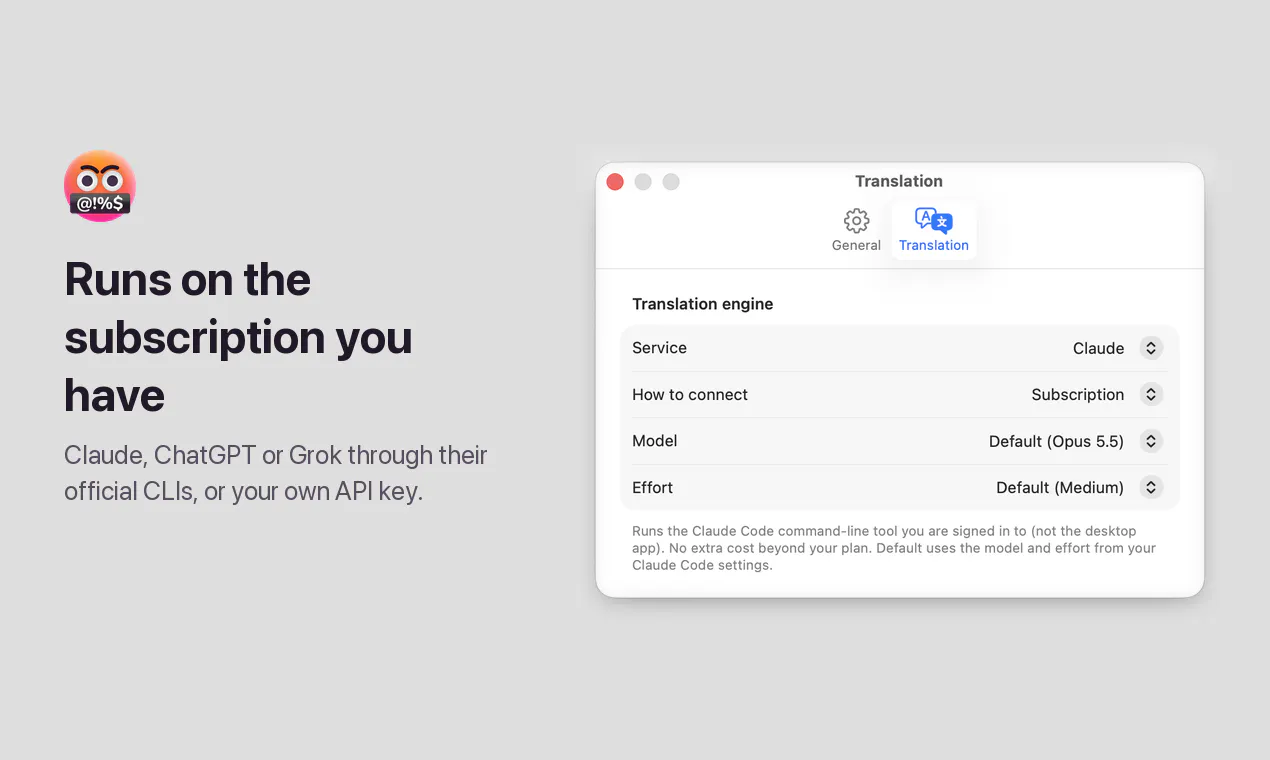
Translate Like Me is a sleek macOS menu bar application designed for seamless text translation directly within your workflow. By enabling users to select any text in any app, press a shortcut, and instantly replace it with a translated version, it streamlines multilingual communication. The tool automatically detects the translation direction between your chosen language pair and allows customization of writing style for each language combination, making translations feel natural and tailored. Supporting integrations with Claude, ChatGPT, or Grok through your existing subscription or API key, it offers flexible AI-powered translation options. Its open-source nature also appeals to the tech-savvy community seeking transparency and customization. Whether for professional translation, language learning, or quick communication across language barriers, Translate Like Me simplifies the process with a user-friendly interface and powerful AI back-end.
Screenshots
Pros
- ✓Quick and seamless translation directly from the menu bar
- ✓Automatic detection of translation direction
- ✓Customizable writing styles for different language pairs
- ✓Supports multiple AI back-ends like Claude, ChatGPT, and Grok
- ✓Open source and free to use
Cons
- ✗Requires familiarity with API keys and subscription setup
- ✗Limited to macOS users
- ✗Voter count on Product Hunt is currently zero, indicating limited visibility
Use Cases
Pricing
Pricing not verified
Quick Info
Topics
Makers

Victor Kuznetsov
@wiltodeltaAlternatives
Similar Tools in AI Writing




Embed Badge
Add this badge to your website to show that Translate Like Me is featured on Visalytica.
<a href="https://www.visalytica.com/tool/translate-like-me" target="_blank" rel="noopener noreferrer" style="display:inline-flex;align-items:center;gap:6px;padding:6px 14px;background:#7c3aed;color:#fff;border-radius:8px;font-family:-apple-system,system-ui,sans-serif;font-size:13px;font-weight:600;text-decoration:none;transition:background .2s" onmouseover="this.style.background='#6d28d9'" onmouseout="this.style.background='#7c3aed'"><svg width="14" height="14" viewBox="0 0 24 24" fill="none" stroke="currentColor" stroke-width="2.5" stroke-linecap="round" stroke-linejoin="round"><path d="M12 20V10"/><path d="M18 20V4"/><path d="M6 20v-4"/></svg>Featured on Visalytica</a>