
Trancy Air
Translate anything you see, write, or say with one hotkey
About Trancy Air
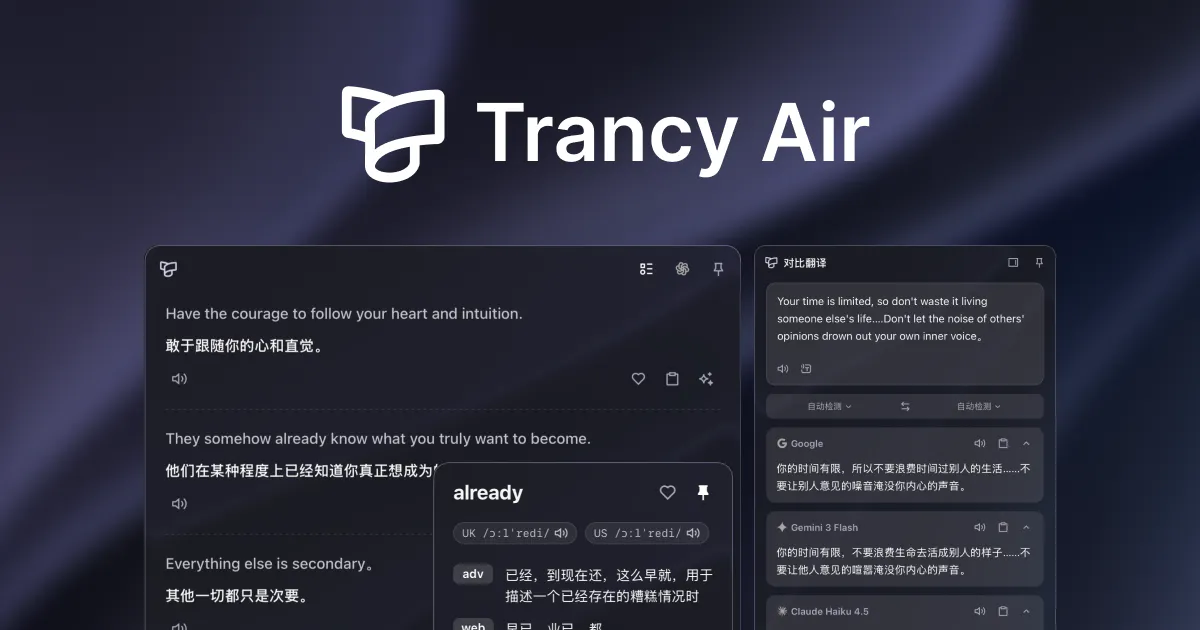


Trancy Air is an innovative, shortcut-driven translation tool designed for macOS and Windows that seamlessly integrates into any application. Its core feature allows users to instantly translate selected text, whether they encounter unfamiliar language or need quick comprehension. Additionally, it enables users to write in their native language and effortlessly switch to another with a simple hotkey, making multilingual communication effortless. The tool also offers voice translation, allowing users to speak naturally and have their words transcribed and translated in real-time. Beyond translation, Trancy Air helps improve language skills by catching mistakes, polishing writing, and reading text aloud, including pronunciation scoring. Its versatility makes it ideal for professionals, students, travelers, and multilingual teams seeking a fast, reliable, and user-friendly translation assistant that enhances productivity and language mastery.
Screenshots

Pros
- ✓Easy to use hotkey system for instant translations across applications
- ✓Supports multiple input methods: text selection, typing, and voice
- ✓Additional features like grammar correction, text-to-speech, and pronunciation scoring
- ✓Compatible with both macOS and Windows, integrating seamlessly into workflows
- ✓Simplifies multilingual communication and language learning
Cons
- ✗Specific pricing details are not provided, potentially limiting initial budgeting
- ✗Features and performance may vary depending on system and language complexity
- ✗No information on free trial or tier options available
Use Cases
Pricing
Pricing not verified
Quick Info
Topics
Makers

Elidi Martin
Alternatives
Similar Tools in AI Assistants




Embed Badge
Add this badge to your website to show that Trancy Air is featured on Visalytica.
<a href="https://www.visalytica.com/tool/trancy-air" target="_blank" rel="noopener noreferrer" style="display:inline-flex;align-items:center;gap:6px;padding:6px 14px;background:#7c3aed;color:#fff;border-radius:8px;font-family:-apple-system,system-ui,sans-serif;font-size:13px;font-weight:600;text-decoration:none;transition:background .2s" onmouseover="this.style.background='#6d28d9'" onmouseout="this.style.background='#7c3aed'"><svg width="14" height="14" viewBox="0 0 24 24" fill="none" stroke="currentColor" stroke-width="2.5" stroke-linecap="round" stroke-linejoin="round"><path d="M12 20V10"/><path d="M18 20V4"/><path d="M6 20v-4"/></svg>Featured on Visalytica</a>