
Tokimeter
Local usage analytics for Claude, Codex, Cursor, Grok & More
About Tokimeter
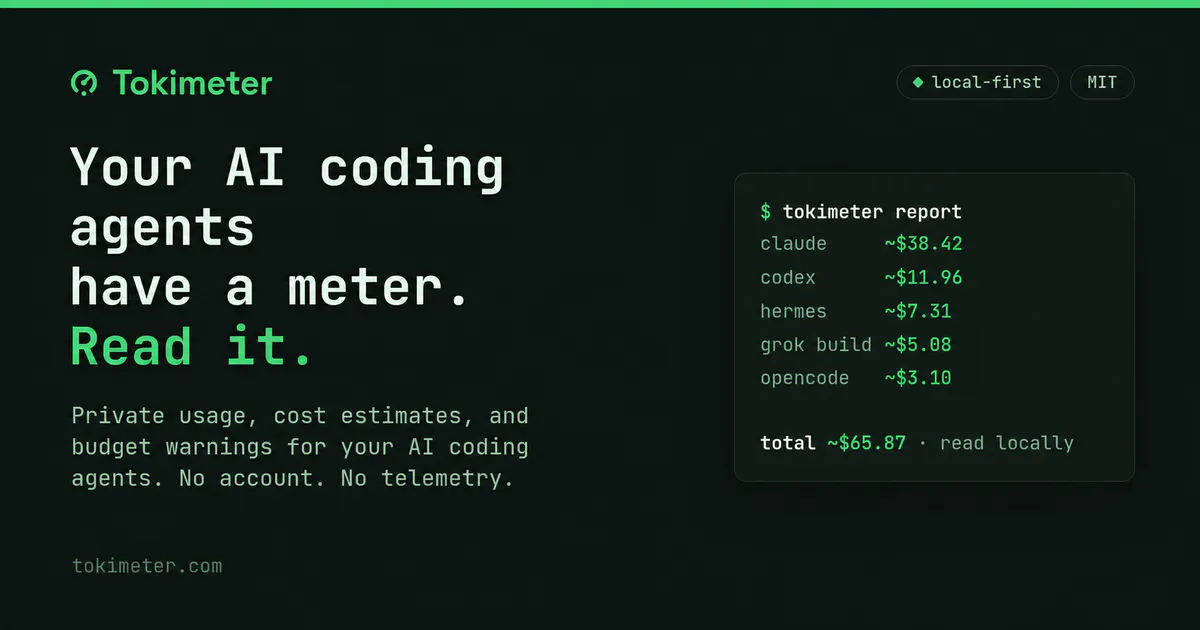

Tokimeter is an open-source, privacy-focused analytics tool designed for developers who utilize AI coding tools like Claude, Codex, Cursor, Grok, and others. It consolidates usage data—such as token counts, costs, and session details—into comprehensive reports, making it easier for users to monitor and manage their AI interactions across multiple projects and models. Its strength lies in its local operation; there’s no need for accounts or telemetry, ensuring user data remains on their machine. By supporting CLI and desktop apps, Tokimeter caters to developers who prefer command-line or local workflows, offering real-time budget warnings and detailed usage breakdowns. Its open-source nature and MIT license make it highly customizable and transparent. Whether for individual developers or teams managing multiple AI tools, Tokimeter provides a straightforward way to optimize costs and usage, making AI interactions more manageable and cost-effective.
Screenshots
Pros
- ✓Privacy-focused with no data leaving the local machine
- ✓Supports multiple popular AI tools and models
- ✓Detailed token and cost analytics by project, session, and time period
- ✓Open source and highly customizable
- ✓Real-time budget warnings and session limit tracking
Cons
- ✗Limited to users comfortable with CLI or local app setup
- ✗Lacks a cloud-based dashboard for remote monitoring
- ✗May require technical expertise to fully leverage all features
Use Cases
Pricing
As an open-source project under the MIT license, Tokimeter is free to use. There are no subscription fees or paid tiers, making it accessible for individual developers and teams alike.
Quick Info
Topics
Makers

ToshiPepe
@toshipepeAlternatives
Similar Tools in Developer Tools




Embed Badge
Add this badge to your website to show that Tokimeter is featured on Visalytica.
<a href="https://www.visalytica.com/tool/tokimeter" target="_blank" rel="noopener noreferrer" style="display:inline-flex;align-items:center;gap:6px;padding:6px 14px;background:#7c3aed;color:#fff;border-radius:8px;font-family:-apple-system,system-ui,sans-serif;font-size:13px;font-weight:600;text-decoration:none;transition:background .2s" onmouseover="this.style.background='#6d28d9'" onmouseout="this.style.background='#7c3aed'"><svg width="14" height="14" viewBox="0 0 24 24" fill="none" stroke="currentColor" stroke-width="2.5" stroke-linecap="round" stroke-linejoin="round"><path d="M12 20V10"/><path d="M18 20V4"/><path d="M6 20v-4"/></svg>Featured on Visalytica</a>