
TinyFolder
App folders for your Mac Dock, designed your way
About TinyFolder
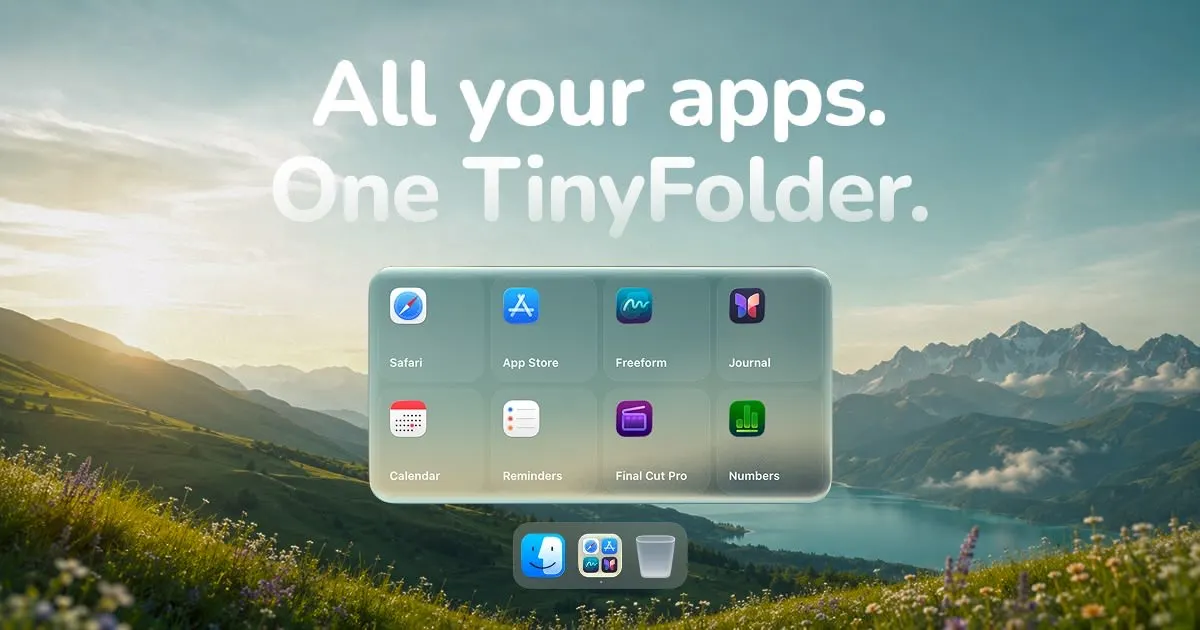
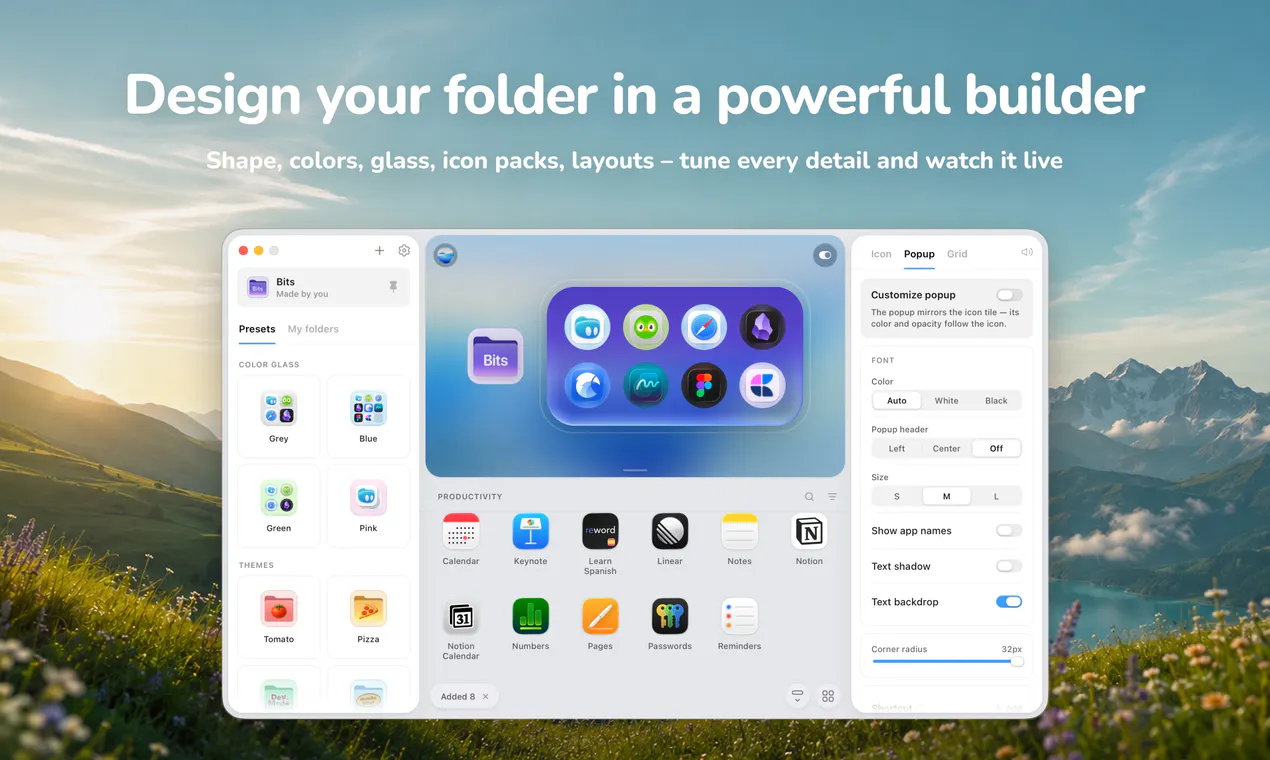
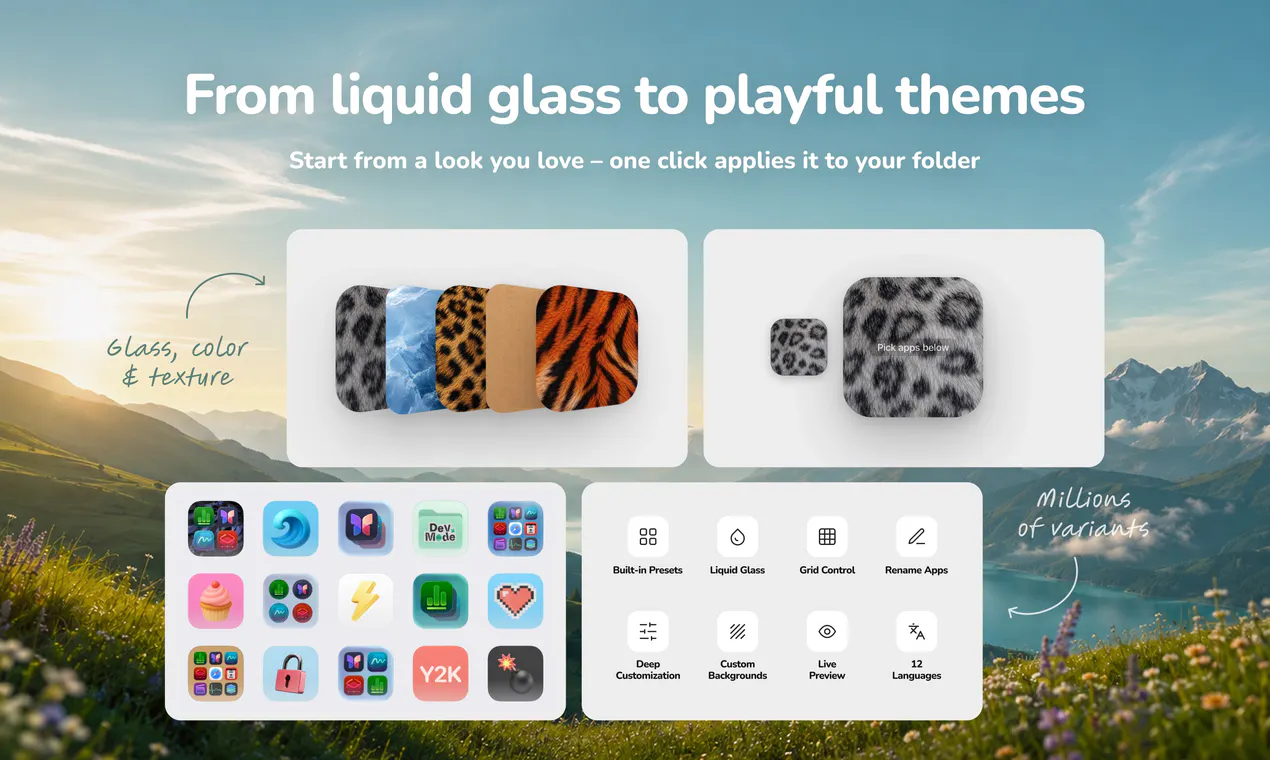
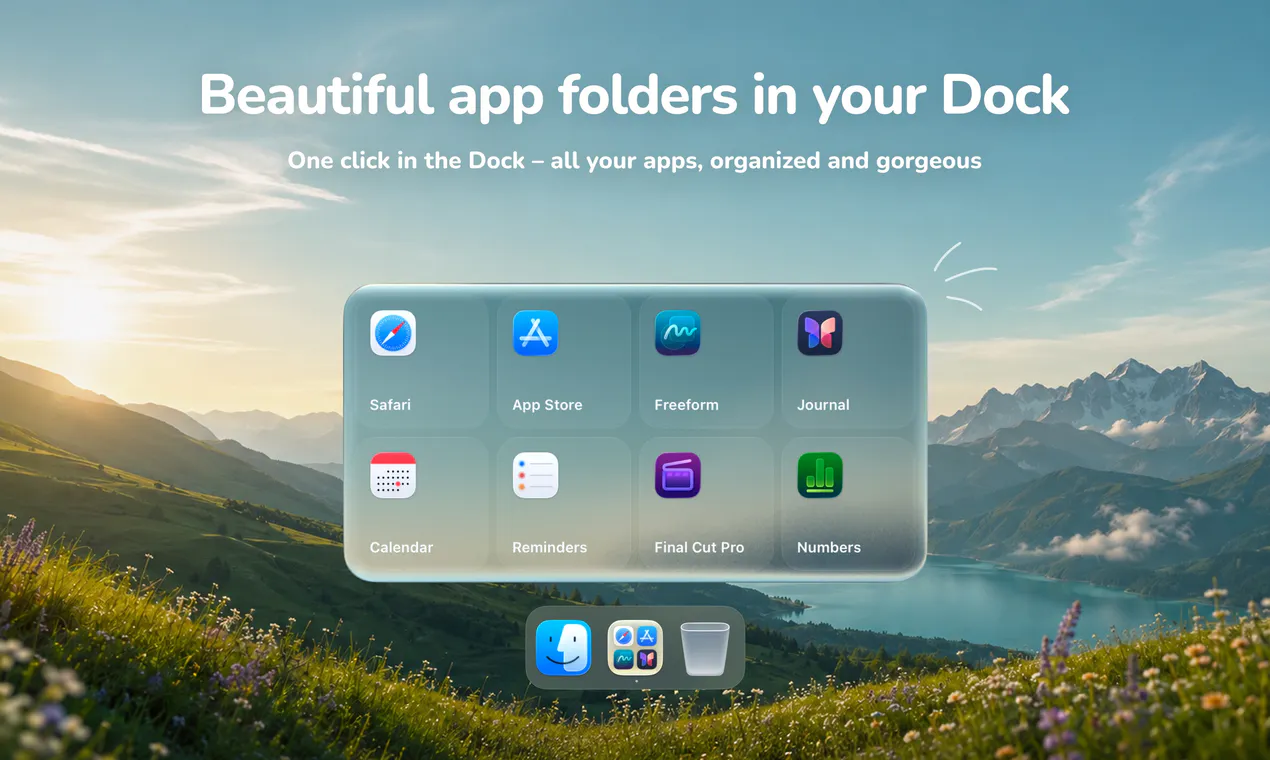
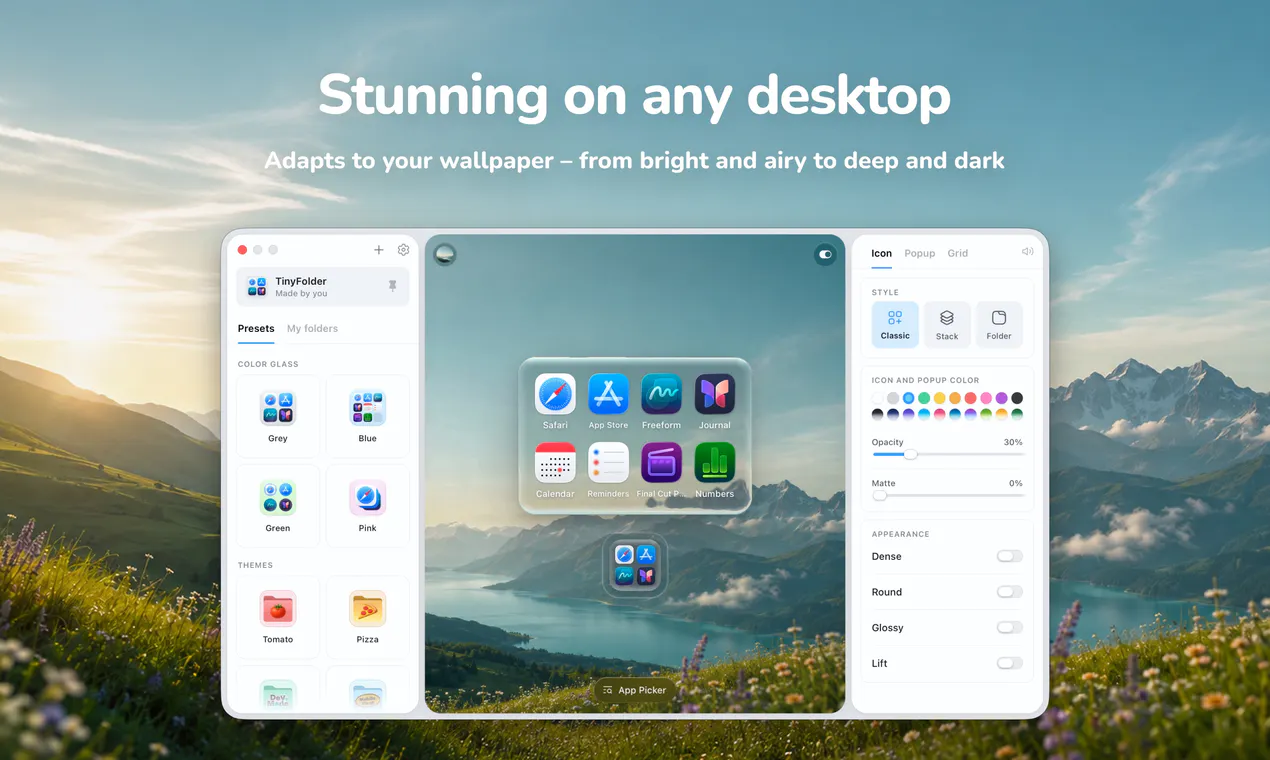
TinyFolder is a versatile Mac utility designed to enhance your productivity and organization by bringing app folders directly to your Dock. With the removal of traditional folder structures from the Dock and the absence of Launchpad in macOS Tahoe, users often struggle to keep their apps tidy and accessible. TinyFolder addresses this gap by allowing users to create customizable app folders that appear as single icons in the Dock. When clicked, these folders open above the tile, providing quick access to grouped applications without cluttering your workspace. Its unique icon-building feature, which incorporates the apps inside, along with extensive customization options such as textures, colors, layouts, icon sizes, labels, and lively effects like snow and lava, makes it both functional and visually appealing. Its live preview feature allows users to fine-tune their design in real-time, making it a personal and flexible tool for Mac users who want a tailored app organization system.
Screenshots
Pros
- ✓Customizable design options for icons, textures, and live effects
- ✓Convenient app folder management directly in the Dock
- ✓Live preview for real-time customization
- ✓Easy to use with no complex setup required
- ✓Free on the Mac App Store
Cons
- ✗Limited to Mac users, specific to macOS Tahoe and later
- ✗May require some time to perfect customizations for optimal use
- ✗No information on advanced features or integrations
Use Cases
Pricing
Pricing not verified
Quick Info
Topics
Alternatives
Similar Tools in AI Image & Design




Embed Badge
Add this badge to your website to show that TinyFolder is featured on Visalytica.
<a href="https://www.visalytica.com/tool/tinyfolder" target="_blank" rel="noopener noreferrer" style="display:inline-flex;align-items:center;gap:6px;padding:6px 14px;background:#7c3aed;color:#fff;border-radius:8px;font-family:-apple-system,system-ui,sans-serif;font-size:13px;font-weight:600;text-decoration:none;transition:background .2s" onmouseover="this.style.background='#6d28d9'" onmouseout="this.style.background='#7c3aed'"><svg width="14" height="14" viewBox="0 0 24 24" fill="none" stroke="currentColor" stroke-width="2.5" stroke-linecap="round" stroke-linejoin="round"><path d="M12 20V10"/><path d="M18 20V4"/><path d="M6 20v-4"/></svg>Featured on Visalytica</a>