
Time Precision
Every timezone you care about. One glance. Zero clutter.
About Time Precision
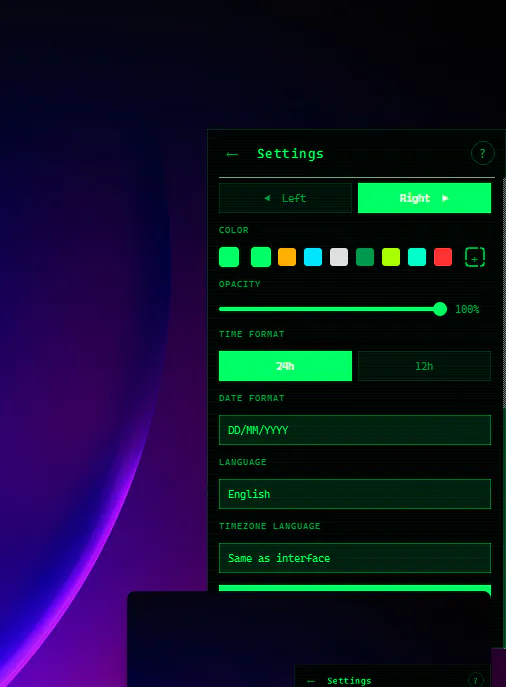
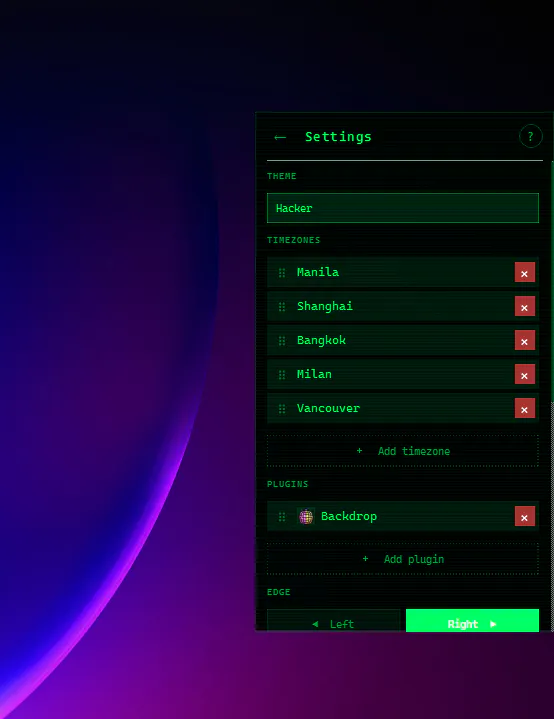
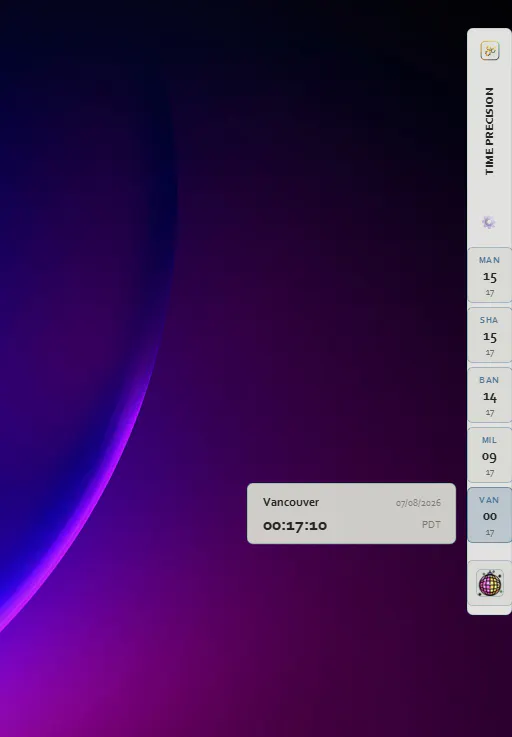
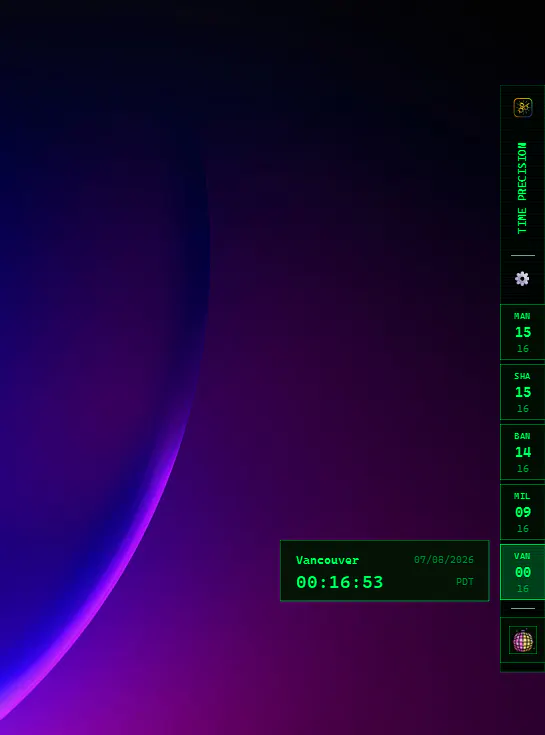
Time Precision is a sleek, unobtrusive Windows desktop tool designed for professionals who need quick access to multiple time zones. By docking a slim, customizable rail to the edge of the screen, it provides constant visibility of pinned time zones without cluttering the workspace. The interface supports 233 cities across 11 languages, with labels and interface language set independently, making it highly adaptable for global teams. When hovered over, the display expands for easy viewing, then tucks away seamlessly when not in use, eliminating the need for browser tabs or mobile apps. Its features include drag-to-reorder zones, pinned apps for quick launch, and nine built-in themes, making it both functional and visually appealing. Perfect for remote workers, international businesses, or anyone managing multiple time zones, Time Precision offers a clutter-free, always-available solution to stay synchronized across the globe.
Screenshots
Pros
- ✓Simple, non-intrusive interface that stays out of the way
- ✓Supports a large number of cities and languages, ideal for global teams
- ✓Customizable themes and easy reordering of time zones
- ✓No account needed, completely free to use
- ✓Quick hover expansion for easy viewing
Cons
- ✗Limited to Windows; not available on other operating systems
- ✗Basic features may lack advanced time tracking or scheduling tools
- ✗No integrated alarms or notifications for time zone changes
Use Cases
Pricing
Free to use with no account required; appears to be a freemium or entirely free lightweight utility.
Quick Info
Topics
Makers

Patrick Chen
Alternatives
Similar Tools in Productivity




Embed Badge
Add this badge to your website to show that Time Precision is featured on Visalytica.
<a href="https://www.visalytica.com/tool/time-precision" target="_blank" rel="noopener noreferrer" style="display:inline-flex;align-items:center;gap:6px;padding:6px 14px;background:#7c3aed;color:#fff;border-radius:8px;font-family:-apple-system,system-ui,sans-serif;font-size:13px;font-weight:600;text-decoration:none;transition:background .2s" onmouseover="this.style.background='#6d28d9'" onmouseout="this.style.background='#7c3aed'"><svg width="14" height="14" viewBox="0 0 24 24" fill="none" stroke="currentColor" stroke-width="2.5" stroke-linecap="round" stroke-linejoin="round"><path d="M12 20V10"/><path d="M18 20V4"/><path d="M6 20v-4"/></svg>Featured on Visalytica</a>