Ticket Fairy CLI
Ticket Fairy event ticketing CLI & MCP server
About Ticket Fairy CLI
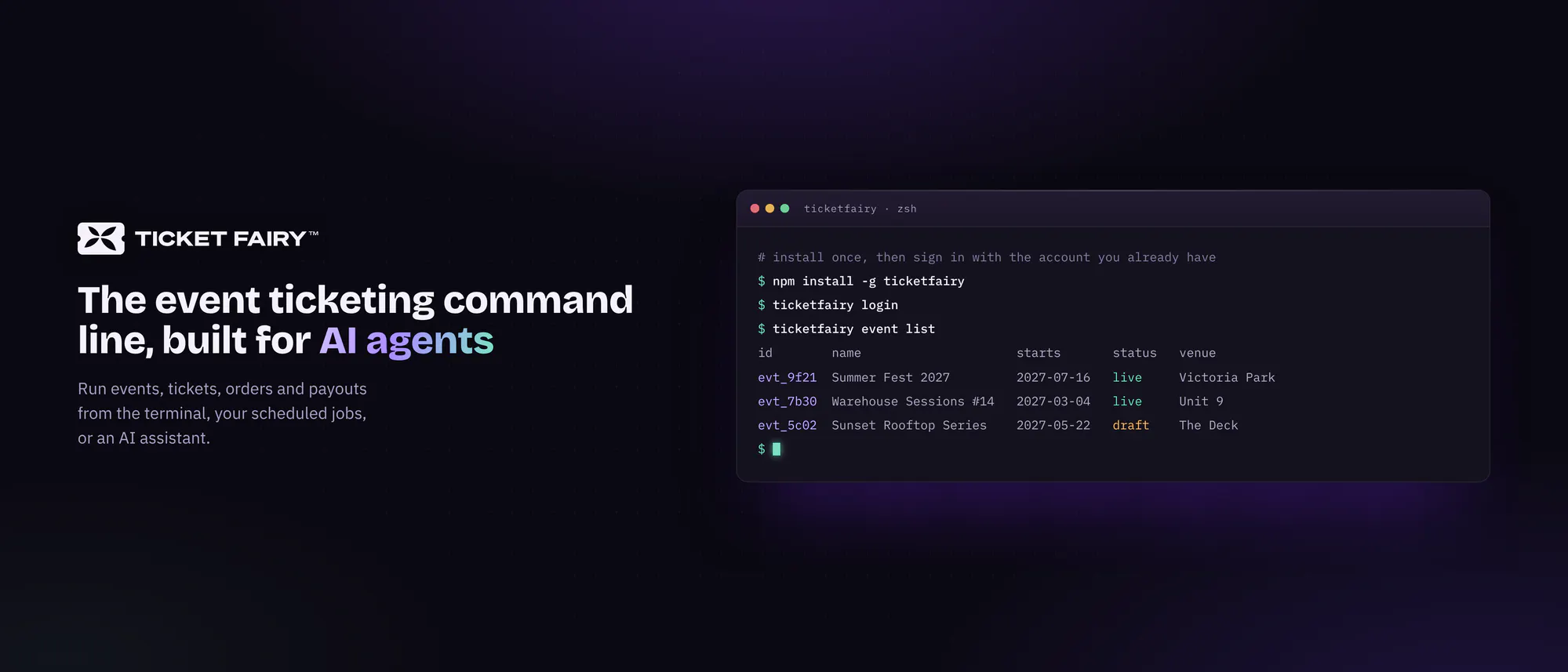
Ticket Fairy CLI is a powerful command-line interface designed for event organizers and developers seeking to streamline their event setup, exports, and reporting processes. By installing via npm and signing in with a personal account, users can automate numerous aspects of ticketing management, ensuring data is delivered in stable JSON format for easy integration and analysis. Its MCP server capabilities further enhance its utility for managing large-scale event operations through scripting and automation. The tool’s focus on developer-friendly automation makes it ideal for those looking to embed ticketing workflows directly into their existing systems, reducing manual effort and increasing reliability. Its emphasis on stability and ease of use positions Ticket Fairy CLI as a valuable asset for event professionals who prioritize efficiency and data consistency.
Screenshots

Pros
- ✓Automates complex event setup, exports, and reporting tasks
- ✓Stable JSON output facilitates integration with other systems
- ✓Easy to install and use via npm for developers familiar with Node.js
- ✓Supports scripting for large-scale or repetitive event management
- ✓Enables customization through command-line automation
Cons
- ✗Requires familiarity with command-line interfaces and scripting
- ✗Limited information on pricing and subscription options
- ✗Potential learning curve for non-technical users
Use Cases
Pricing
Pricing not verified
Quick Info
Topics
Makers

Ritesh Patel
@ritlocusAlternatives
Similar Tools in Developer Tools




Embed Badge
Add this badge to your website to show that Ticket Fairy CLI is featured on Visalytica.
<a href="https://www.visalytica.com/tool/ticket-fairy-cli" target="_blank" rel="noopener noreferrer" style="display:inline-flex;align-items:center;gap:6px;padding:6px 14px;background:#7c3aed;color:#fff;border-radius:8px;font-family:-apple-system,system-ui,sans-serif;font-size:13px;font-weight:600;text-decoration:none;transition:background .2s" onmouseover="this.style.background='#6d28d9'" onmouseout="this.style.background='#7c3aed'"><svg width="14" height="14" viewBox="0 0 24 24" fill="none" stroke="currentColor" stroke-width="2.5" stroke-linecap="round" stroke-linejoin="round"><path d="M12 20V10"/><path d="M18 20V4"/><path d="M6 20v-4"/></svg>Featured on Visalytica</a>