
ThreadTrim for Gmail
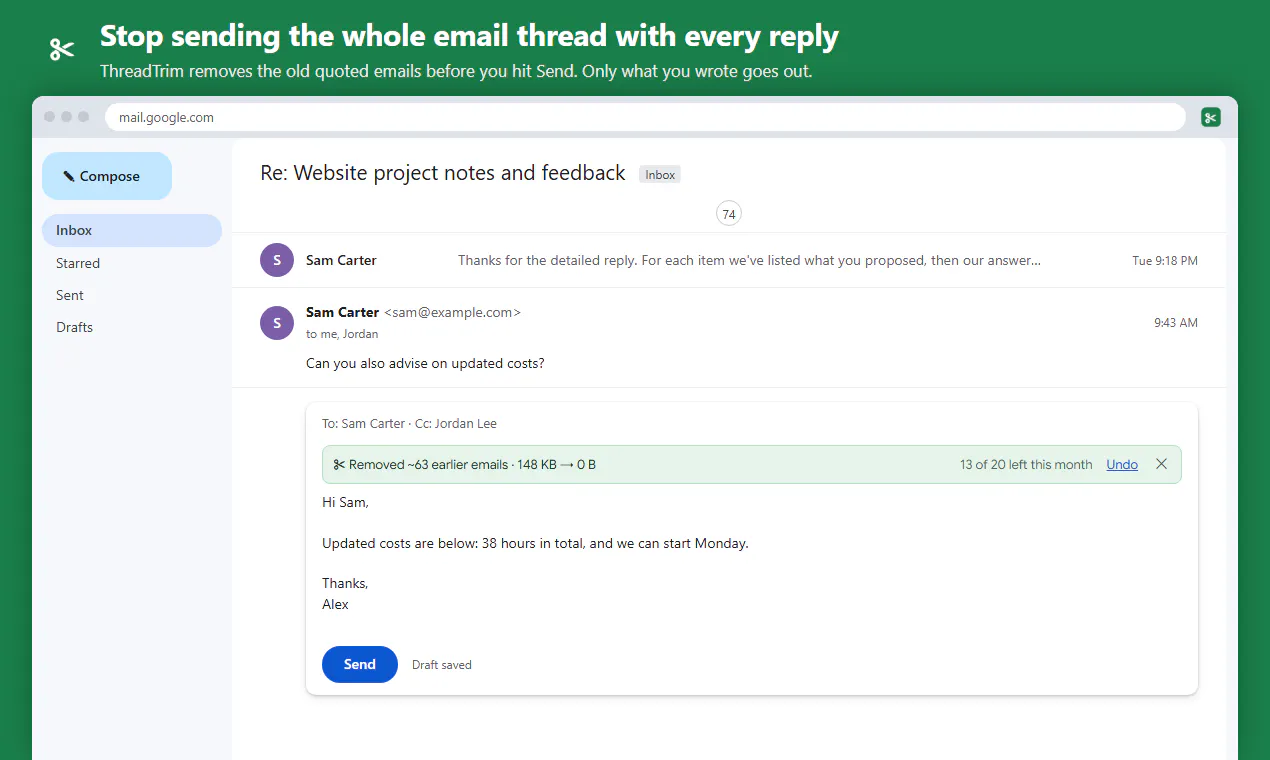
Stop sending the whole email thread with every reply
About ThreadTrim for Gmail
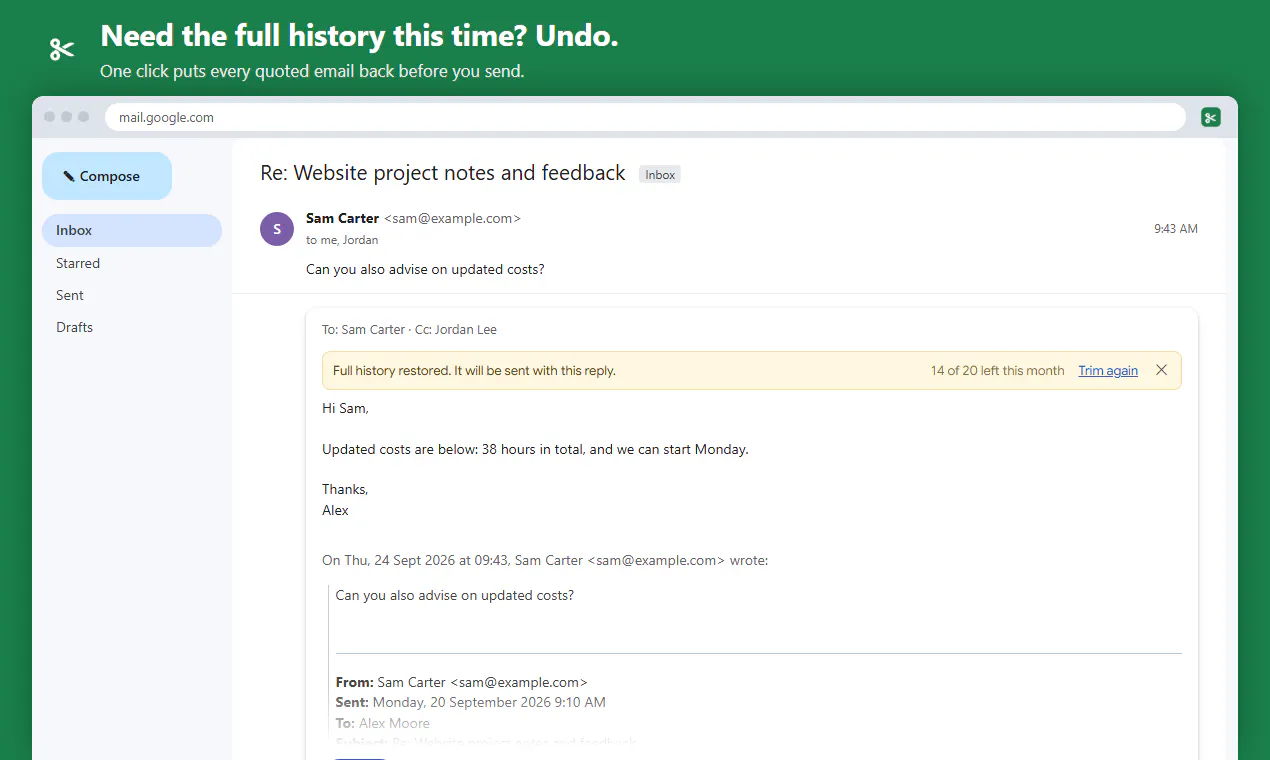
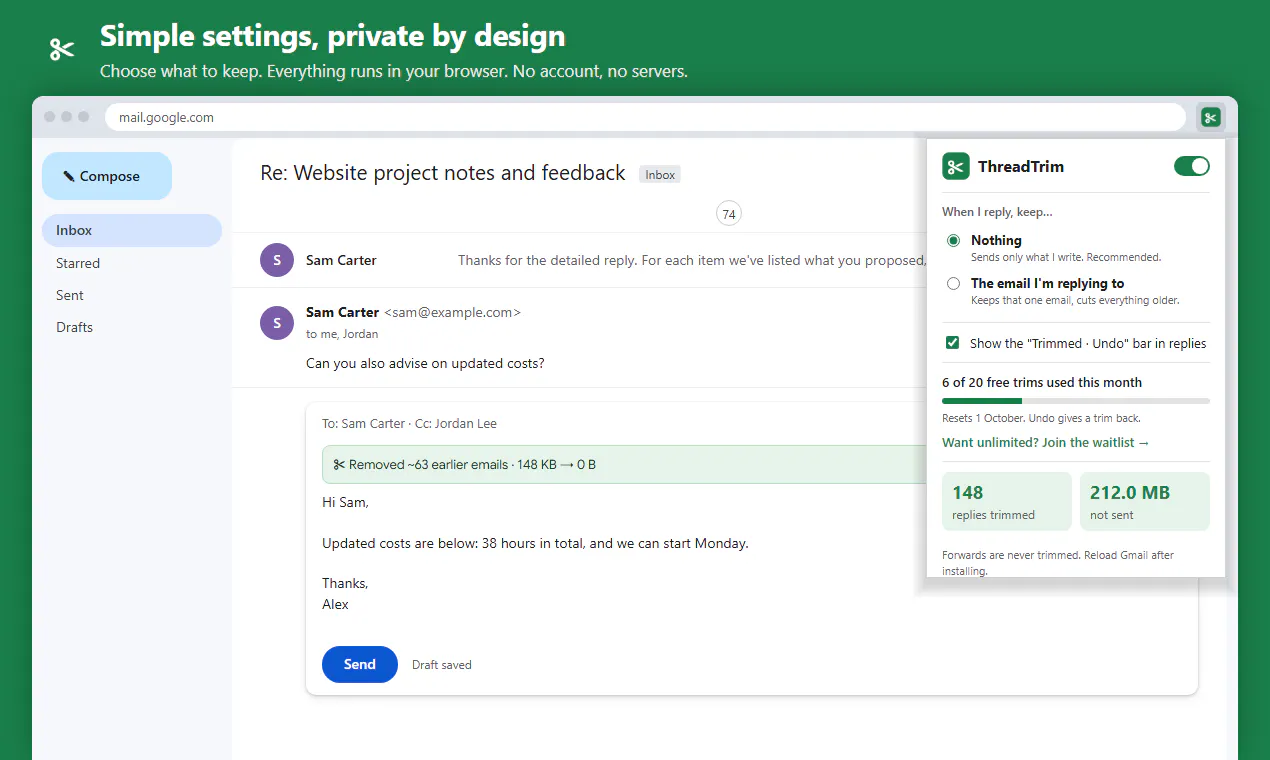
ThreadTrim for Gmail is a lightweight browser extension designed to streamline email replies by removing the clutter of previous conversation history. When replying to long email threads, Gmail typically includes the entire conversation history, which can make responses lengthy and cumbersome for recipients to navigate. ThreadTrim addresses this issue by automatically trimming old quoted emails before sending, ensuring that only the sender's latest message is included. Compatible with Gmail's reply button, keyboard shortcuts, and pop-out windows, it offers a seamless user experience. Users can easily undo trimming with a single click, and the extension operates entirely within the browser, with no account setup, servers, or tracking. With a free tier that allows for 20 trimmed replies per month, it’s an appealing productivity tool for professionals seeking cleaner, more focused email exchanges.
Screenshots

Pros
- ✓Automatically removes old email quotes to keep replies clean
- ✓Easy to use with reply, shortcuts, and pop-out support
- ✓Operates entirely in-browser with no account or tracking
- ✓Includes an undo feature for safety and flexibility
- ✓Free for up to 20 replies per month
Cons
- ✗Limited to 20 trimmed replies per month on the free plan
- ✗Only available as a Chrome extension, limiting platform compatibility
- ✗May not fully support all Gmail interface updates or customizations
Use Cases
Pricing
Pricing not verified
Quick Info
Topics
Makers

Adrian Rodriguez Soto
Alternatives
Similar Tools in AI Assistants




Embed Badge
Add this badge to your website to show that ThreadTrim for Gmail is featured on Visalytica.
<a href="https://www.visalytica.com/tool/threadtrim-for-gmail" target="_blank" rel="noopener noreferrer" style="display:inline-flex;align-items:center;gap:6px;padding:6px 14px;background:#7c3aed;color:#fff;border-radius:8px;font-family:-apple-system,system-ui,sans-serif;font-size:13px;font-weight:600;text-decoration:none;transition:background .2s" onmouseover="this.style.background='#6d28d9'" onmouseout="this.style.background='#7c3aed'"><svg width="14" height="14" viewBox="0 0 24 24" fill="none" stroke="currentColor" stroke-width="2.5" stroke-linecap="round" stroke-linejoin="round"><path d="M12 20V10"/><path d="M18 20V4"/><path d="M6 20v-4"/></svg>Featured on Visalytica</a>