
Thalia
Plan, approve and review your Muse Code agent on Mac
About Thalia
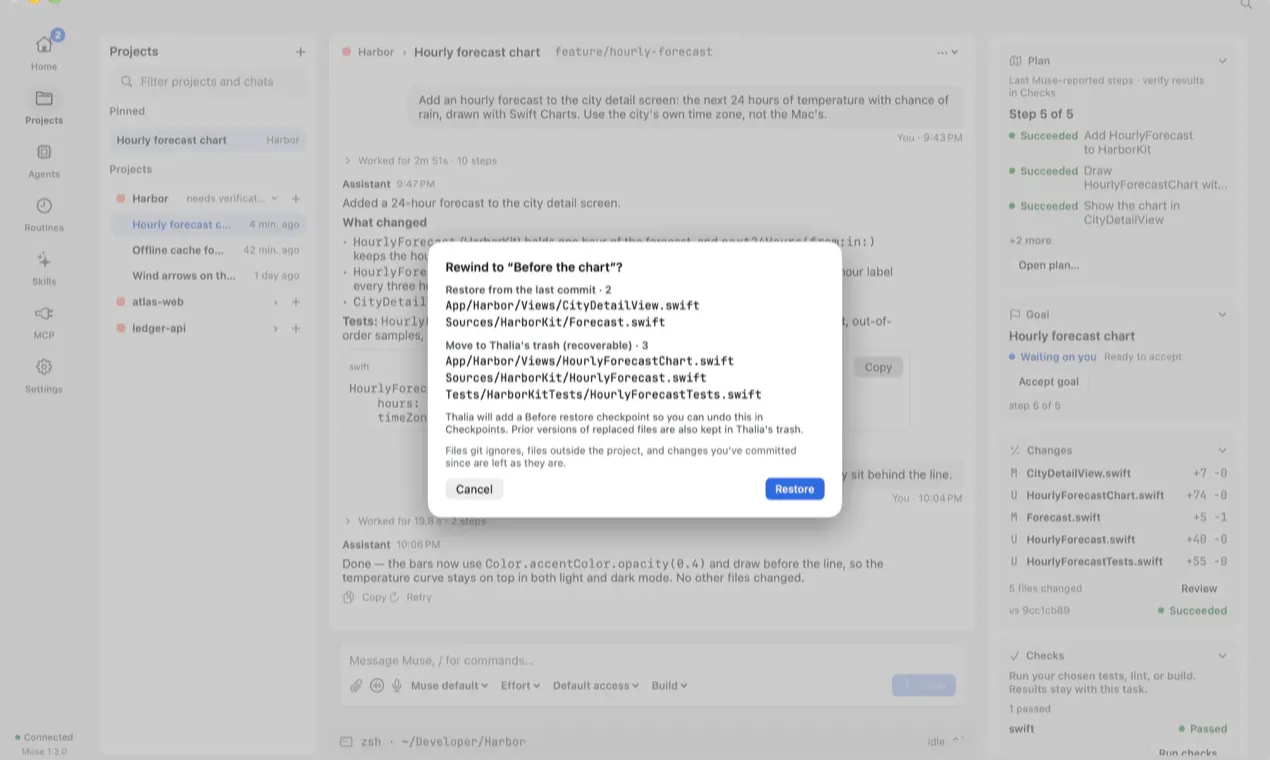
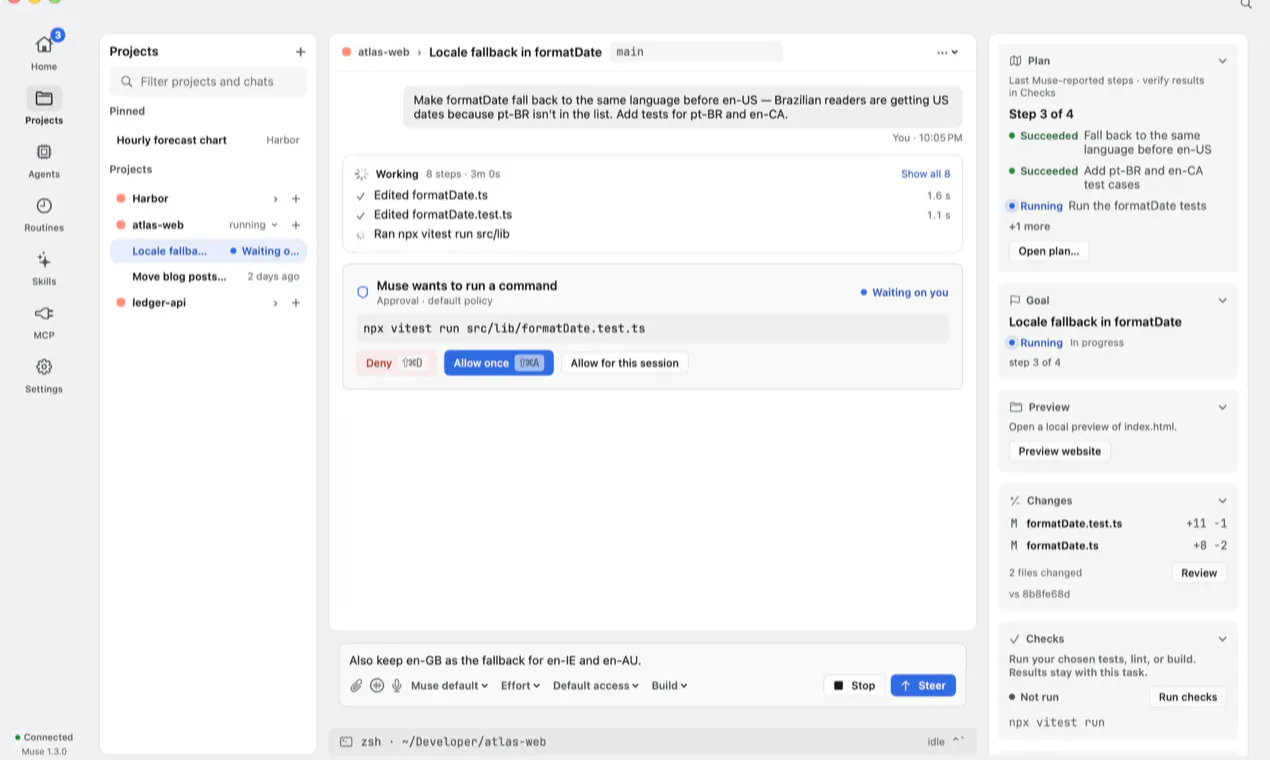
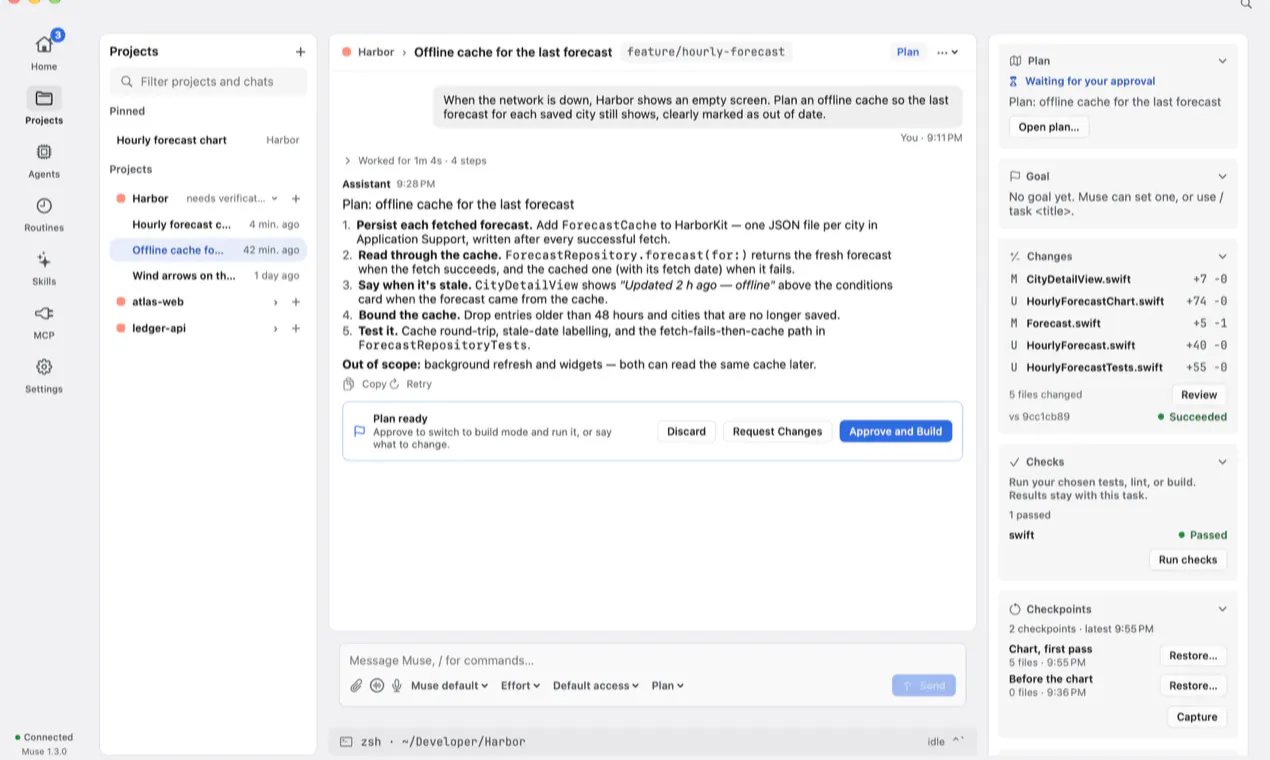
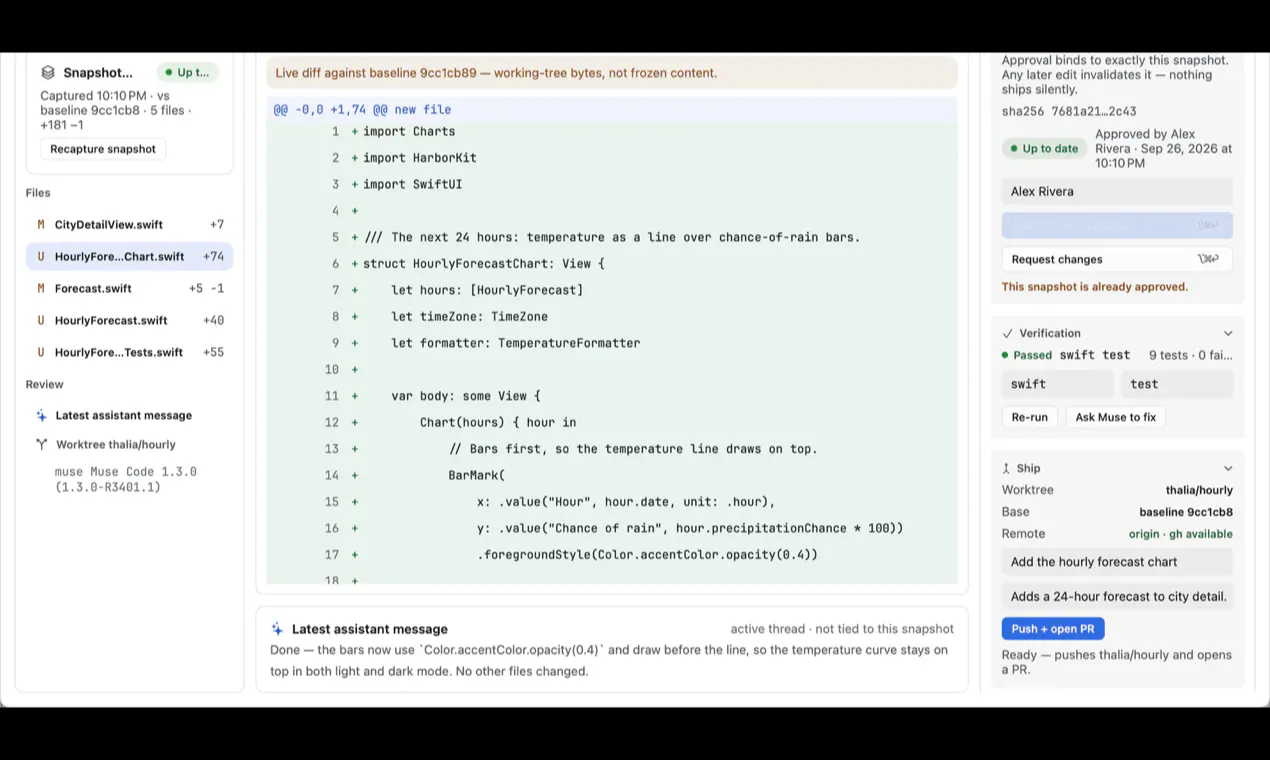
Thalia is a native Mac application designed for developers and AI enthusiasts working with Meta's Muse Code CLI. It offers a streamlined interface to plan, approve, and review Muse Code agents directly on macOS, specifically optimized for Apple Silicon Macs. The tool simplifies the workflow by providing a dedicated 'Plan' mode that pauses Muse in read-only mode until the user explicitly approves the plan, ensuring greater control and safety during development. Its review feature allows users to run checks and approve specific snapshots, with any subsequent edits invalidating previous approvals, promoting meticulous version control. Built-in features like checkpoints, MCP connectors, voice mode, and an embedded terminal further enhance usability and integration, making it a comprehensive tool for managing Muse Code projects efficiently. Its privacy focus—using user-owned access tokens and no telemetry—appeals to security-conscious developers seeking a reliable environment for AI and code automation tasks.
Screenshots

Pros
- ✓Native Mac application optimized for Apple Silicon
- ✓Supports detailed planning, reviewing, and approval workflows
- ✓Built-in features like checkpoints and embedded terminal for enhanced usability
- ✓No telemetry and uses user-owned Muse access for privacy
Cons
- ✗Limited to macOS, restricting cross-platform use
- ✗Features are tailored specifically for Muse Code, limiting broader applicability
- ✗Currently lacks user reviews or high adoption metrics
Use Cases
Pricing
Pricing not verified
Quick Info
Topics
Makers

Jared Mabry
Similar Tools in Developer Tools




Embed Badge
Add this badge to your website to show that Thalia is featured on Visalytica.
<a href="https://www.visalytica.com/tool/thalia" target="_blank" rel="noopener noreferrer" style="display:inline-flex;align-items:center;gap:6px;padding:6px 14px;background:#7c3aed;color:#fff;border-radius:8px;font-family:-apple-system,system-ui,sans-serif;font-size:13px;font-weight:600;text-decoration:none;transition:background .2s" onmouseover="this.style.background='#6d28d9'" onmouseout="this.style.background='#7c3aed'"><svg width="14" height="14" viewBox="0 0 24 24" fill="none" stroke="currentColor" stroke-width="2.5" stroke-linecap="round" stroke-linejoin="round"><path d="M12 20V10"/><path d="M18 20V4"/><path d="M6 20v-4"/></svg>Featured on Visalytica</a>