
TerminalTags
Stick a named, colored tag on any window.
About TerminalTags
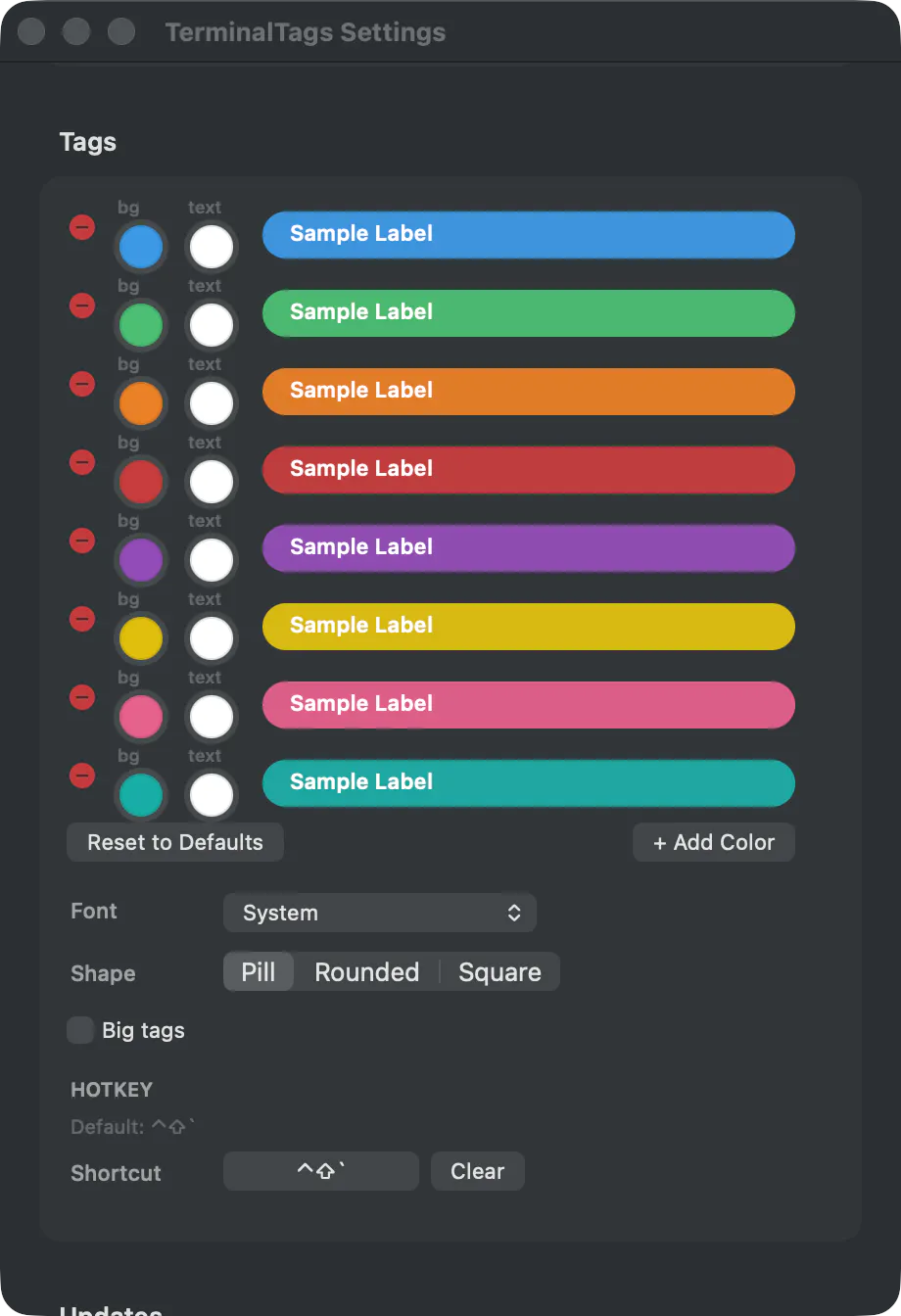
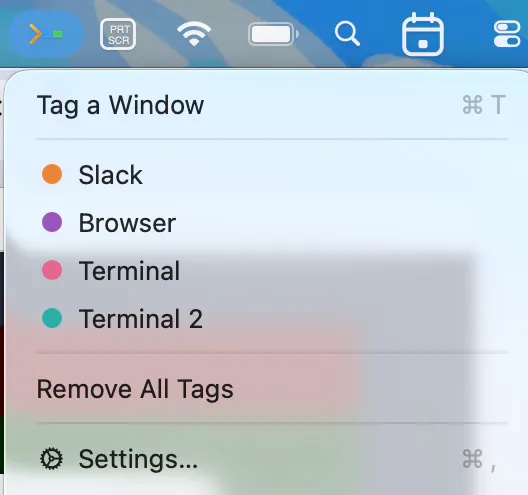
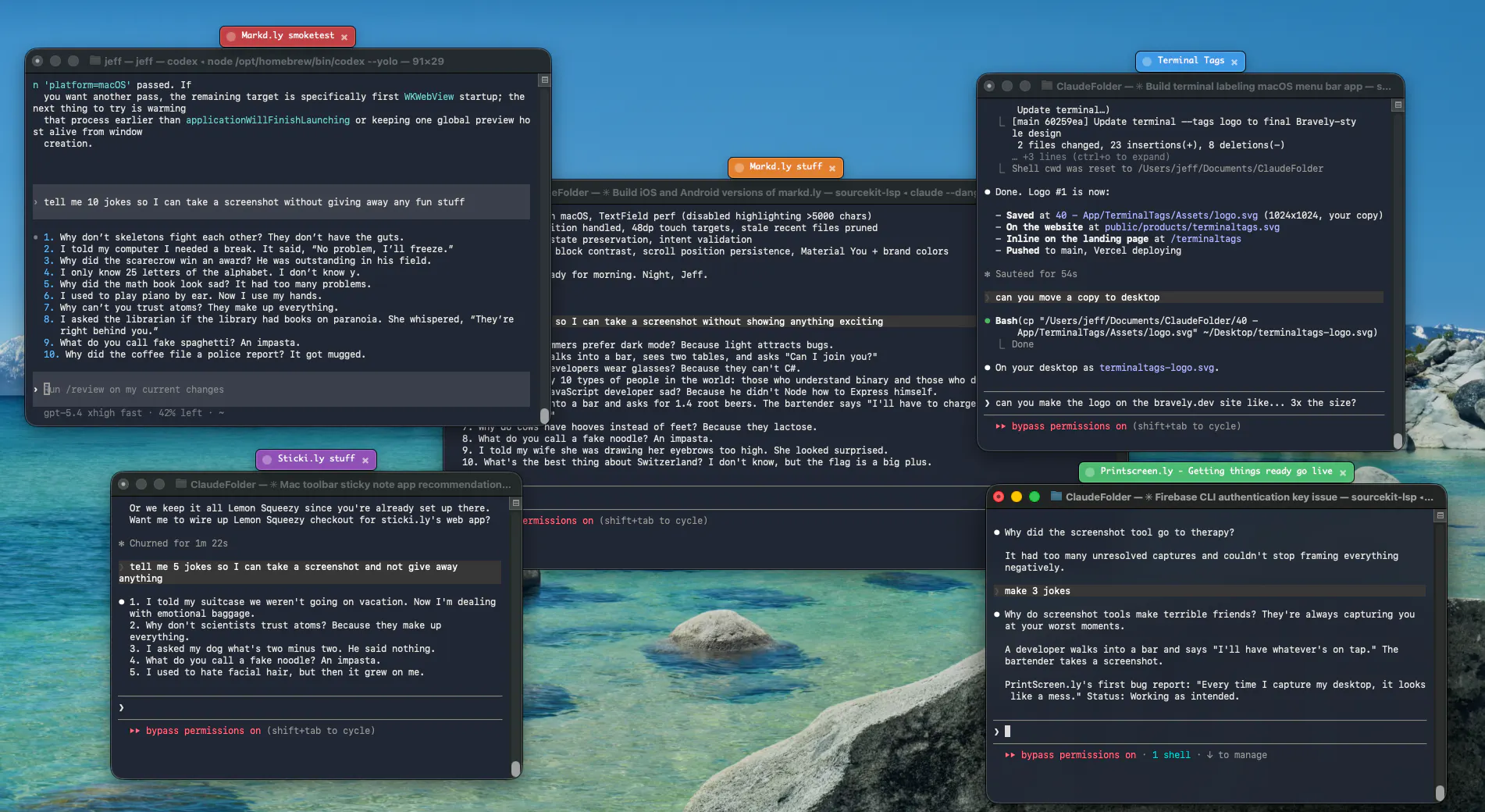
TerminalTags is a productivity-enhancing tool designed for users who manage multiple windows and applications simultaneously. It provides a simple yet effective way to label and organize windows with customizable, colored floating tags, making it easy to identify specific terminals, browsers, editors, or other apps at a glance. The tool integrates seamlessly into the Mac menu bar or Windows tray and allows users to assign tags quickly via a global hotkey, which instantly labels the focused window. Clicking on a tag brings that window to the front, even if it is minimized, streamlining workflow and reducing the time spent searching for the right window. Built for developers, designers, and power users juggling numerous applications, TerminalTags offers a straightforward solution to window clutter and confusion, boosting efficiency and focus.
Screenshots

Pros
- ✓Quickly label and identify multiple windows with customizable colors and names
- ✓Global hotkey for instant tagging without interrupting workflow
- ✓Easy window access: clicking tags brings minimized windows to front
- ✓Compatible with both Mac and Windows, residing quietly in the menu bar or tray
- ✓Ideal for multitasking and managing numerous terminals or apps
Cons
- ✗Limited information on advanced customization options
- ✗No details on free trial or pricing transparency
- ✗Might be unnecessary for users who manage only a few windows
Use Cases
Pricing
Likely follows a freemium model with a free tier offering basic labeling features and paid plans providing additional customization or advanced functionalities. Exact pricing details are not specified, so users should check the website for current plans.
Quick Info
Topics
Makers

Jeff Schiesser
@bravelydevAlternatives
Similar Tools in Developer Tools




Embed Badge
Add this badge to your website to show that TerminalTags is featured on Visalytica.
<a href="https://www.visalytica.com/tool/terminaltags" target="_blank" rel="noopener noreferrer" style="display:inline-flex;align-items:center;gap:6px;padding:6px 14px;background:#7c3aed;color:#fff;border-radius:8px;font-family:-apple-system,system-ui,sans-serif;font-size:13px;font-weight:600;text-decoration:none;transition:background .2s" onmouseover="this.style.background='#6d28d9'" onmouseout="this.style.background='#7c3aed'"><svg width="14" height="14" viewBox="0 0 24 24" fill="none" stroke="currentColor" stroke-width="2.5" stroke-linecap="round" stroke-linejoin="round"><path d="M12 20V10"/><path d="M18 20V4"/><path d="M6 20v-4"/></svg>Featured on Visalytica</a>