
TabDock
Smart tab sessions manager
About TabDock
TabDock is a lightweight yet powerful Chrome extension designed to help users manage extensive browser sessions with ease. Ideal for researchers, developers, students, and power users who tend to keep dozens or even hundreds of tabs open, this tool enables seamless saving, parking, and restoring of tab groups. Its intuitive interface allows users to organize their browsing sessions efficiently, reducing clutter and improving productivity. Unlike traditional session managers, TabDock emphasizes simplicity and speed, making it easy to switch between different work contexts without losing important tabs. Its session management features are particularly beneficial for those who juggle multiple projects or need to pause and resume browsing sessions frequently. Overall, TabDock stands out as a user-friendly, efficient solution for maintaining browser organization without sacrificing performance.
Screenshots
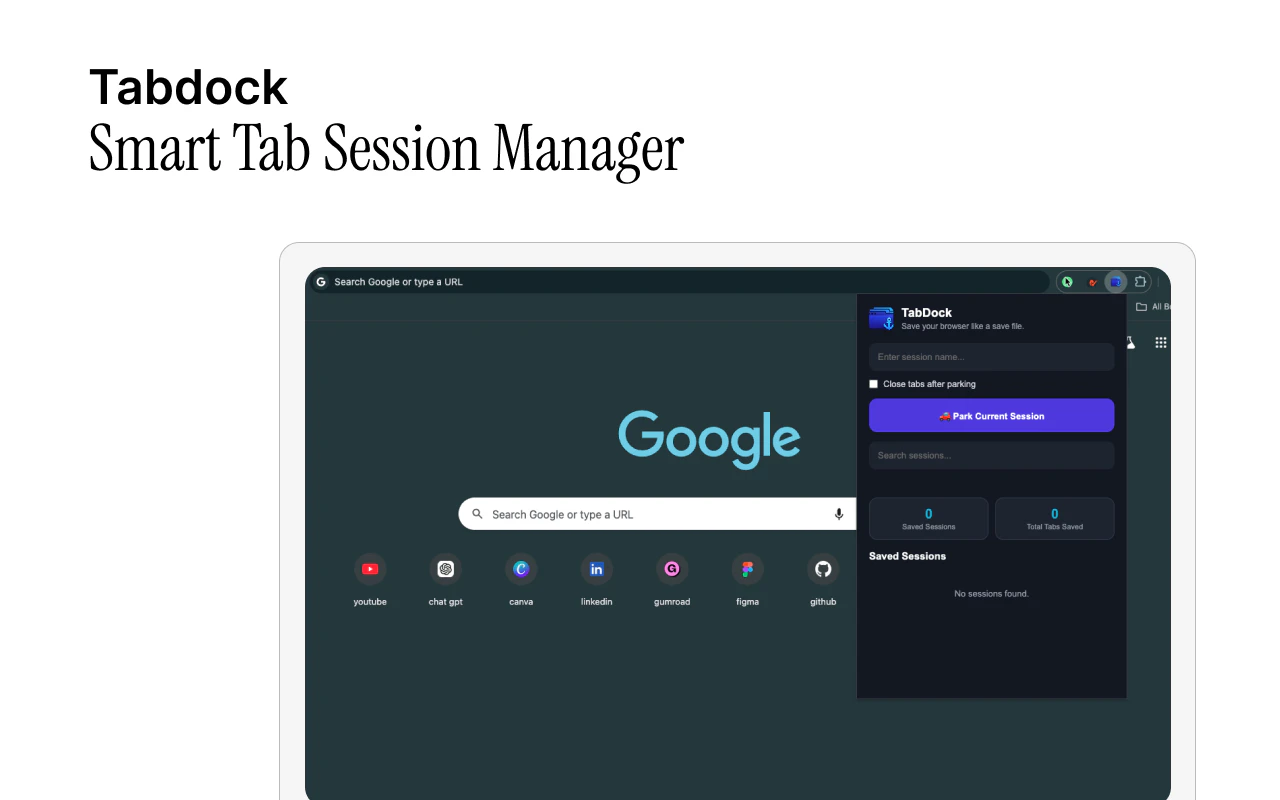
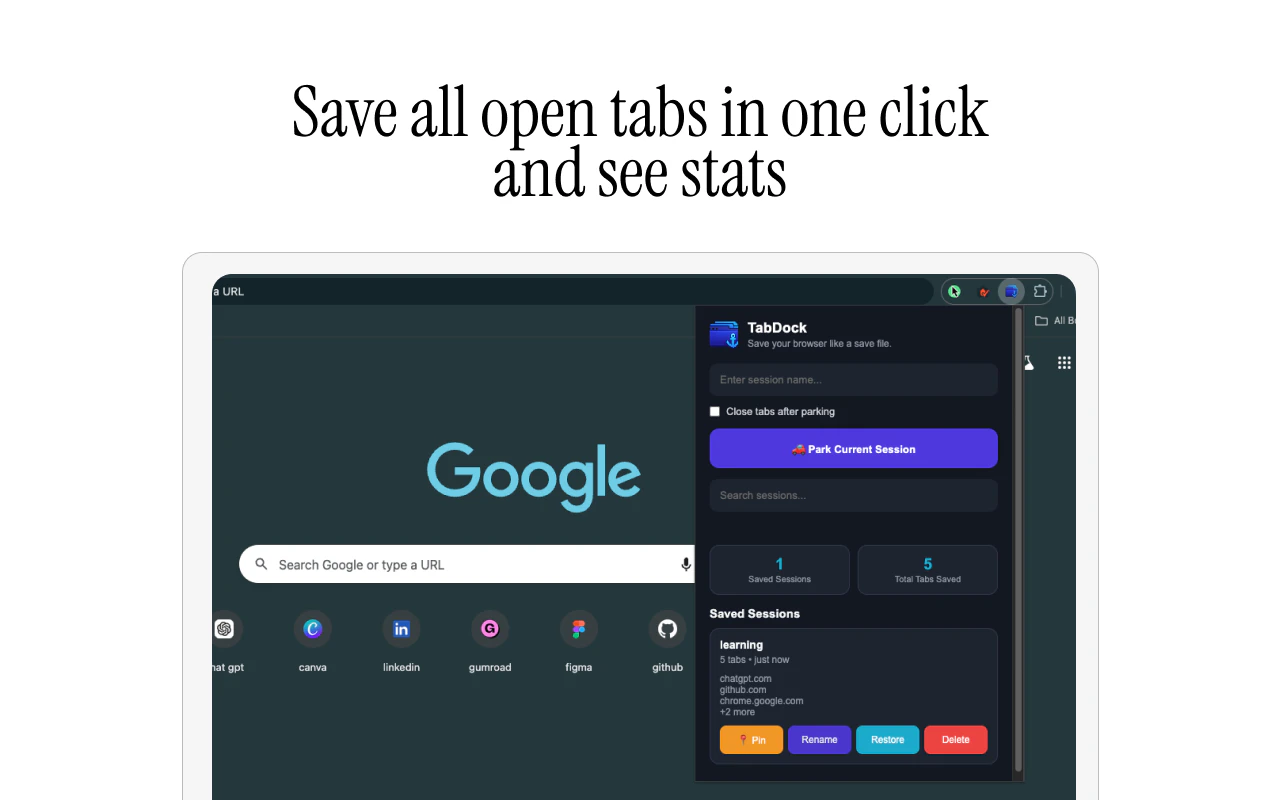

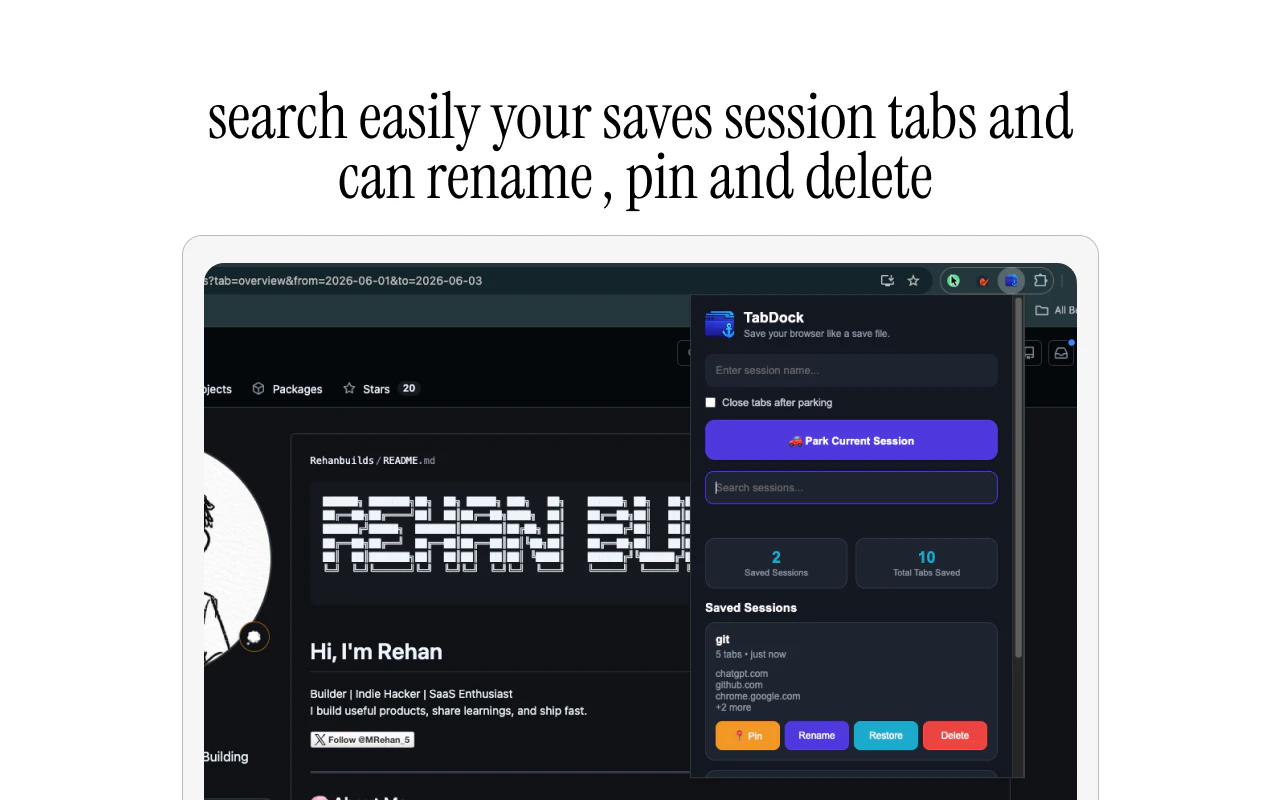
Pros
- ✓Simple and intuitive interface for managing browser sessions
- ✓Lightweight extension that doesn't impact browser speed
- ✓Easy to save and restore multiple tab sessions
- ✓Helps reduce browser clutter and improve productivity
- ✓Flexible organization options for different workflows
Cons
- ✗Limited advanced session management features compared to full-fledged tools
- ✗No native cloud syncing, which may limit session access across devices
- ✗Potentially fewer customization options for power users
Use Cases
Pricing
Likely operates on a freemium model, offering core features for free with optional premium plans for additional functionalities such as cloud synchronization or advanced organization tools.
Quick Info
Topics
Makers

Rehan builds
Similar Tools in AI Image & Design




Embed Badge
Add this badge to your website to show that TabDock is featured on Visalytica.
<a href="https://www.visalytica.com/tool/tabdock" target="_blank" rel="noopener noreferrer" style="display:inline-flex;align-items:center;gap:6px;padding:6px 14px;background:#7c3aed;color:#fff;border-radius:8px;font-family:-apple-system,system-ui,sans-serif;font-size:13px;font-weight:600;text-decoration:none;transition:background .2s" onmouseover="this.style.background='#6d28d9'" onmouseout="this.style.background='#7c3aed'"><svg width="14" height="14" viewBox="0 0 24 24" fill="none" stroke="currentColor" stroke-width="2.5" stroke-linecap="round" stroke-linejoin="round"><path d="M12 20V10"/><path d="M18 20V4"/><path d="M6 20v-4"/></svg>Featured on Visalytica</a>