
Syllaby's Storyboard
Plan and Visualize Your Video Scenes Before Production
About Syllaby's Storyboard
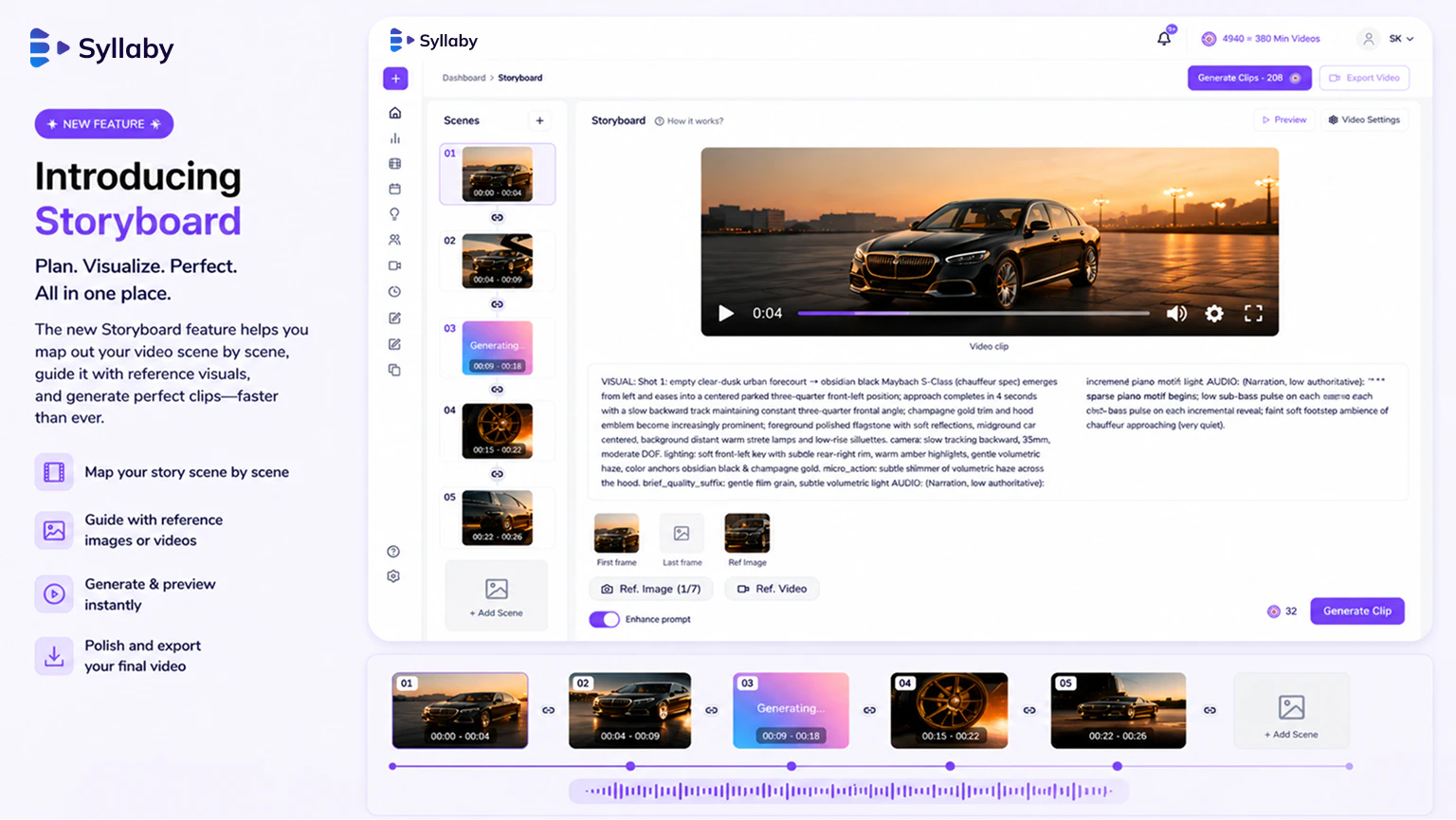
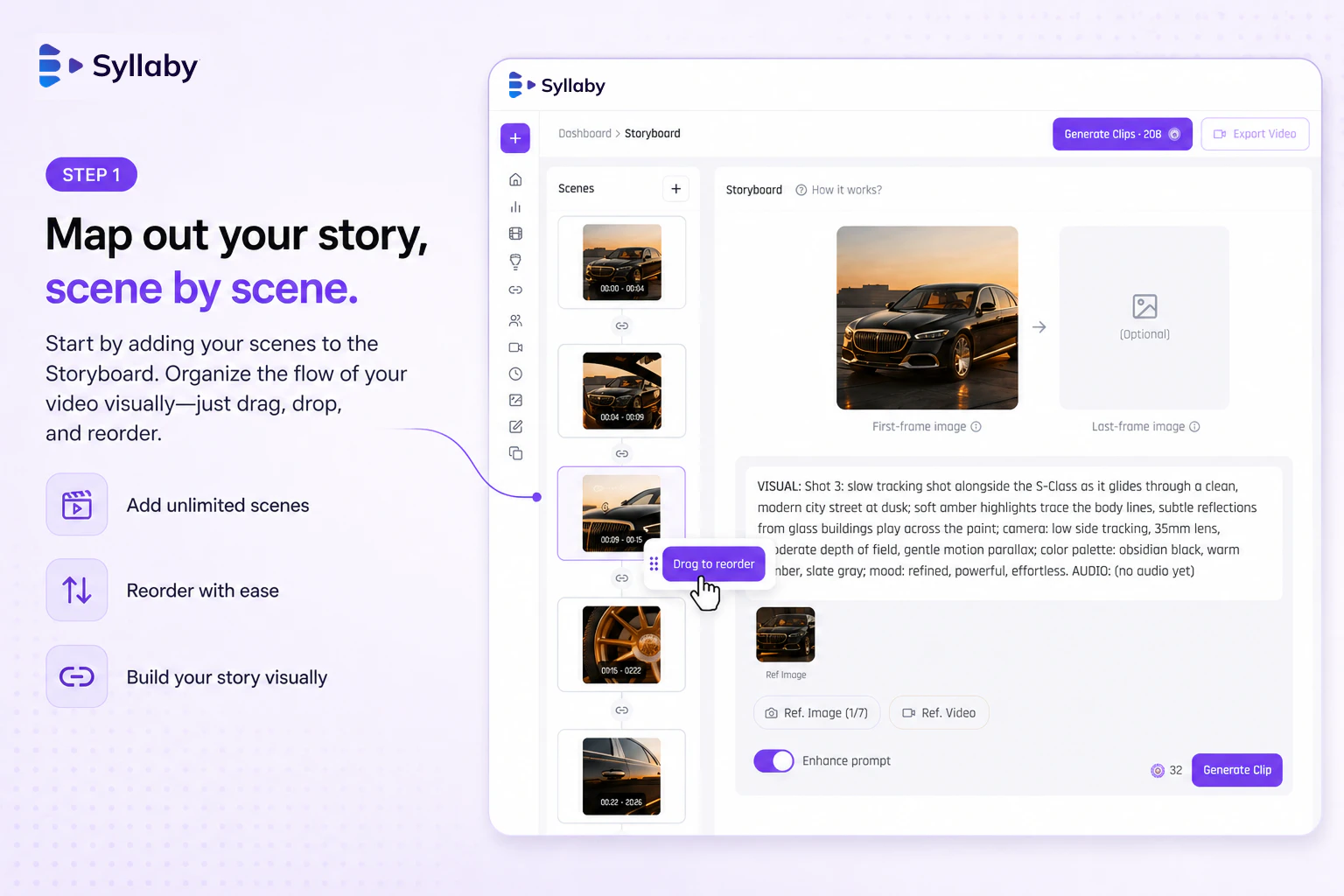
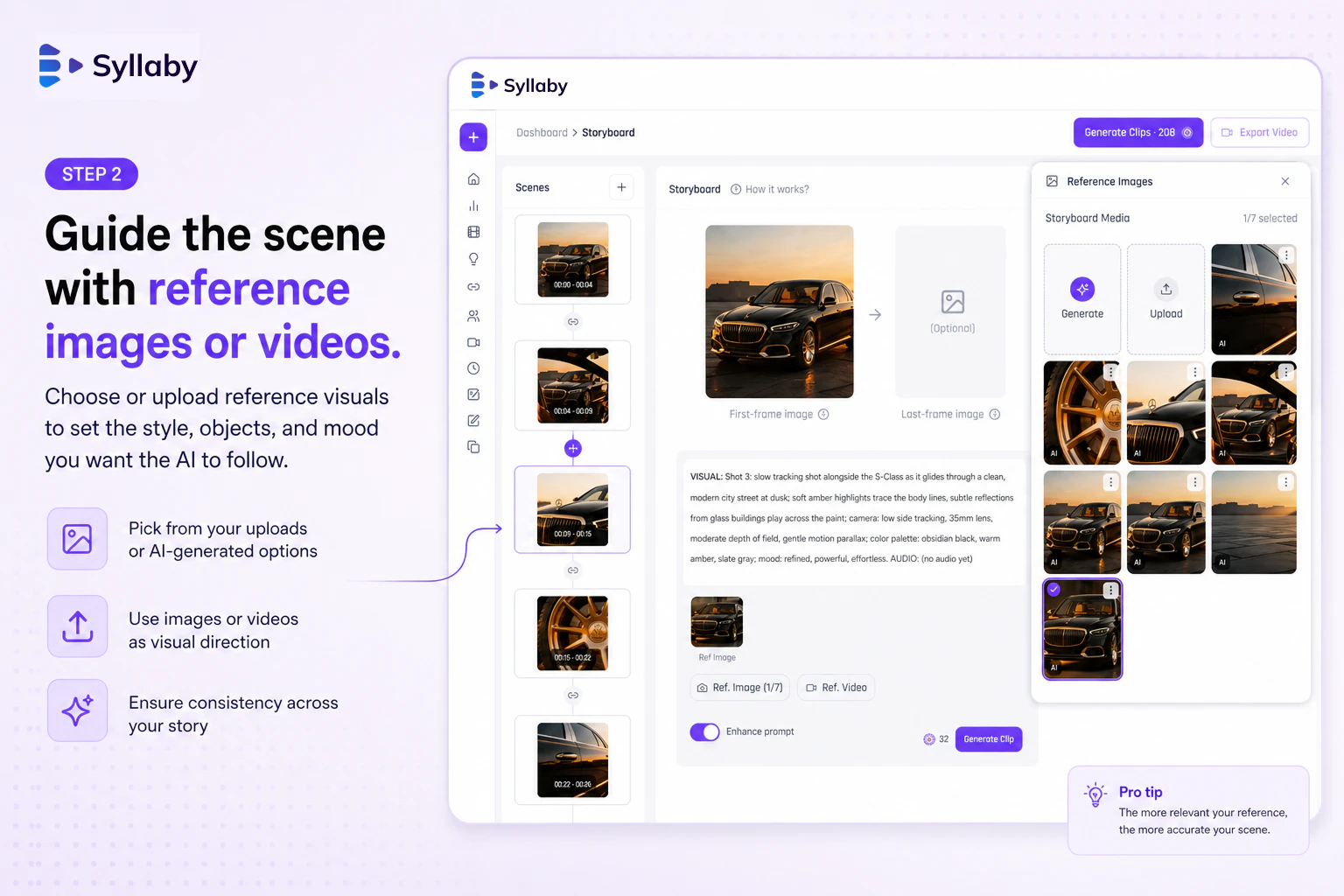
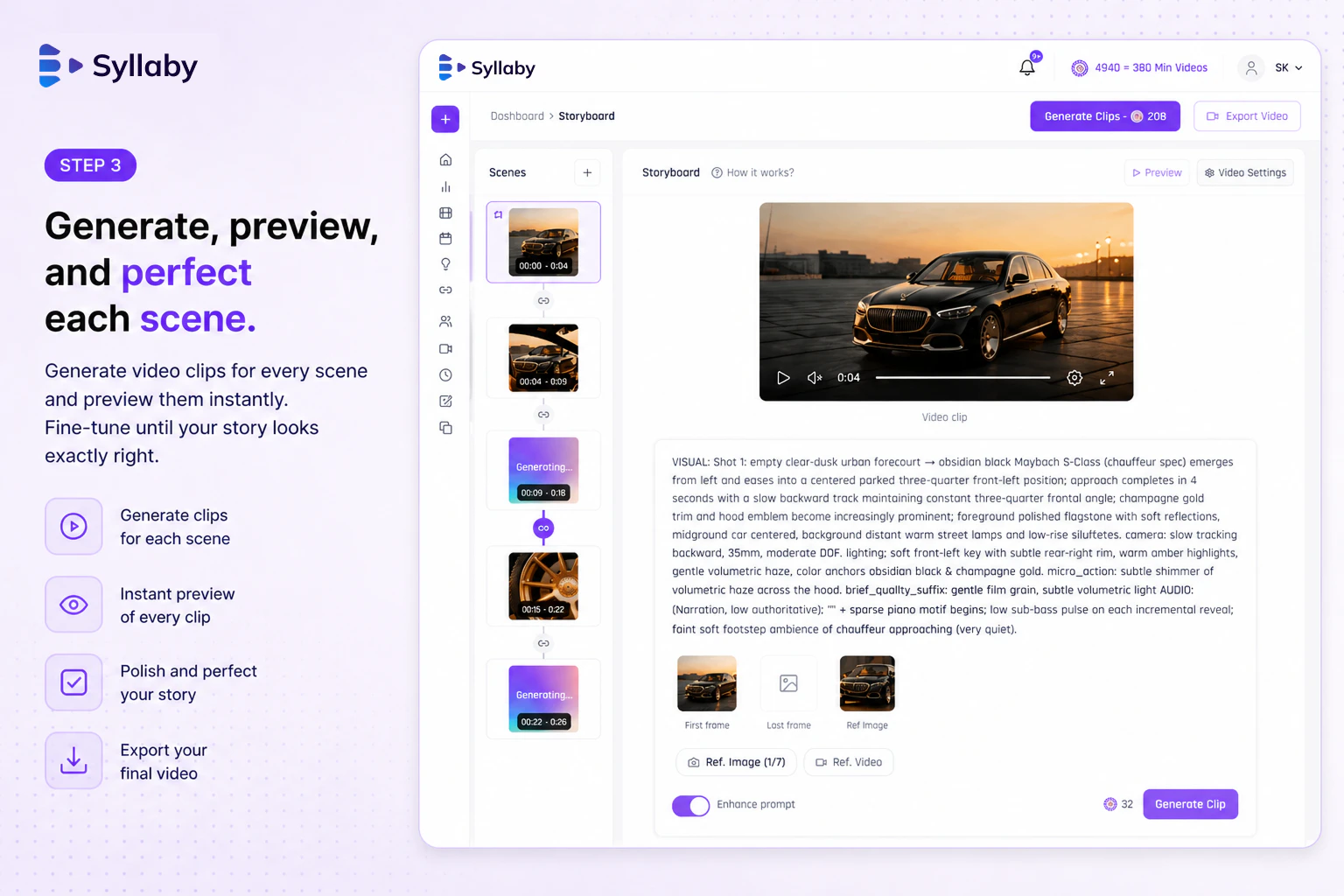
Syllaby's Storyboard is an innovative AI-powered platform designed for video creators, marketers, and content producers to plan and visualize their video scenes before production. Its multi-scene storyboard feature allows users to construct, edit, and reorder scenes with ease, leveraging advanced prompts and AI models like Veo, Kling, and Sora to generate realistic visuals. The tool streamlines the pre-production phase by providing smooth transitions, seamless stitching, and a polished preview, enabling creators to see their entire video concept come together in a single workspace. This makes it particularly valuable for teams aiming to save time and improve planning accuracy, especially in fast-paced marketing campaigns or creative projects. Its user-friendly interface and AI integrations make it accessible for both novices and professionals aiming to produce high-quality videos efficiently.
Screenshots
Pros
- ✓Intuitive multi-scene storyboard creation and editing
- ✓Integration with top AI models for realistic scene generation
- ✓Seamless scene stitching and transition effects
- ✓Pre-visualization of entire videos before rendering
- ✓Supports collaborative planning and editing
Cons
- ✗Limited information on pricing and subscription plans
- ✗Potential learning curve for new users unfamiliar with AI tools
- ✗Dependence on AI model availability and updates
Use Cases
Pricing
Likely operates on a freemium model with free basic features, with paid plans offering advanced scene generation and collaboration tools, starting around $X/month. Exact pricing details are not explicitly provided.
Quick Info
Topics
Alternatives
Similar Tools in AI Image & Design




Embed Badge
Add this badge to your website to show that Syllaby's Storyboard is featured on Visalytica.
<a href="https://www.visalytica.com/tool/syllaby-s-storyboard" target="_blank" rel="noopener noreferrer" style="display:inline-flex;align-items:center;gap:6px;padding:6px 14px;background:#7c3aed;color:#fff;border-radius:8px;font-family:-apple-system,system-ui,sans-serif;font-size:13px;font-weight:600;text-decoration:none;transition:background .2s" onmouseover="this.style.background='#6d28d9'" onmouseout="this.style.background='#7c3aed'"><svg width="14" height="14" viewBox="0 0 24 24" fill="none" stroke="currentColor" stroke-width="2.5" stroke-linecap="round" stroke-linejoin="round"><path d="M12 20V10"/><path d="M18 20V4"/><path d="M6 20v-4"/></svg>Featured on Visalytica</a>