
statusbar
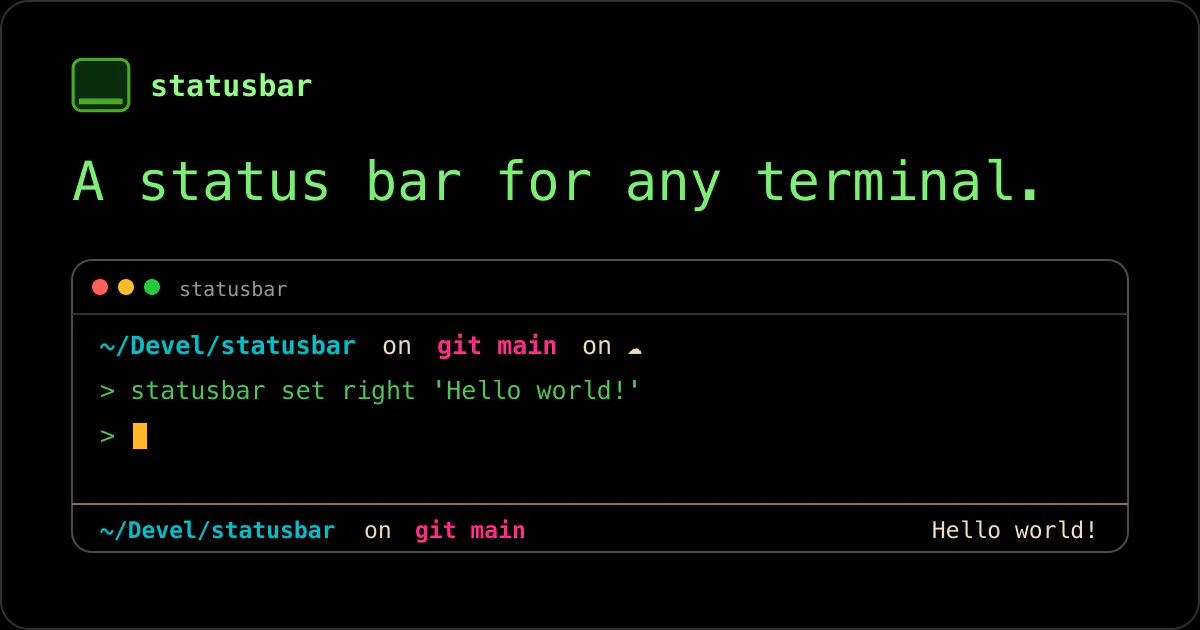
a statusbar for any terminal
About statusbar
Statusbar is an open-source tool designed to add a customizable status bar to any terminal environment. It caters to developers and power users who spend significant time in command-line interfaces and seek a way to enhance their workflow with real-time information displays. Its versatility allows users to tailor the status bar to show system metrics, Git statuses, or any other relevant data, making terminal sessions more informative and visually organized. What sets Statusbar apart is its simplicity and open-source nature, enabling community-driven customization and integration. Its compatibility across various terminal types makes it an attractive choice for those looking to elevate their CLI experience without complex setups.
Screenshots
Pros
- ✓Open-source and highly customizable
- ✓Compatible with any terminal environment
- ✓Lightweight and easy to install
- ✓Supports community-driven extensions and themes
Cons
- ✗Lacks built-in advanced features found in commercial tools
- ✗Requires manual configuration for complex setups
- ✗No official support or dedicated customer service
Use Cases
Pricing
Pricing not verified
Quick Info
Topics
Makers

Panayotis Vryonis
@vrypanAlternatives
Similar Tools in Developer Tools




Embed Badge
Add this badge to your website to show that statusbar is featured on Visalytica.
<a href="https://www.visalytica.com/tool/statusbar" target="_blank" rel="noopener noreferrer" style="display:inline-flex;align-items:center;gap:6px;padding:6px 14px;background:#7c3aed;color:#fff;border-radius:8px;font-family:-apple-system,system-ui,sans-serif;font-size:13px;font-weight:600;text-decoration:none;transition:background .2s" onmouseover="this.style.background='#6d28d9'" onmouseout="this.style.background='#7c3aed'"><svg width="14" height="14" viewBox="0 0 24 24" fill="none" stroke="currentColor" stroke-width="2.5" stroke-linecap="round" stroke-linejoin="round"><path d="M12 20V10"/><path d="M18 20V4"/><path d="M6 20v-4"/></svg>Featured on Visalytica</a>