
Sound Warden
Automatically routes each app to the audio device you want
About Sound Warden
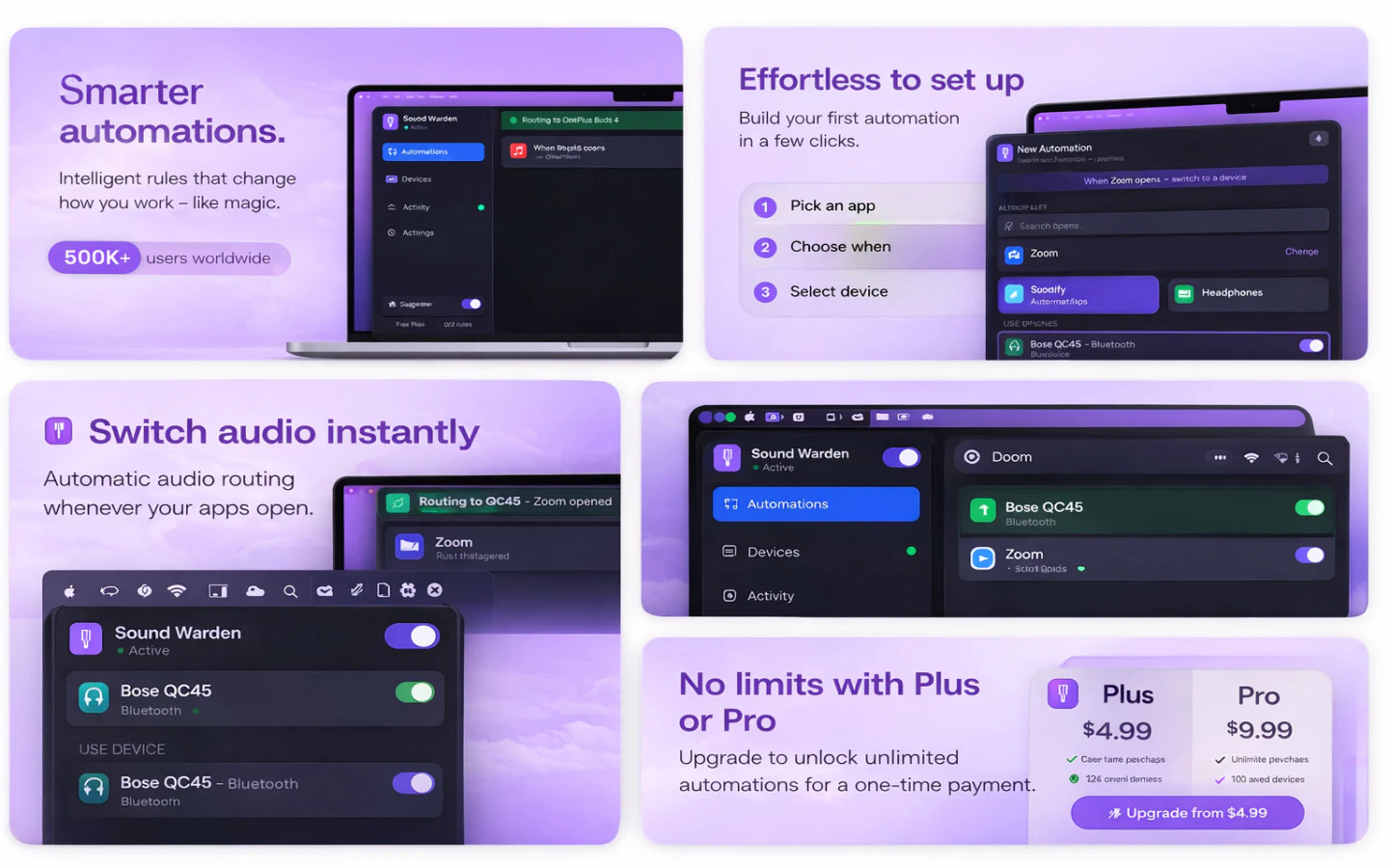
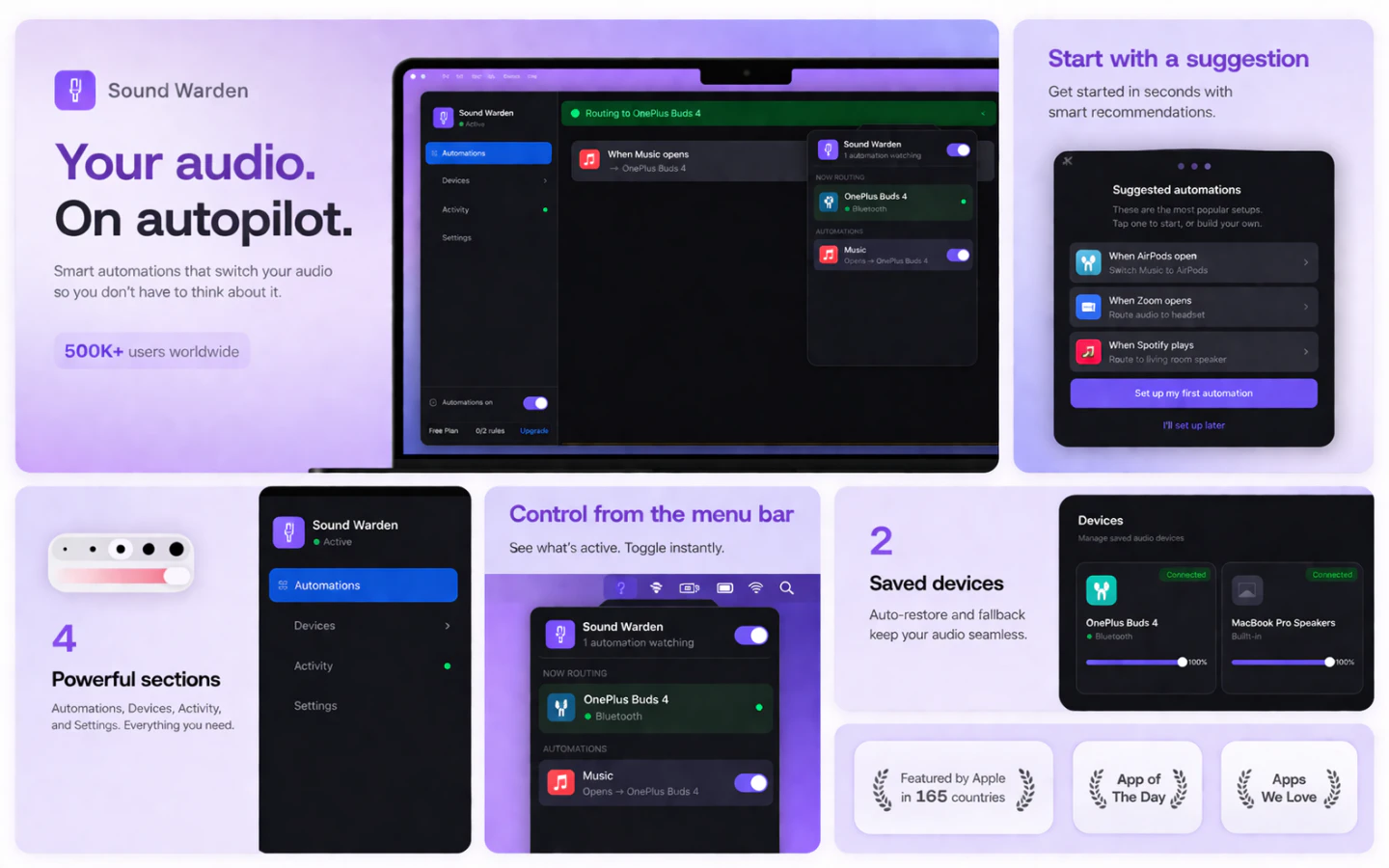
Sound Warden is a sleek, user-friendly macOS menu bar application designed to simplify audio management for users juggling multiple audio devices. Instead of manually switching outputs for each app like Spotify, Zoom, or YouTube, Sound Warden automates the process by routing each application to your preferred audio device seamlessly. Its lightweight design ensures it runs efficiently without consuming unnecessary system resources or causing bloat. Perfect for professionals, remote workers, and multimedia enthusiasts, the tool offers a set-it-and-forget-it experience, saving time and reducing frustration caused by constant manual adjustments. By living in the menu bar, it remains always accessible, making audio management effortless and reliable for anyone who uses multiple audio devices daily.
Screenshots



Pros
- ✓Automates per-app audio routing for seamless device management
- ✓Always accessible via the menu bar for quick adjustments
- ✓Lightweight with minimal system resource usage
- ✓Easy to set up and use, reducing manual switching
Cons
- ✗Currently lacks advanced customization options
- ✗No free version or trial information available
- ✗Limited to macOS, excluding Windows or Linux users
Use Cases
Pricing
Likely follows a freemium or one-time purchase model, with basic features available for free and premium options for additional customization or support. Exact pricing details are not specified, but such tools typically start around $10-$20.
Quick Info
Topics
Alternatives
Similar Tools in AI Audio & Voice




Embed Badge
Add this badge to your website to show that Sound Warden is featured on Visalytica.
<a href="https://www.visalytica.com/tool/sound-warden" target="_blank" rel="noopener noreferrer" style="display:inline-flex;align-items:center;gap:6px;padding:6px 14px;background:#7c3aed;color:#fff;border-radius:8px;font-family:-apple-system,system-ui,sans-serif;font-size:13px;font-weight:600;text-decoration:none;transition:background .2s" onmouseover="this.style.background='#6d28d9'" onmouseout="this.style.background='#7c3aed'"><svg width="14" height="14" viewBox="0 0 24 24" fill="none" stroke="currentColor" stroke-width="2.5" stroke-linecap="round" stroke-linejoin="round"><path d="M12 20V10"/><path d="M18 20V4"/><path d="M6 20v-4"/></svg>Featured on Visalytica</a>