
SnapRatio Pro
Resize any image to any ratio or size
About SnapRatio Pro
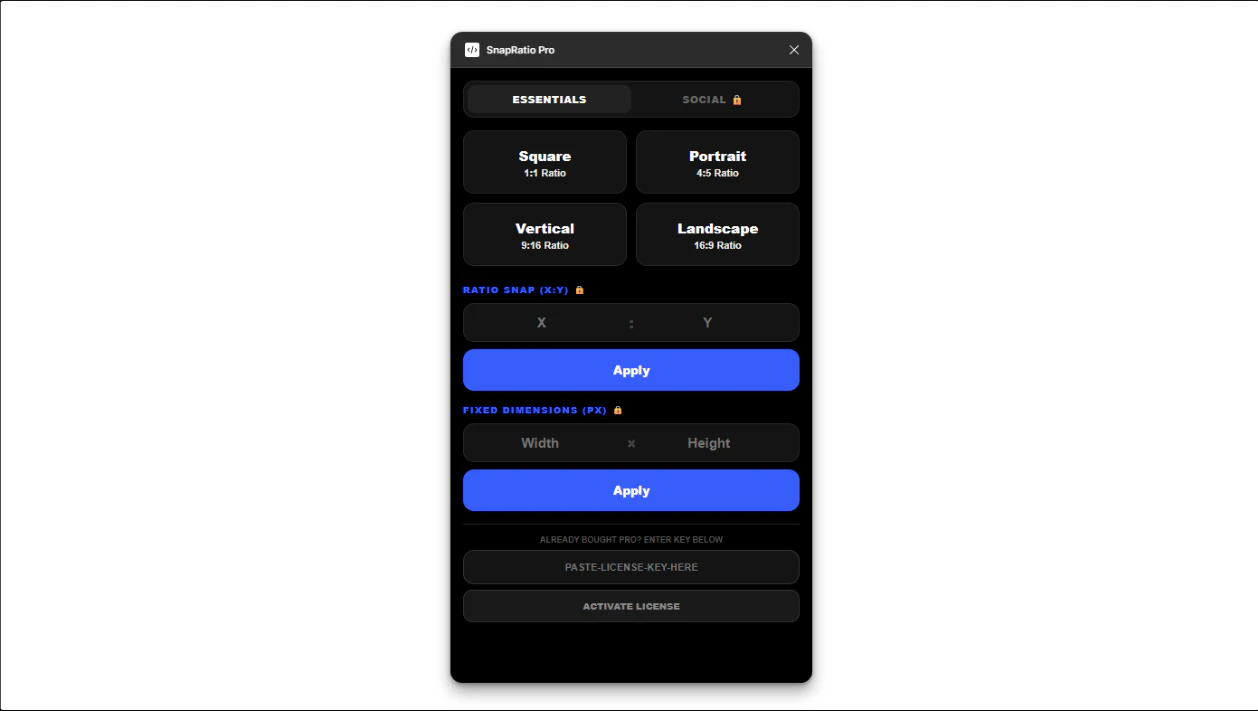
SnapRatio Pro is a streamlined, no-nonsense image resizing tool designed for designers, marketers, and content creators who frequently need to adapt images to various platform specifications. Unlike traditional web-based tools that require multiple steps of uploading, downloading, and re-importing, SnapRatio Pro offers instant resizing within your existing design environment. Its seamless integration eliminates the hassle of tab switching and external web tools, saving users time and frustration. For a one-time fee of $5, users gain a lifetime access to a simple yet powerful utility that adapts images to any ratio or size effortlessly. Built with productivity and ease of use in mind, SnapRatio Pro is perfect for those who need quick, consistent image adjustments without disrupting their workflow or incurring ongoing costs.
Screenshots
Pros
- ✓Instant resizing within the design environment
- ✓One-time payment for lifetime use
- ✓Eliminates the need for external web tools and tab switching
- ✓Supports any ratio or size customization
- ✓Simple and user-friendly interface
Cons
- ✗Limited to image resizing, no advanced editing features
- ✗Lacks cloud storage or sharing capabilities
- ✗May not support batch processing for large volumes
Use Cases
Pricing
Likely a one-time purchase of $5 for lifetime access, making it an affordable alternative to subscription-based tools.
Quick Info
Topics
Alternatives
Similar Tools in AI Image & Design




Embed Badge
Add this badge to your website to show that SnapRatio Pro is featured on Visalytica.
<a href="https://www.visalytica.com/tool/snapratio-pro" target="_blank" rel="noopener noreferrer" style="display:inline-flex;align-items:center;gap:6px;padding:6px 14px;background:#7c3aed;color:#fff;border-radius:8px;font-family:-apple-system,system-ui,sans-serif;font-size:13px;font-weight:600;text-decoration:none;transition:background .2s" onmouseover="this.style.background='#6d28d9'" onmouseout="this.style.background='#7c3aed'"><svg width="14" height="14" viewBox="0 0 24 24" fill="none" stroke="currentColor" stroke-width="2.5" stroke-linecap="round" stroke-linejoin="round"><path d="M12 20V10"/><path d="M18 20V4"/><path d="M6 20v-4"/></svg>Featured on Visalytica</a>