
SnapEdit
Native SwiftUI clipboard image editor; edit, share instantly
About SnapEdit
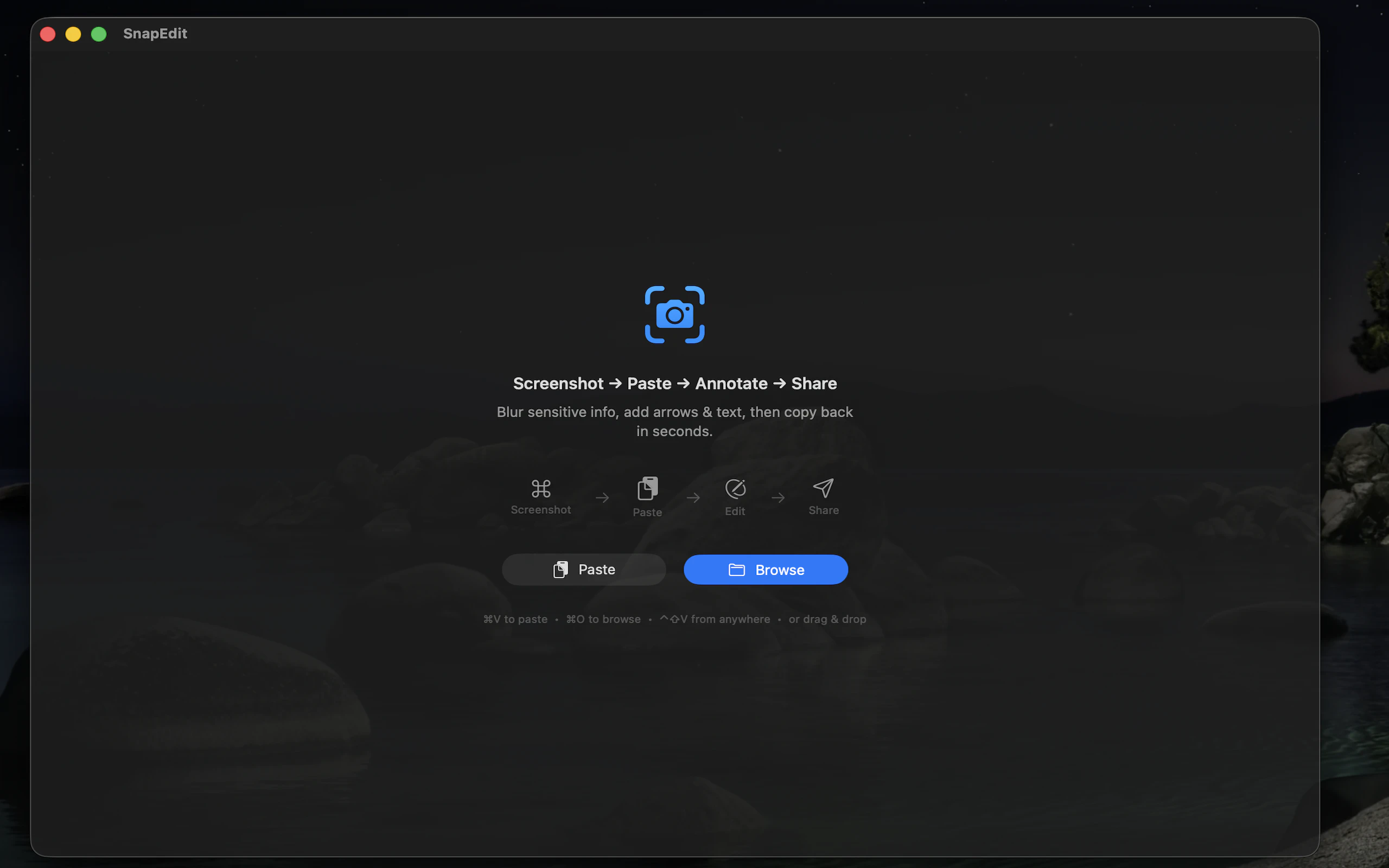
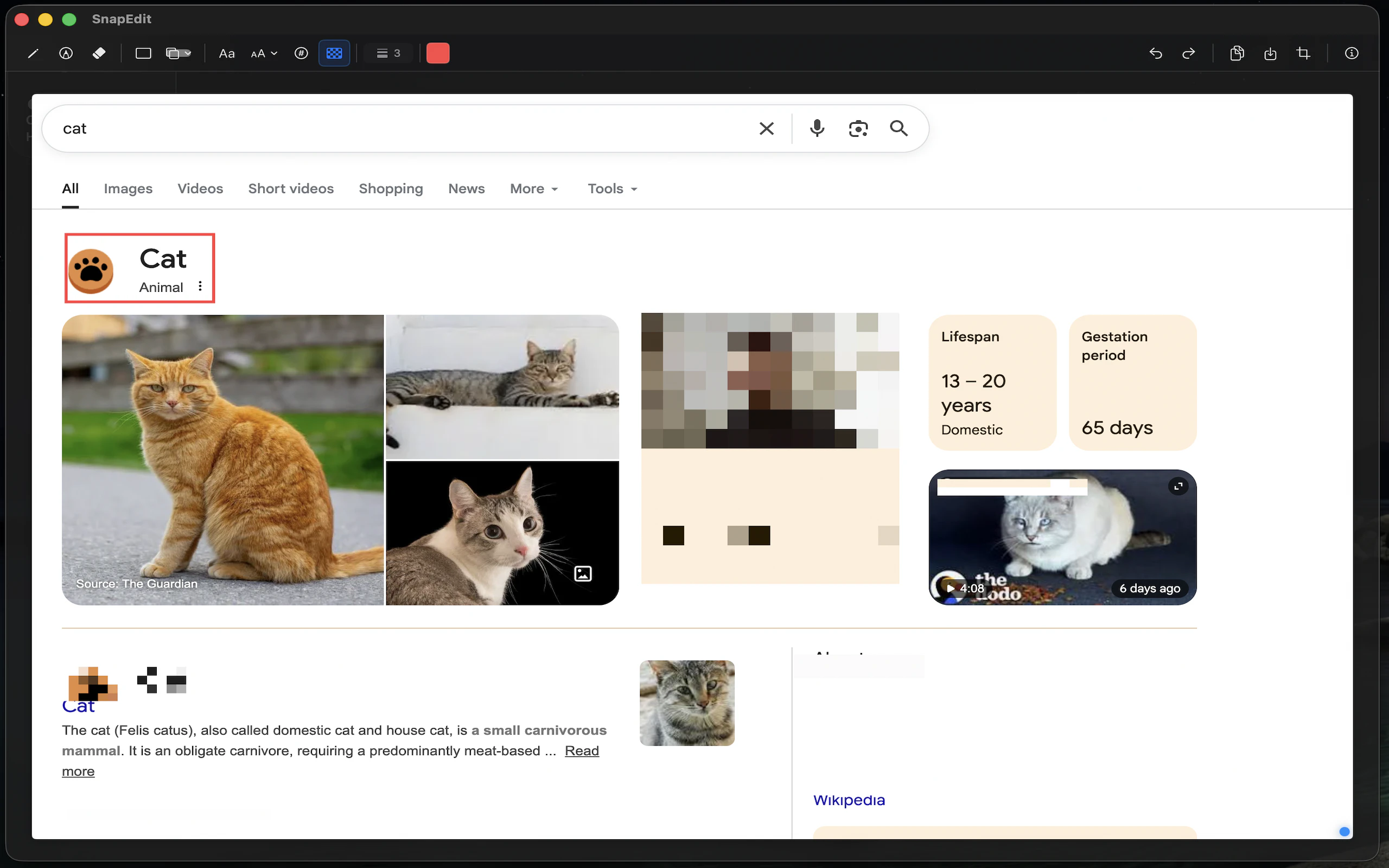
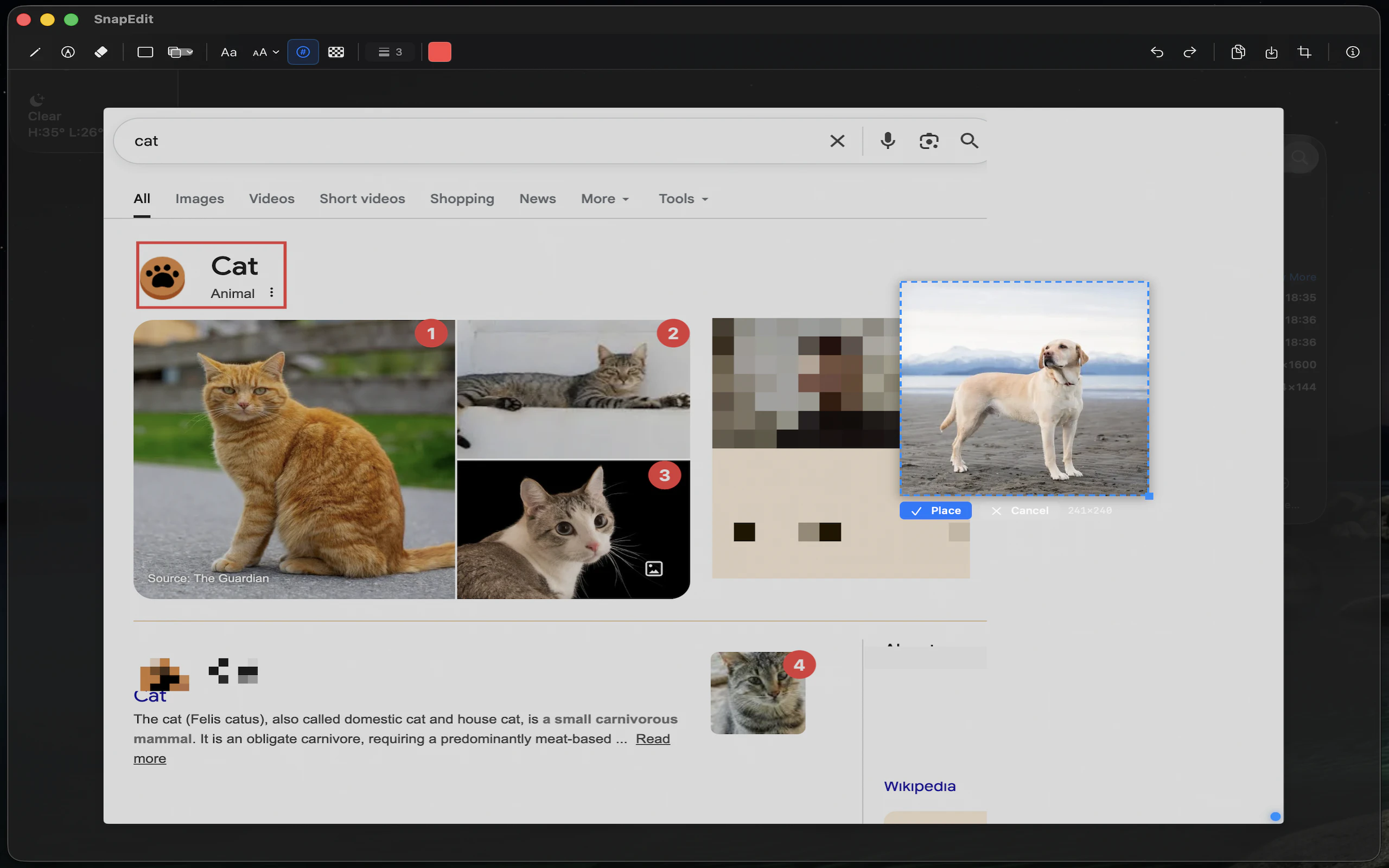
SnapEdit is a native SwiftUI clipboard image editor designed specifically for macOS users who frequently work with images across messaging and collaboration platforms like Slack and Teams. Its lightweight, no-fuss approach allows users to quickly paste images using Ctrl+Shift+V, make edits directly within the app, and copy the modified image back to the clipboard with Cmd+C — all without saving files to disk or cluttering the desktop. This streamlined workflow is especially appealing to remote teams, designers, developers, and content creators seeking efficiency and simplicity. Built by a developer frustrated with the lack of lightweight, integrated image editing tools for macOS, SnapEdit offers a fast, free solution that enhances productivity for everyday image sharing tasks. Its intuitive design and focus on core functionality set it apart as a handy utility for those who value speed and minimalism in their digital toolkit.
Screenshots
Pros
- ✓Lightweight and fast, with minimal system resource usage
- ✓Seamless clipboard integration for quick editing and sharing
- ✓No need to save or manage files on disk, streamlining workflow
- ✓Free and open-source, accessible to all users
- ✓Native SwiftUI implementation ensures smooth performance on macOS
Cons
- ✗Limited to basic image editing features; lacks advanced tools
- ✗Currently supports only macOS, restricting cross-platform use
- ✗No formal support or extensive documentation, reliant on community or developer updates
Use Cases
Pricing
Free and open source, providing users with a no-cost, lightweight tool for everyday image editing tasks.
Quick Info
Topics
Alternatives
Similar Tools in AI Writing




Embed Badge
Add this badge to your website to show that SnapEdit is featured on Visalytica.
<a href="https://www.visalytica.com/tool/snapedit" target="_blank" rel="noopener noreferrer" style="display:inline-flex;align-items:center;gap:6px;padding:6px 14px;background:#7c3aed;color:#fff;border-radius:8px;font-family:-apple-system,system-ui,sans-serif;font-size:13px;font-weight:600;text-decoration:none;transition:background .2s" onmouseover="this.style.background='#6d28d9'" onmouseout="this.style.background='#7c3aed'"><svg width="14" height="14" viewBox="0 0 24 24" fill="none" stroke="currentColor" stroke-width="2.5" stroke-linecap="round" stroke-linejoin="round"><path d="M12 20V10"/><path d="M18 20V4"/><path d="M6 20v-4"/></svg>Featured on Visalytica</a>