
SlimSnap
Your AI doesn't know which button you mean
About SlimSnap
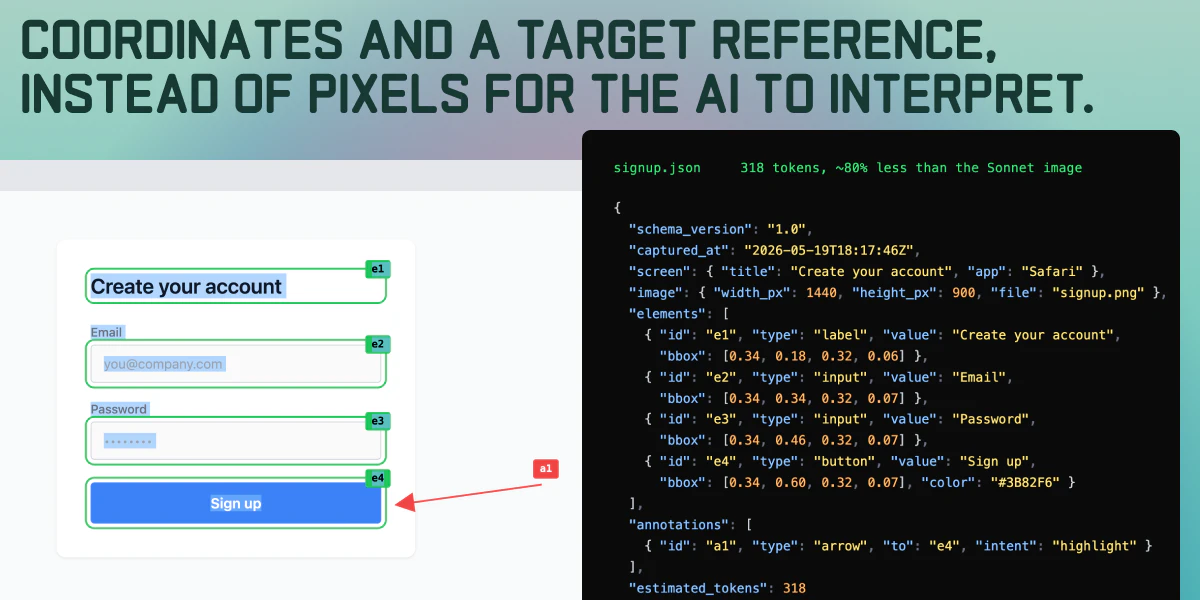
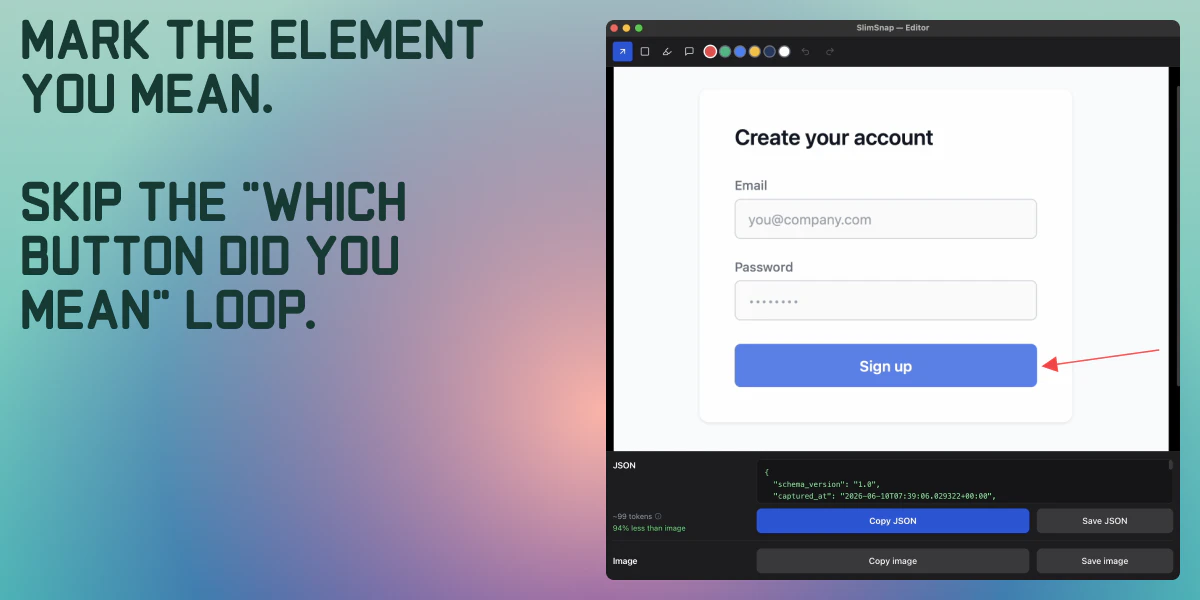
SlimSnap is an innovative AI-powered tool designed for UI/UX designers, product managers, and developers who frequently work with screenshots and annotations. Unlike traditional image recognition tools, SlimSnap reads your screenshots as pixel blobs and intelligently guesses which button or element you are referring to, based on your annotations. It then converts the visual input into structured JSON, detailing element coordinates, unique IDs, and specific points of interest like arrows. This process streamlines the documentation of UI flows, bug reports, and design specifications by transforming visual annotations into machine-readable data. Its on-device operation ensures privacy and quick processing, while the open-source schema and Claude Code integration encourage customization and extensibility. With a free Mac app and a focus on simplicity, SlimSnap is particularly appealing for teams seeking accurate, machine-readable UI documentation without relying on cloud-based solutions.
Screenshots
Pros
- ✓On-device processing for privacy and speed
- ✓Converts screenshots and annotations into structured JSON automatically
- ✓Open MIT-licensed schema and code for customization
- ✓Free Mac app available for quick adoption
- ✓Reduces manual data entry and improves accuracy
Cons
- ✗Limited to Mac platform, reducing cross-platform flexibility
- ✗New and niche tool with limited user community and integrations
- ✗May require some learning curve for advanced customization
Use Cases
Pricing
Likely offers a free version through its Mac app, with potential paid plans for advanced features or enterprise use. As an open-source project, core schema and code are freely available, but commercial licensing or support may be optional.
Quick Info
Topics
Makers

Alexander Bickov
@bickovAlternatives
Similar Tools in AI Assistants




Embed Badge
Add this badge to your website to show that SlimSnap is featured on Visalytica.
<a href="https://www.visalytica.com/tool/slimsnap" target="_blank" rel="noopener noreferrer" style="display:inline-flex;align-items:center;gap:6px;padding:6px 14px;background:#7c3aed;color:#fff;border-radius:8px;font-family:-apple-system,system-ui,sans-serif;font-size:13px;font-weight:600;text-decoration:none;transition:background .2s" onmouseover="this.style.background='#6d28d9'" onmouseout="this.style.background='#7c3aed'"><svg width="14" height="14" viewBox="0 0 24 24" fill="none" stroke="currentColor" stroke-width="2.5" stroke-linecap="round" stroke-linejoin="round"><path d="M12 20V10"/><path d="M18 20V4"/><path d="M6 20v-4"/></svg>Featured on Visalytica</a>