
Sketella
Turn messy plans into Apple Calendar drafts
About Sketella
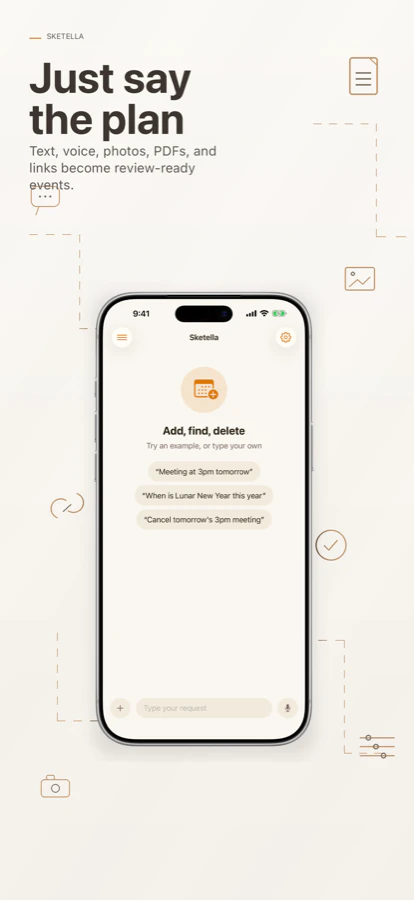
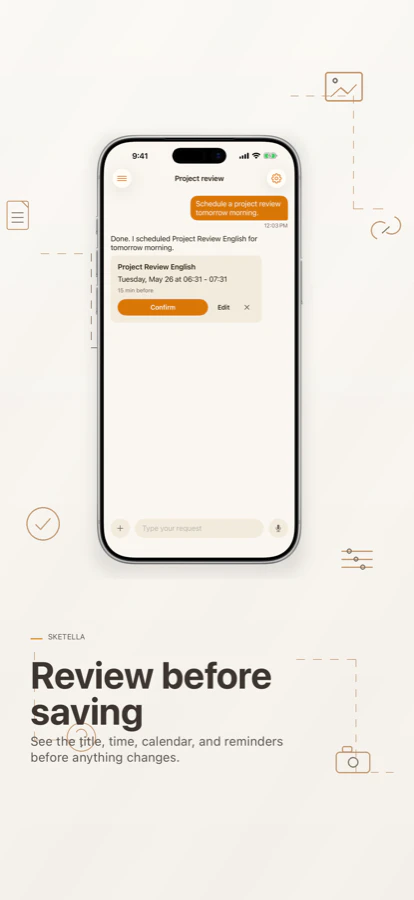
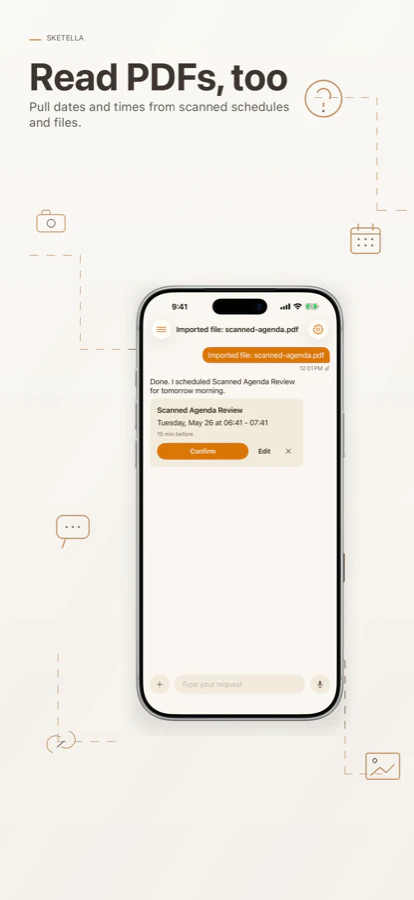
Sketella is an innovative AI-powered calendar assistant designed specifically for iPhone users. It simplifies the process of organizing your schedule by transforming messy plans, notes, or ideas into polished Apple Calendar and Reminders drafts. Users can easily communicate with Sketella via voice, text, or by importing various formats such as PDFs or screenshots, making it highly versatile for different input methods. Its core strength lies in seamlessly integrating with existing calendars, allowing users to review, edit, and approve drafts before finalizing. The tool’s emphasis on local chat history ensures privacy and data security, appealing to users concerned about sensitive information. Ideal for busy professionals, students, or anyone who manages a hectic schedule, Sketella streamlines the planning process with an intuitive AI assistant that enhances productivity and reduces manual entry.
Screenshots

Pros
- ✓Integrates smoothly with Apple Calendar and Reminders
- ✓Supports multiple input methods including voice, text, screenshots, and PDFs
- ✓Keeps chat history local for enhanced privacy
- ✓Simplifies complex or messy plans into clear calendar drafts
Cons
- ✗Currently limited to iPhone, reducing cross-platform flexibility
- ✗No mention of advanced automation or recurring event features
- ✗Limited user base as indicated by current votes on Product Hunt
Use Cases
Pricing
Likely operates on a freemium model, offering basic features for free with premium options for additional functionality, though specific pricing details are not publicly confirmed.
Quick Info
Topics
Makers

james Ding
Alternatives
Similar Tools in Productivity




Embed Badge
Add this badge to your website to show that Sketella is featured on Visalytica.
<a href="https://www.visalytica.com/tool/sketella" target="_blank" rel="noopener noreferrer" style="display:inline-flex;align-items:center;gap:6px;padding:6px 14px;background:#7c3aed;color:#fff;border-radius:8px;font-family:-apple-system,system-ui,sans-serif;font-size:13px;font-weight:600;text-decoration:none;transition:background .2s" onmouseover="this.style.background='#6d28d9'" onmouseout="this.style.background='#7c3aed'"><svg width="14" height="14" viewBox="0 0 24 24" fill="none" stroke="currentColor" stroke-width="2.5" stroke-linecap="round" stroke-linejoin="round"><path d="M12 20V10"/><path d="M18 20V4"/><path d="M6 20v-4"/></svg>Featured on Visalytica</a>