
SimplyDiskSweeper
See what uses space before moving files to Trash
About SimplyDiskSweeper
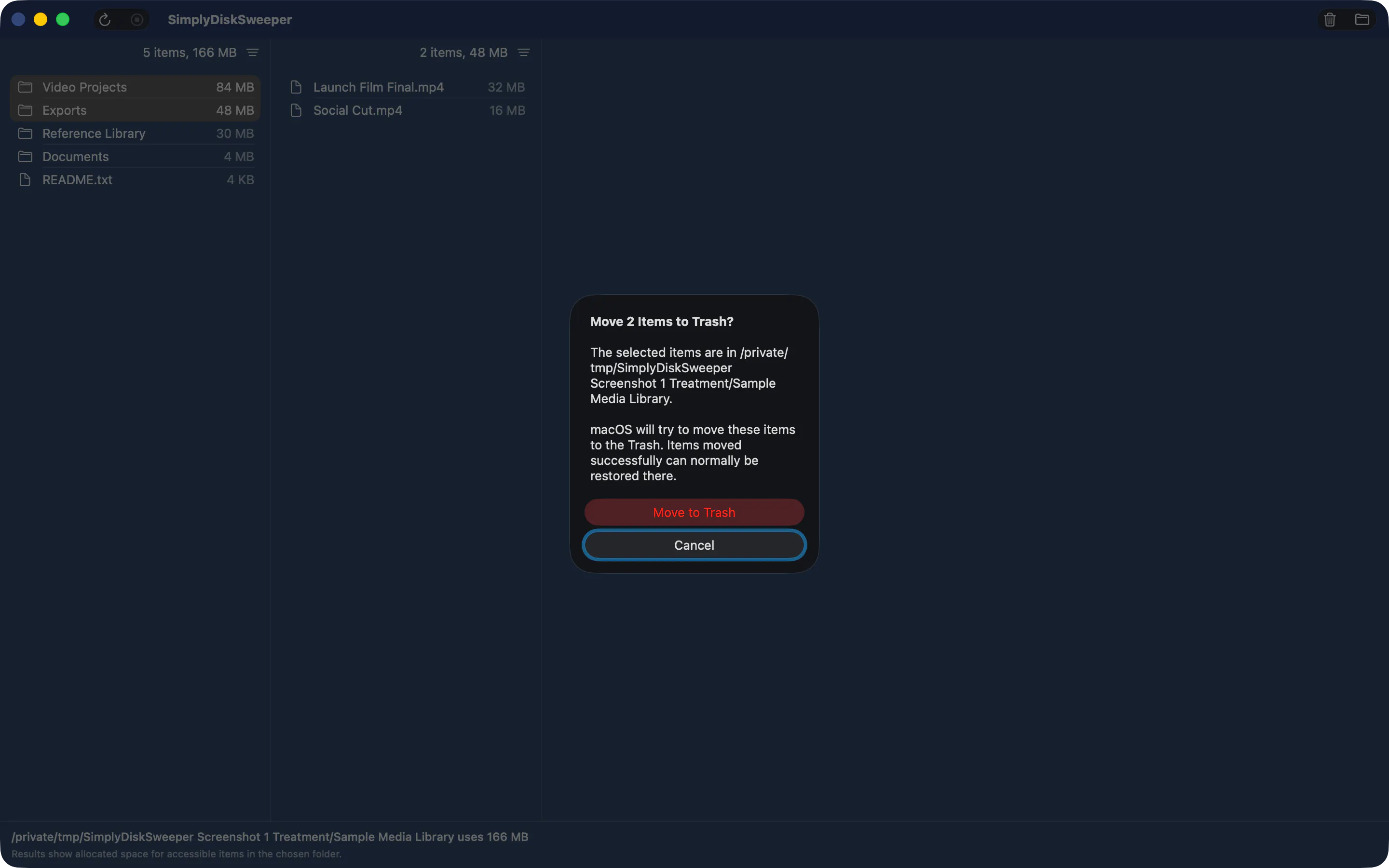
SimplyDiskSweeper is a practical Mac utility designed to help users identify and manage disk space usage efficiently. It offers a Finder-like interface that displays files and folders sorted by size, enabling users to quickly see what consumes the most space. The tool's ability to include or exclude items like repositories or git-ignored files, along with the option to find exact duplicates via hardlinks, makes it particularly valuable for developers and power users aiming to clean up their storage without accidental deletions. Its user-centric approach ensures that only selected items are moved to Trash after confirmation, adding a layer of safety to the cleaning process. Whether you're a developer managing large code repositories or a user looking to free up disk space, SimplyDiskSweeper provides a clear, organized way to analyze and act on your storage with confidence.
Screenshots

Pros
- ✓Intuitive Finder-like interface for easy navigation
- ✓Advanced filtering options including repository and git-ignored files
- ✓Ability to detect exact duplicates via hardlinks
- ✓Safe deletion process requiring user confirmation
- ✓Focus on large files for efficient space management
Cons
- ✗Limited details on pricing and subscription plans
- ✗No indication of real-time scanning or automation features
- ✗Vague information on support for network or external drives
Use Cases
Pricing
Pricing not verified
Quick Info
Topics
Makers

Hwee-Boon Yar
@hboonAlternatives
Similar Tools in Developer Tools




Embed Badge
Add this badge to your website to show that SimplyDiskSweeper is featured on Visalytica.
<a href="https://www.visalytica.com/tool/simplydisksweeper" target="_blank" rel="noopener noreferrer" style="display:inline-flex;align-items:center;gap:6px;padding:6px 14px;background:#7c3aed;color:#fff;border-radius:8px;font-family:-apple-system,system-ui,sans-serif;font-size:13px;font-weight:600;text-decoration:none;transition:background .2s" onmouseover="this.style.background='#6d28d9'" onmouseout="this.style.background='#7c3aed'"><svg width="14" height="14" viewBox="0 0 24 24" fill="none" stroke="currentColor" stroke-width="2.5" stroke-linecap="round" stroke-linejoin="round"><path d="M12 20V10"/><path d="M18 20V4"/><path d="M6 20v-4"/></svg>Featured on Visalytica</a>