
Shuffle Design CLI
Multi-AI CLI for building and redesigning websites
About Shuffle Design CLI
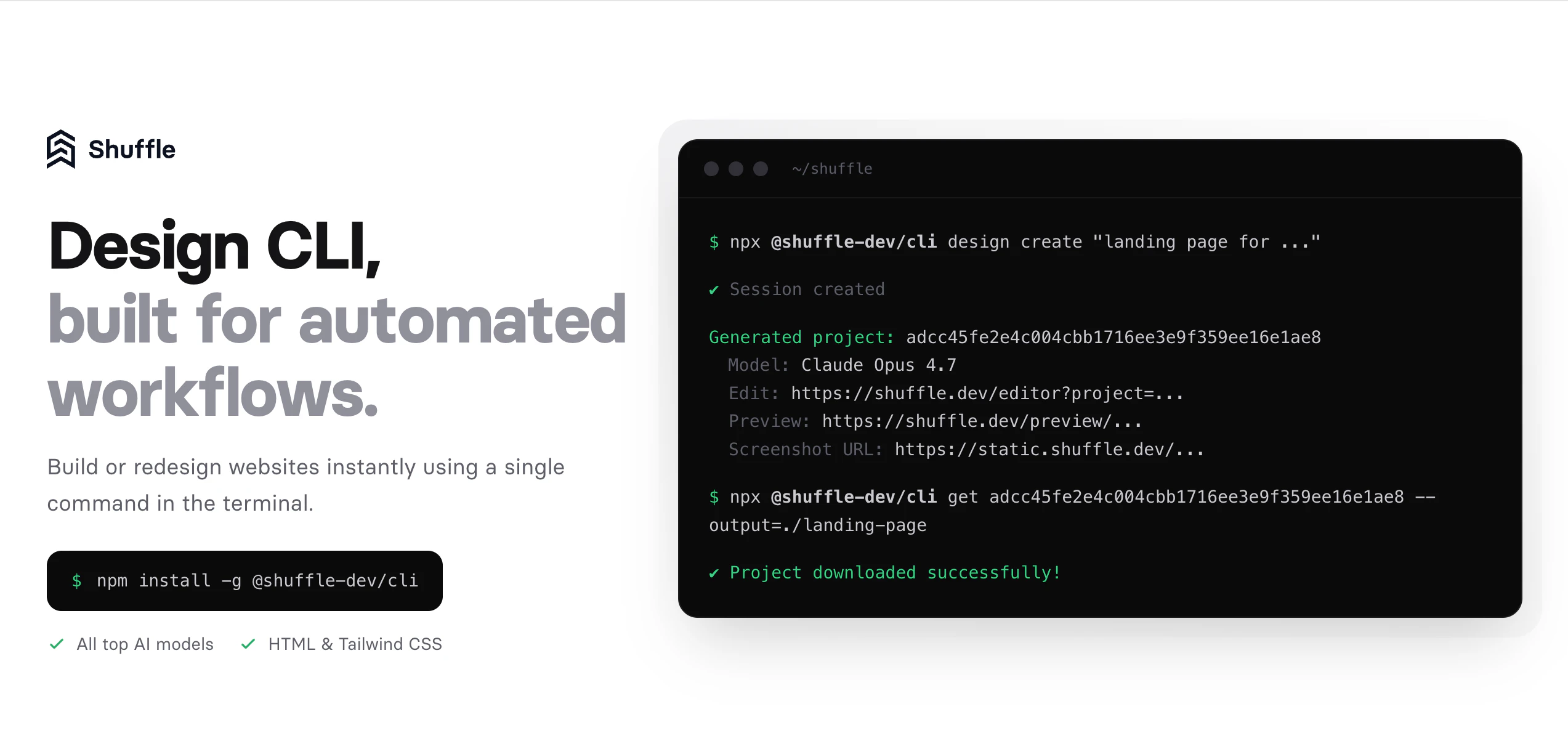
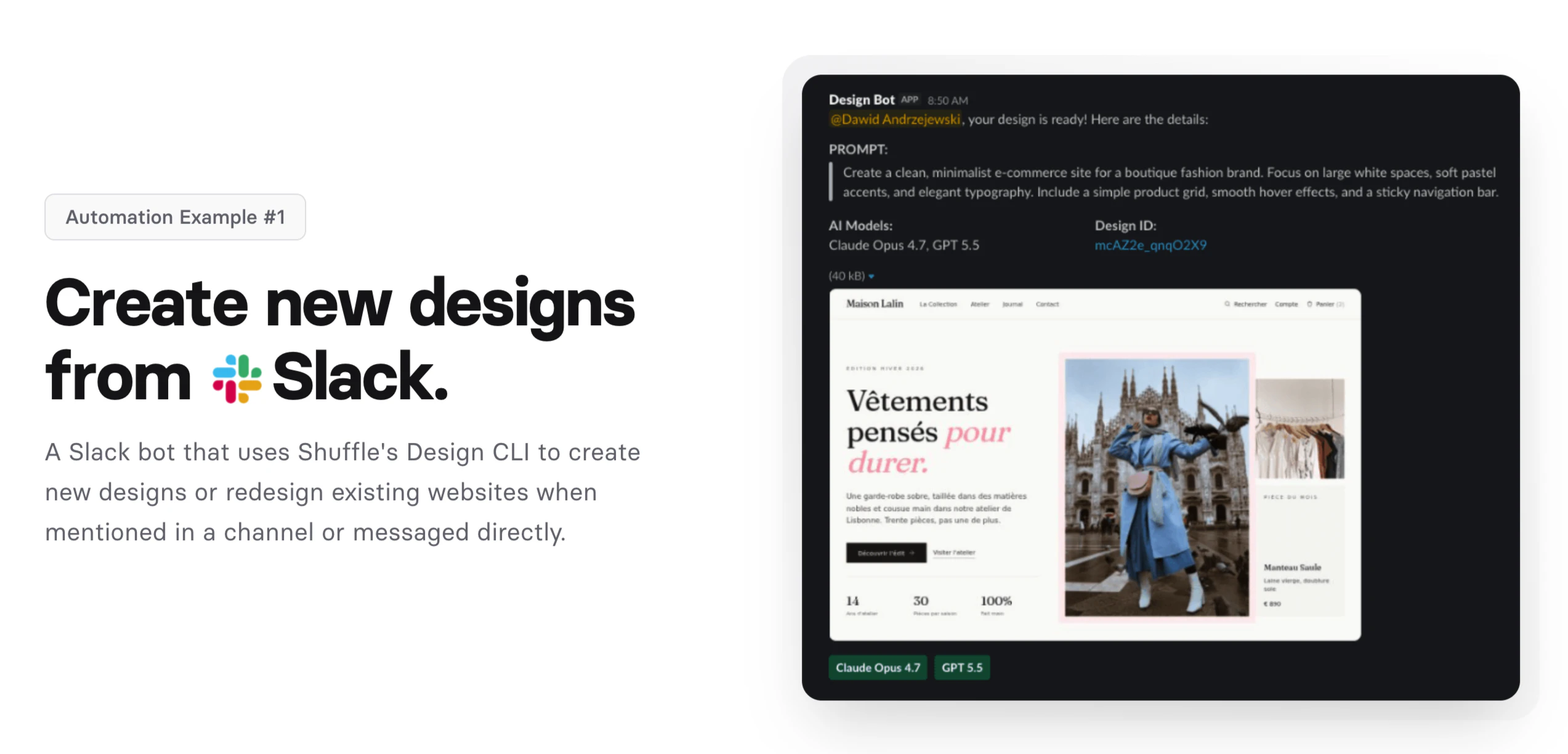
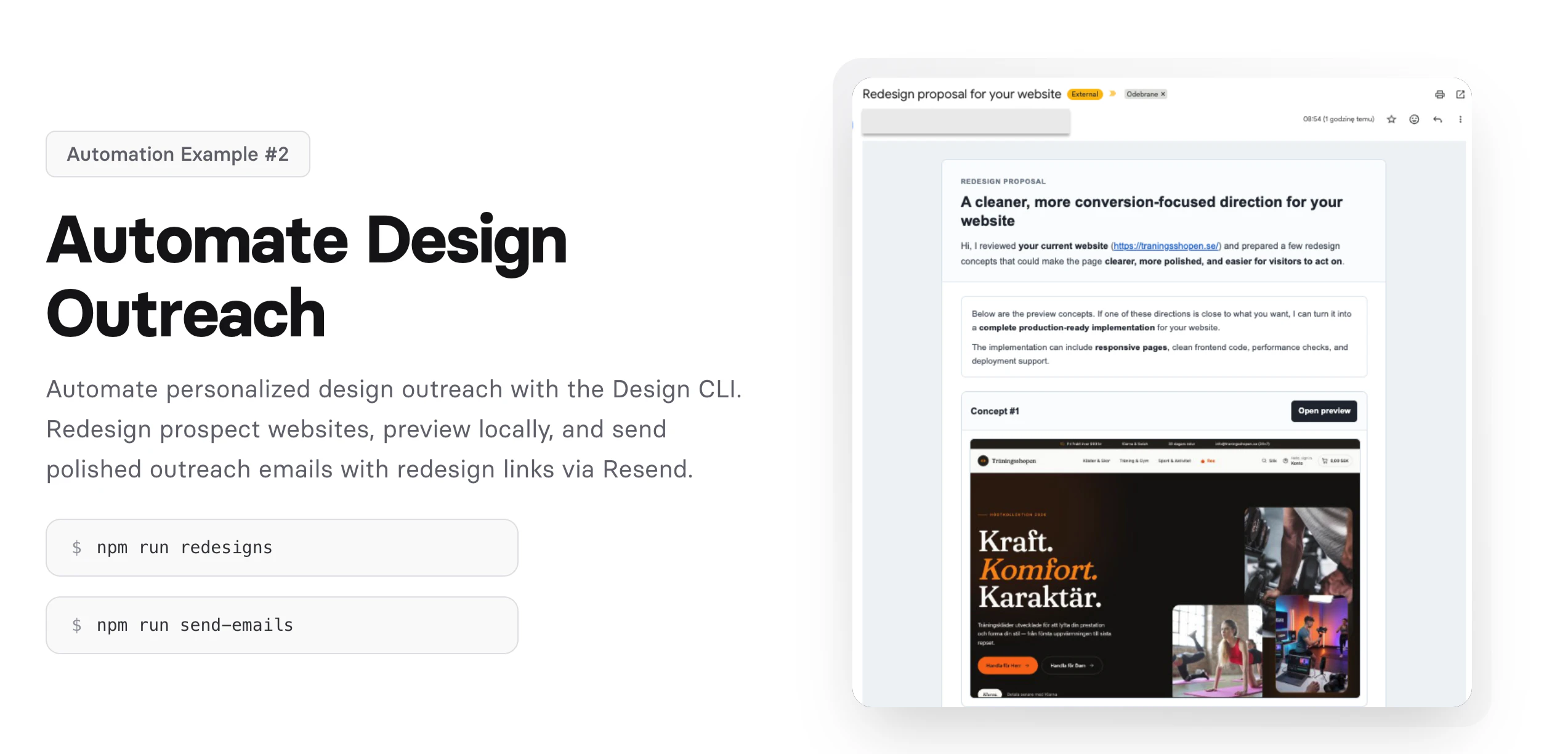
Shuffle Design CLI is an innovative command-line tool tailored for developers and designers who want to streamline website creation and redesign workflows. By leveraging multiple AI models, it enables users to generate landing pages and overhaul existing websites directly from the terminal, significantly reducing the need for manual coding or design work. Its automation capabilities make it ideal for teams aiming to ship high-quality websites faster and more efficiently. What sets Shuffle Design CLI apart is its focus on developer-centric workflows, allowing seamless integration into existing development pipelines while harnessing the power of AI for creative design tasks. This tool empowers users to iterate rapidly, experiment with different layouts, and automate repetitive design processes—all from a familiar command-line interface, making it a unique blend of AI-driven design and developer productivity.
Screenshots
Pros
- ✓Enables website creation and redesign directly from the terminal, streamlining workflows
- ✓Supports multiple AI models for versatile design options
- ✓Automates repetitive tasks, saving time and effort
- ✓Suitable for developers and designers seeking rapid iteration
- ✓Integrates well into existing development pipelines
Cons
- ✗Requires familiarity with command-line interfaces, which may be a barrier for some users
- ✗Limited information on pricing and advanced features currently available
- ✗Might have a learning curve for those unfamiliar with AI-driven design tools
Use Cases
Pricing
Specific pricing details are not provided, but the tool likely adopts a freemium or subscription model typical for CLI-based SaaS tools, with possible tiered plans based on usage or features.
Quick Info
Topics
Similar Tools in Developer Tools




Embed Badge
Add this badge to your website to show that Shuffle Design CLI is featured on Visalytica.
<a href="https://www.visalytica.com/tool/shuffle-design-cli" target="_blank" rel="noopener noreferrer" style="display:inline-flex;align-items:center;gap:6px;padding:6px 14px;background:#7c3aed;color:#fff;border-radius:8px;font-family:-apple-system,system-ui,sans-serif;font-size:13px;font-weight:600;text-decoration:none;transition:background .2s" onmouseover="this.style.background='#6d28d9'" onmouseout="this.style.background='#7c3aed'"><svg width="14" height="14" viewBox="0 0 24 24" fill="none" stroke="currentColor" stroke-width="2.5" stroke-linecap="round" stroke-linejoin="round"><path d="M12 20V10"/><path d="M18 20V4"/><path d="M6 20v-4"/></svg>Featured on Visalytica</a>