
Shotomatic Action Capture
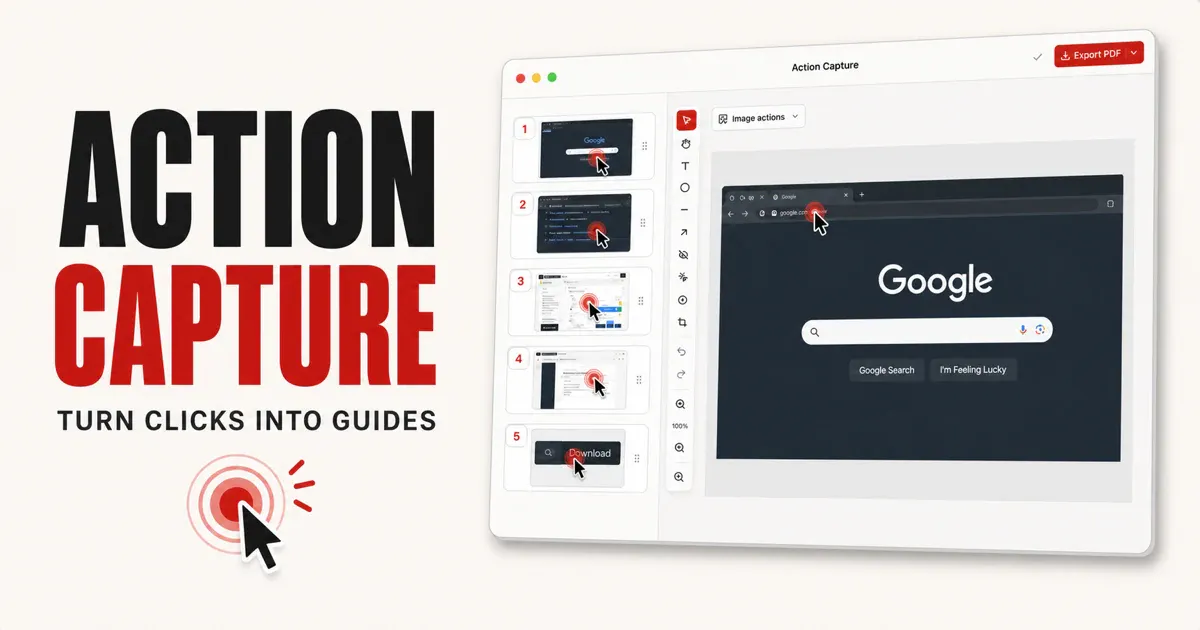
Turn Mac clicks into editable step-by-step guides
About Shotomatic Action Capture
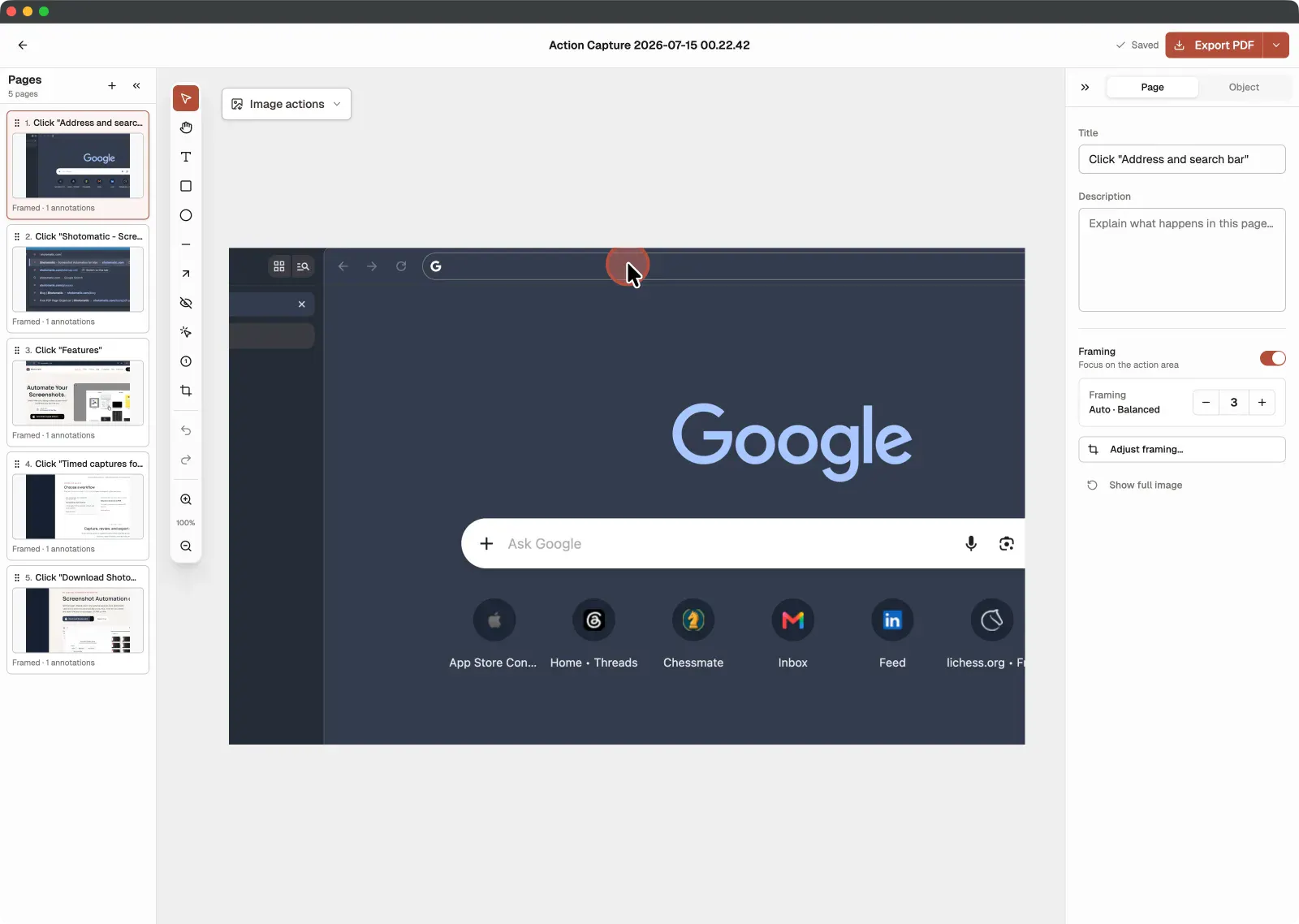
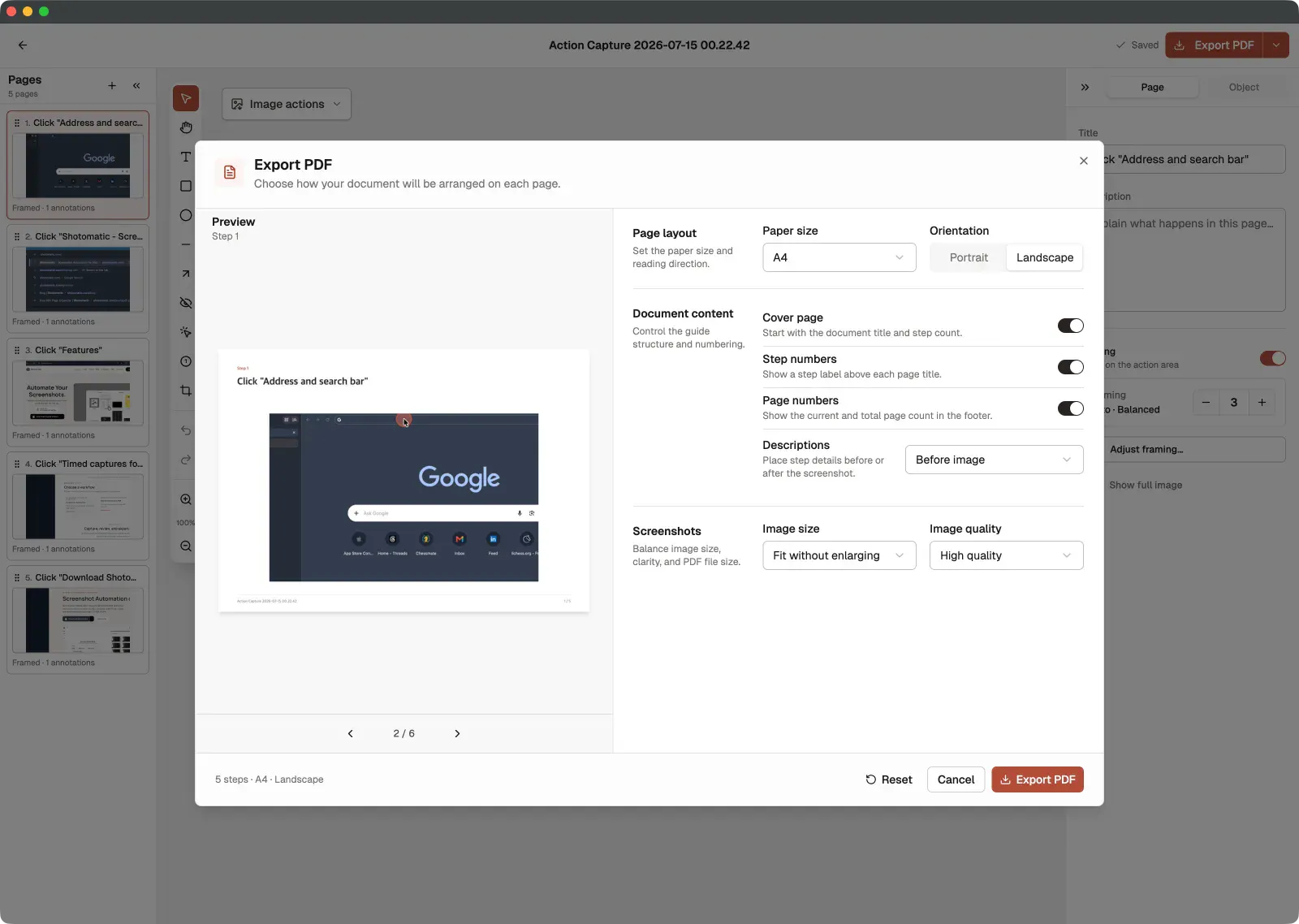
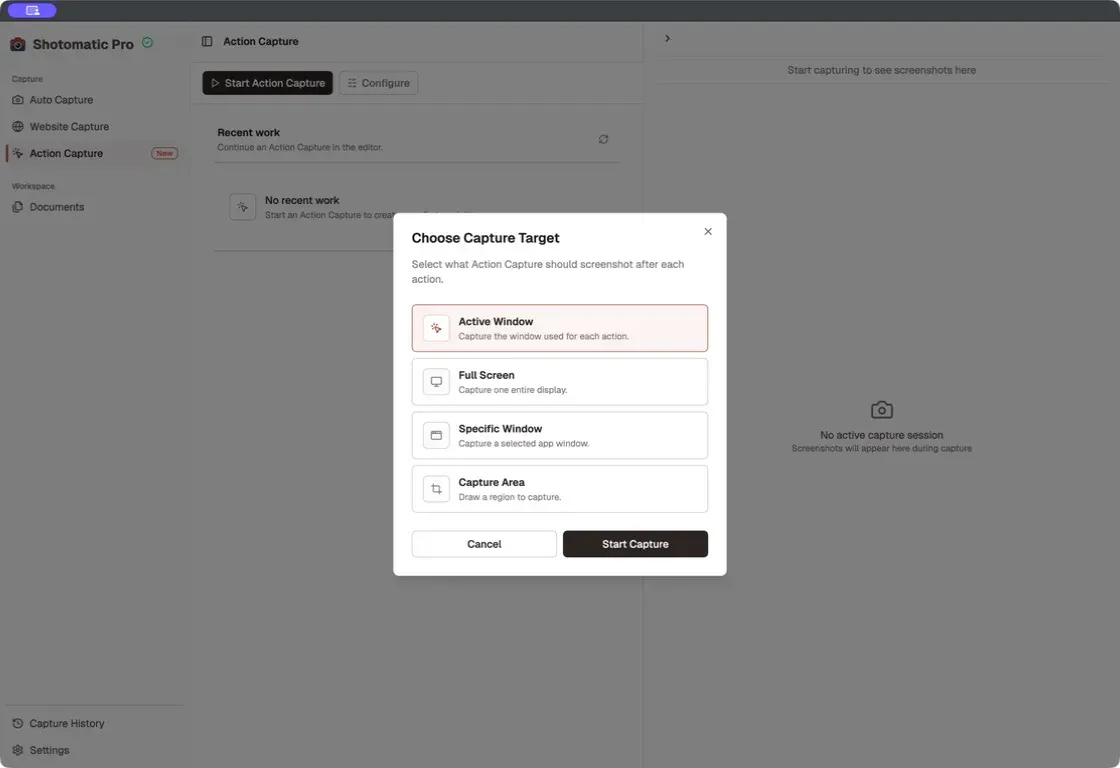
Shotomatic Action Capture is a powerful Mac tool designed to transform everyday clicks into comprehensive, editable step-by-step guides. Ideal for developers, trainers, and content creators, it captures the target state immediately before each accepted click, marking the action seamlessly. The tool then compiles these actions into an editable document, allowing users to reorder pages, add titles, descriptions, annotations, and framing before exporting in multiple formats such as PDF, PNG, JPG, WebP, or ZIP. Its ability to keep screenshots and documents locally on the Mac enhances privacy and control. The free version supports up to five saved steps per session, making it accessible for casual use, while the Pro version removes limits and watermarks, catering to professional needs. Its intuitive workflow and versatile export options make it a standout choice for creating detailed workflows and tutorials directly from Mac interactions.
Screenshots
Pros
- ✓Easy to turn Mac clicks into editable guides
- ✓Supports multiple export formats for flexibility
- ✓Keeps screenshots and documents locally for privacy
- ✓Reorder, annotate, and customize guides effortlessly
- ✓Free version available with limited steps
Cons
- ✗Limited steps in the free version may restrict larger projects
- ✗Features are primarily Mac-focused, limiting cross-platform use
- ✗No mention of automatic recording or video support
Use Cases
Pricing
Likely operates on a freemium model with a free tier supporting limited steps, and paid Pro plans removing restrictions and watermarks, with pricing probably starting around $X/month.
Quick Info
Topics
Makers

wooing0306🚀
@wooing0306Alternatives
Similar Tools in Developer Tools




Embed Badge
Add this badge to your website to show that Shotomatic Action Capture is featured on Visalytica.
<a href="https://www.visalytica.com/tool/shotomatic-action-capture" target="_blank" rel="noopener noreferrer" style="display:inline-flex;align-items:center;gap:6px;padding:6px 14px;background:#7c3aed;color:#fff;border-radius:8px;font-family:-apple-system,system-ui,sans-serif;font-size:13px;font-weight:600;text-decoration:none;transition:background .2s" onmouseover="this.style.background='#6d28d9'" onmouseout="this.style.background='#7c3aed'"><svg width="14" height="14" viewBox="0 0 24 24" fill="none" stroke="currentColor" stroke-width="2.5" stroke-linecap="round" stroke-linejoin="round"><path d="M12 20V10"/><path d="M18 20V4"/><path d="M6 20v-4"/></svg>Featured on Visalytica</a>