
ScrollCinema
Record cinematic scroll videos of any website in one click.
About ScrollCinema
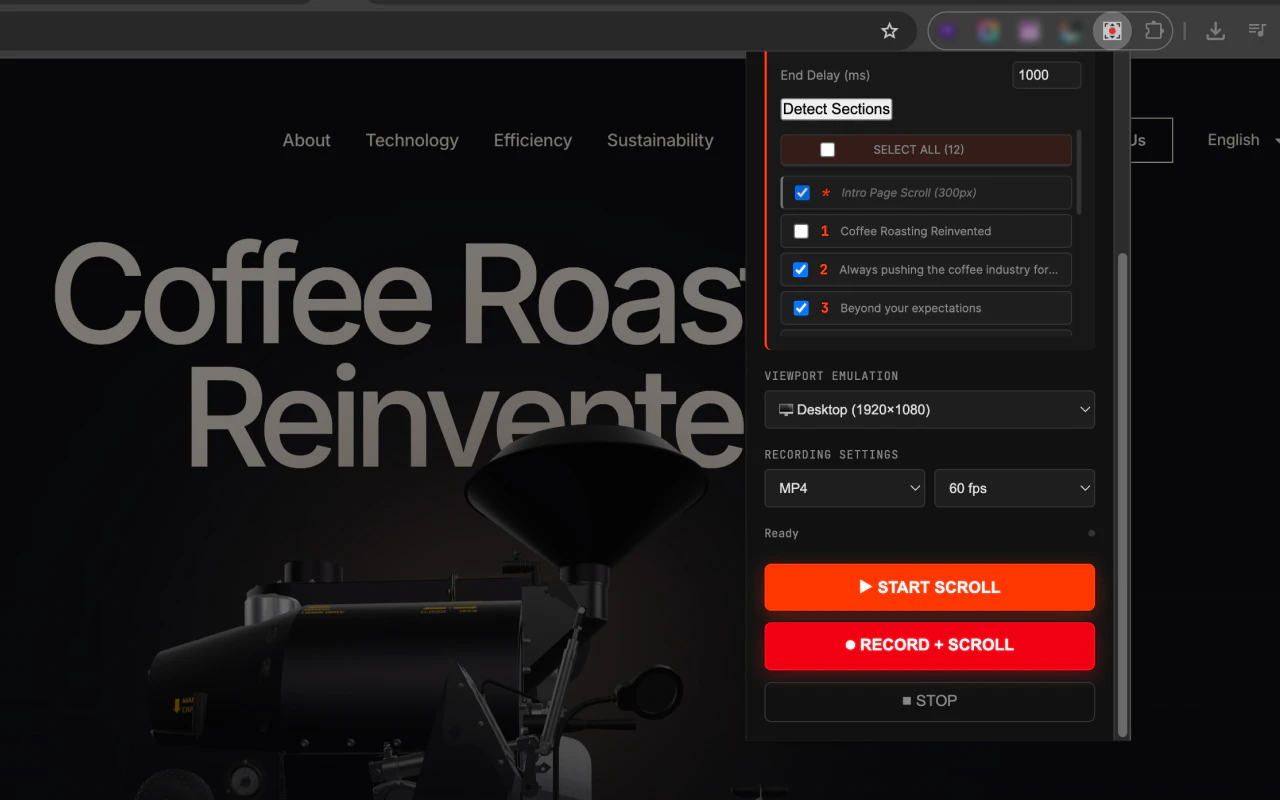
ScrollCinema is an innovative Chrome extension designed for creators, developers, and marketers who want to showcase websites with cinematic scrolling videos. It simplifies the process of capturing smooth, professional-looking scroll recordings, making it ideal for portfolio displays, product demos, or client presentations. Users can select from four distinct scroll styles—Standard, Ease-In Linear, Cinematic Sectional, and Wave Pulse—allowing customization to match the desired aesthetic. The tool also enables viewport emulation across desktop, iPhone, and iPad, enhancing versatility. Pro users benefit from integrated screen recording with support for WebM and MP4 formats, as well as automatic section detection, streamlining the entire creation process. Its one-click operation makes it accessible for users of all skill levels, while its focus on cinematic quality distinguishes it from basic screen capture tools. Overall, ScrollCinema is a powerful, user-friendly solution for producing engaging website videos effortlessly.
Screenshots
Pros
- ✓Easy one-click recording with cinematic styles
- ✓Customizable scroll effects and speeds
- ✓Viewport emulation for multiple devices
- ✓Built-in screen recording for Pro users
- ✓Automatic section detection for seamless videos
Cons
- ✗Limited free features; advanced options require a Pro subscription
- ✗Focus primarily on scroll recordings, not full video editing
- ✗May have compatibility issues with some websites or browsers
Use Cases
Pricing
Likely operates on a freemium model, offering basic features for free and advanced functionalities—including screen recording and customization options—in paid plans, with prices probably starting around $10-20/month.
Quick Info
Topics
Makers

Sadegh
Similar Tools in Developer Tools




Embed Badge
Add this badge to your website to show that ScrollCinema is featured on Visalytica.
<a href="https://www.visalytica.com/tool/scrollcinema" target="_blank" rel="noopener noreferrer" style="display:inline-flex;align-items:center;gap:6px;padding:6px 14px;background:#7c3aed;color:#fff;border-radius:8px;font-family:-apple-system,system-ui,sans-serif;font-size:13px;font-weight:600;text-decoration:none;transition:background .2s" onmouseover="this.style.background='#6d28d9'" onmouseout="this.style.background='#7c3aed'"><svg width="14" height="14" viewBox="0 0 24 24" fill="none" stroke="currentColor" stroke-width="2.5" stroke-linecap="round" stroke-linejoin="round"><path d="M12 20V10"/><path d="M18 20V4"/><path d="M6 20v-4"/></svg>Featured on Visalytica</a>