
Screen Ruler
The go-to ruler for designers and developers
About Screen Ruler
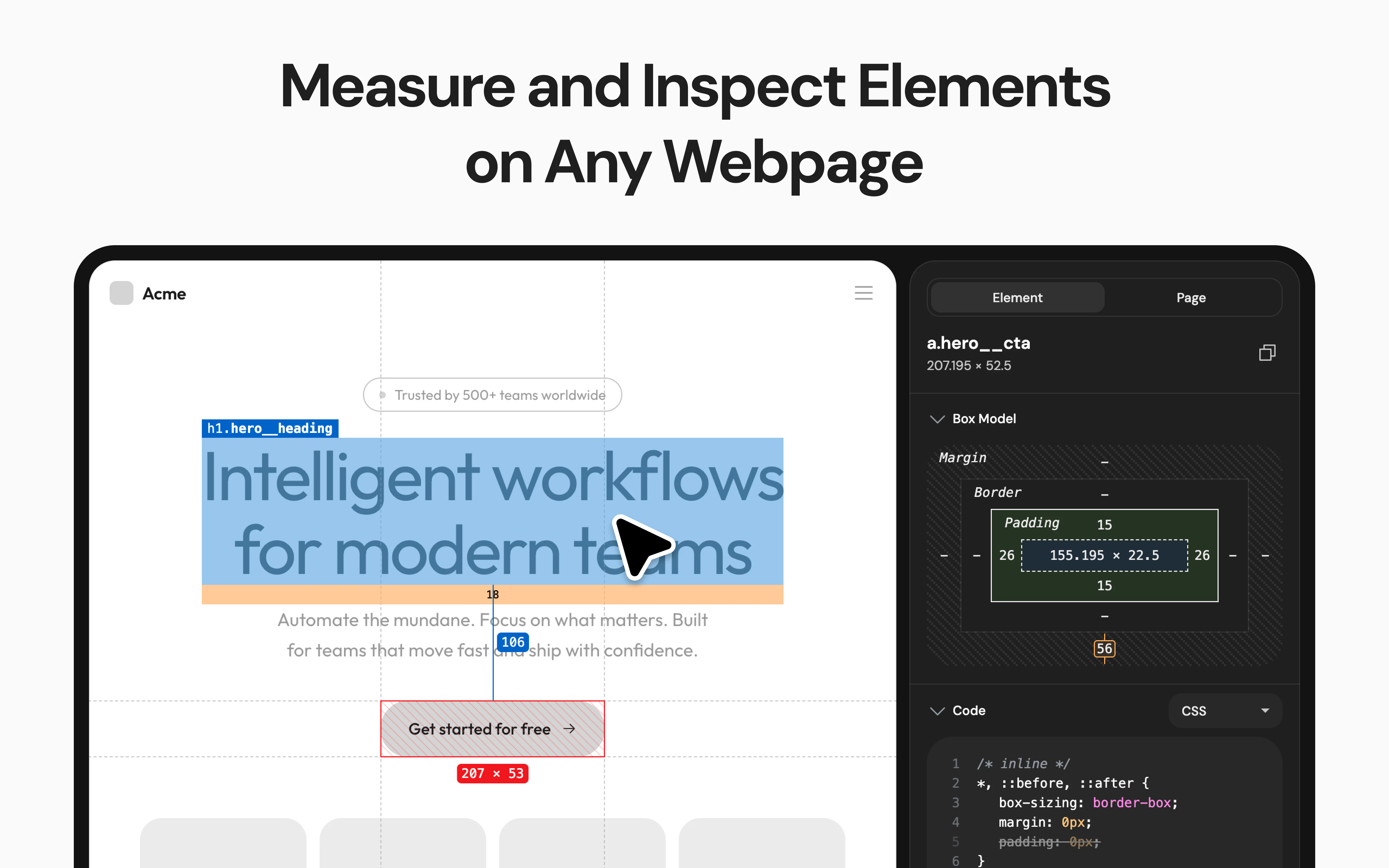
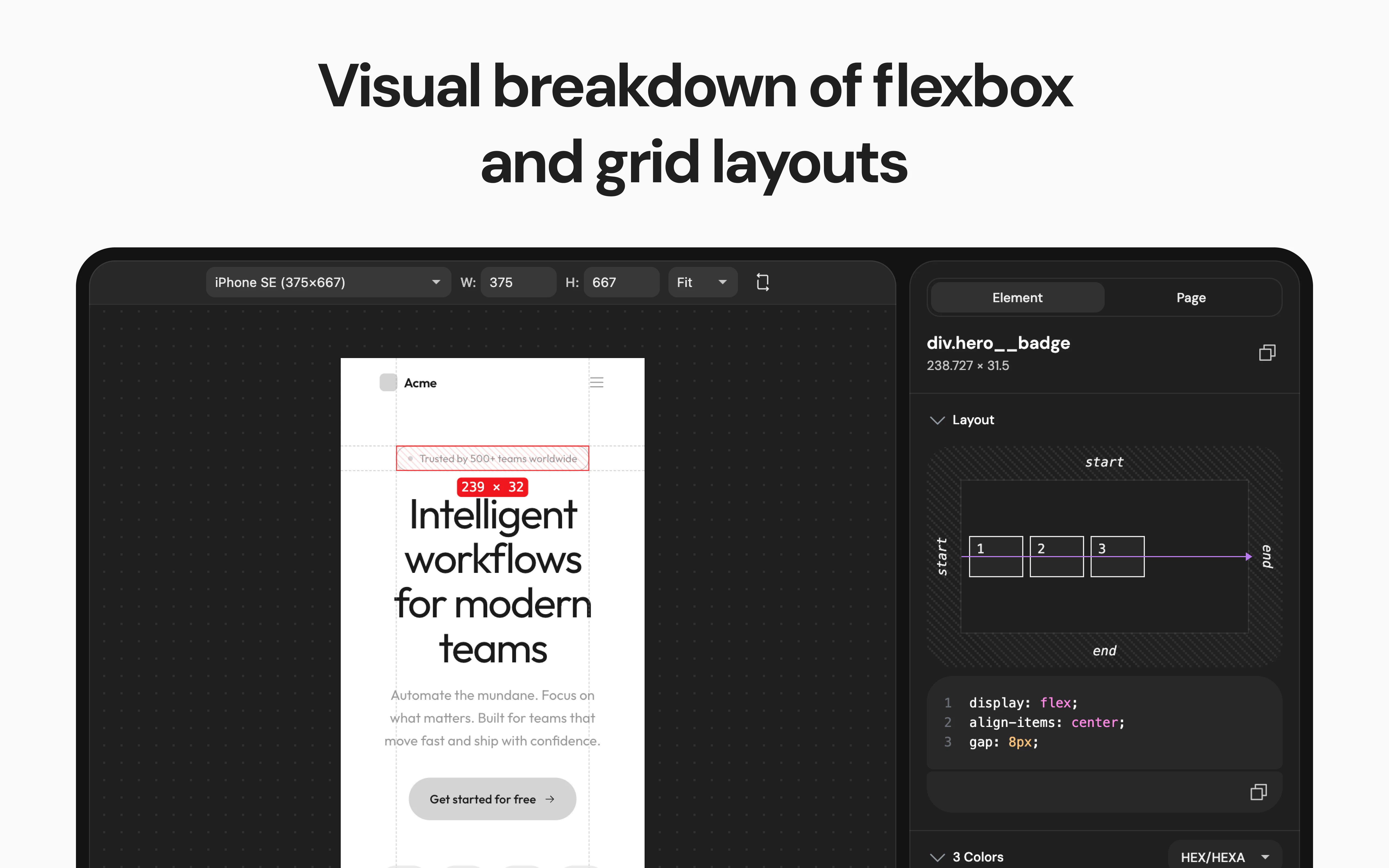
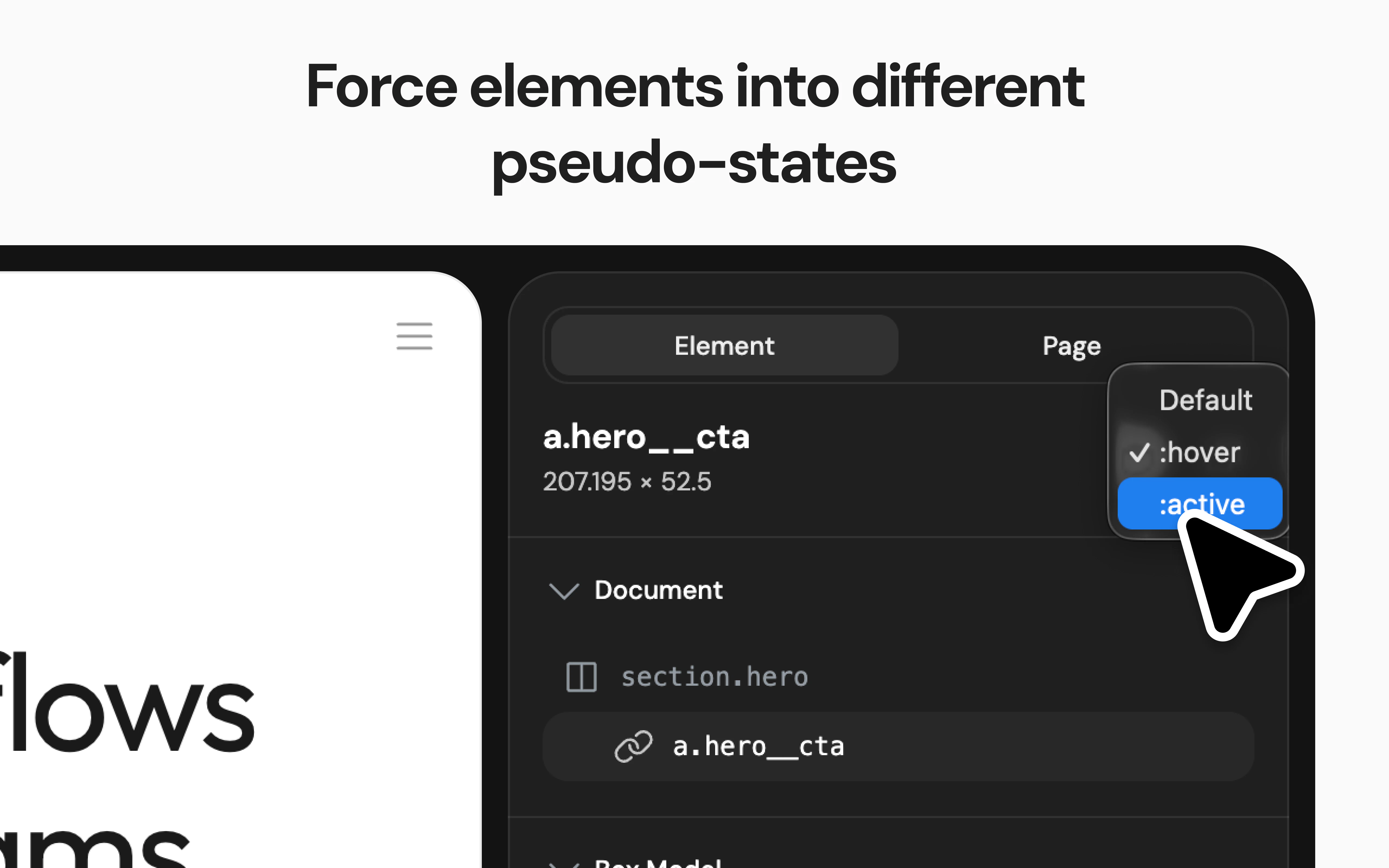
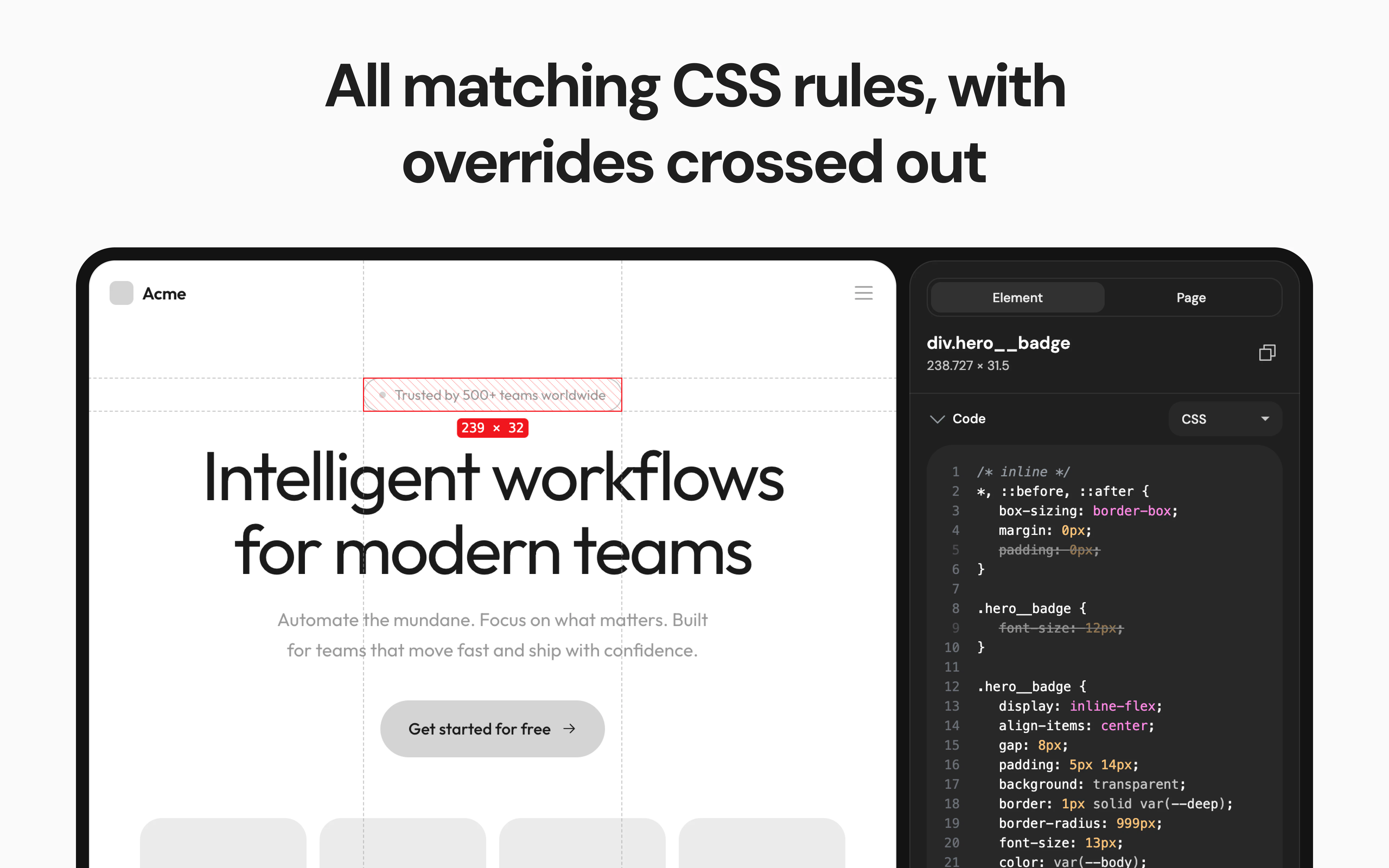
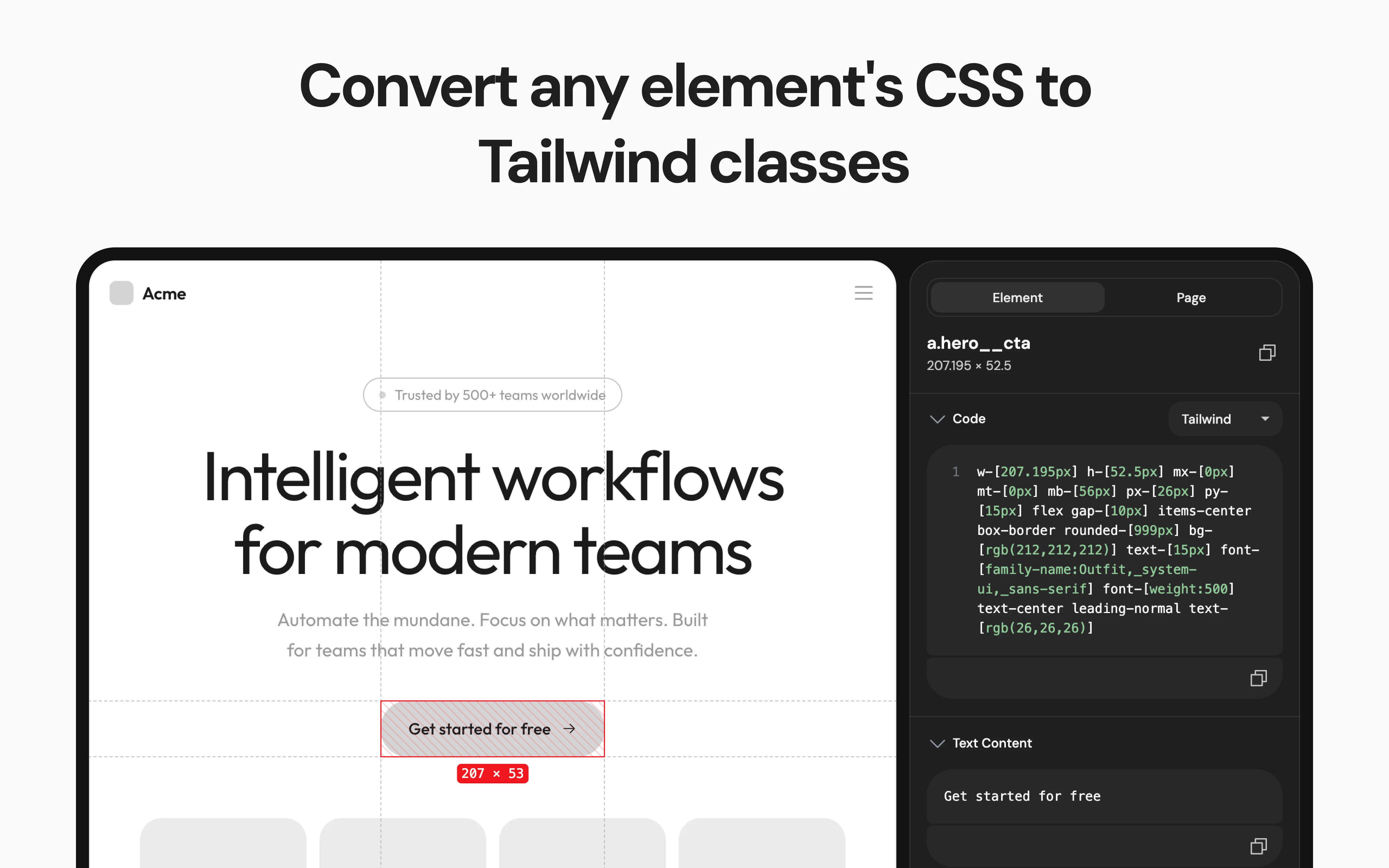
Screen Ruler is a versatile Chrome extension designed specifically for designers and developers seeking to streamline their workflow. Unlike traditional browser DevTools, it offers specialized features such as visual flexbox and grid breakdowns, gradient inspection with precise color stops, multi-element pseudo-state simulation, and CSS-to-Tailwind conversion. Its dedicated Page tab provides comprehensive performance, SEO, and social media previews, making it an all-in-one tool for optimizing web layouts and design elements. Tailored to those involved in UI/UX design, front-end development, and web optimization, Screen Ruler enhances productivity by combining multiple essential functions into a single, easy-to-use interface. Its focus on visual detail and workflow integration sets it apart from more generic tools, making it a valuable asset for teams and individuals aiming for pixel-perfect precision and efficient design iterations.
Screenshots

Pros
- ✓Specialized features tailored for design workflows (flexbox/grid breakdown, gradient inspection)
- ✓Includes CSS-to-Tailwind conversion, simplifying coding processes
- ✓Multi-element pseudo-state simulation for dynamic UI testing
- ✓All-in-one Page tab with performance, SEO, and social previews
- ✓User-friendly interface designed for both designers and developers
Cons
- ✗Limited votes and community feedback on Product Hunt, indicating potential adoption hurdles
- ✗Some advanced features may require a learning curve for new users
- ✗Uncertain pricing details; likely a freemium model with paid tiers for premium features
Use Cases
Pricing
Likely a freemium model with a free tier offering basic features and paid plans starting around $10-$20/month for advanced functionalities.
Quick Info
Topics
Alternatives
Similar Tools in AI Image & Design




Embed Badge
Add this badge to your website to show that Screen Ruler is featured on Visalytica.
<a href="https://www.visalytica.com/tool/screen-ruler" target="_blank" rel="noopener noreferrer" style="display:inline-flex;align-items:center;gap:6px;padding:6px 14px;background:#7c3aed;color:#fff;border-radius:8px;font-family:-apple-system,system-ui,sans-serif;font-size:13px;font-weight:600;text-decoration:none;transition:background .2s" onmouseover="this.style.background='#6d28d9'" onmouseout="this.style.background='#7c3aed'"><svg width="14" height="14" viewBox="0 0 24 24" fill="none" stroke="currentColor" stroke-width="2.5" stroke-linecap="round" stroke-linejoin="round"><path d="M12 20V10"/><path d="M18 20V4"/><path d="M6 20v-4"/></svg>Featured on Visalytica</a>