
SaveToSheets
Forward any email into a clean Google Sheets row
About SaveToSheets
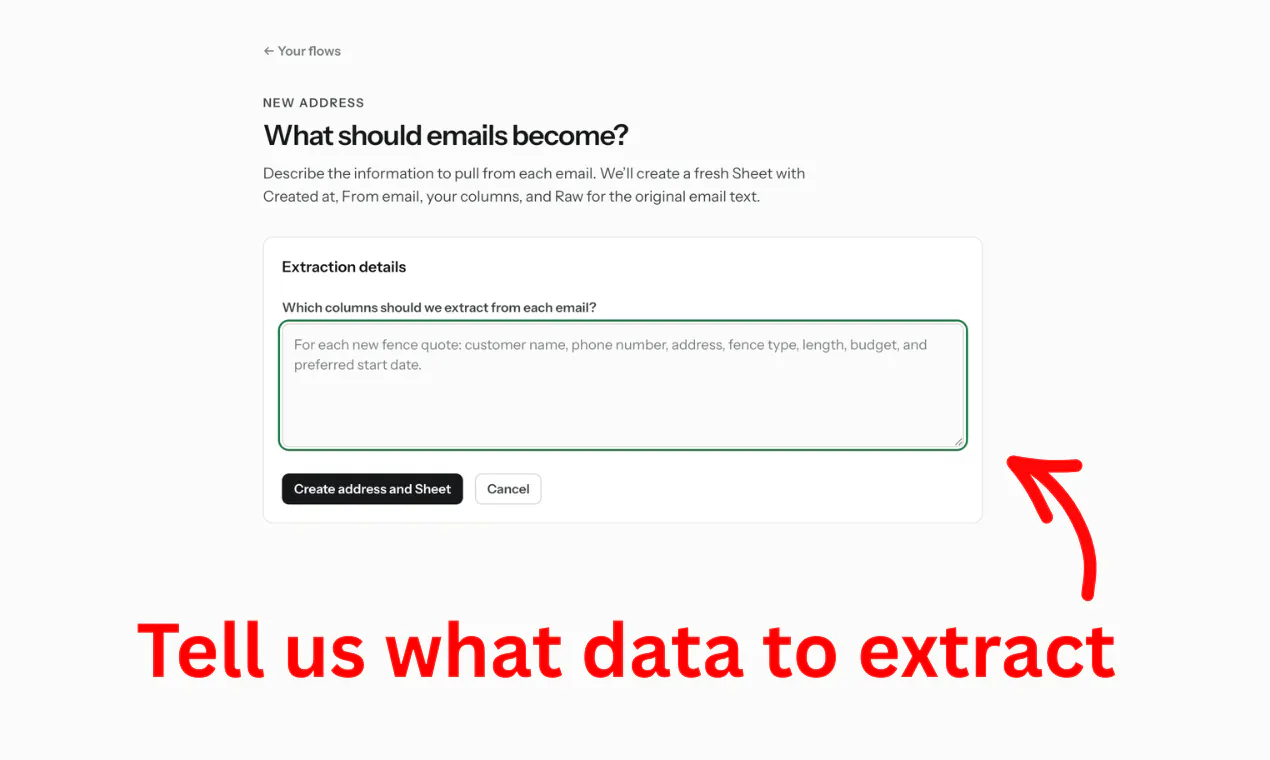
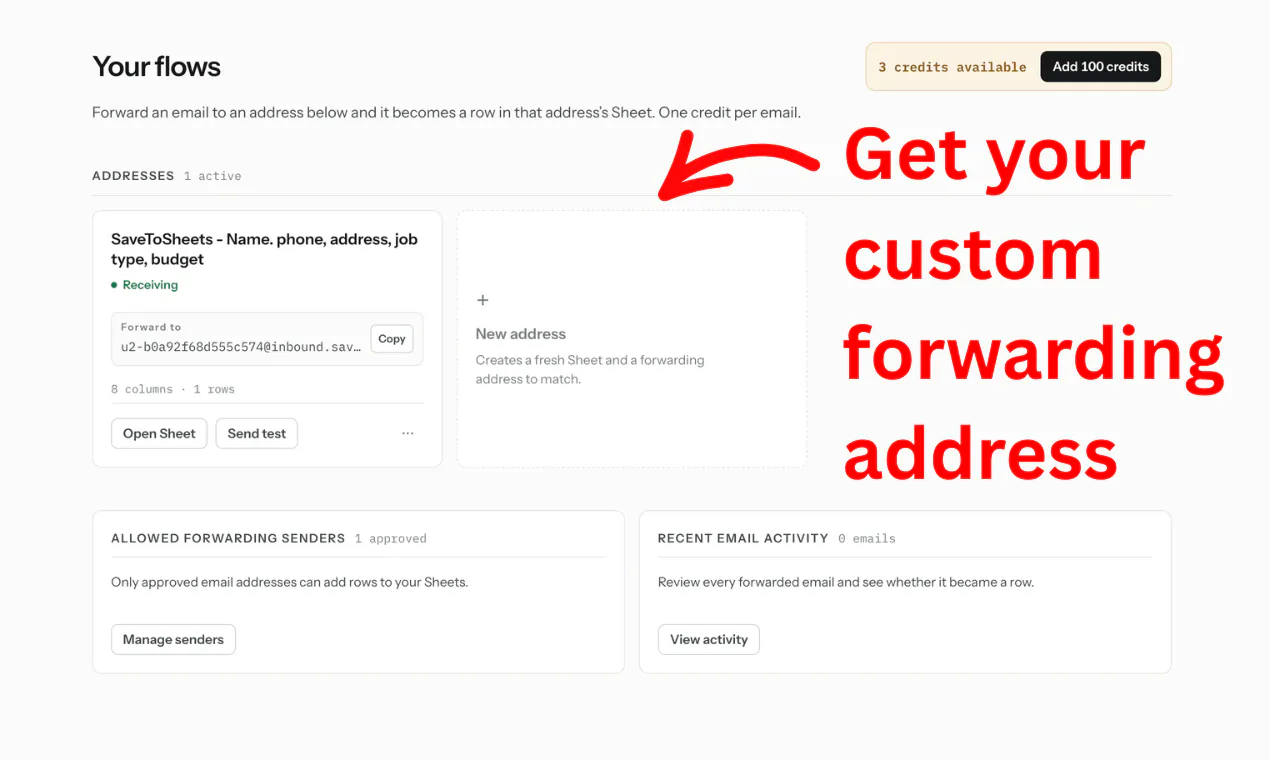
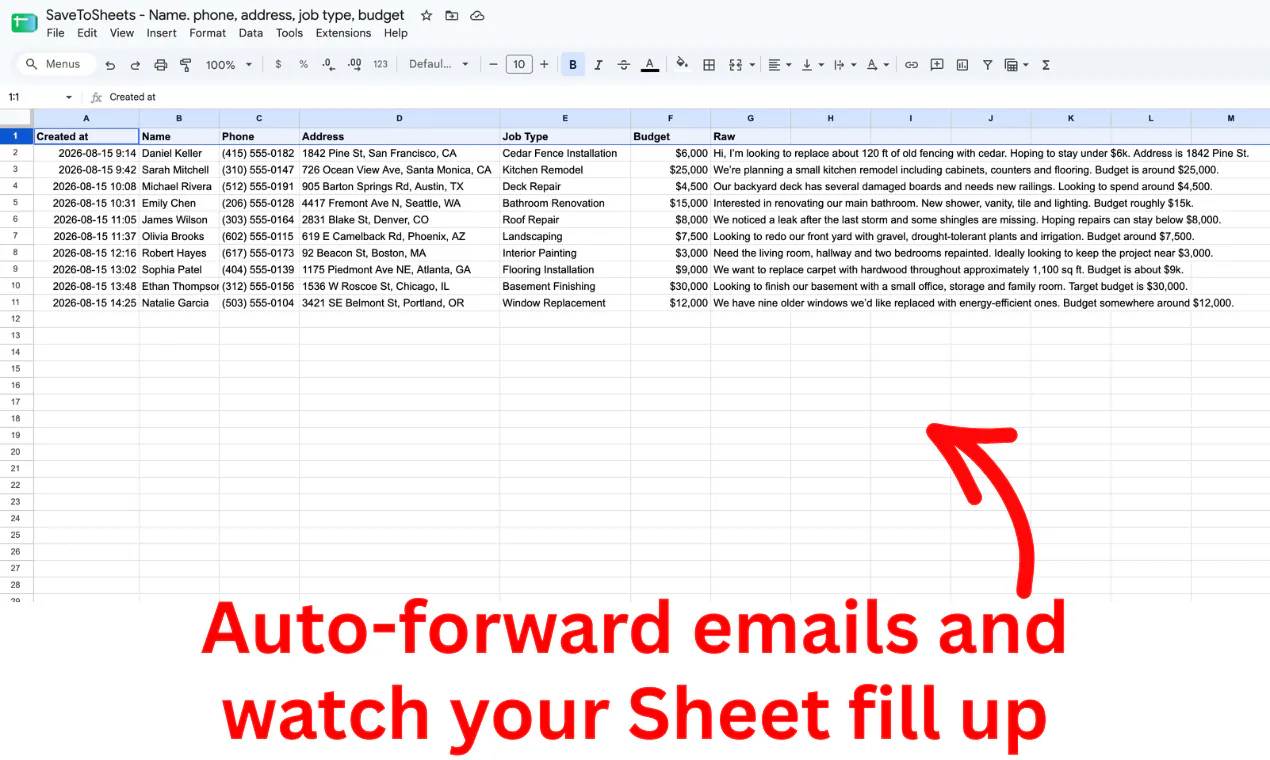
SaveToSheets is an innovative automation tool designed for professionals who frequently handle structured data via email. By allowing users to forward any email—be it leads, orders, quotes, bookings, applications, or invoices—to a dedicated SaveToSheets address, the tool leverages AI to extract relevant information and automatically populate a Google Sheets document. This process eliminates manual data entry, saving time and reducing errors, making it ideal for sales teams, customer support, operations, and administrative staff looking to streamline their workflows. What sets SaveToSheets apart is its ability to customize columns and intelligently parse varied email formats, turning cluttered inbox messages into organized, actionable data effortlessly.
Screenshots
Pros
- ✓Automates data entry from emails into Google Sheets
- ✓AI-driven extraction reduces manual effort and errors
- ✓Highly customizable with user-defined columns
- ✓Easy to set up and integrates seamlessly with Google Sheets
- ✓Saves time on repetitive copy-pasting tasks
Cons
- ✗Dependent on email format consistency for optimal accuracy
- ✗Limited information on pricing and advanced features
- ✗May require some initial configuration and testing
Use Cases
Pricing
Likely follows a freemium model with a free tier offering basic features, and paid plans starting around $10-$20 per month for advanced customization and higher volume usage. Exact pricing details are not specified but are typical for SaaS automation tools.
Quick Info
Topics
Makers

Peter László
Alternatives
Similar Tools in AI Assistants




Embed Badge
Add this badge to your website to show that SaveToSheets is featured on Visalytica.
<a href="https://www.visalytica.com/tool/savetosheets" target="_blank" rel="noopener noreferrer" style="display:inline-flex;align-items:center;gap:6px;padding:6px 14px;background:#7c3aed;color:#fff;border-radius:8px;font-family:-apple-system,system-ui,sans-serif;font-size:13px;font-weight:600;text-decoration:none;transition:background .2s" onmouseover="this.style.background='#6d28d9'" onmouseout="this.style.background='#7c3aed'"><svg width="14" height="14" viewBox="0 0 24 24" fill="none" stroke="currentColor" stroke-width="2.5" stroke-linecap="round" stroke-linejoin="round"><path d="M12 20V10"/><path d="M18 20V4"/><path d="M6 20v-4"/></svg>Featured on Visalytica</a>