
Remove Excel blank row,even millions row
Excel Data Cleaner — Remove Millions of Empty Rows Fast
About Remove Excel blank row,even millions row
Remove Excel Blank Row, even millions row is a powerful data cleaning tool designed for users who work extensively with large Excel datasets. It simplifies the process of removing empty rows, whether at the bottom of the worksheet or scattered between data, saving users hours of manual effort. Its capability to handle files with millions of rows makes it ideal for data analysts, finance professionals, and enterprise users managing extensive spreadsheets. The tool's customizable rules allow users to define specific conditions for row removal, enhancing flexibility and precision. With a one-click batch cleaning process, it offers a quick and efficient way to maintain tidy, manageable spreadsheets, improving data quality and workflow efficiency.
Screenshots
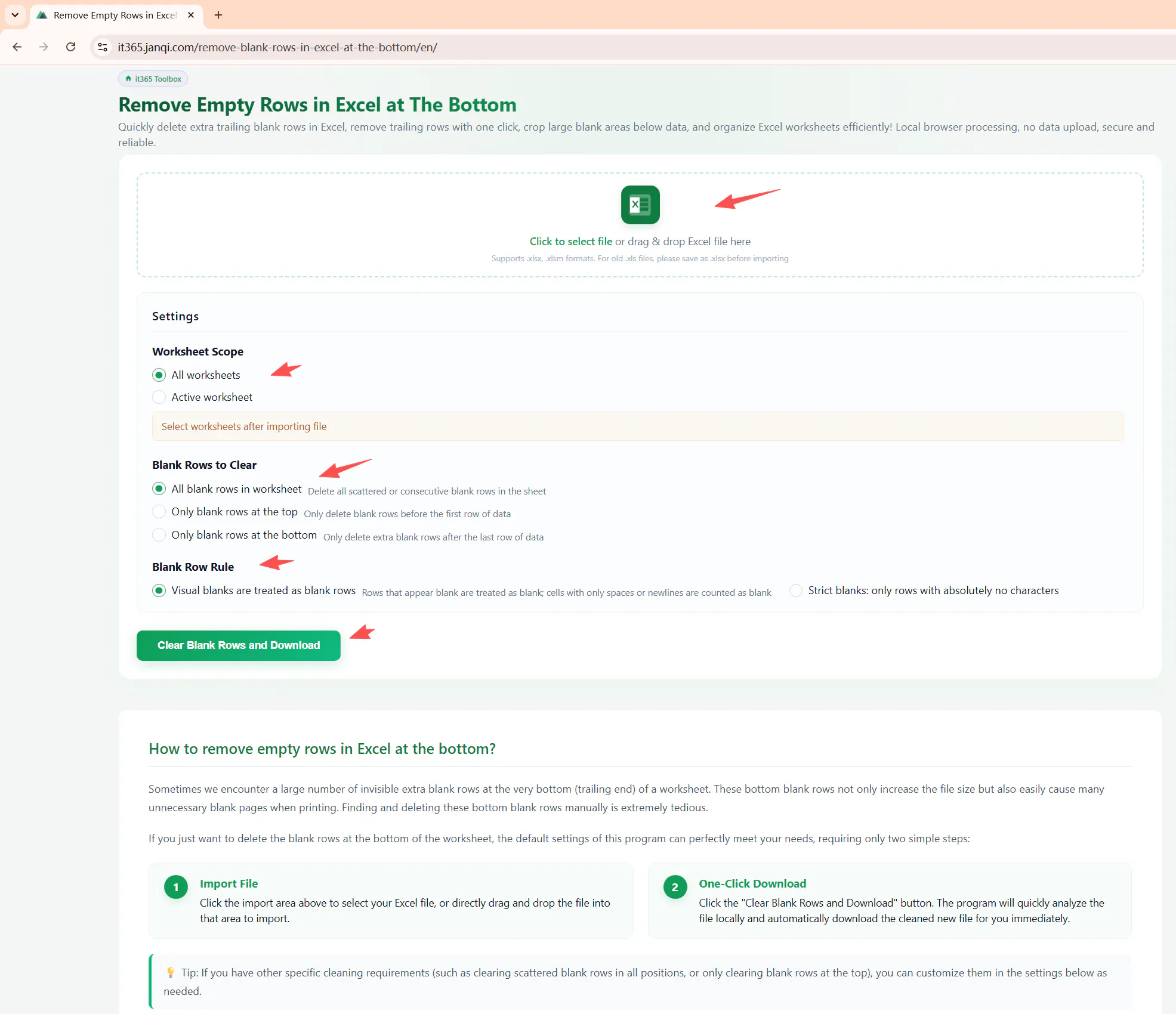
Pros
- ✓Handles large datasets with millions of rows efficiently
- ✓User-friendly with one-click batch processing
- ✓Customizable rules for targeted data cleaning
- ✓Removes both bottom and interspersed blank rows
- ✓Speeds up data management and reduces manual effort
Cons
- ✗Limited information on free trial or pricing details
- ✗May require some familiarity with Excel or data cleaning concepts
- ✗No mention of integration with other data tools or platforms
Use Cases
Pricing
Likely operates on a freemium model, offering basic features for free with premium plans for advanced options and larger datasets. Specific pricing details are not specified, but such tools typically start around a monthly subscription fee.
Quick Info
Topics
Makers

Morse
Alternatives
Similar Tools in Data & Analytics




Embed Badge
Add this badge to your website to show that Remove Excel blank row,even millions row is featured on Visalytica.
<a href="https://www.visalytica.com/tool/remove-excel-blank-row-even-millions-row" target="_blank" rel="noopener noreferrer" style="display:inline-flex;align-items:center;gap:6px;padding:6px 14px;background:#7c3aed;color:#fff;border-radius:8px;font-family:-apple-system,system-ui,sans-serif;font-size:13px;font-weight:600;text-decoration:none;transition:background .2s" onmouseover="this.style.background='#6d28d9'" onmouseout="this.style.background='#7c3aed'"><svg width="14" height="14" viewBox="0 0 24 24" fill="none" stroke="currentColor" stroke-width="2.5" stroke-linecap="round" stroke-linejoin="round"><path d="M12 20V10"/><path d="M18 20V4"/><path d="M6 20v-4"/></svg>Featured on Visalytica</a>