
QuietHint®
The meeting assistant that stays on your Mac
About QuietHint®
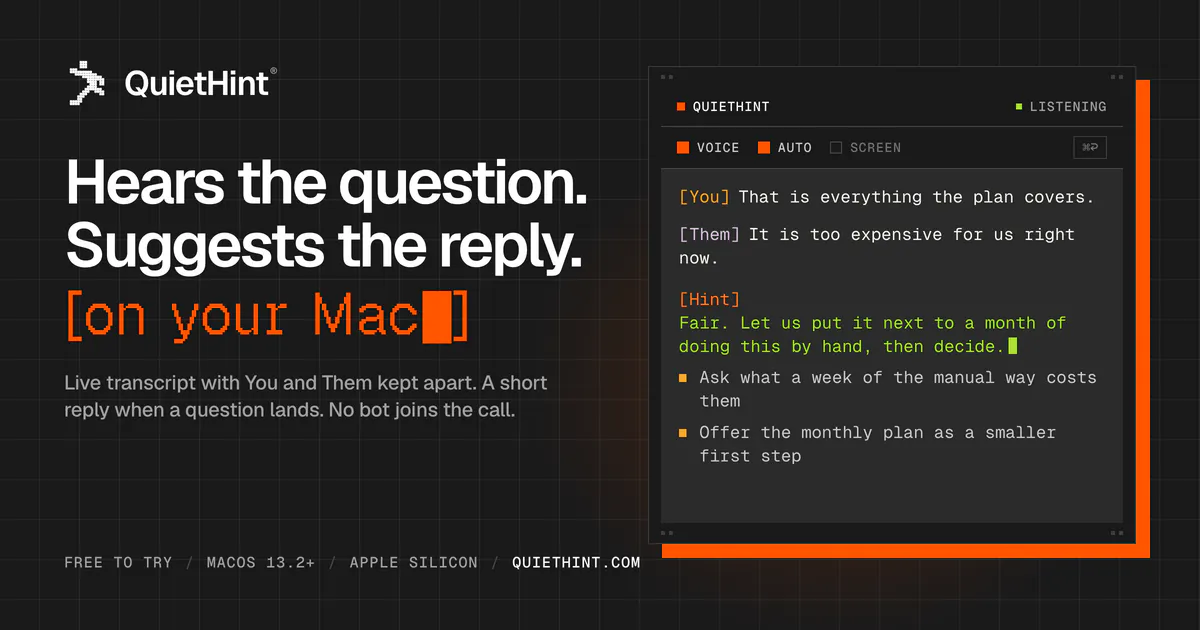
QuietHint® is an innovative Mac-based meeting assistant designed to enhance real-time communication during calls. By listening directly on your Mac, it transcribes speech locally and offers short, contextually relevant reply suggestions while a question is still being asked. Unlike many AI meeting tools, QuietHint keeps all audio and speech processing on your device, ensuring privacy and security as no audio leaves your Mac. The overlay interface provides unobtrusive hints during the call, allowing users to respond swiftly without distractions. Its compatibility with any call app and use of your own Anthropic API key make it flexible and customizable for a variety of professional settings. Perfect for busy professionals who want to stay engaged and respond promptly without missing key moments, QuietHint combines AI-driven assistance with privacy-conscious design, making meetings more efficient and less stressful.
Screenshots
Pros
- ✓Local processing ensures user privacy and data security
- ✓Real-time, unobtrusive reply suggestions improve meeting efficiency
- ✓Compatibility with any call app on Mac enhances versatility
- ✓Uses your own API key for customization and control
- ✓Free trial available on Apple silicon devices
Cons
- ✗Requires familiarity with setting up and managing API keys
- ✗Limited features compared to full meeting transcription and collaboration tools
- ✗No integrated recording or note-taking capabilities
Use Cases
Pricing
Pricing not verified
Quick Info
Topics
Makers

Pavel Cecoi
Alternatives
Similar Tools in AI Assistants




Embed Badge
Add this badge to your website to show that QuietHint® is featured on Visalytica.
<a href="https://www.visalytica.com/tool/quiethint" target="_blank" rel="noopener noreferrer" style="display:inline-flex;align-items:center;gap:6px;padding:6px 14px;background:#7c3aed;color:#fff;border-radius:8px;font-family:-apple-system,system-ui,sans-serif;font-size:13px;font-weight:600;text-decoration:none;transition:background .2s" onmouseover="this.style.background='#6d28d9'" onmouseout="this.style.background='#7c3aed'"><svg width="14" height="14" viewBox="0 0 24 24" fill="none" stroke="currentColor" stroke-width="2.5" stroke-linecap="round" stroke-linejoin="round"><path d="M12 20V10"/><path d="M18 20V4"/><path d="M6 20v-4"/></svg>Featured on Visalytica</a>