
QuickStaging
AI staging, sky swaps and listing copy from one upload
About QuickStaging
QuickStaging is an innovative AI-powered tool designed for real estate professionals, marketers, and content creators who want to elevate their property listings and visual content effortlessly. By uploading a single photo, users can quickly generate enhanced images with features like furnishing empty rooms, replacing dull skies, transforming daylight into dusk, removing clutter, or erasing unwanted objects. This process takes approximately 45 seconds for 2K images, making it highly efficient for busy workflows. In addition to visual edits, QuickStaging leverages the same photos to automatically create compelling listing descriptions, flyers, and social media posts, streamlining the entire marketing process. Its ease of use and rapid turnaround make it a unique all-in-one solution for visual and content enhancement, saving time and elevating listing quality.
Screenshots
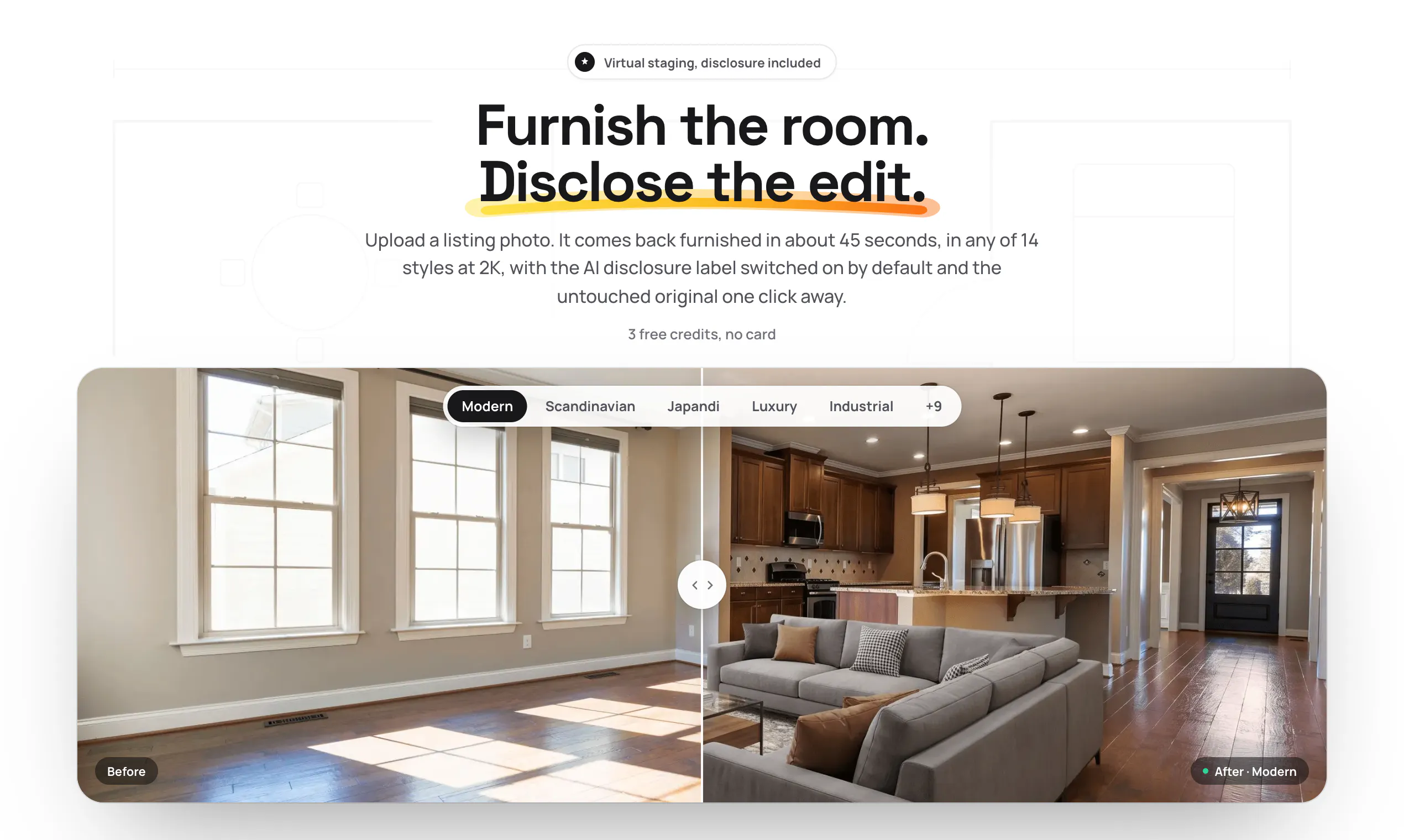
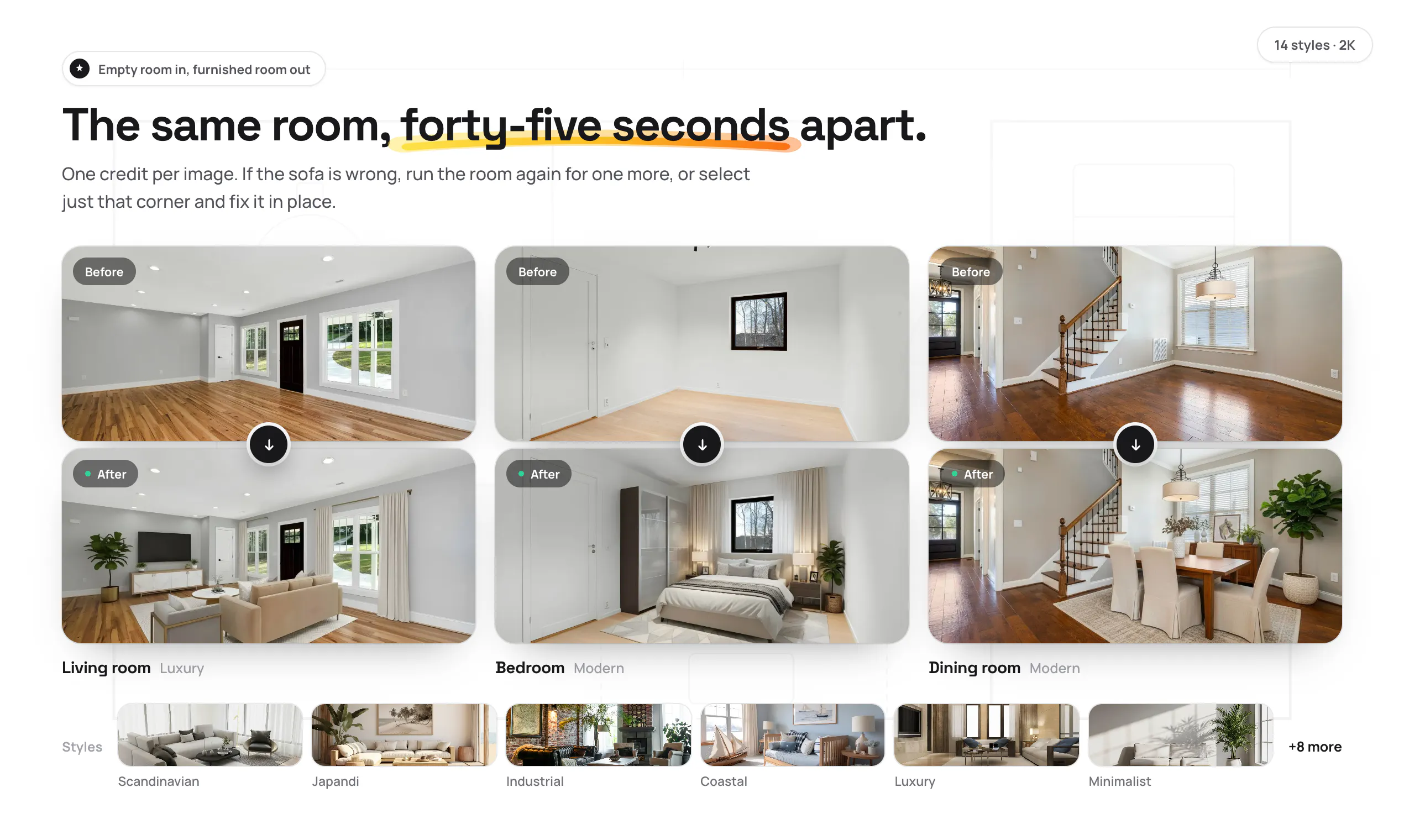
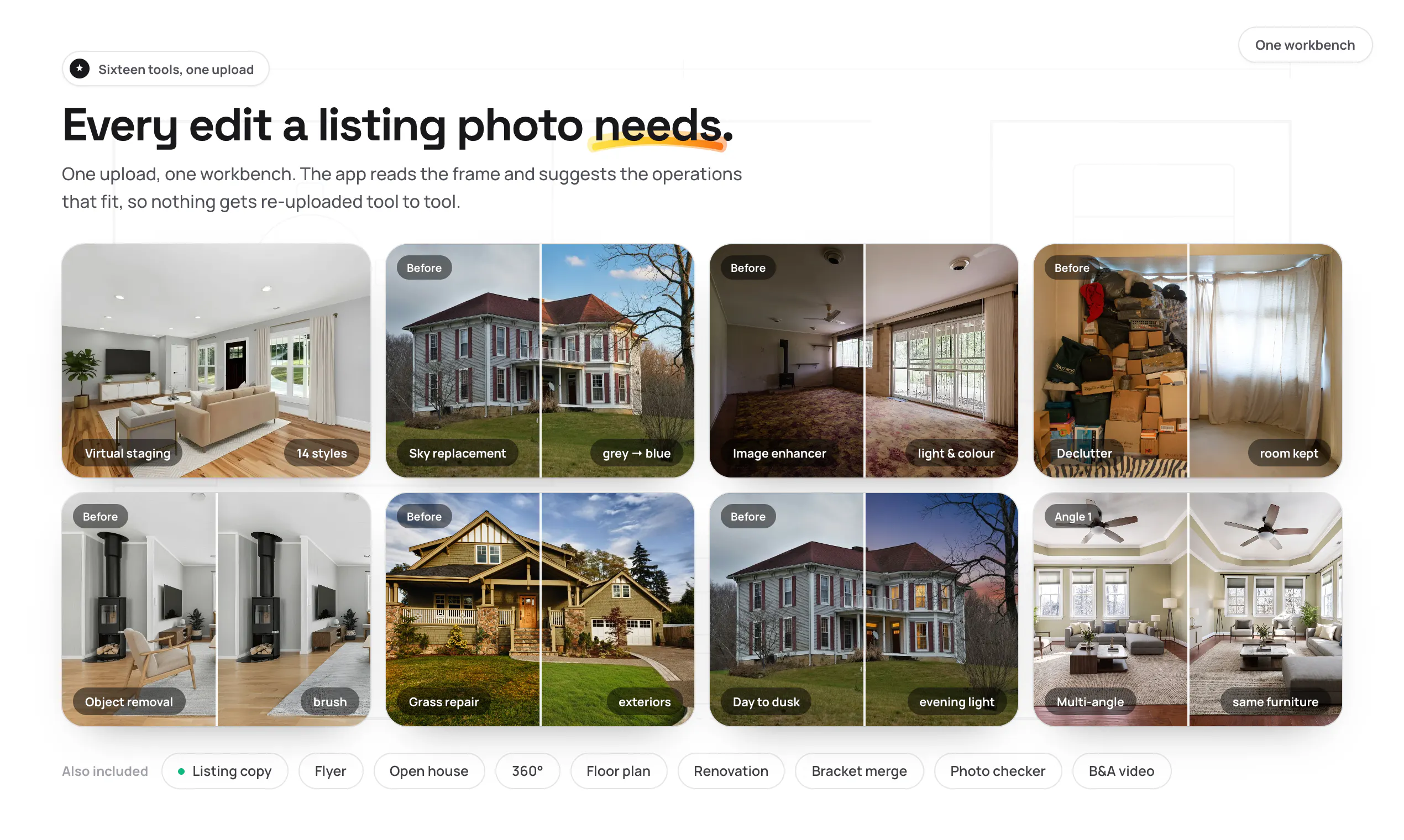
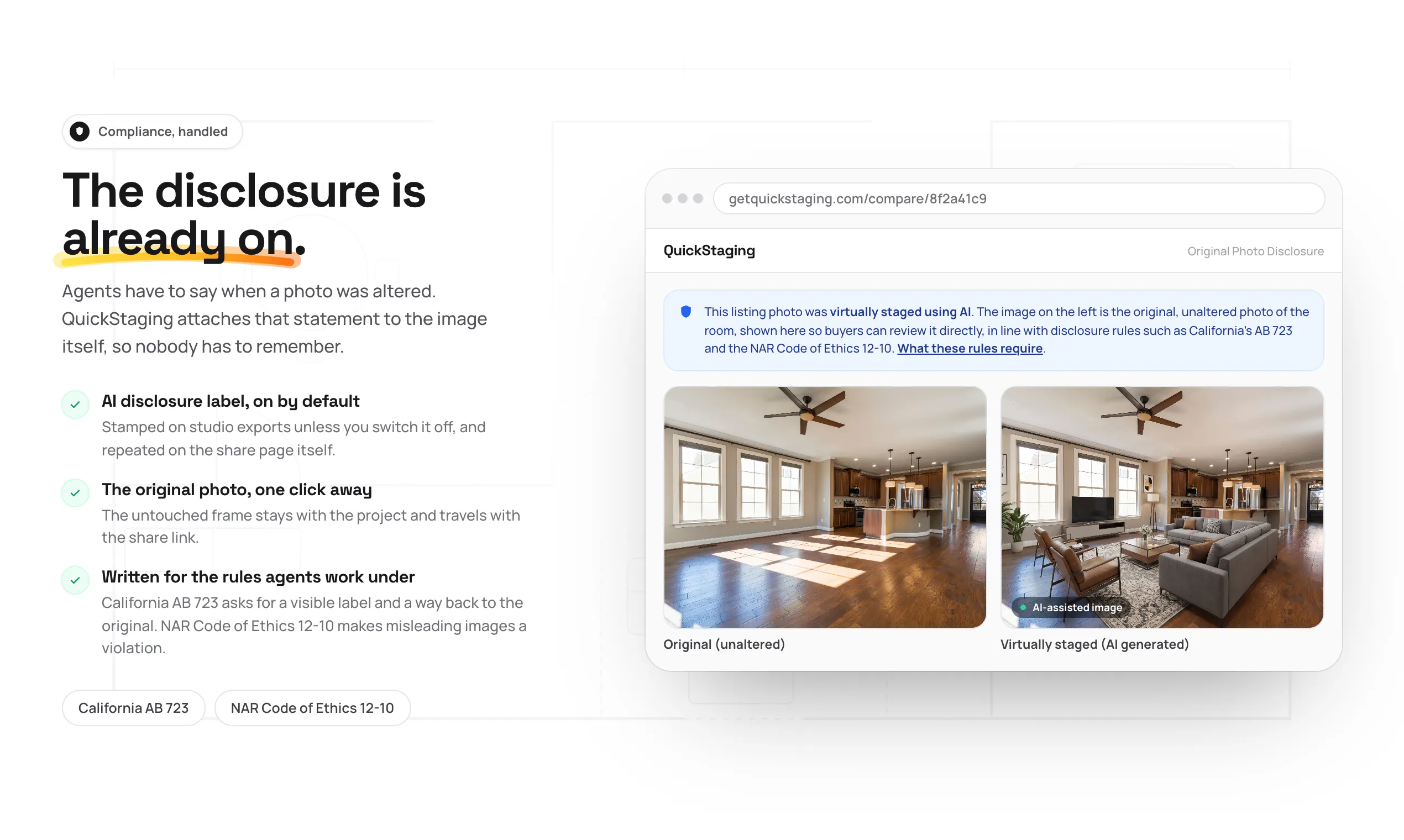
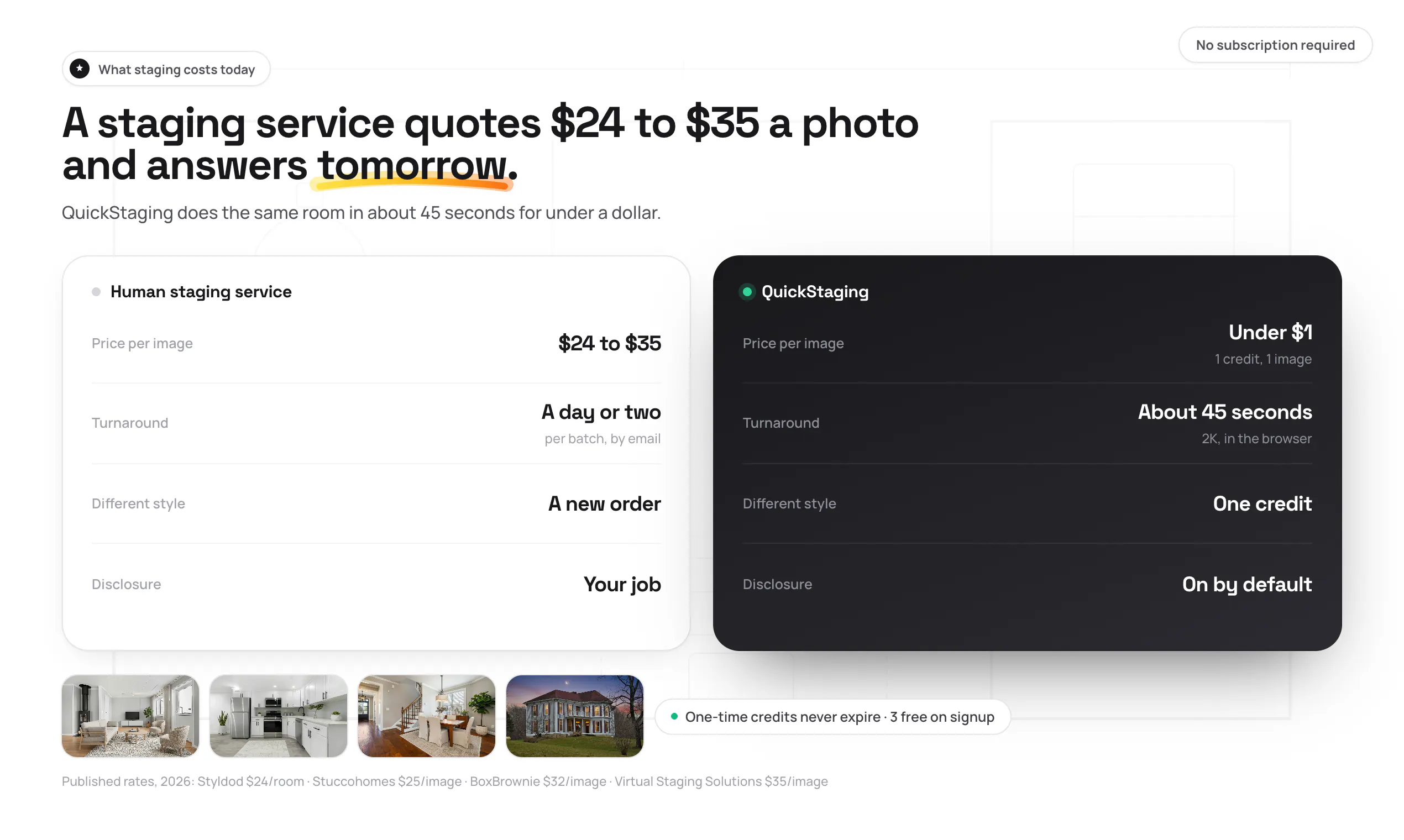
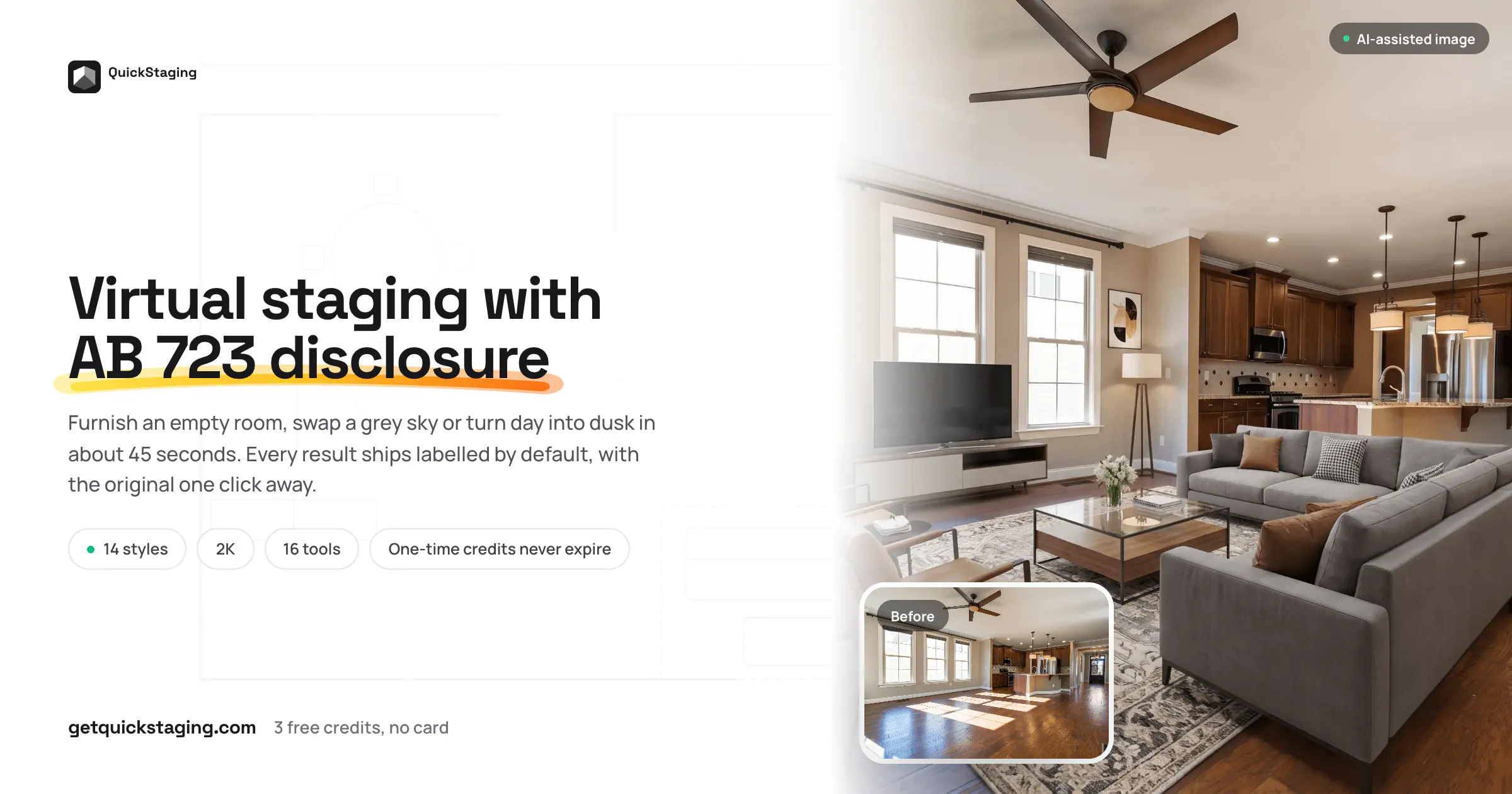
+4 more screenshots
Pros
- ✓Fast processing time (~45 seconds per 2K image)
- ✓All-in-one platform for image editing and content creation
- ✓User-friendly interface suitable for non-technical users
- ✓Versatile editing options tailored for real estate listings
- ✓Automated generation of marketing content from images
Cons
- ✗Limited information on pricing and subscription models
- ✗Potential limitations in highly complex or unusual edits
- ✗Currently lacks user reviews and broad adoption data
Use Cases
Pricing
Pricing not verified
Quick Info
Topics
Makers

Kadir Yilmaz
@heykadirhanAlternatives
Similar Tools in AI Assistants




Embed Badge
Add this badge to your website to show that QuickStaging is featured on Visalytica.
<a href="https://www.visalytica.com/tool/quickstaging" target="_blank" rel="noopener noreferrer" style="display:inline-flex;align-items:center;gap:6px;padding:6px 14px;background:#7c3aed;color:#fff;border-radius:8px;font-family:-apple-system,system-ui,sans-serif;font-size:13px;font-weight:600;text-decoration:none;transition:background .2s" onmouseover="this.style.background='#6d28d9'" onmouseout="this.style.background='#7c3aed'"><svg width="14" height="14" viewBox="0 0 24 24" fill="none" stroke="currentColor" stroke-width="2.5" stroke-linecap="round" stroke-linejoin="round"><path d="M12 20V10"/><path d="M18 20V4"/><path d="M6 20v-4"/></svg>Featured on Visalytica</a>