
Quick Sender Search for Gmail
Find all emails by the sender in 1 click in Gmail to delete
About Quick Sender Search for Gmail
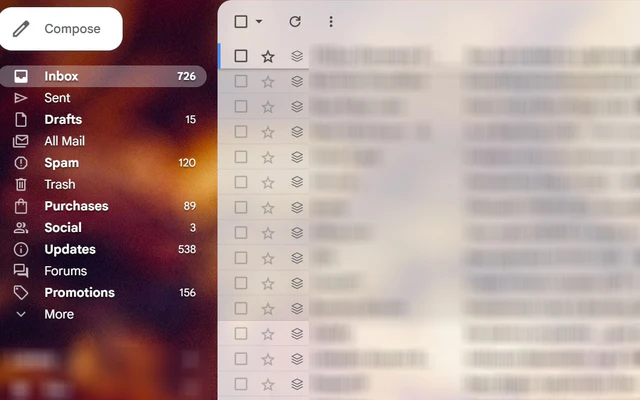
Quick Sender Search for Gmail is a handy Chrome extension designed to streamline email management by enabling users to quickly locate all emails from a specific sender with a single click. Ideal for busy professionals, marketers, and anyone managing large inboxes, this tool simplifies the process of bulk deleting or organizing emails from a particular contact. Its seamless integration into Gmail means users can access sender-based searches without navigating complex menus, saving valuable time. What makes Quick Sender Search stand out is its focus on convenience—by just clicking on an email address or icon, it instantly pulls up all related messages, making inbox cleanup or email audits effortless and efficient.
Screenshots


Pros
- ✓One-click access to all emails from a sender within Gmail
- ✓Simple and intuitive user interface
- ✓Saves time by eliminating manual search efforts
- ✓Seamless Gmail integration
- ✓Useful for bulk email management and cleanup
Cons
- ✗Limited to Gmail users only
- ✗Features may be basic compared to more comprehensive email management tools
- ✗No information on free vs. paid plans or additional functionalities
Use Cases
Pricing
Likely operates on a freemium model, offering basic features for free with optional paid plans for additional functionalities or integrations. However, specific pricing details are not provided.
Quick Info
Topics
Alternatives
Similar Tools in AI Assistants




Embed Badge
Add this badge to your website to show that Quick Sender Search for Gmail is featured on Visalytica.
<a href="https://www.visalytica.com/tool/quick-sender-search-for-gmail" target="_blank" rel="noopener noreferrer" style="display:inline-flex;align-items:center;gap:6px;padding:6px 14px;background:#7c3aed;color:#fff;border-radius:8px;font-family:-apple-system,system-ui,sans-serif;font-size:13px;font-weight:600;text-decoration:none;transition:background .2s" onmouseover="this.style.background='#6d28d9'" onmouseout="this.style.background='#7c3aed'"><svg width="14" height="14" viewBox="0 0 24 24" fill="none" stroke="currentColor" stroke-width="2.5" stroke-linecap="round" stroke-linejoin="round"><path d="M12 20V10"/><path d="M18 20V4"/><path d="M6 20v-4"/></svg>Featured on Visalytica</a>