
PromptEditor
Markdown side panel editor.
About PromptEditor
PromptEditor is a browser-based side panel editor designed to streamline the process of crafting complex prompts for AI models. It allows users to write, format, fill in placeholders, and manage variables seamlessly without switching tabs or copying and pasting between different windows. Ideal for developers, content creators, and AI enthusiasts, PromptEditor simplifies prompt management by providing a dedicated space that consolidates editing, formatting, sharing, and sending functions in a single, user-friendly interface. Its real-time editing capabilities help users craft clearer, more effective prompts, reducing errors and saving time during the prompt development process. By integrating a markdown side panel, PromptEditor enhances productivity and encourages more structured and organized prompt creation, making it a valuable tool for those who frequently work with AI prompts and need an efficient, distraction-free environment.
Screenshots
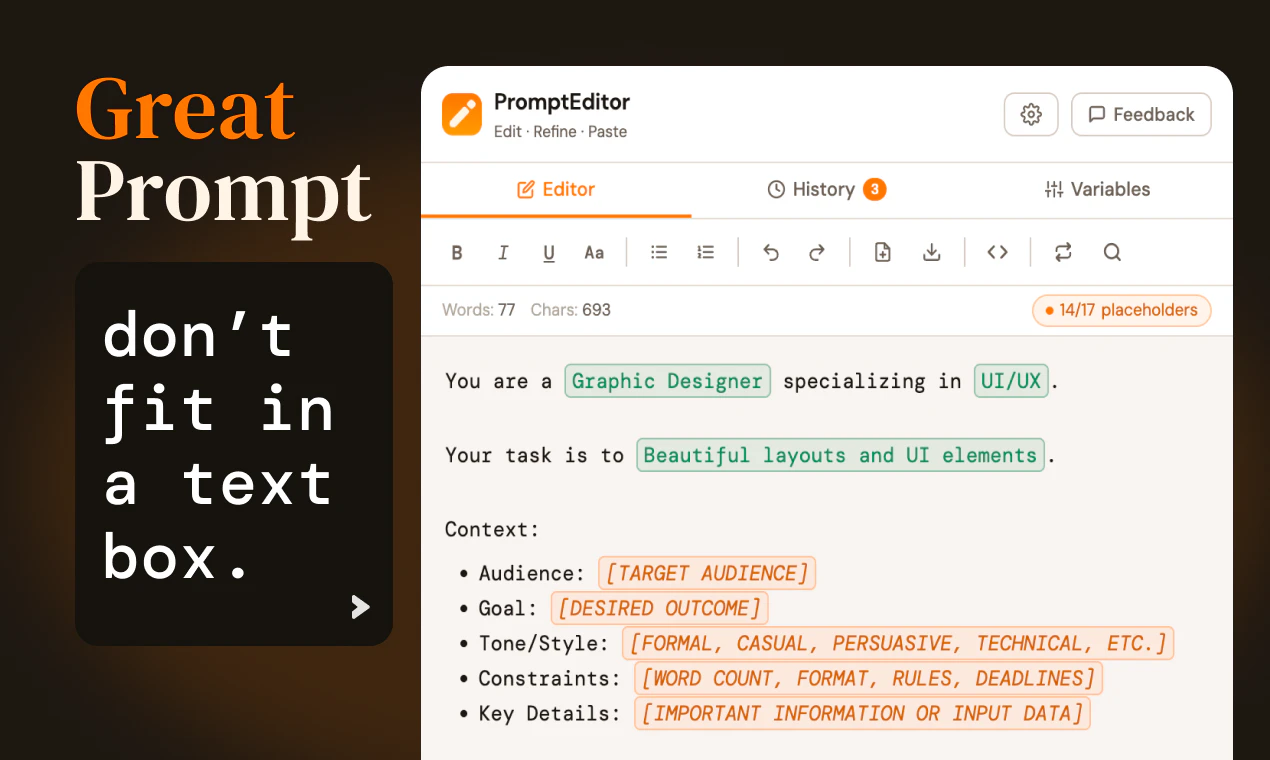
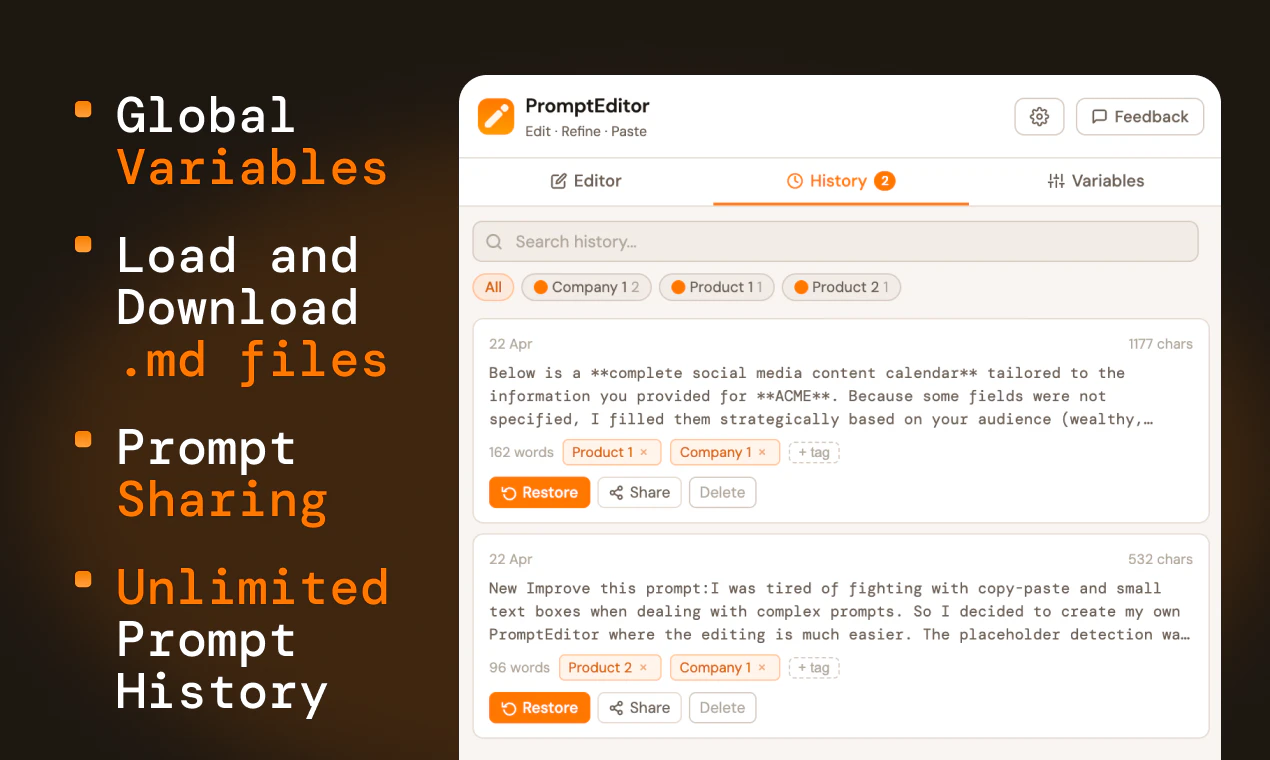
Pros
- ✓Seamless side panel interface eliminates tab-switching and copying/pasting
- ✓Supports markdown formatting for better prompt organization
- ✓All-in-one platform for writing, filling, sharing, and sending prompts
- ✓Enhances productivity for developers and content creators
- ✓Browser-based, no installation required
Cons
- ✗Limited information on advanced customization options
- ✗Potentially less suited for users who prefer traditional code editors
- ✗Unknown pricing structure, may require subscription for full features
Use Cases
Pricing
Likely follows a freemium model with a free tier offering basic features, and paid plans for advanced functionalities such as team collaboration, integrations, or premium support. Exact pricing details are not specified.
Quick Info
Topics
Alternatives
Similar Tools in AI Writing




Embed Badge
Add this badge to your website to show that PromptEditor is featured on Visalytica.
<a href="https://www.visalytica.com/tool/prompteditor" target="_blank" rel="noopener noreferrer" style="display:inline-flex;align-items:center;gap:6px;padding:6px 14px;background:#7c3aed;color:#fff;border-radius:8px;font-family:-apple-system,system-ui,sans-serif;font-size:13px;font-weight:600;text-decoration:none;transition:background .2s" onmouseover="this.style.background='#6d28d9'" onmouseout="this.style.background='#7c3aed'"><svg width="14" height="14" viewBox="0 0 24 24" fill="none" stroke="currentColor" stroke-width="2.5" stroke-linecap="round" stroke-linejoin="round"><path d="M12 20V10"/><path d="M18 20V4"/><path d="M6 20v-4"/></svg>Featured on Visalytica</a>