
Postmerge
Personalized mail merge that lives inside Gmail
About Postmerge
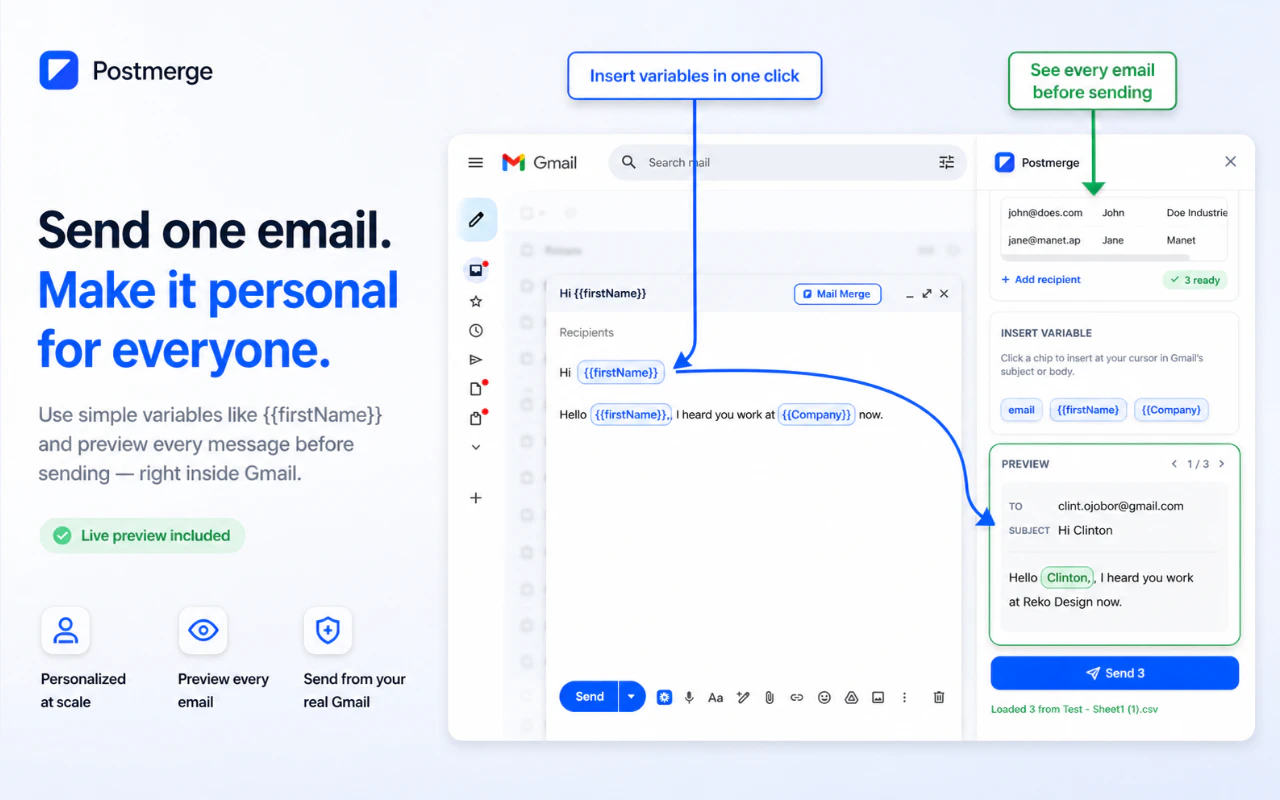
Postmerge is a streamlined Chrome extension designed for users who need to send personalized email campaigns directly from Gmail. By simply pasting a CSV file with recipient details and composing a single email template utilizing {{firstName}} and other variables, users can effortlessly send hundreds of individualized messages—all from their Gmail account. Its integration within the Gmail compose window eliminates the need for external dashboards or relays, making the process seamless and familiar for Gmail users. Ideal for sales, outreach, or event invitations, Postmerge emphasizes privacy and simplicity, with no tracking, relays, or complex setups, allowing users to maintain transparency and control over their email campaigns. The 7-day free trial offers a risk-free way to evaluate its efficiency and ease of use, making it attractive for small businesses, marketers, and sales teams who want a no-fuss, personalized mailing tool embedded within their existing Gmail workflow.
Screenshots
Pros
- ✓Easy to use with a familiar Gmail interface
- ✓No tracking or relays, ensuring privacy
- ✓Supports large-scale personalized email campaigns
- ✓No separate dashboard required, simplifying workflow
- ✓Free trial available for evaluation
Cons
- ✗Limited to Gmail users, not suitable for other email platforms
- ✗No advanced analytics or tracking features
- ✗Potentially limited customization options for templates
Use Cases
Pricing
Likely operates on a freemium model, offering a free trial period (7 days) with paid plans that may start at a reasonable monthly fee for additional features or higher email volumes. Specific pricing details are not provided.
Quick Info
Topics
Similar Tools in AI Assistants




Embed Badge
Add this badge to your website to show that Postmerge is featured on Visalytica.
<a href="https://www.visalytica.com/tool/postmerge" target="_blank" rel="noopener noreferrer" style="display:inline-flex;align-items:center;gap:6px;padding:6px 14px;background:#7c3aed;color:#fff;border-radius:8px;font-family:-apple-system,system-ui,sans-serif;font-size:13px;font-weight:600;text-decoration:none;transition:background .2s" onmouseover="this.style.background='#6d28d9'" onmouseout="this.style.background='#7c3aed'"><svg width="14" height="14" viewBox="0 0 24 24" fill="none" stroke="currentColor" stroke-width="2.5" stroke-linecap="round" stroke-linejoin="round"><path d="M12 20V10"/><path d="M18 20V4"/><path d="M6 20v-4"/></svg>Featured on Visalytica</a>