
Portero
Know exactly what's running on every port of your Mac
About Portero
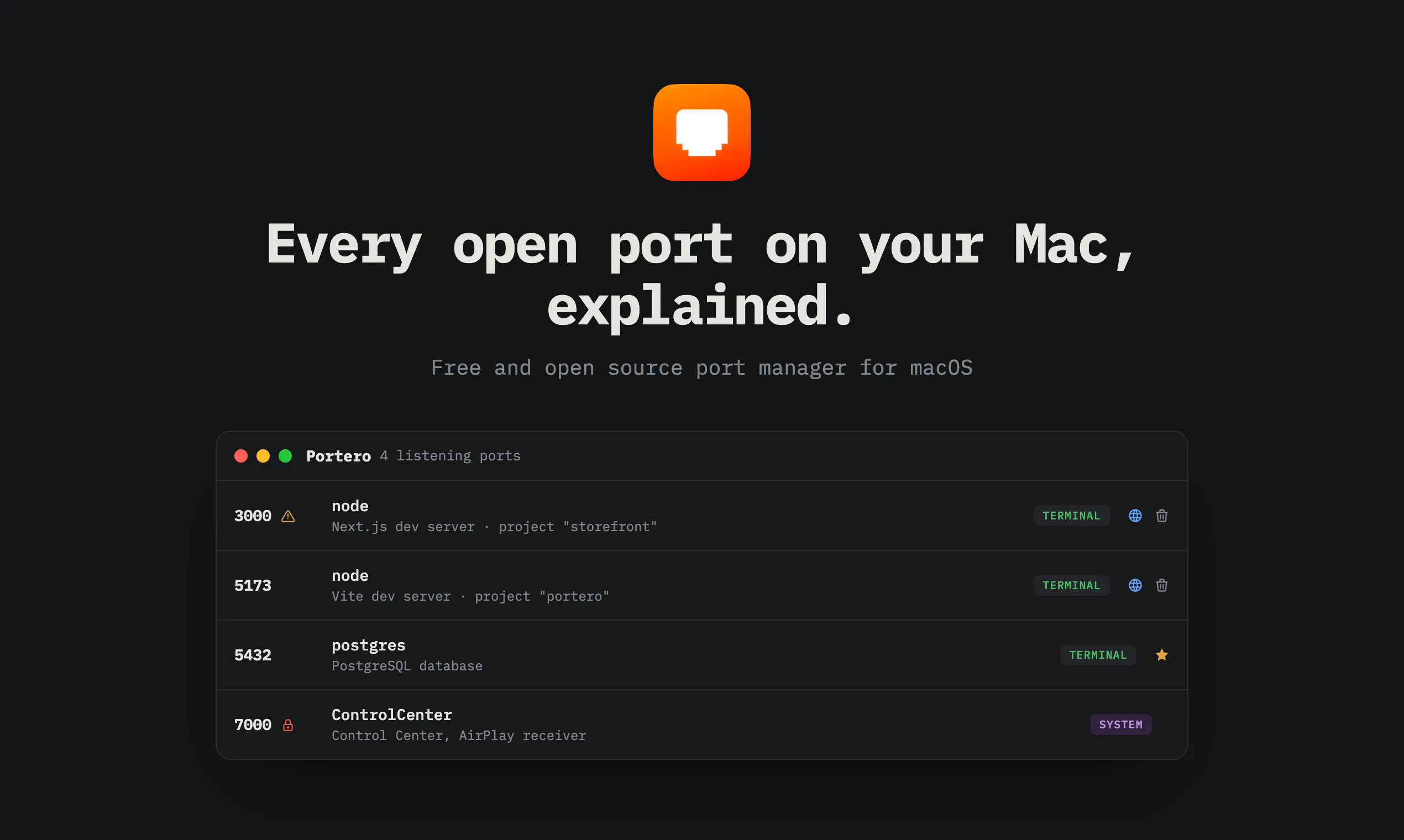
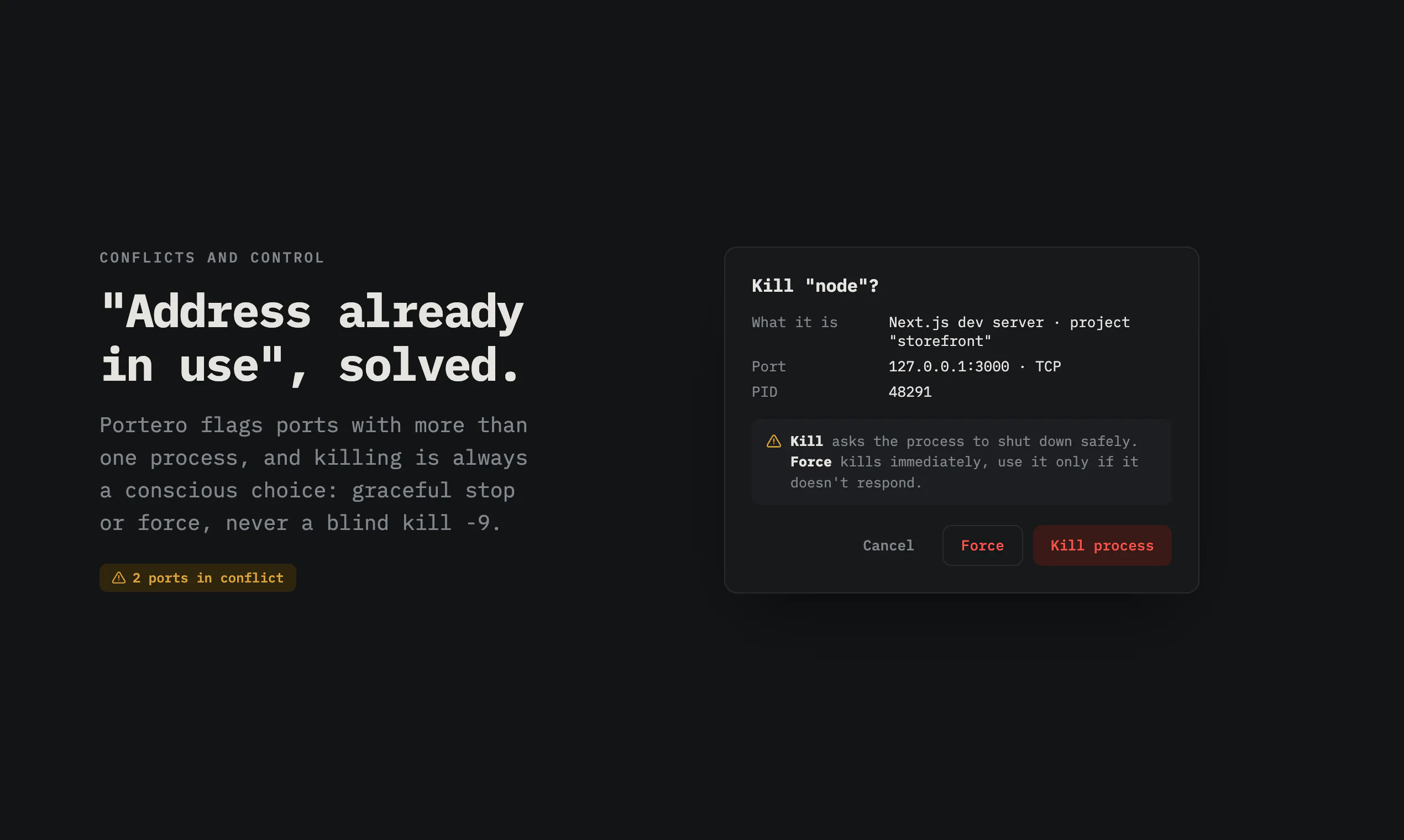
Portero is a lightweight, open-source Mac application designed for developers, system administrators, and power users who need to monitor and manage network activity on their machines. By providing a detailed view of every open port and the associated processes, it helps users quickly identify what's running behind the scenes. Whether troubleshooting 'address already in use' errors or ensuring certain ports are blocked for security, Portero offers an intuitive interface for managing network connections directly from your Mac. Its ability to kill processes on busy ports and integrate with macOS firewall features makes it a versatile tool for maintaining system stability and security. As an open-source project, it appeals to those who prefer customizable, community-driven solutions that enhance native macOS capabilities.
Screenshots
Pros
- ✓Open source and free to use, encouraging community contributions
- ✓Provides detailed, real-time visibility into active ports and processes
- ✓Ability to kill processes and resolve port conflicts easily
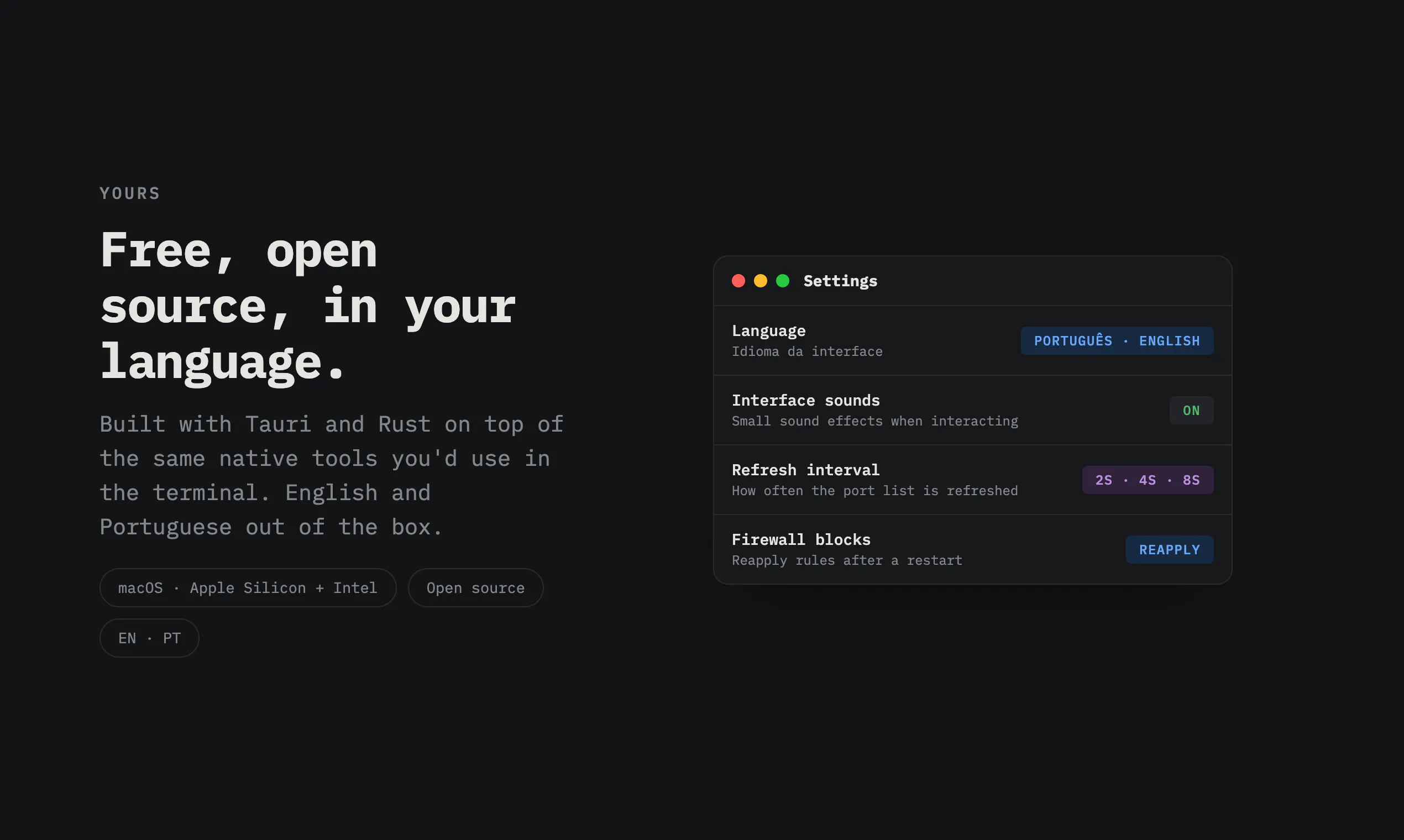
- ✓Integrates with macOS firewall for improved security control
- ✓Simple, user-friendly interface suitable for both technical and non-technical users
Cons
- ✗Limited to macOS, not available for other operating systems
- ✗May lack advanced network analysis features found in professional tools
- ✗Depends on user familiarity with network concepts for maximum effectiveness
Use Cases
Pricing
Portero is free and open source, making it accessible to all users without any cost. Its open-source nature allows for community-driven improvements and customization.

Similar Tools in Developer Tools




Embed Badge
Add this badge to your website to show that Portero is featured on Visalytica.
<a href="https://www.visalytica.com/tool/portero" target="_blank" rel="noopener noreferrer" style="display:inline-flex;align-items:center;gap:6px;padding:6px 14px;background:#7c3aed;color:#fff;border-radius:8px;font-family:-apple-system,system-ui,sans-serif;font-size:13px;font-weight:600;text-decoration:none;transition:background .2s" onmouseover="this.style.background='#6d28d9'" onmouseout="this.style.background='#7c3aed'"><svg width="14" height="14" viewBox="0 0 24 24" fill="none" stroke="currentColor" stroke-width="2.5" stroke-linecap="round" stroke-linejoin="round"><path d="M12 20V10"/><path d="M18 20V4"/><path d="M6 20v-4"/></svg>Featured on Visalytica</a>