Point and Yap
Point at your screen and start yapping to your agent via MCP
About Point and Yap
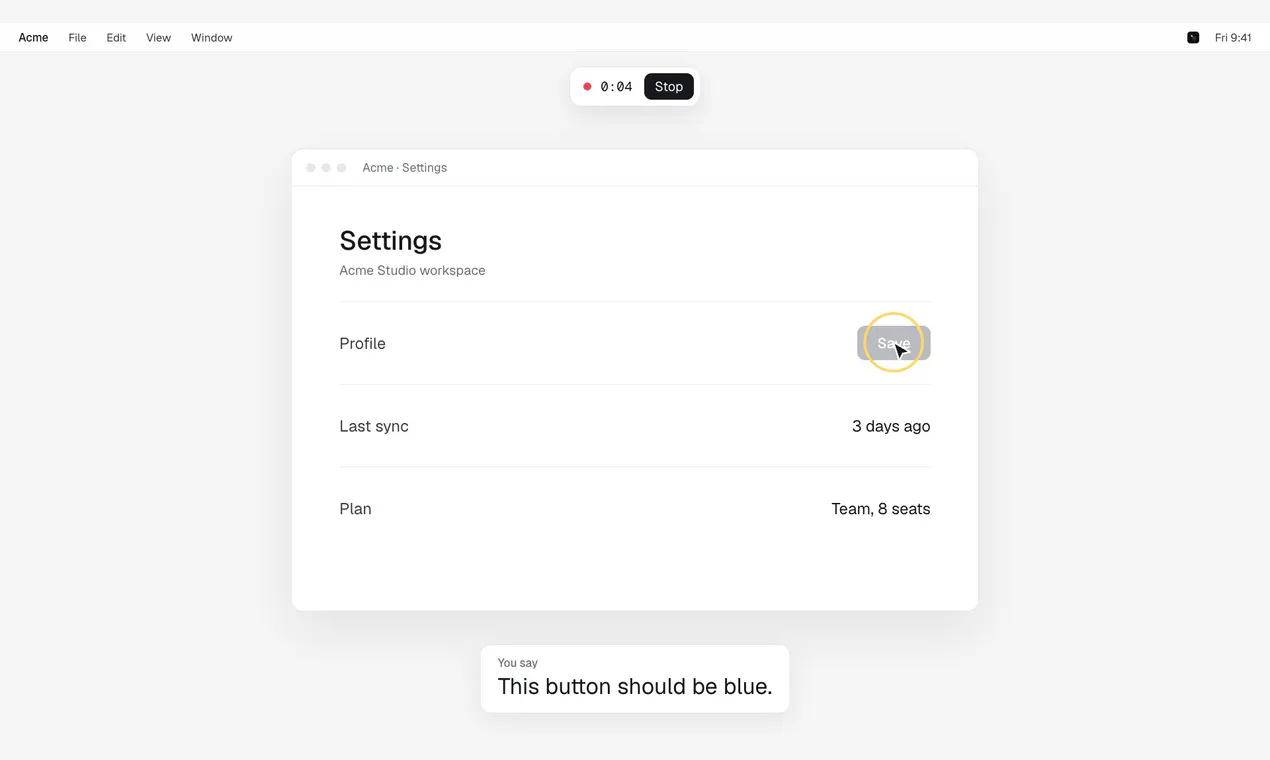
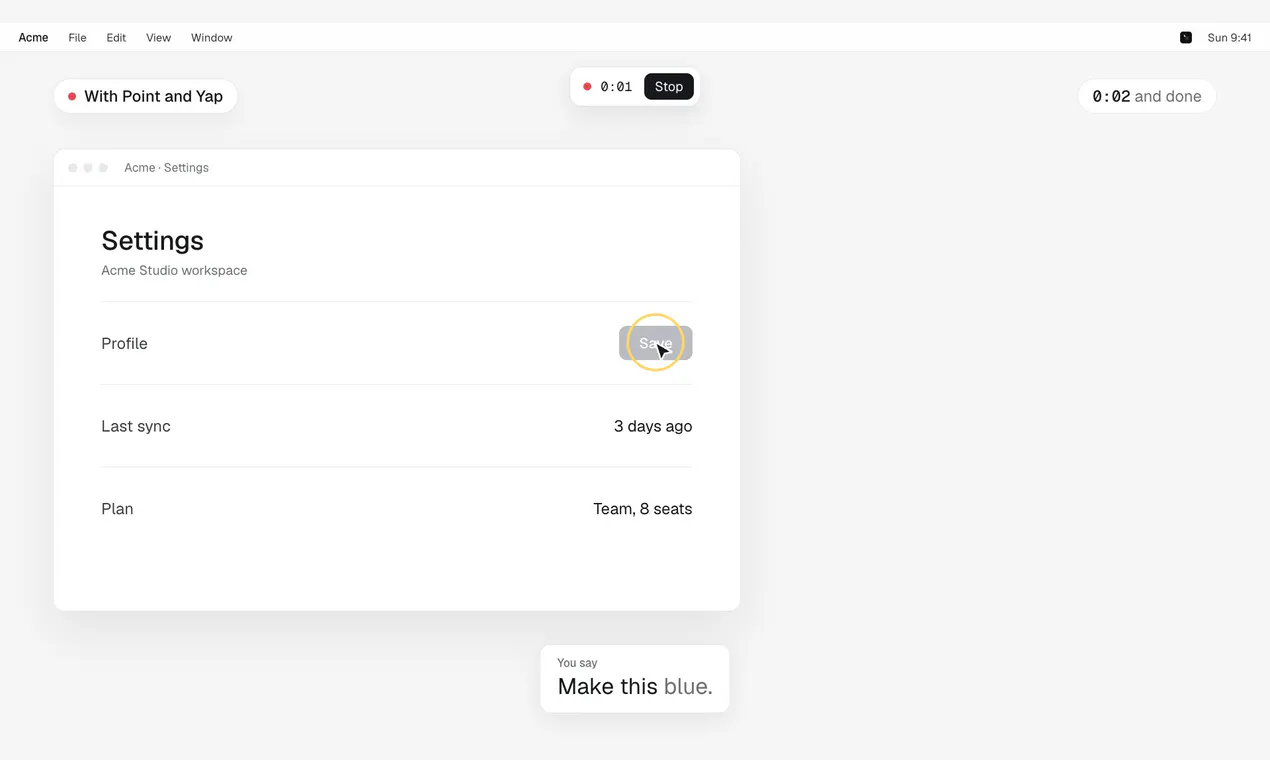
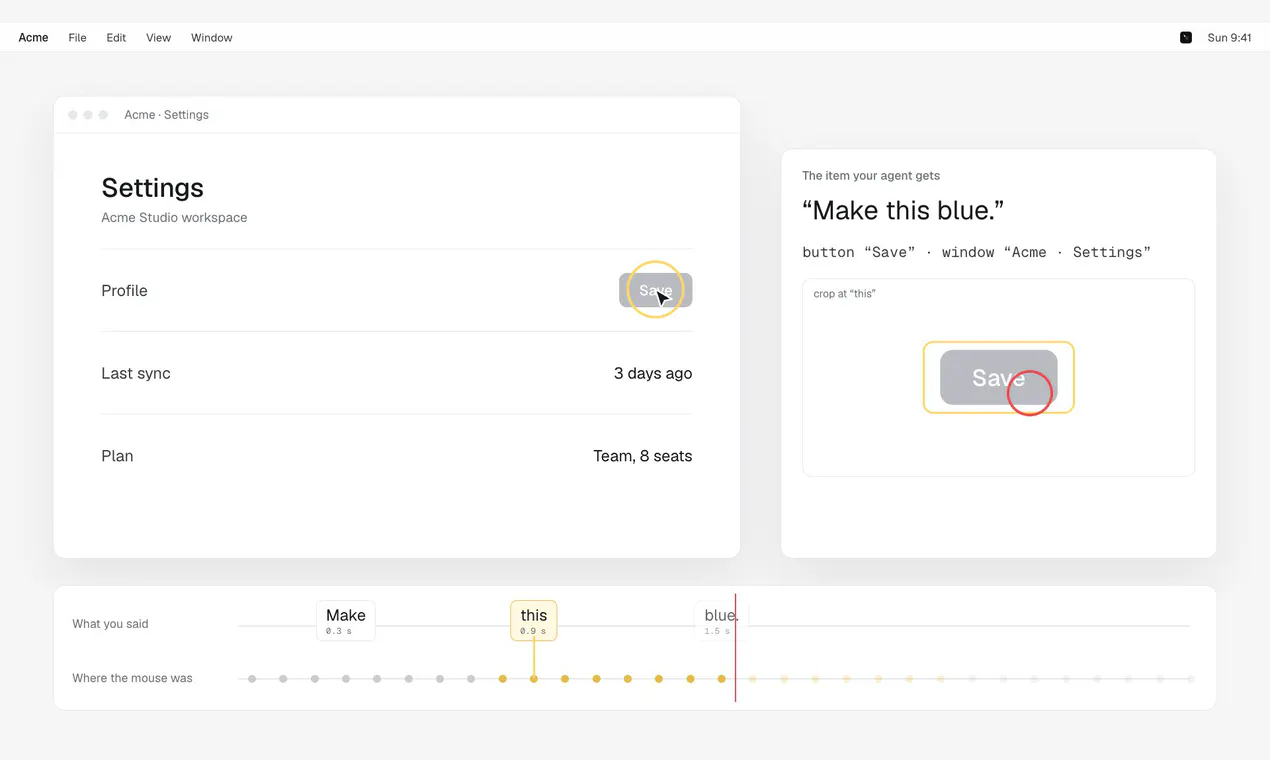
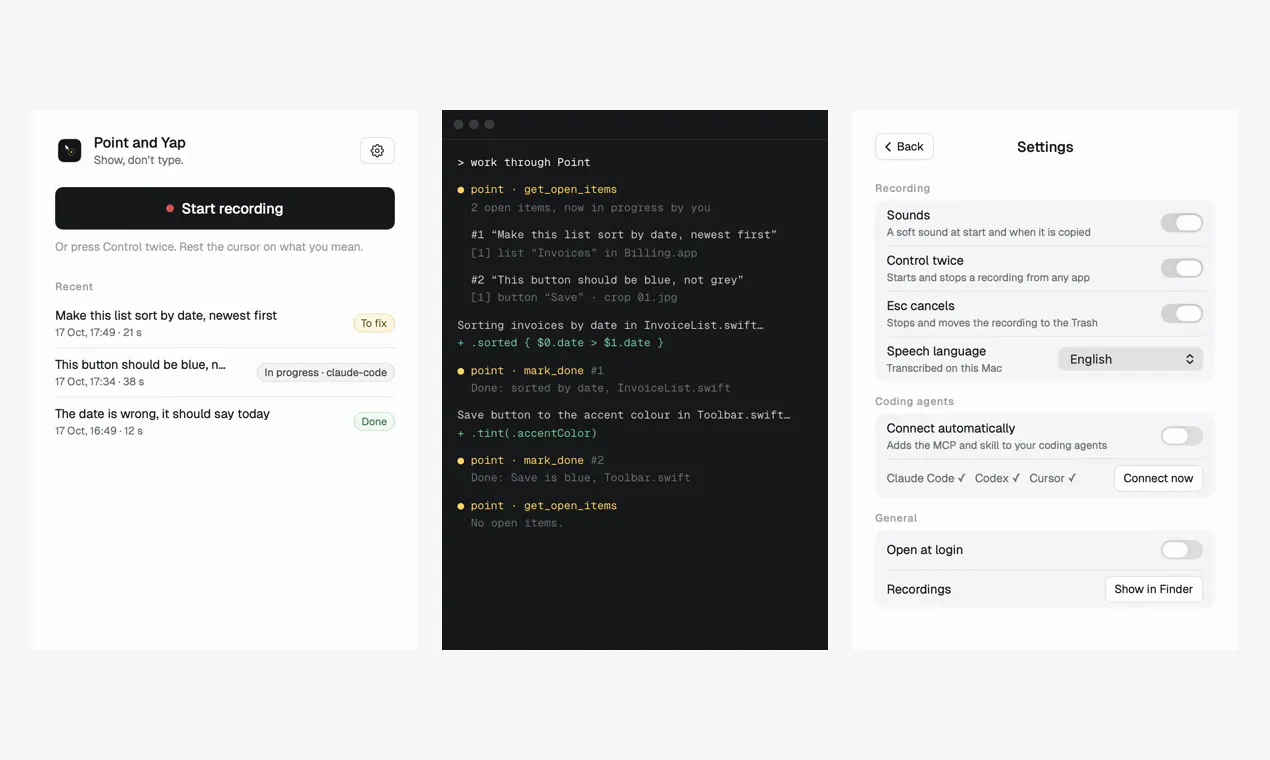
Point and Yap is a niche Mac tool designed for developers and tech enthusiasts who want to streamline their workflow with voice commands. By simply pressing Control twice and pointing at elements on their screen, users can verbally communicate with their coding agent via MCP, making complex instructions faster and more intuitive. This open-source, local application emphasizes privacy and customization, allowing users to yelp their commands without relying on cloud services. Its simplicity and focus on a specific interaction model make it particularly appealing for developers seeking a lightweight, personalized productivity booster. Built primarily for those comfortable with open-source tools, Point and Yap offers a unique blend of gesture-based input and voice control tailored for coding and technical tasks.
Screenshots
Pros
- ✓Open source and locally hosted for enhanced privacy
- ✓Simple activation with Control double-tap for quick access
- ✓Integrates gesture-based pointing with voice commands
- ✓Designed specifically for Mac users and developer workflows
- ✓Customizable and lightweight, ideal for personal use
Cons
- ✗Limited to Mac platforms, reducing cross-platform usability
- ✗Requires familiarity with open-source tools and setup
- ✗Features may be basic compared to more comprehensive voice assistants
Use Cases
Pricing
Pricing not verified
Quick Info
Topics
Makers

Marc Maurer
@maurermarcAlternatives
Similar Tools in AI Image & Design




Embed Badge
Add this badge to your website to show that Point and Yap is featured on Visalytica.
<a href="https://www.visalytica.com/tool/point-and-yap" target="_blank" rel="noopener noreferrer" style="display:inline-flex;align-items:center;gap:6px;padding:6px 14px;background:#7c3aed;color:#fff;border-radius:8px;font-family:-apple-system,system-ui,sans-serif;font-size:13px;font-weight:600;text-decoration:none;transition:background .2s" onmouseover="this.style.background='#6d28d9'" onmouseout="this.style.background='#7c3aed'"><svg width="14" height="14" viewBox="0 0 24 24" fill="none" stroke="currentColor" stroke-width="2.5" stroke-linecap="round" stroke-linejoin="round"><path d="M12 20V10"/><path d="M18 20V4"/><path d="M6 20v-4"/></svg>Featured on Visalytica</a>