
PlugTalk
Your Mac talks back when you plug things in
About PlugTalk
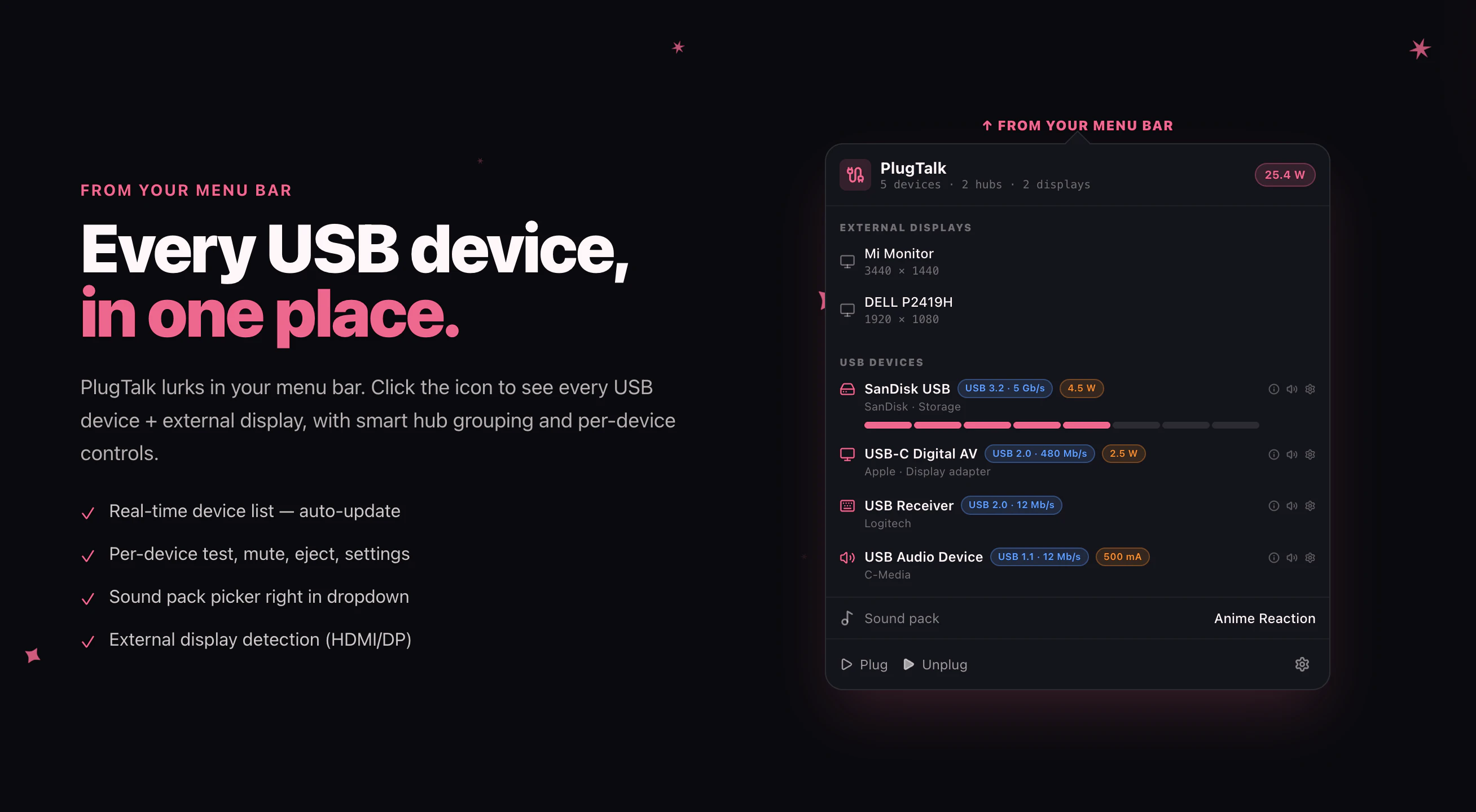
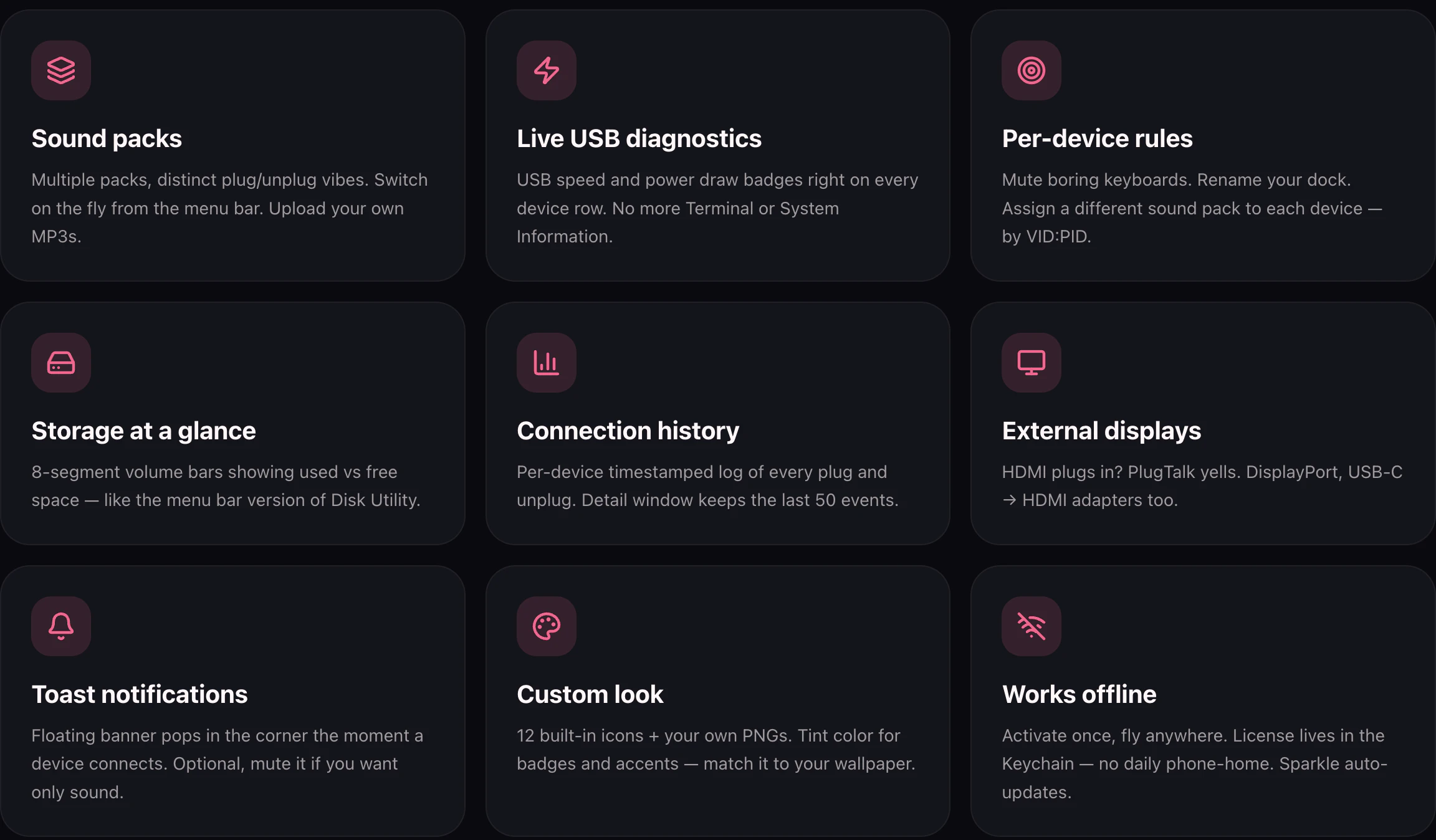
PlugTalk is a playful yet highly functional menu bar app designed for Mac users who want a more engaging and informative USB experience. It offers customizable audio alerts for every USB device plugged in or removed, creating a fun auditory cue that enhances device management. Beyond sound effects, PlugTalk provides real-time data on USB connection speed, power consumption, and storage usage directly from the menu bar, making it a practical tool for power users, developers, and tech enthusiasts. Its native Swift architecture ensures smooth performance on Apple Silicon Macs with minimal CPU usage, and features like per-device rules and hub-aware grouping offer advanced control. With 18 built-in sound packs plus the option to add your own MP3s, PlugTalk combines practicality with a touch of personality, making device management more engaging and less mundane.
Screenshots

Pros
- ✓Customizable sound alerts for each USB device
- ✓Real-time USB metrics (speed, power, storage) displayed conveniently in the menu bar
- ✓Native Swift app with minimal CPU impact (idle CPU 0%)
- ✓Supports per-device rules and hub-aware grouping for advanced management
- ✓Affordable one-time purchase with a free 7-day trial
Cons
- ✗Limited to USB devices; not applicable for other peripherals
- ✗Primarily designed for Mac users, limiting cross-platform use
- ✗Some users might find the sound alerts distracting in certain environments
Use Cases
Pricing
PlugTalk is a one-time purchase priced at $6.99, with a free 7-day trial. It does not appear to follow a subscription model, making it a cost-effective choice for users seeking long-term utility without ongoing fees.
Quick Info
Topics
Makers

Thành Đạt Nguyễn
Alternatives
Similar Tools in Productivity




Embed Badge
Add this badge to your website to show that PlugTalk is featured on Visalytica.
<a href="https://www.visalytica.com/tool/plugtalk" target="_blank" rel="noopener noreferrer" style="display:inline-flex;align-items:center;gap:6px;padding:6px 14px;background:#7c3aed;color:#fff;border-radius:8px;font-family:-apple-system,system-ui,sans-serif;font-size:13px;font-weight:600;text-decoration:none;transition:background .2s" onmouseover="this.style.background='#6d28d9'" onmouseout="this.style.background='#7c3aed'"><svg width="14" height="14" viewBox="0 0 24 24" fill="none" stroke="currentColor" stroke-width="2.5" stroke-linecap="round" stroke-linejoin="round"><path d="M12 20V10"/><path d="M18 20V4"/><path d="M6 20v-4"/></svg>Featured on Visalytica</a>