
Pixel Snapper
Editor to clean up AI-generated pixel art
About Pixel Snapper
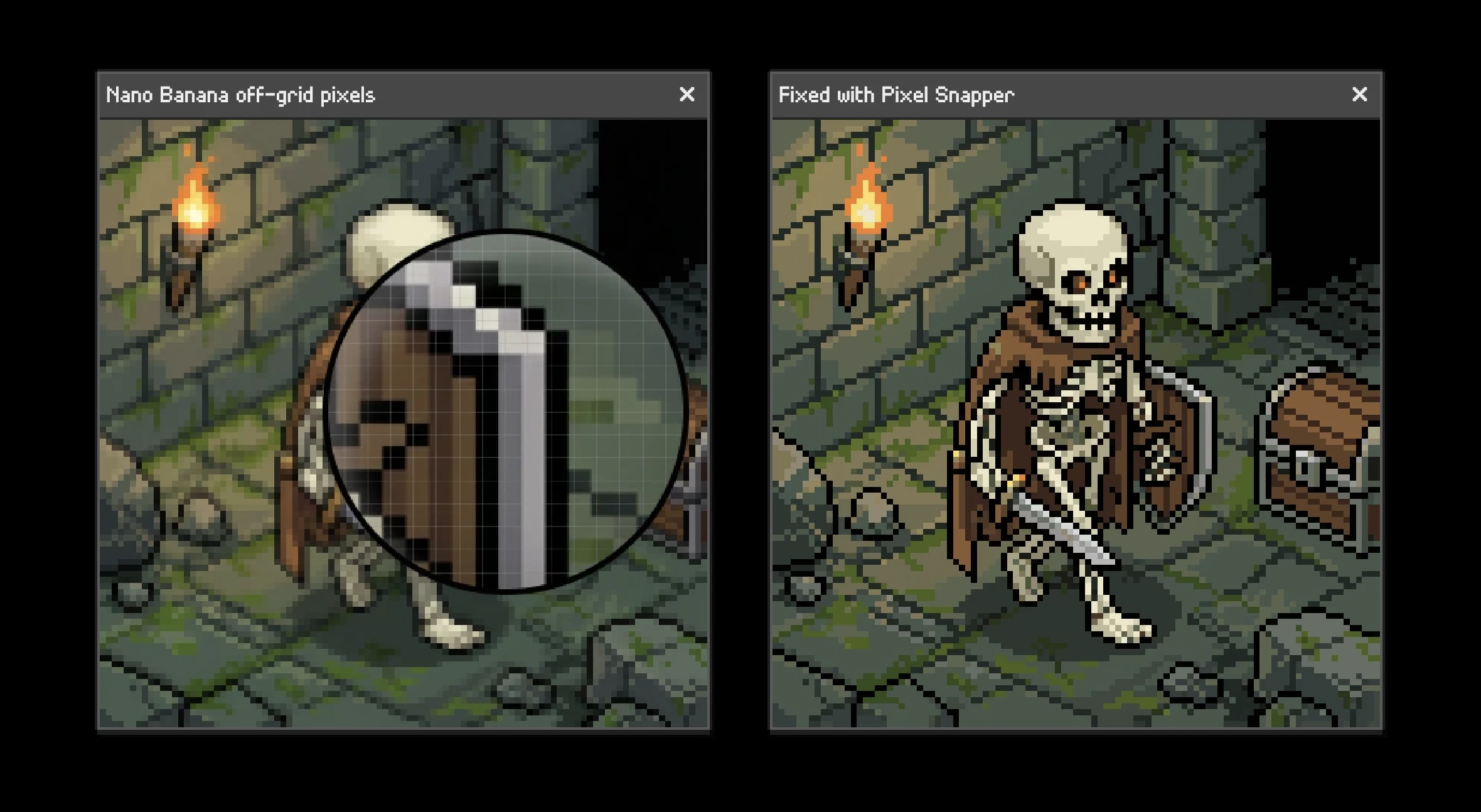
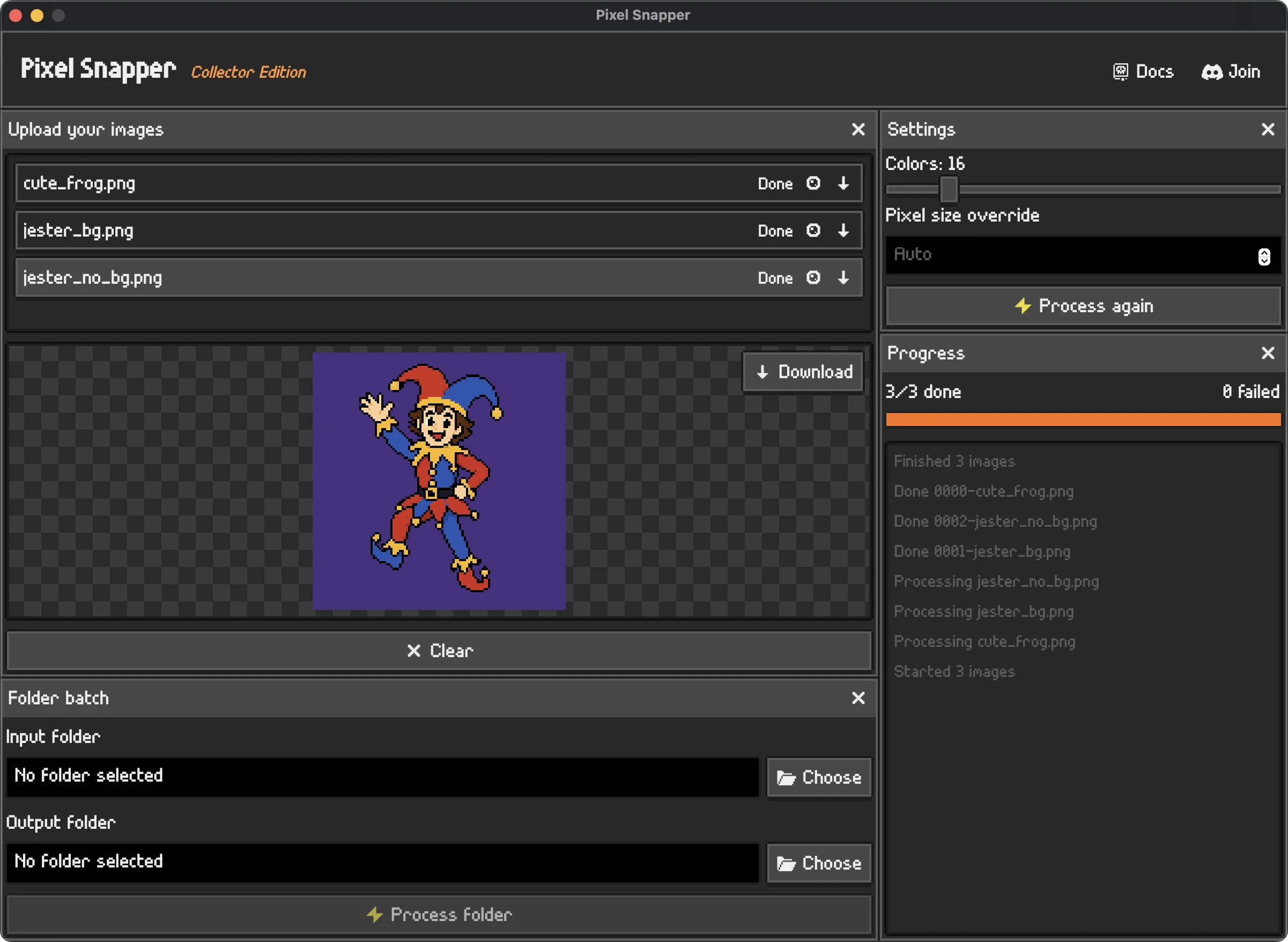
Pixel Snapper is a free and open-source editor designed specifically to clean up AI-generated pixel art. Whether creators are developing game assets, icons, or sprites, the tool helps fix common issues like blurriness, inconsistency, and messy pixels that often result from AI generation processes. Its user-friendly interface makes it accessible for both beginners and experienced pixel artists, offering automated corrections that save time and improve visual quality. What sets Pixel Snapper apart is its focus on pixel-perfect refinement, making it an invaluable resource for indie game developers, designers, and hobbyists seeking to produce polished pixel art without extensive manual editing.
Screenshots

Pros
- ✓Open-source and free to use, lowering entry barriers
- ✓Automates common pixel art cleanup tasks, saving time
- ✓User-friendly interface tailored for quick adjustments
- ✓Ideal for game assets, icons, and sprite refinement
Cons
- ✗Limited advanced editing features compared to professional pixel art software
- ✗Depends on the quality of AI-generated images; may require manual tweaks
- ✗Lacks extensive customization options for detailed edits
Use Cases
Pricing
Pixel Snapper is free and open-source, making it accessible to all users without any cost. Being open-source, it can be freely downloaded, modified, and distributed, with no hidden fees or subscription plans.
Quick Info
Topics
Makers

Hugo Duprez
Alternatives
Similar Tools in AI Image & Design




Embed Badge
Add this badge to your website to show that Pixel Snapper is featured on Visalytica.
<a href="https://www.visalytica.com/tool/pixel-snapper" target="_blank" rel="noopener noreferrer" style="display:inline-flex;align-items:center;gap:6px;padding:6px 14px;background:#7c3aed;color:#fff;border-radius:8px;font-family:-apple-system,system-ui,sans-serif;font-size:13px;font-weight:600;text-decoration:none;transition:background .2s" onmouseover="this.style.background='#6d28d9'" onmouseout="this.style.background='#7c3aed'"><svg width="14" height="14" viewBox="0 0 24 24" fill="none" stroke="currentColor" stroke-width="2.5" stroke-linecap="round" stroke-linejoin="round"><path d="M12 20V10"/><path d="M18 20V4"/><path d="M6 20v-4"/></svg>Featured on Visalytica</a>