
Pass Quick Access
Native quick access and SSH agent for Proton Pass for macOS
About Pass Quick Access
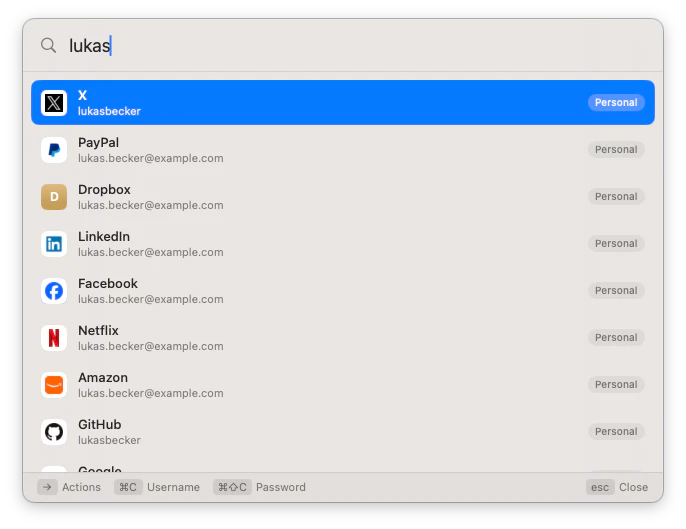
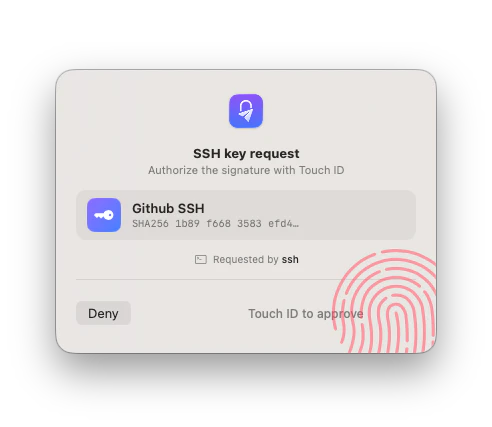
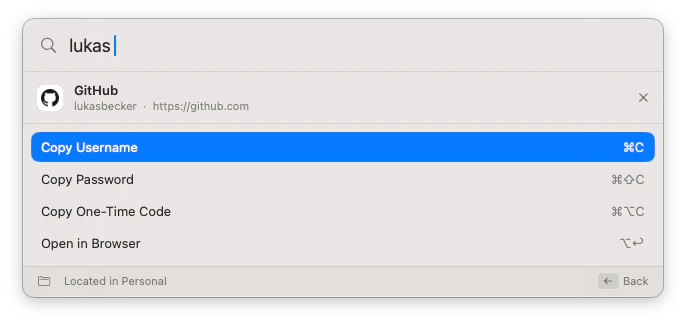
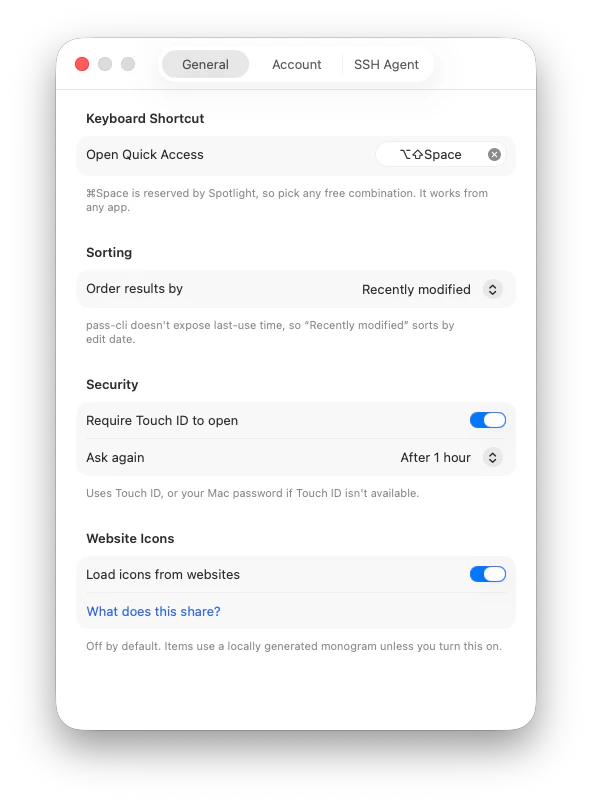
Pass Quick Access is a native macOS utility designed to streamline the management and retrieval of Proton Pass credentials. It provides a quick-access window that can be summoned with a hotkey from any application, allowing users to search for logins and effortlessly copy usernames, passwords, or one-time codes. Its integration with Proton Pass makes it especially appealing for users committed to a secure, open-source password management ecosystem. Additionally, Pass Quick Access features an SSH agent that leverages Touch ID to protect SSH keys, offering a seamless and secure way to authenticate without compromising convenience. Its keyboard-driven interface enhances productivity by enabling fast, mouse-free operations, making it ideal for power users who prioritize speed and security. As an open-source tool, it fosters transparency and community-driven improvements, appealing to developers and security-conscious users alike.
Screenshots

Pros
- ✓Native macOS application with seamless integration
- ✓Hotkey activation for quick access from any app
- ✓Open source, fostering transparency and customization
- ✓Secure SSH agent with Touch ID integration
- ✓Keyboard-driven interface for increased efficiency
Cons
- ✗Limited to macOS, reducing cross-platform compatibility
- ✗Currently lacks a large user base or extensive community support
- ✗Features are primarily focused on Proton Pass and SSH, may not suit all password management needs
Use Cases
Pricing
Free and open source, with no paid plans or premium features announced.
Quick Info
Topics
Makers

Ramin Banihashemi
Alternatives
Similar Tools in Developer Tools




Embed Badge
Add this badge to your website to show that Pass Quick Access is featured on Visalytica.
<a href="https://www.visalytica.com/tool/pass-quick-access" target="_blank" rel="noopener noreferrer" style="display:inline-flex;align-items:center;gap:6px;padding:6px 14px;background:#7c3aed;color:#fff;border-radius:8px;font-family:-apple-system,system-ui,sans-serif;font-size:13px;font-weight:600;text-decoration:none;transition:background .2s" onmouseover="this.style.background='#6d28d9'" onmouseout="this.style.background='#7c3aed'"><svg width="14" height="14" viewBox="0 0 24 24" fill="none" stroke="currentColor" stroke-width="2.5" stroke-linecap="round" stroke-linejoin="round"><path d="M12 20V10"/><path d="M18 20V4"/><path d="M6 20v-4"/></svg>Featured on Visalytica</a>