Open World Clock
Time zones for Windows, free and open source
About Open World Clock
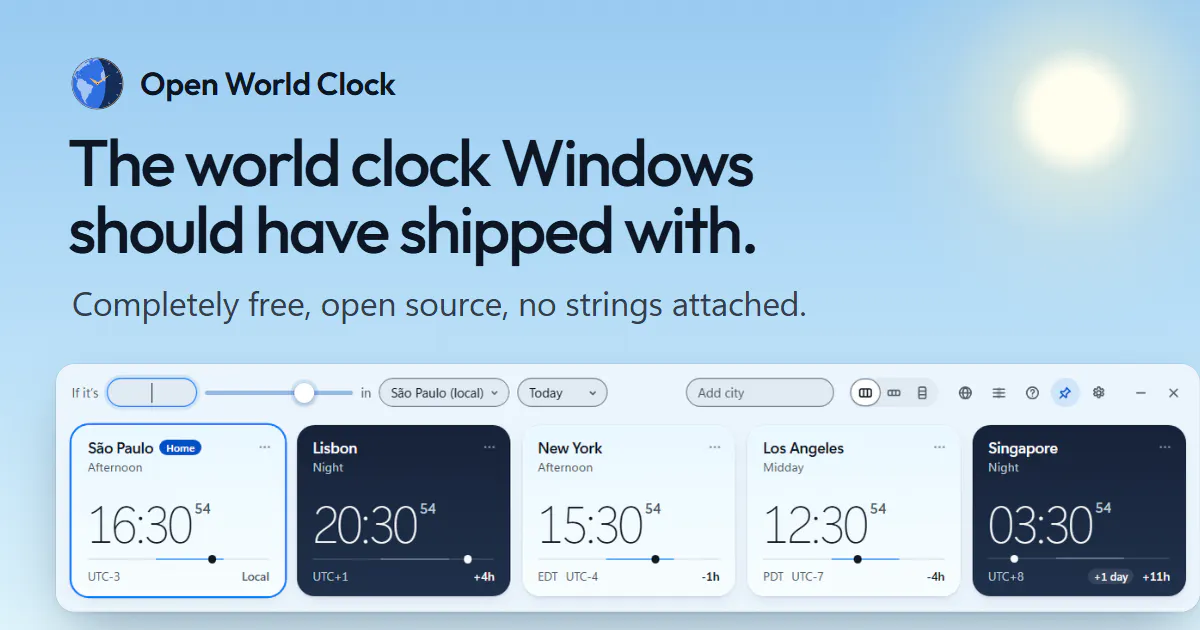
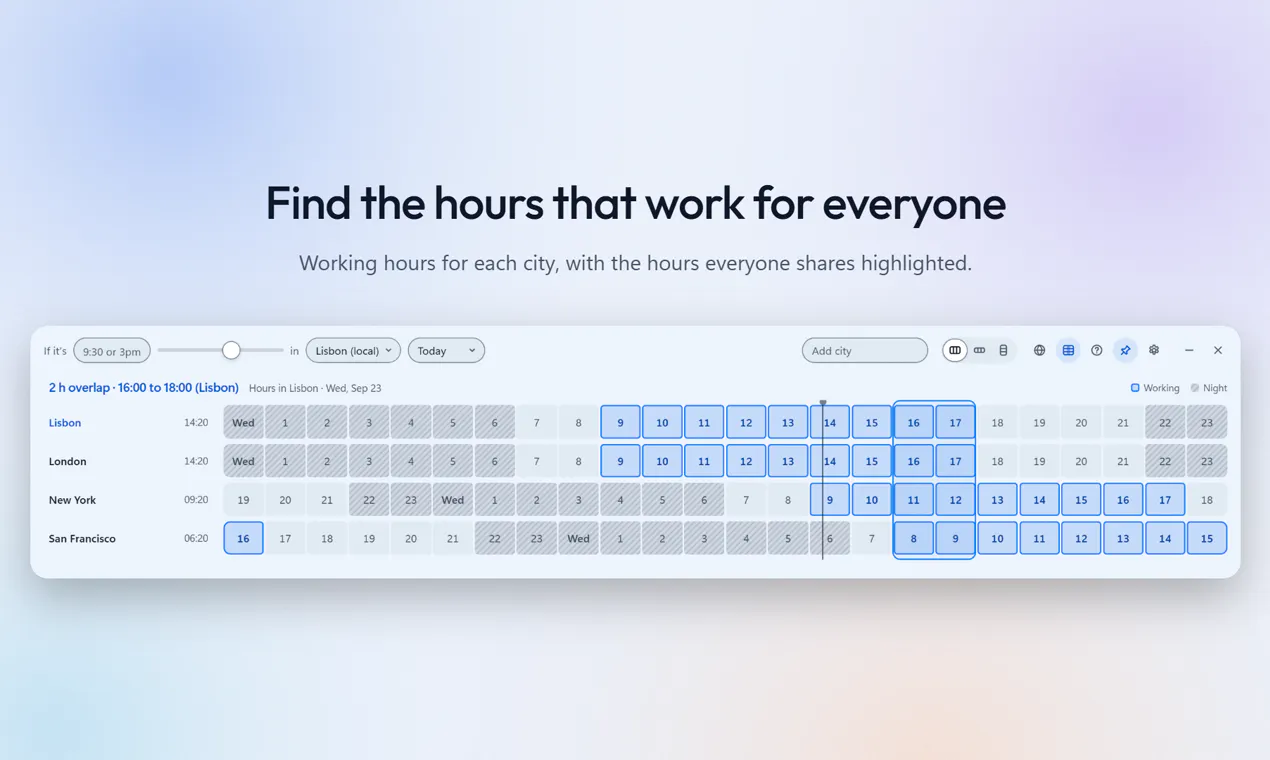
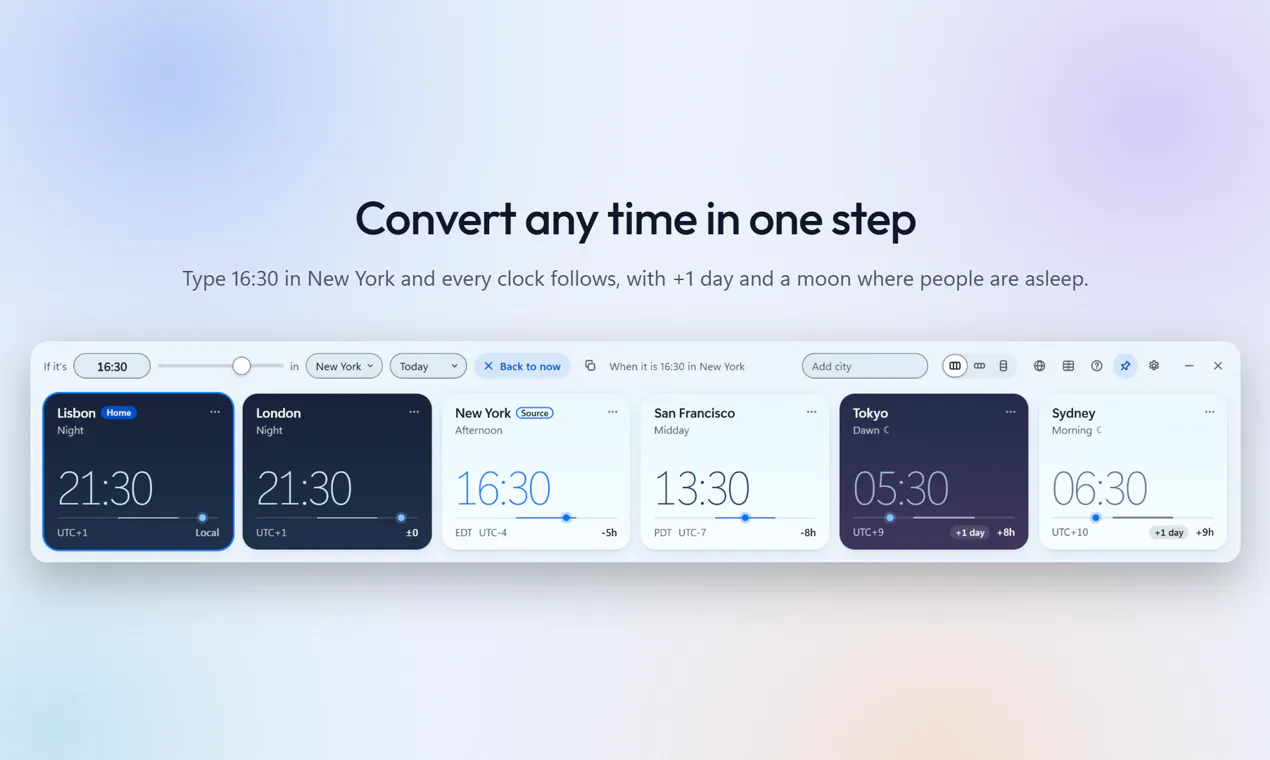
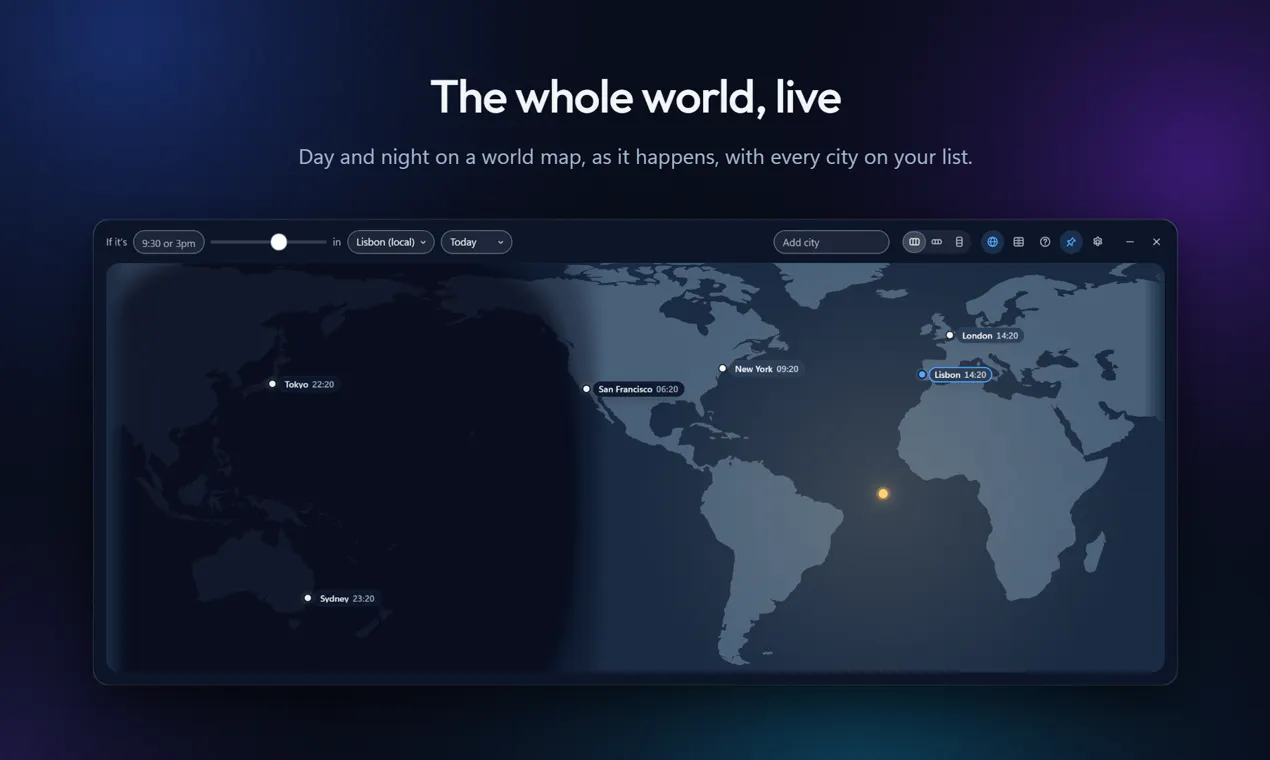
Open World Clock is a free and open-source Windows application designed to simplify the management of global time zones for remote teams and international collaborations. Users can add multiple cities they work with and view them side by side, making it easy to coordinate meetings and deadlines across different regions. Its intuitive interface allows for quick time conversions by typing or scrolling over clocks, while the integrated meeting planner helps identify optimal working hours for all participants. The live day and night map further enhances awareness of global time zones at a glance. Being open source under the MIT license, it guarantees privacy and no ads, with no account required, making it a trustworthy tool for professionals who prioritize data security and simplicity. Available on the Microsoft Store and accessible via browser, Open World Clock caters to remote workers, teams, and organizations seeking a lightweight, privacy-focused world clock solution.
Screenshots
Pros
- ✓Open source and free with no ads or account requirements
- ✓Easy to add and view multiple cities side by side
- ✓Built-in meeting planner and live day/night map for better scheduling
- ✓Cross-platform accessibility via browser and Windows app
- ✓Privacy-focused with no data sending
Cons
- ✗Limited advanced scheduling features compared to some paid tools
- ✗No integrations with calendar or communication platforms
- ✗May lack customization options for power users
Use Cases
Pricing
Pricing not verified
Quick Info
Topics
Makers

João Carvalho
Alternatives
Similar Tools in Productivity




Embed Badge
Add this badge to your website to show that Open World Clock is featured on Visalytica.
<a href="https://www.visalytica.com/tool/open-world-clock" target="_blank" rel="noopener noreferrer" style="display:inline-flex;align-items:center;gap:6px;padding:6px 14px;background:#7c3aed;color:#fff;border-radius:8px;font-family:-apple-system,system-ui,sans-serif;font-size:13px;font-weight:600;text-decoration:none;transition:background .2s" onmouseover="this.style.background='#6d28d9'" onmouseout="this.style.background='#7c3aed'"><svg width="14" height="14" viewBox="0 0 24 24" fill="none" stroke="currentColor" stroke-width="2.5" stroke-linecap="round" stroke-linejoin="round"><path d="M12 20V10"/><path d="M18 20V4"/><path d="M6 20v-4"/></svg>Featured on Visalytica</a>