
Octopus to Figma plugin
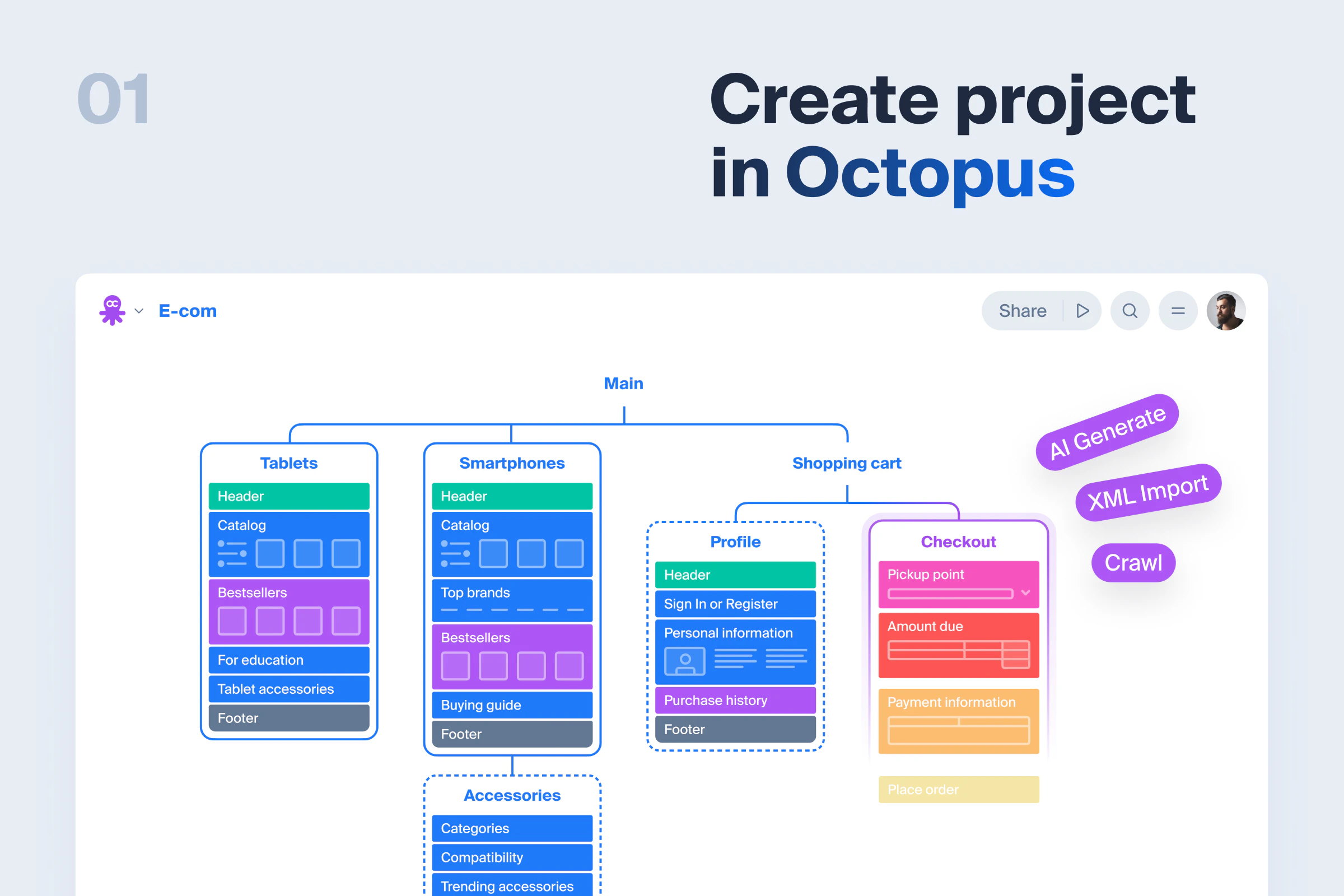
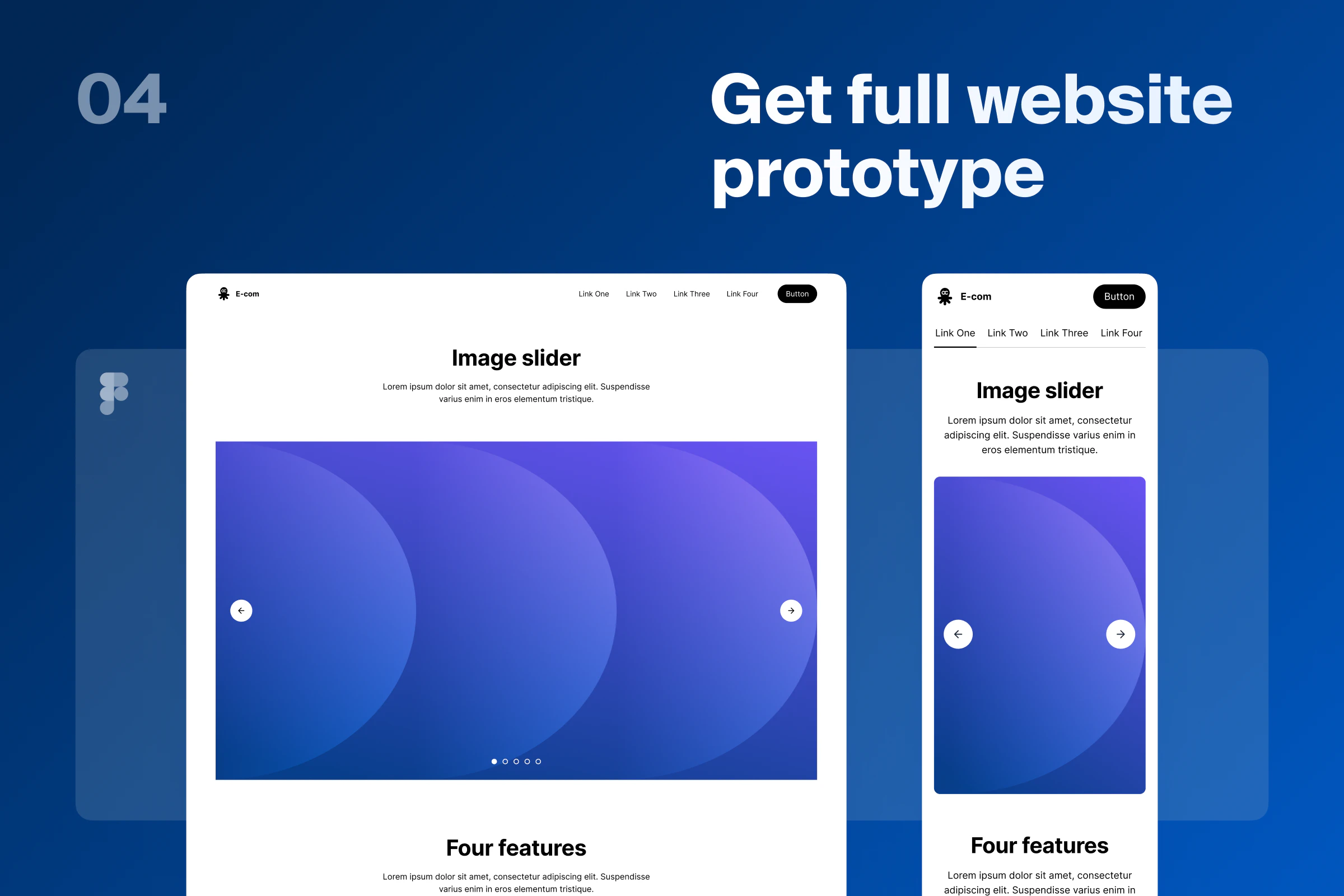
Generate website prototype from a sitemap project
About Octopus to Figma plugin
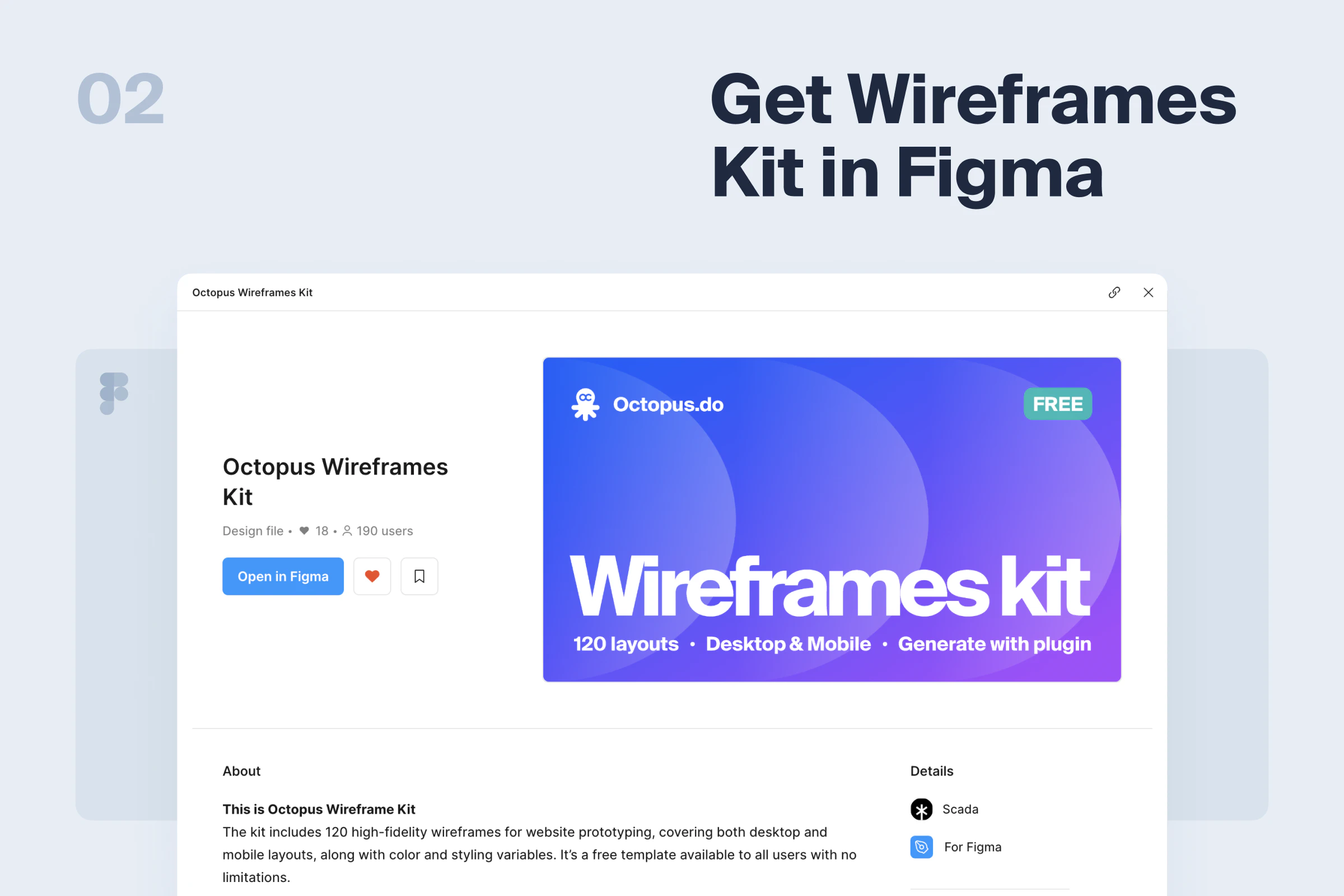
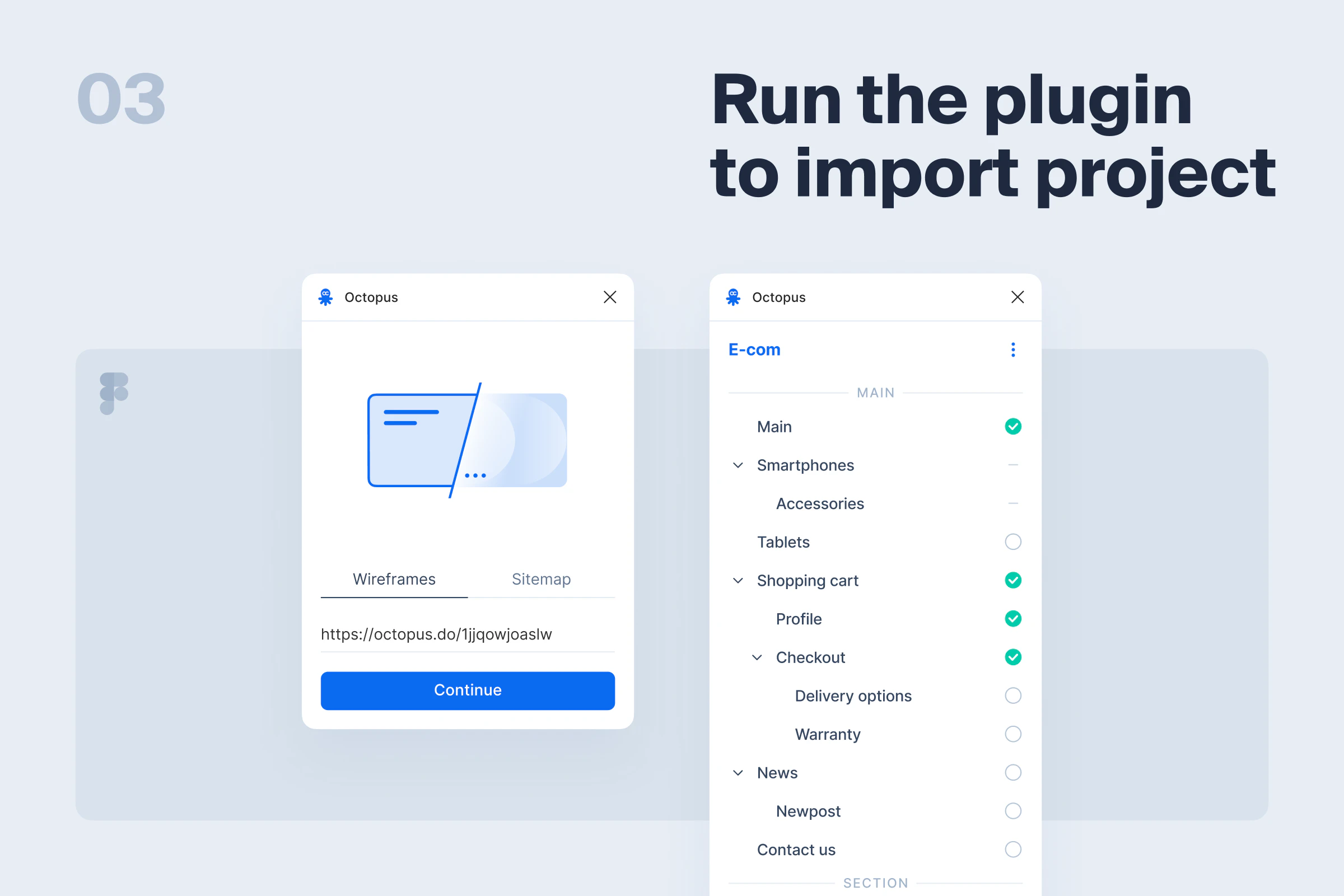
The Octopus to Figma plugin offers a seamless way to transform website sitemaps created in Octopus.do into high-fidelity Figma prototypes in seconds. Designed for UX/UI designers, product teams, and developers, this tool significantly reduces the manual effort traditionally involved in translating wireframes into detailed designs. By automating the conversion process, it accelerates project workflows, allowing teams to iterate faster and focus on refining user experience. What sets this plugin apart is its ability to generate real layouts with variables and components, ensuring that the transition from sitemap to prototype is both accurate and efficient. This tool is especially beneficial for teams looking to streamline their prototyping process and maintain consistency across design elements, making it a valuable addition to modern design workflows.
Screenshots
Pros
- ✓Rapid conversion from sitemap to high-fidelity prototype
- ✓Builds real layouts with variables and components for accuracy
- ✓Saves significant time compared to manual design processes
- ✓Enhances collaboration between designers and developers
- ✓Integrates smoothly with Figma's existing ecosystem
Cons
- ✗Dependent on the quality and structure of the initial sitemap
- ✗Limited to users familiar with Octopus.do and Figma
- ✗Potential learning curve for new users
Use Cases
Pricing
Likely follows a freemium model with free trials or limited features, with paid plans starting around a moderate monthly fee, typical for Figma plugins and automation tools. Exact pricing details are not specified but are generally aimed at professional teams and agencies.
Quick Info
Topics
Alternatives
Similar Tools in AI Image & Design




Embed Badge
Add this badge to your website to show that Octopus to Figma plugin is featured on Visalytica.
<a href="https://www.visalytica.com/tool/octopus-to-figma-plugin" target="_blank" rel="noopener noreferrer" style="display:inline-flex;align-items:center;gap:6px;padding:6px 14px;background:#7c3aed;color:#fff;border-radius:8px;font-family:-apple-system,system-ui,sans-serif;font-size:13px;font-weight:600;text-decoration:none;transition:background .2s" onmouseover="this.style.background='#6d28d9'" onmouseout="this.style.background='#7c3aed'"><svg width="14" height="14" viewBox="0 0 24 24" fill="none" stroke="currentColor" stroke-width="2.5" stroke-linecap="round" stroke-linejoin="round"><path d="M12 20V10"/><path d="M18 20V4"/><path d="M6 20v-4"/></svg>Featured on Visalytica</a>