
NudgeFile
Automatically organize, rename, and manage files with AI
About NudgeFile
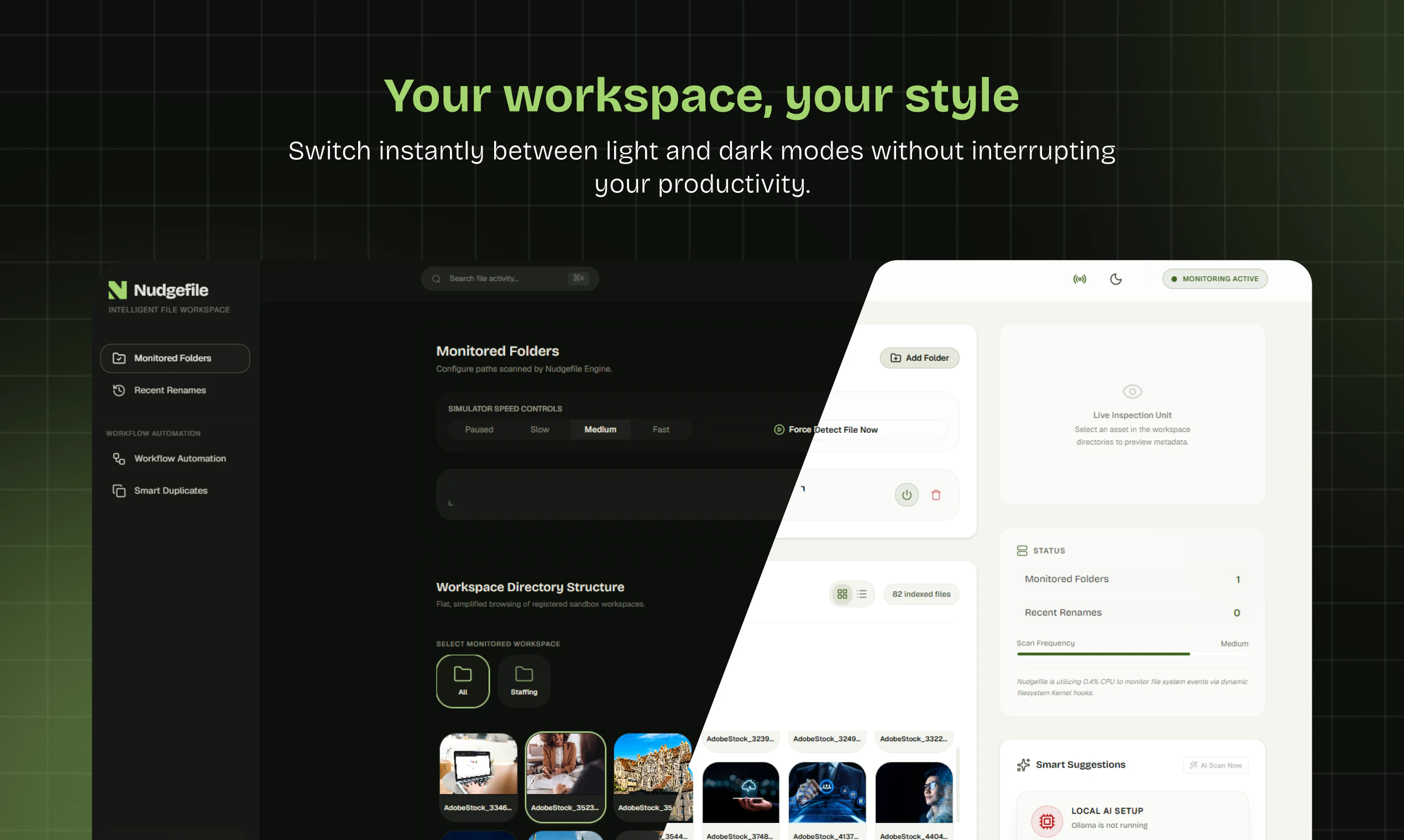
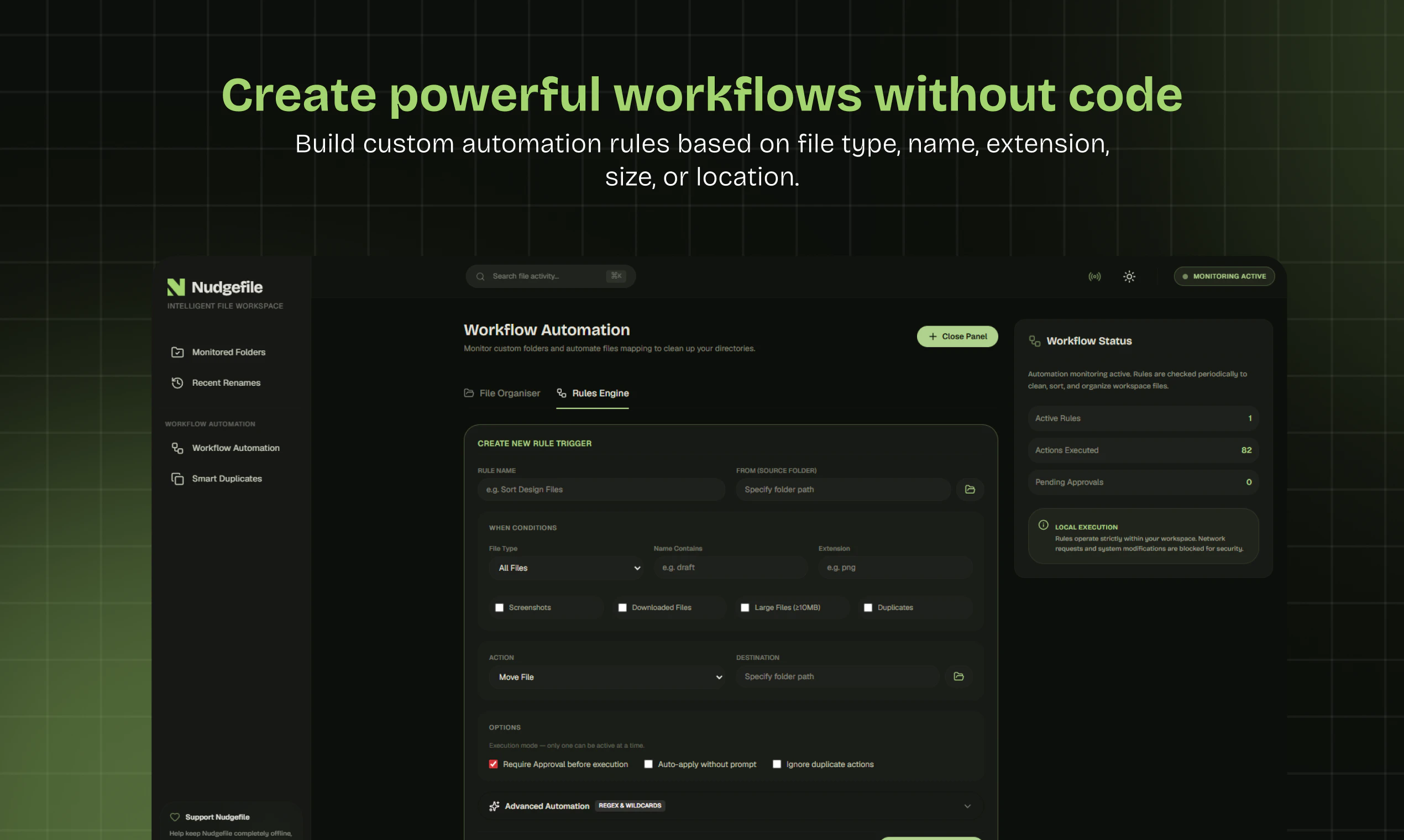
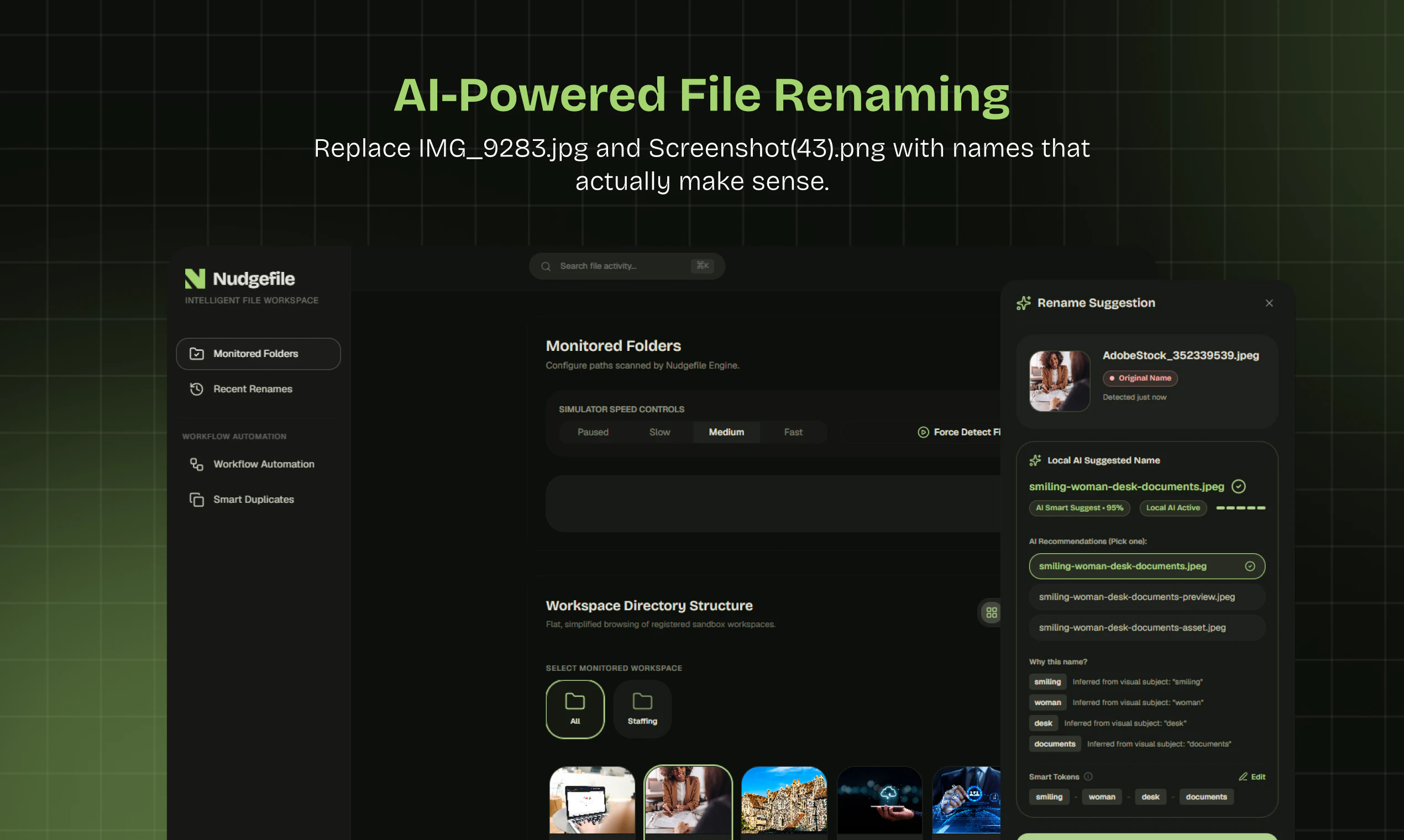
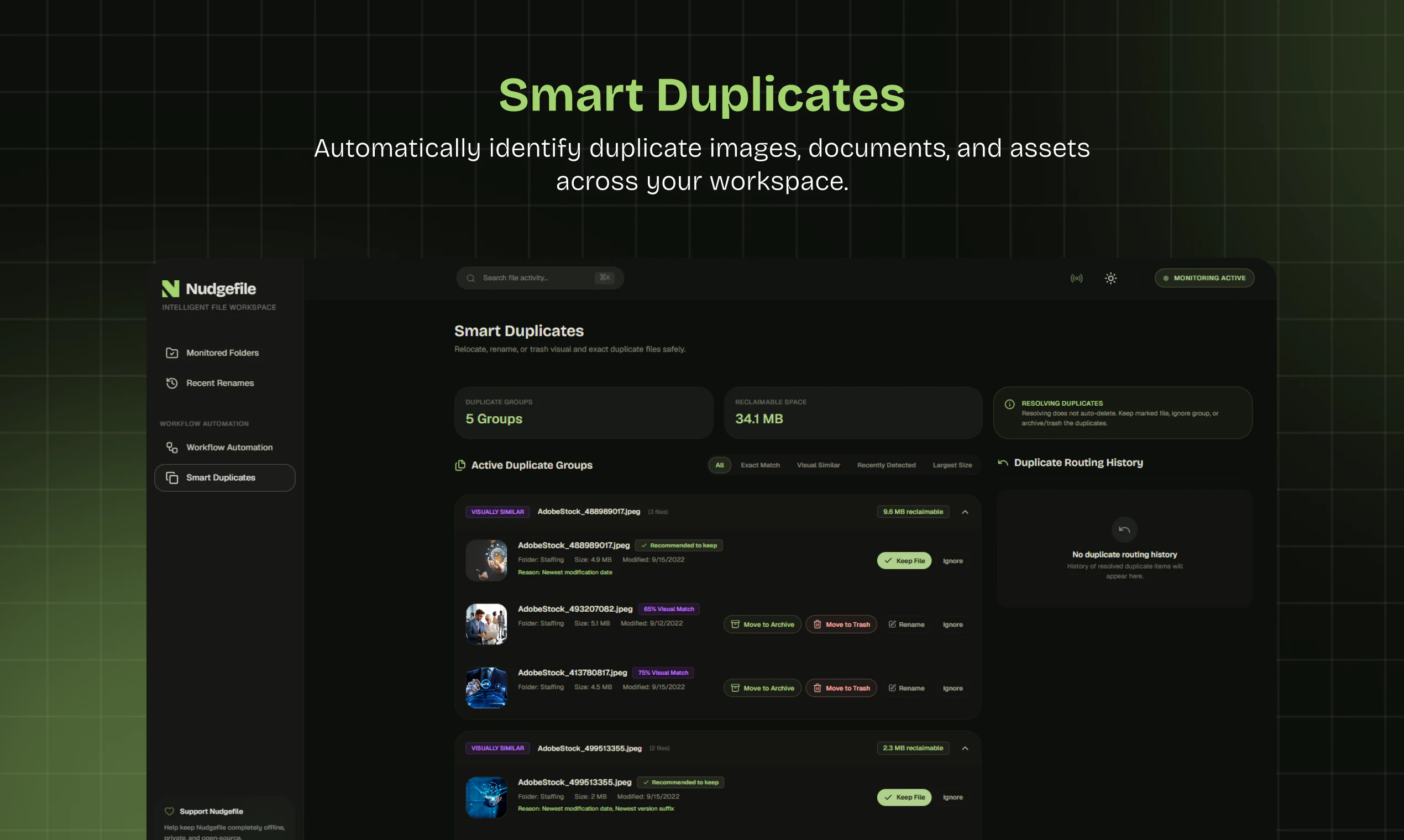
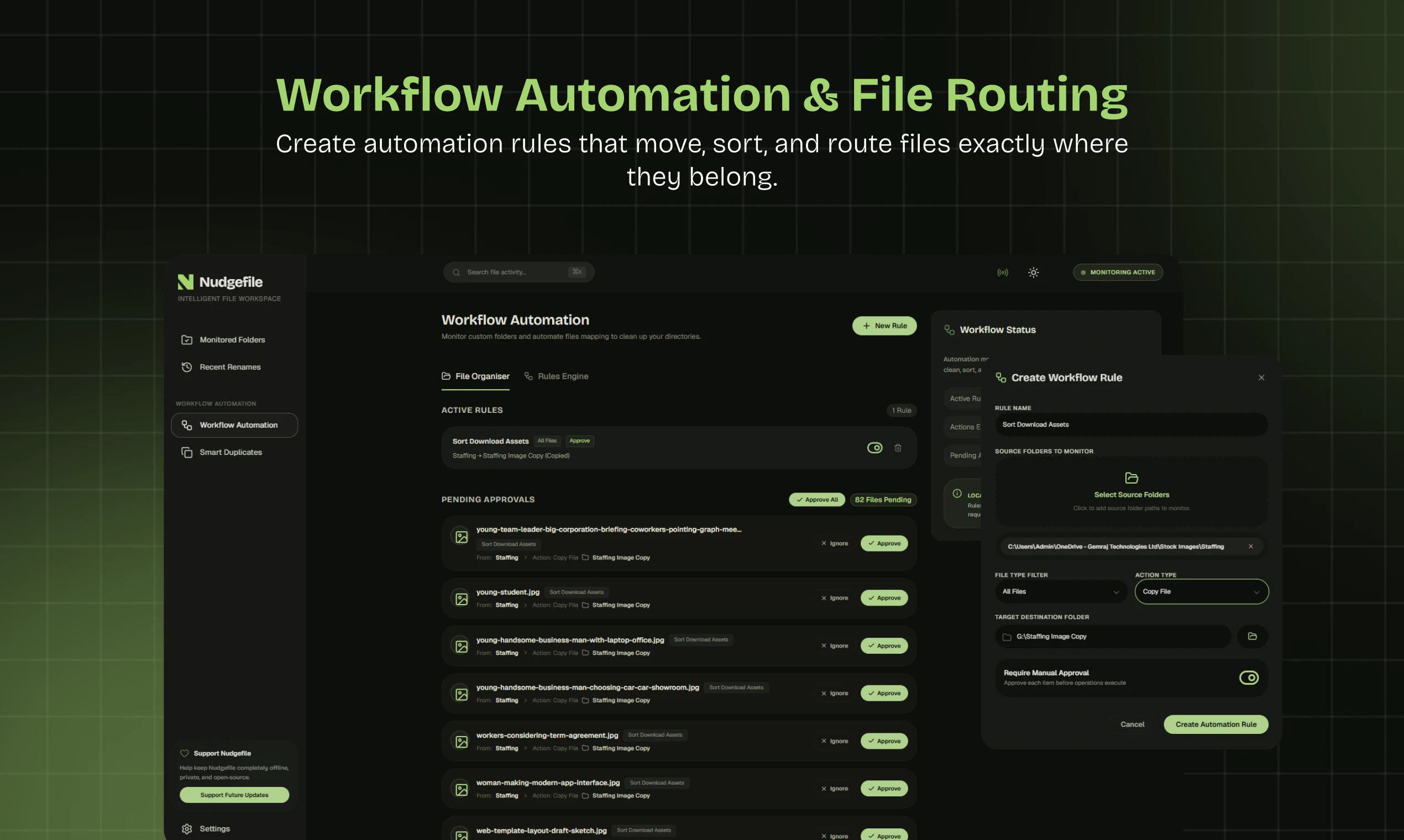
NudgeFile is an innovative AI-powered desktop tool designed to streamline file management for individuals and teams alike. By leveraging local AI, it automatically organizes, renames, and manages files across your system, helping users maintain a clutter-free workspace. Its core features include folder monitoring, workflow automation, duplicate detection, and file categorization, all performed locally to ensure data privacy and security. This makes NudgeFile particularly appealing to professionals who handle大量 files regularly, such as developers, designers, and administrative personnel. What sets NudgeFile apart is its emphasis on local AI processing, eliminating reliance on cloud services and keeping sensitive data on the user’s device. Its intuitive automation capabilities can significantly boost productivity, reduce manual effort, and help users stay organized effortlessly.
Screenshots
Pros
- ✓Local AI processing ensures data privacy and security
- ✓Automates tedious file organization tasks
- ✓Detects and manages duplicate files effectively
- ✓Supports workflow automation for efficiency
- ✓Easy to monitor and manage multiple folders
Cons
- ✗Limited information on pricing and subscription plans
- ✗May require initial setup and configuration
- ✗Features may be basic compared to more comprehensive storage solutions
Use Cases
Pricing
Likely follows a freemium model with basic features free and paid plans offering advanced automation or additional features, but specific details are not publicly confirmed.
Quick Info
Topics
Makers

Tony
Alternatives
Similar Tools in AI Assistants




Embed Badge
Add this badge to your website to show that NudgeFile is featured on Visalytica.
<a href="https://www.visalytica.com/tool/nudgefile" target="_blank" rel="noopener noreferrer" style="display:inline-flex;align-items:center;gap:6px;padding:6px 14px;background:#7c3aed;color:#fff;border-radius:8px;font-family:-apple-system,system-ui,sans-serif;font-size:13px;font-weight:600;text-decoration:none;transition:background .2s" onmouseover="this.style.background='#6d28d9'" onmouseout="this.style.background='#7c3aed'"><svg width="14" height="14" viewBox="0 0 24 24" fill="none" stroke="currentColor" stroke-width="2.5" stroke-linecap="round" stroke-linejoin="round"><path d="M12 20V10"/><path d="M18 20V4"/><path d="M6 20v-4"/></svg>Featured on Visalytica</a>