
Moxie
Use any AI with Claude Code, switch accounts mid-task
About Moxie
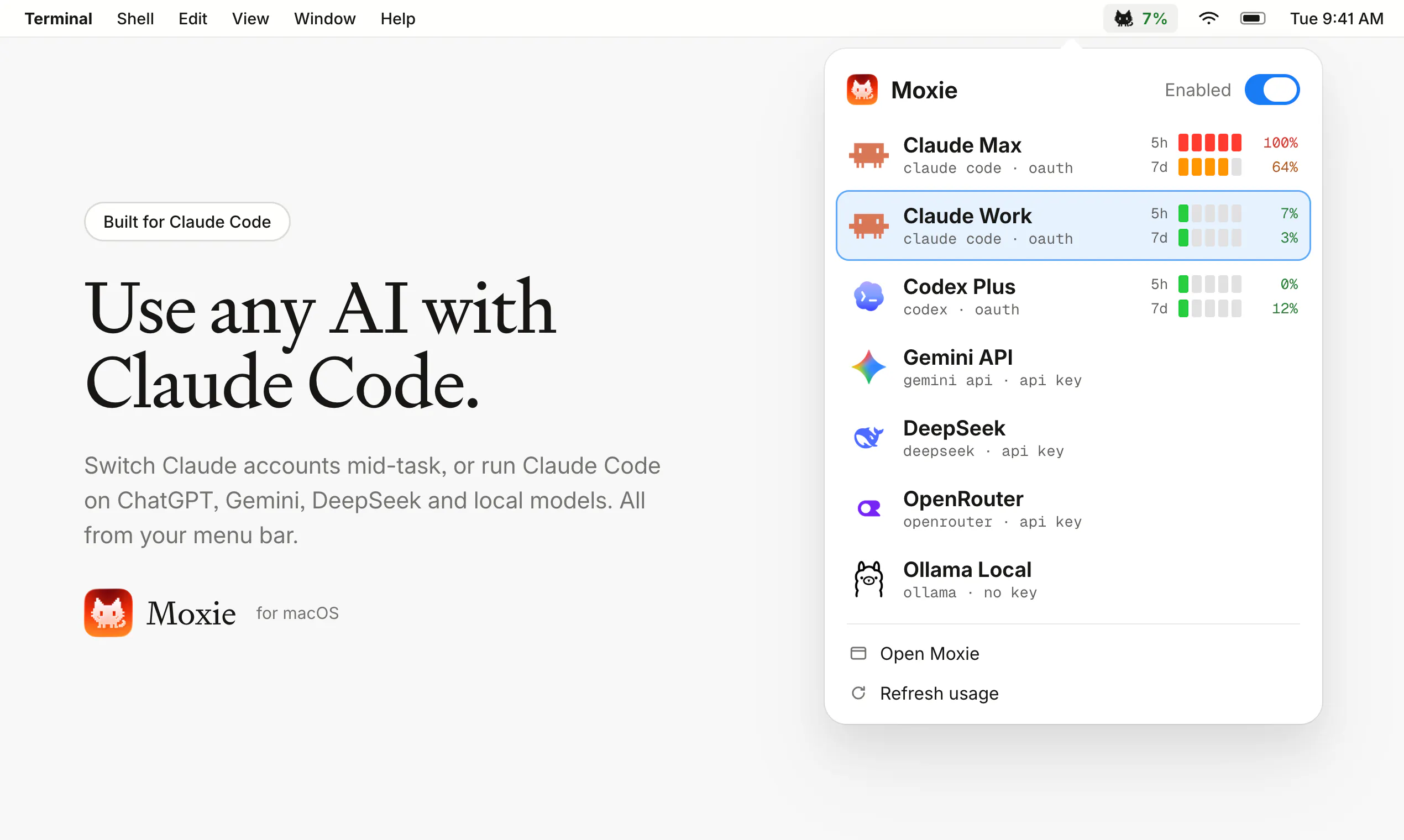
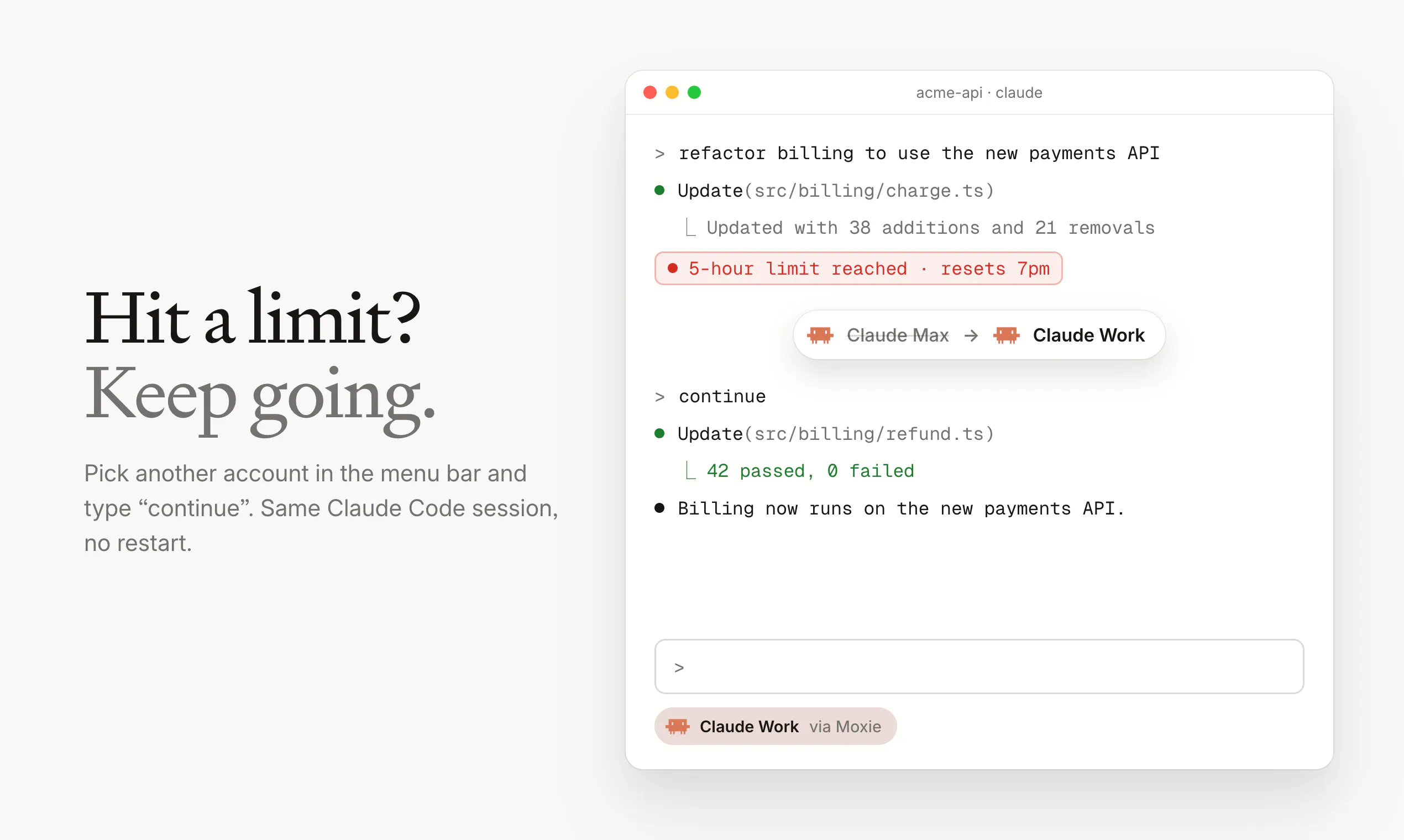
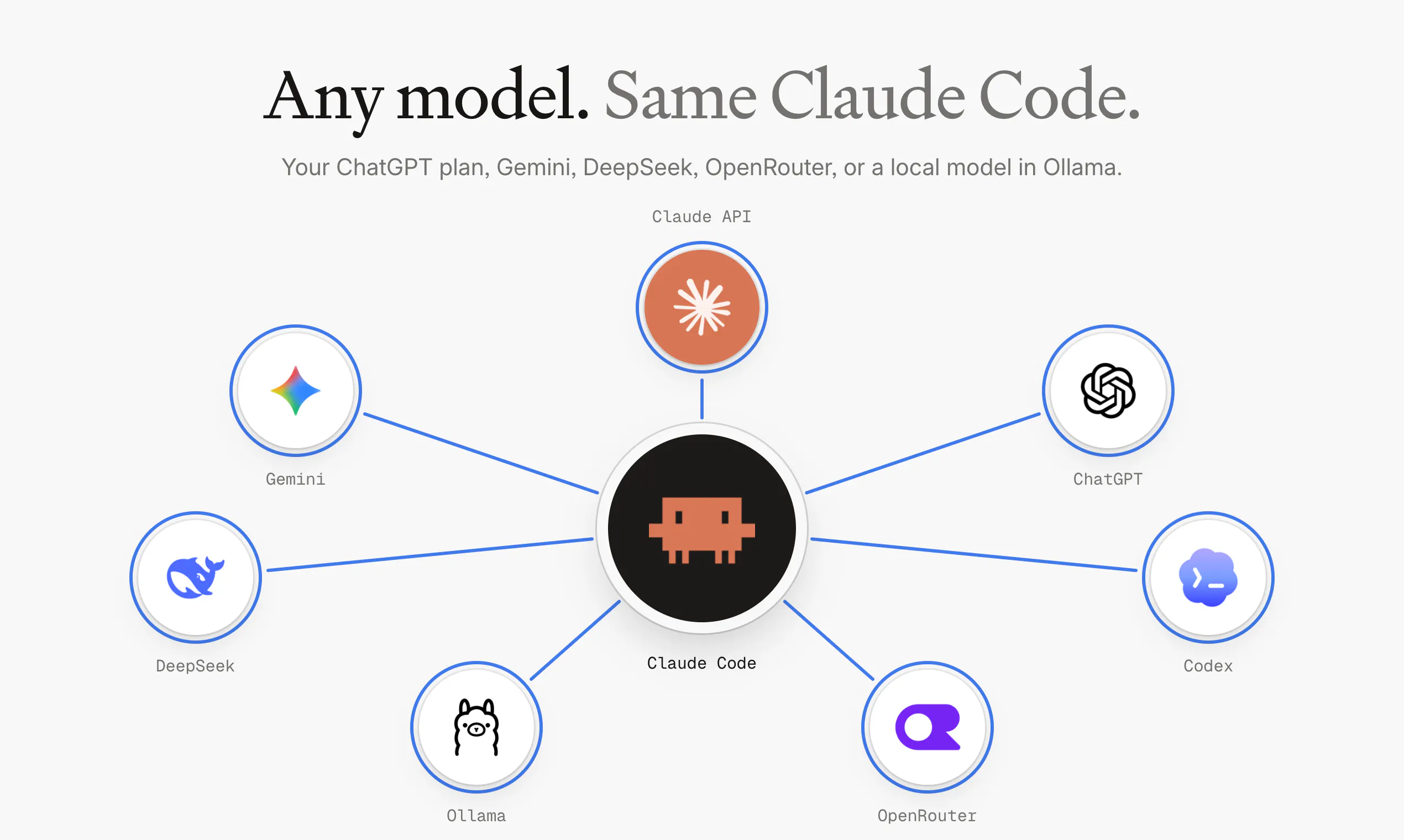
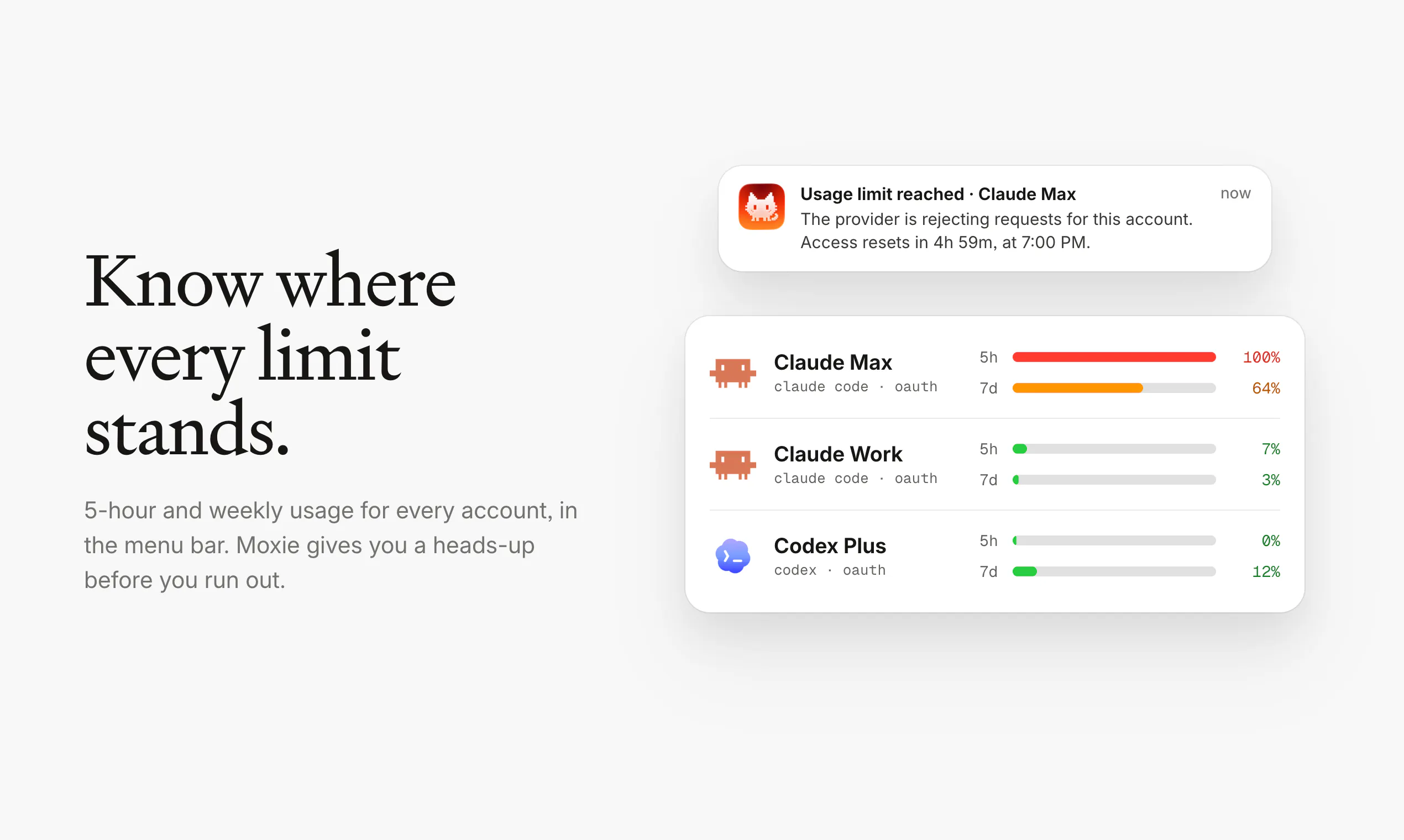
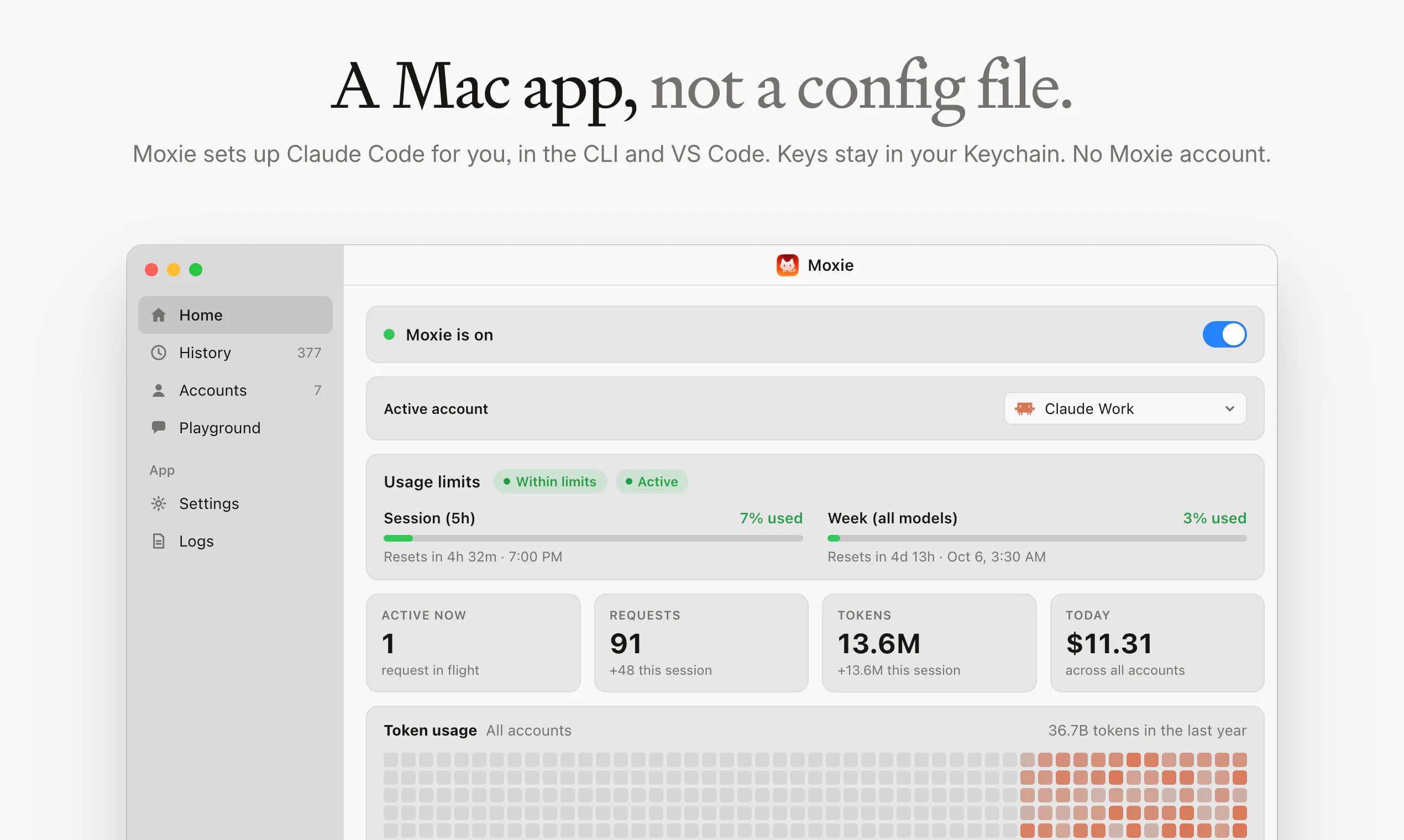
Moxie is a versatile Mac menu bar application designed for users who frequently work with multiple AI models and accounts. It seamlessly integrates Claude Code with popular AI services like ChatGPT, Gemini, DeepSeek, OpenRouter, and local models via Ollama, allowing users to switch between accounts effortlessly within a single session. This makes it ideal for developers, AI researchers, and productivity enthusiasts who need quick access to various AI tools without juggling multiple windows or logins. The standout feature of Moxie is its ability to switch accounts with a single click, maintaining session continuity while displaying usage limits conveniently in the menu bar. This streamlined approach enhances productivity by reducing context switching and keeping essential information at your fingertips. Whether you’re managing multiple AI projects or testing different models, Moxie’s intuitive design and multi-account support make it a powerful addition to any AI workflow.
Screenshots
Pros
- ✓Supports multiple AI models and accounts within a single interface
- ✓Easy account switching with session continuity
- ✓Displays usage limits directly in the menu bar for quick reference
- ✓Integrates with popular AI services like ChatGPT, Gemini, DeepSeek, and local models
- ✓Mac menu bar app with a clean, unobtrusive interface
Cons
- ✗Limited information on pricing or subscription details
- ✗Requires familiarity with AI models and account management
- ✗Dependent on the stability of integrated AI services
Use Cases
Pricing
Pricing not verified
Quick Info
Topics
Makers

Birju Vachhani
@birjuvachhaniAlternatives
Similar Tools in Developer Tools




Embed Badge
Add this badge to your website to show that Moxie is featured on Visalytica.
<a href="https://www.visalytica.com/tool/moxie" target="_blank" rel="noopener noreferrer" style="display:inline-flex;align-items:center;gap:6px;padding:6px 14px;background:#7c3aed;color:#fff;border-radius:8px;font-family:-apple-system,system-ui,sans-serif;font-size:13px;font-weight:600;text-decoration:none;transition:background .2s" onmouseover="this.style.background='#6d28d9'" onmouseout="this.style.background='#7c3aed'"><svg width="14" height="14" viewBox="0 0 24 24" fill="none" stroke="currentColor" stroke-width="2.5" stroke-linecap="round" stroke-linejoin="round"><path d="M12 20V10"/><path d="M18 20V4"/><path d="M6 20v-4"/></svg>Featured on Visalytica</a>