
Monish
Your AI agents, live on your iPhone lock screen
About Monish
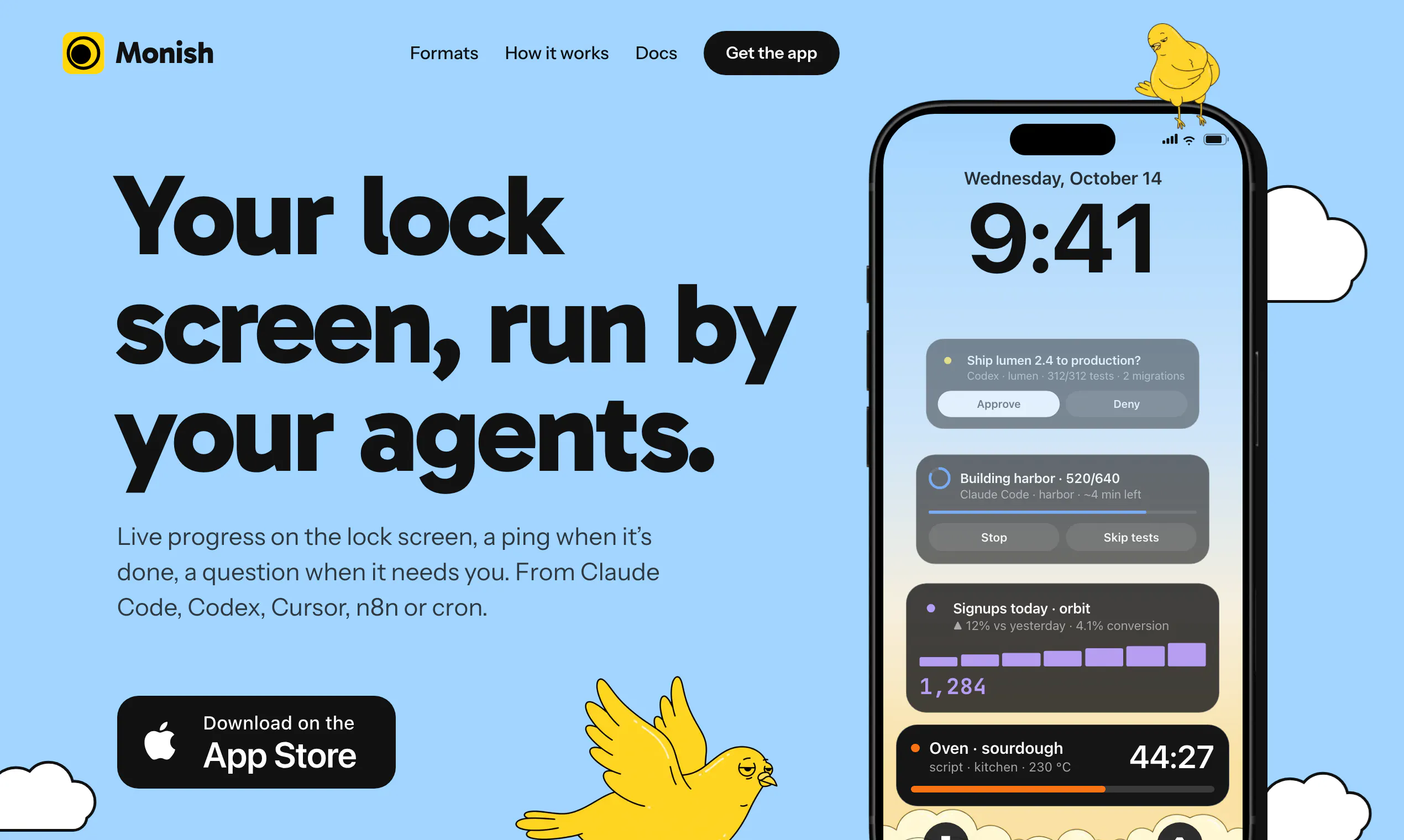
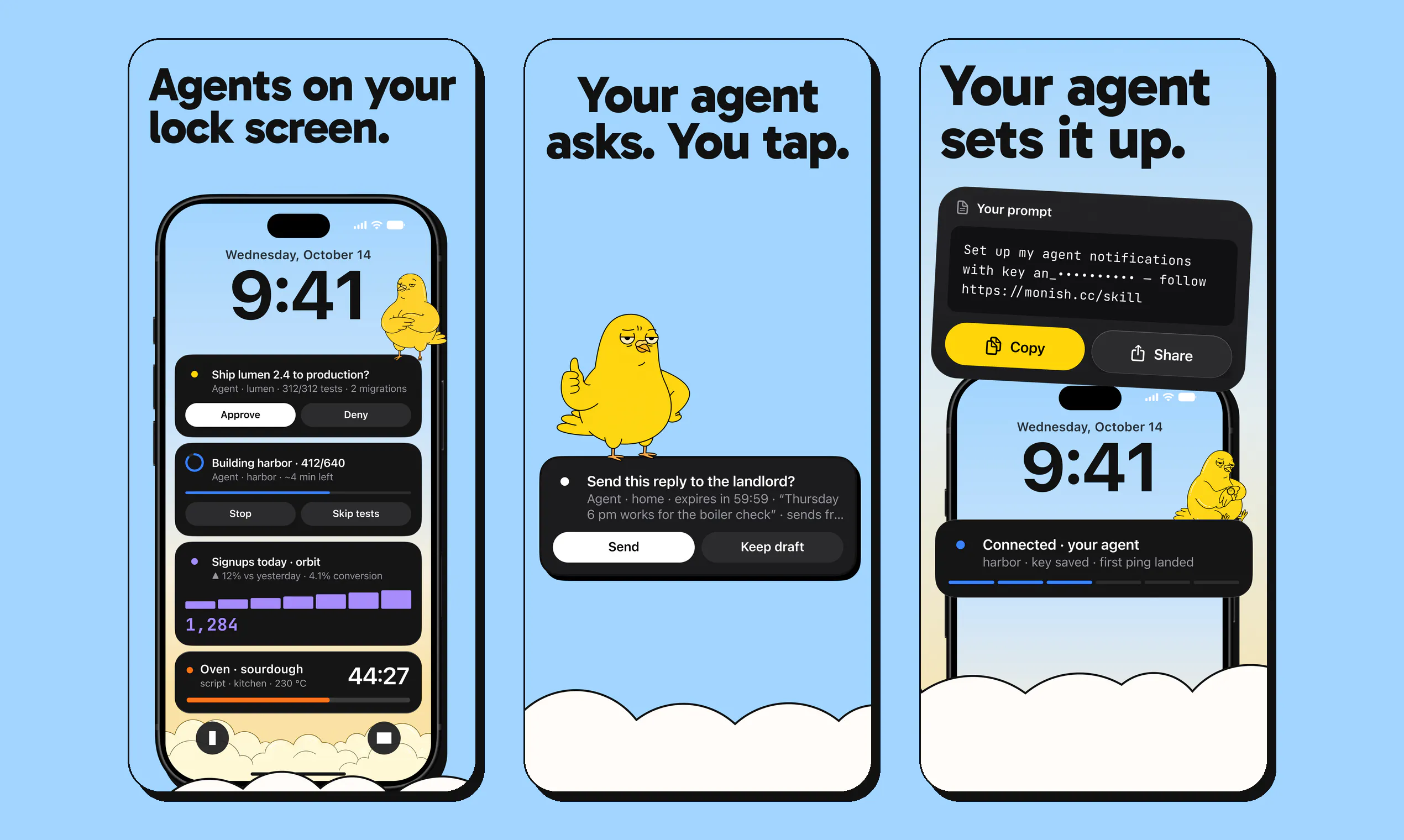
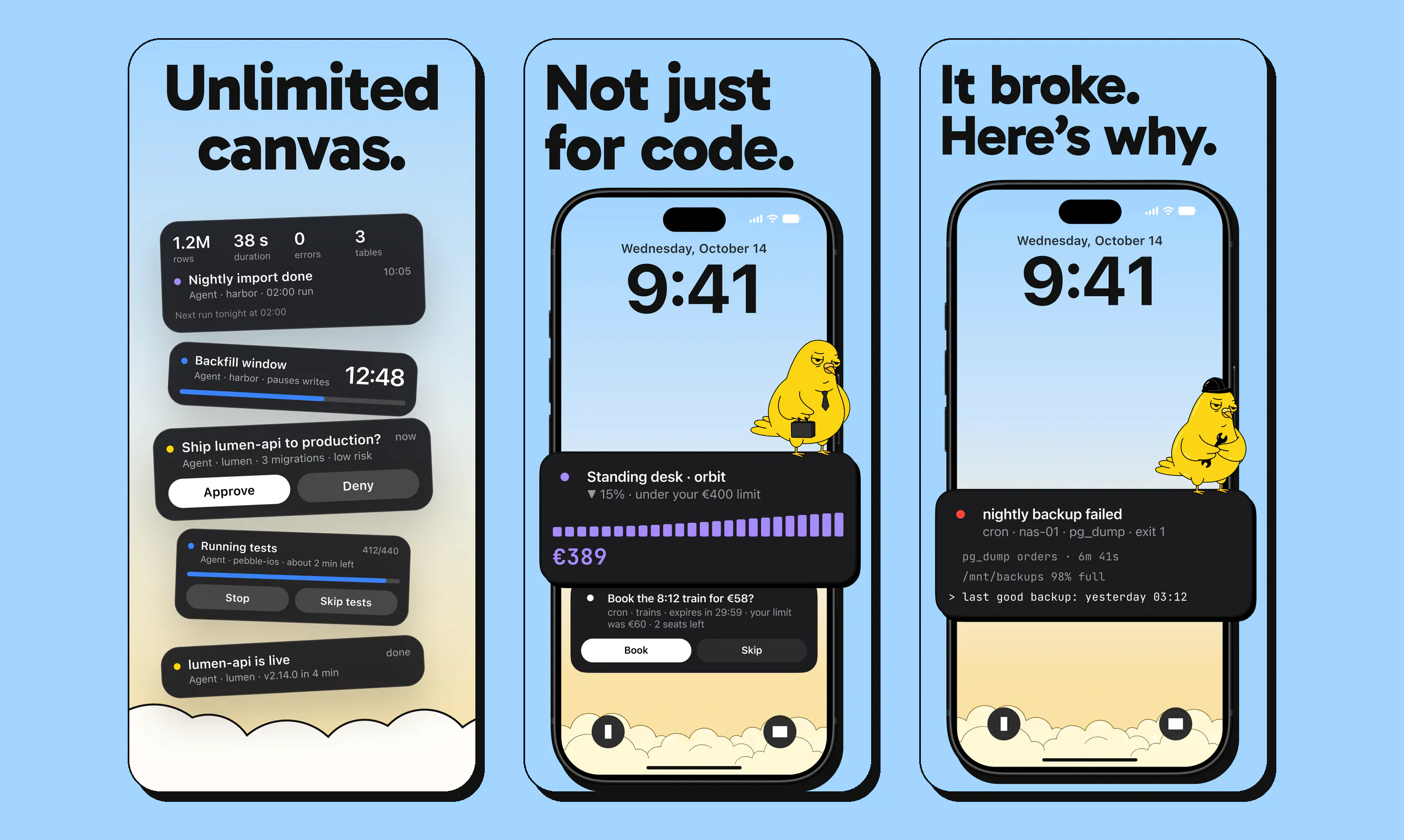
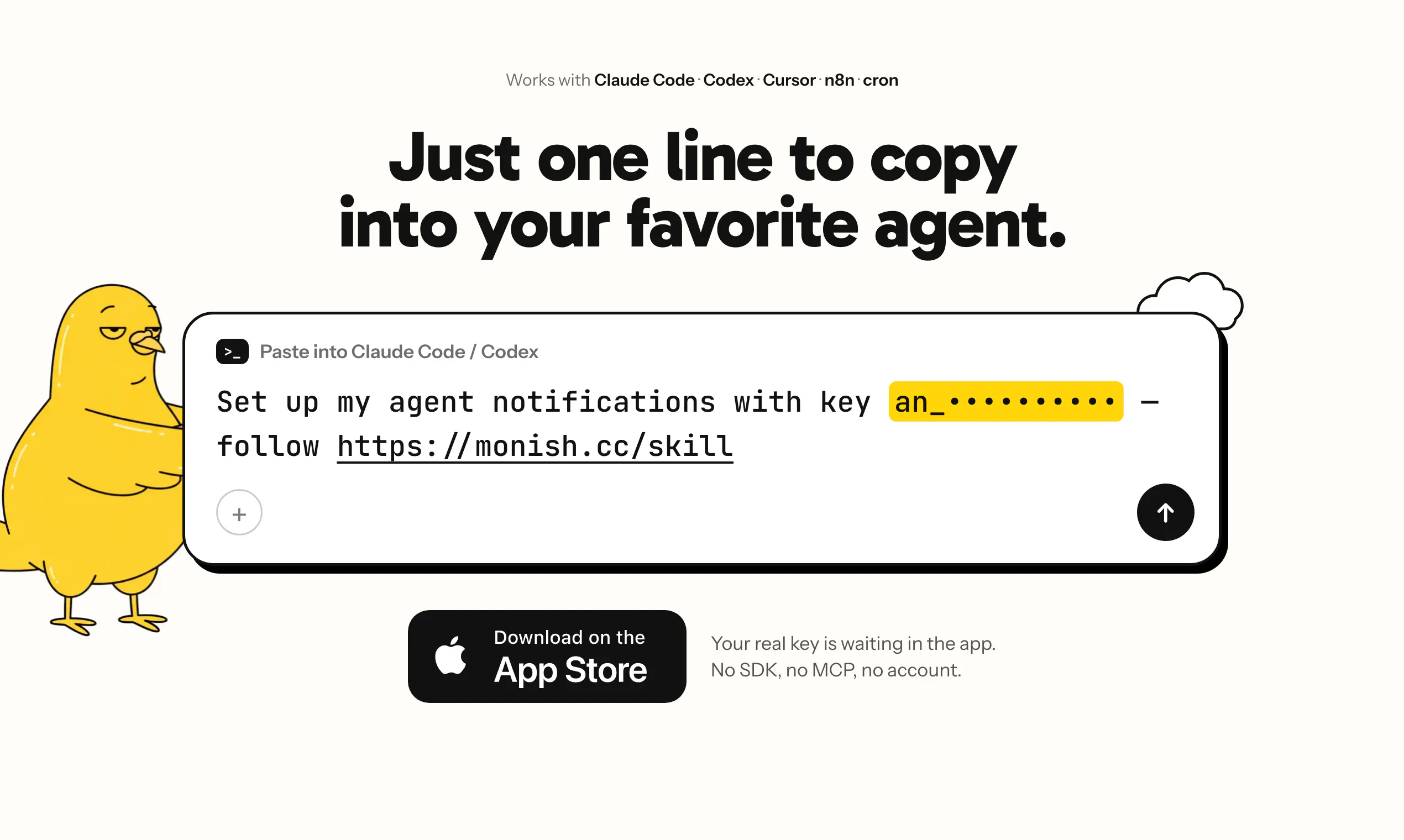
Monish is a innovative iOS tool designed for developers and productivity enthusiasts who want to keep their AI agents accessible right from their lock screen. By simply pasting a line of code into popular AI and automation platforms like Claude Code, Codex, Cursor, or n8n, users can deploy an AI agent that updates live progress directly on their iPhone lock screen. It offers real-time notifications, allowing users to approve or deny actions such as deployments, sends, or spends, enhancing control and security without the need for an account or payment. This seamless integration makes Monish ideal for those who want instant AI feedback and control on the go, especially during complex workflows or automation tasks. Its straightforward setup and free access make it appealing to both developers and casual users seeking to streamline their AI interactions on mobile devices.
Screenshots
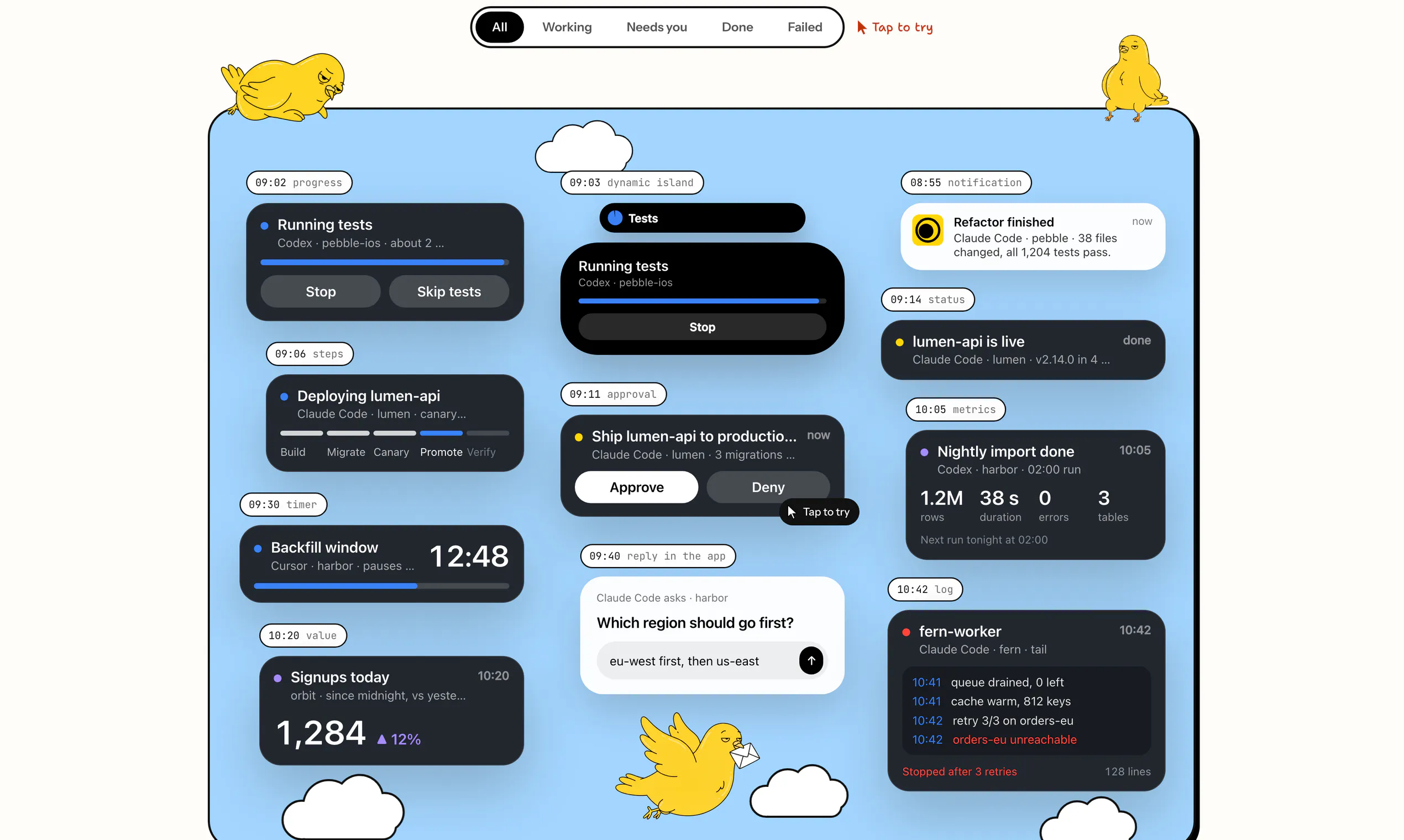
Pros
- ✓Real-time live updates on the iPhone lock screen
- ✓No account or payment required, free to use
- ✓Supports multiple AI and automation platforms (Claude Code, Codex, Cursor, n8n)
- ✓Allows quick approval or denial of actions via notifications
- ✓Easy to set up with just a single line of code
Cons
- ✗Limited to iOS devices; not available on Android
- ✗Requires manual code insertion into supported platforms
- ✗Functionality depends on external AI tools; may have compatibility issues
Use Cases
Pricing
Pricing not verified
Quick Info
Topics
Makers

Jérémie Aouate
Similar Tools in AI Assistants




Embed Badge
Add this badge to your website to show that Monish is featured on Visalytica.
<a href="https://www.visalytica.com/tool/monish" target="_blank" rel="noopener noreferrer" style="display:inline-flex;align-items:center;gap:6px;padding:6px 14px;background:#7c3aed;color:#fff;border-radius:8px;font-family:-apple-system,system-ui,sans-serif;font-size:13px;font-weight:600;text-decoration:none;transition:background .2s" onmouseover="this.style.background='#6d28d9'" onmouseout="this.style.background='#7c3aed'"><svg width="14" height="14" viewBox="0 0 24 24" fill="none" stroke="currentColor" stroke-width="2.5" stroke-linecap="round" stroke-linejoin="round"><path d="M12 20V10"/><path d="M18 20V4"/><path d="M6 20v-4"/></svg>Featured on Visalytica</a>