
ModelHub
The missing menu bar app for local LLMs on Mac.
About ModelHub
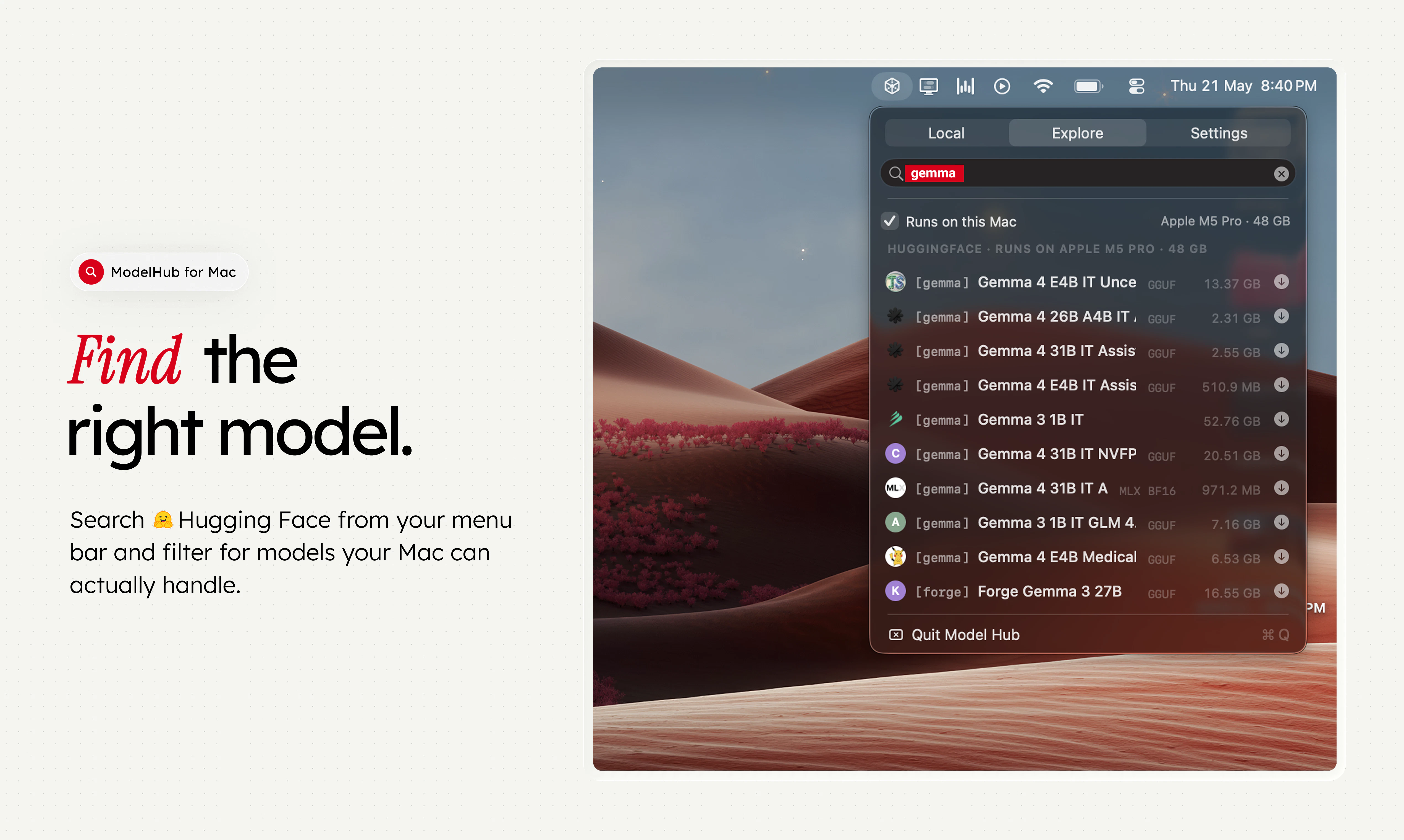
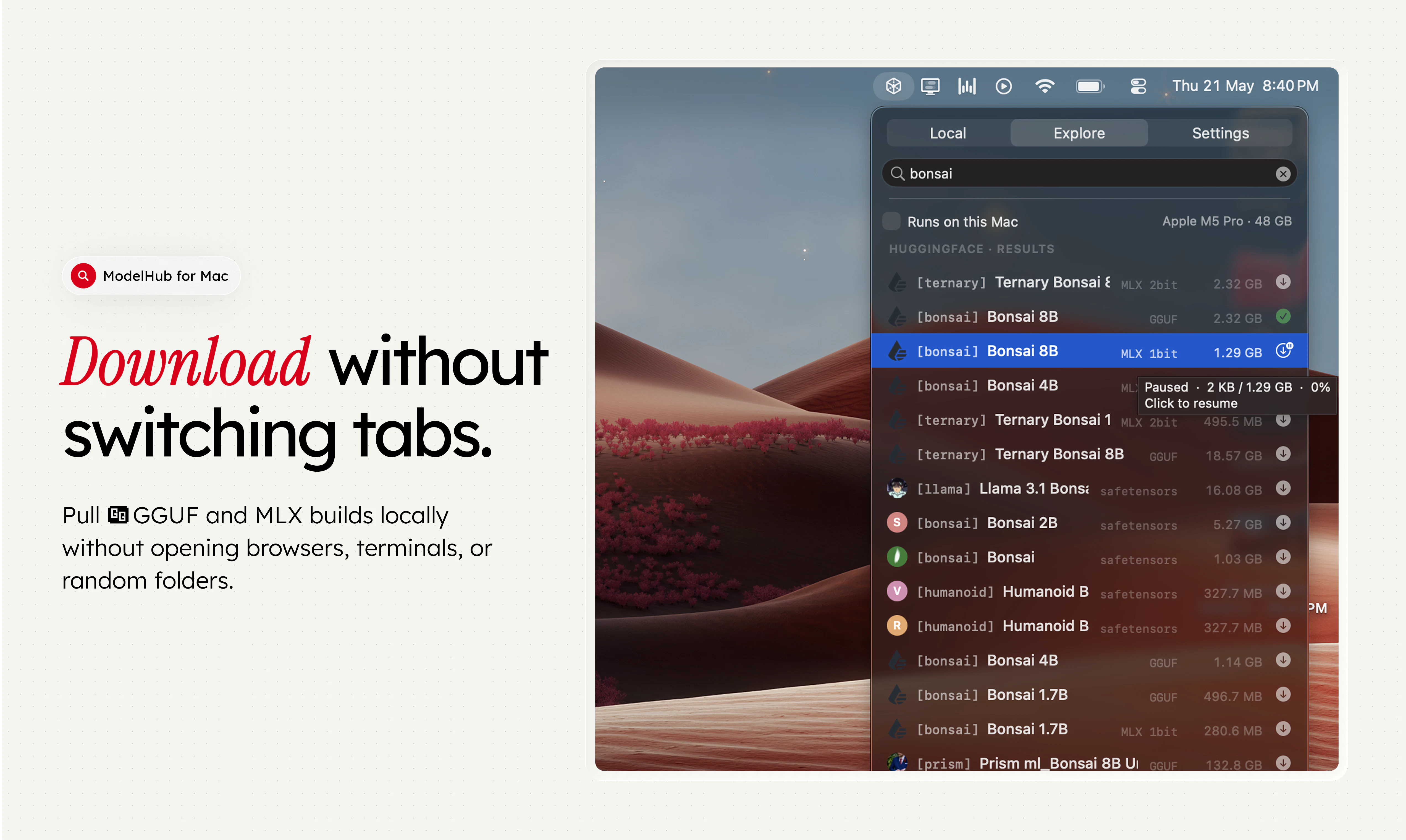
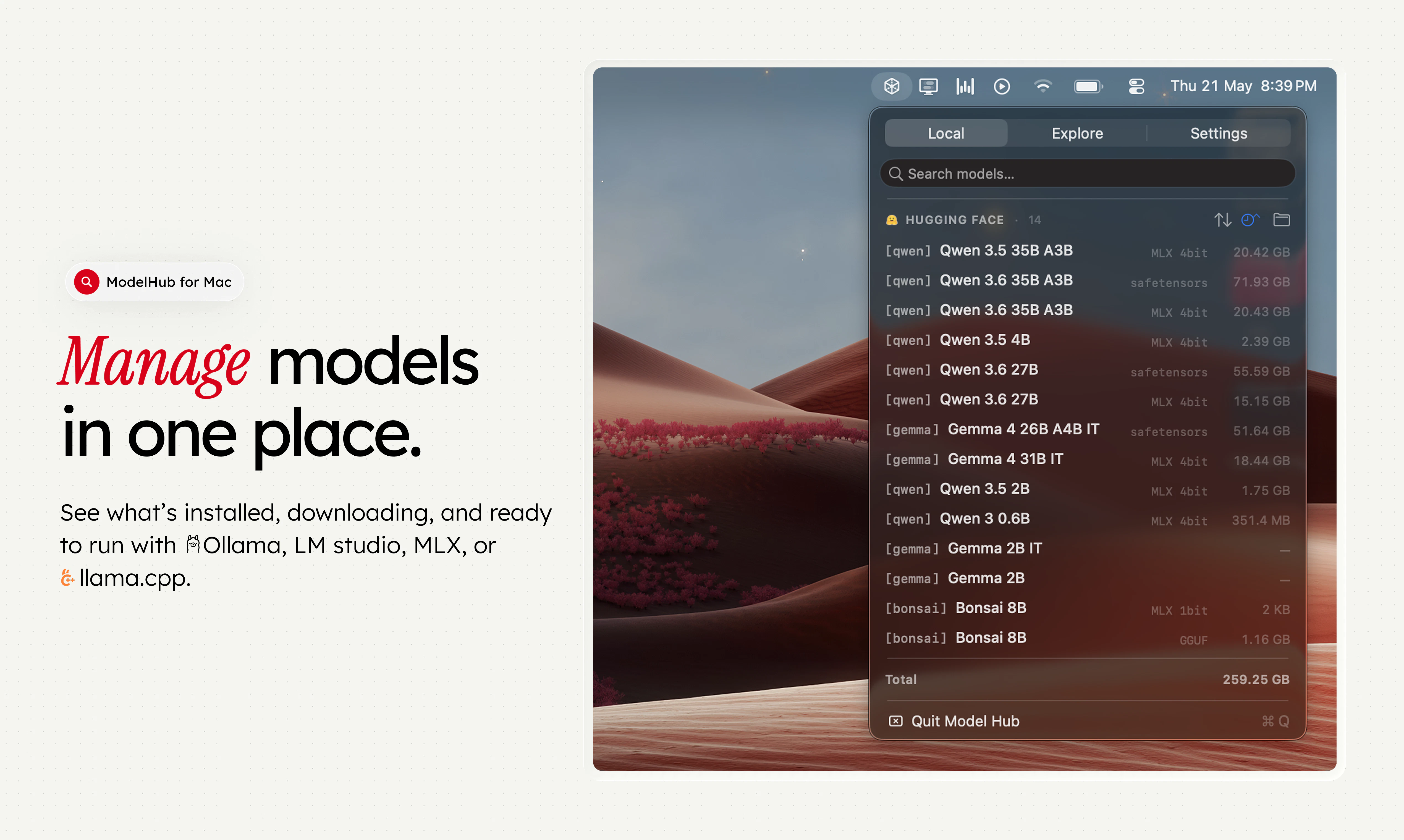
ModelHub is a native macOS menu bar application designed for developers working with local large language models (LLMs). It streamlines the process of discovering, managing, and utilizing models from Hugging Face by integrating these capabilities directly into the menu bar. This eliminates the need to switch between browser tabs, terminal commands, and local folders, making model management more intuitive and efficient. By acting as a discovery and management layer around popular tools like Ollama, MLX, and LM Studio, ModelHub offers a unified interface for working with local LLMs, saving developers time and reducing complexity. Its seamless integration ensures that users can quickly access, download, and deploy models without hassle, enhancing productivity for AI developers and enthusiasts who frequently work with local models on macOS.
Screenshots
Pros
- ✓Simplifies model discovery and management directly from the menu bar
- ✓Integrates with popular local LLM tools like Ollama, MLX, and LM Studio
- ✓Reduces workflow friction by consolidating model operations into one app
- ✓Native macOS experience with a clean, user-friendly interface
- ✓Supports models from Hugging Face, expanding options for developers
Cons
- ✗Limited to macOS, excluding Windows and Linux users
- ✗Focuses mainly on local models, less suited for cloud-based workflows
- ✗Features may be limited for advanced users requiring extensive customization
Use Cases
Pricing
Likely operates on a freemium model with basic features available for free; premium features or enhanced management options may require a paid subscription or license. Specific pricing details are not provided but are typical for similar developer tools.
Quick Info
Topics
Alternatives
Similar Tools in AI Assistants




Embed Badge
Add this badge to your website to show that ModelHub is featured on Visalytica.
<a href="https://www.visalytica.com/tool/modelhub" target="_blank" rel="noopener noreferrer" style="display:inline-flex;align-items:center;gap:6px;padding:6px 14px;background:#7c3aed;color:#fff;border-radius:8px;font-family:-apple-system,system-ui,sans-serif;font-size:13px;font-weight:600;text-decoration:none;transition:background .2s" onmouseover="this.style.background='#6d28d9'" onmouseout="this.style.background='#7c3aed'"><svg width="14" height="14" viewBox="0 0 24 24" fill="none" stroke="currentColor" stroke-width="2.5" stroke-linecap="round" stroke-linejoin="round"><path d="M12 20V10"/><path d="M18 20V4"/><path d="M6 20v-4"/></svg>Featured on Visalytica</a>