
Mechanical Keyboard App-FunKey
Typing Sound, Key Press audio
About Mechanical Keyboard App-FunKey
FunKey is a unique iPhone keyboard extension that enhances the typing experience by adding realistic mechanical keyboard sounds to every key press. Designed for users who enjoy satisfying and immersive typing, it transforms everyday communication—whether messaging, emailing, note-taking, or social media posting—into a more engaging activity. Its primary appeal lies in bringing the tactile pleasure of mechanical keyboards to mobile typing, making routine tasks more fun and satisfying. Suitable for tech enthusiasts, productivity seekers, or anyone who appreciates a bit of auditory feedback, FunKey stands out by combining functionality with entertainment. Its simple integration into iOS devices makes it a convenient way to elevate standard keyboard use without sacrificing usability.
Screenshots
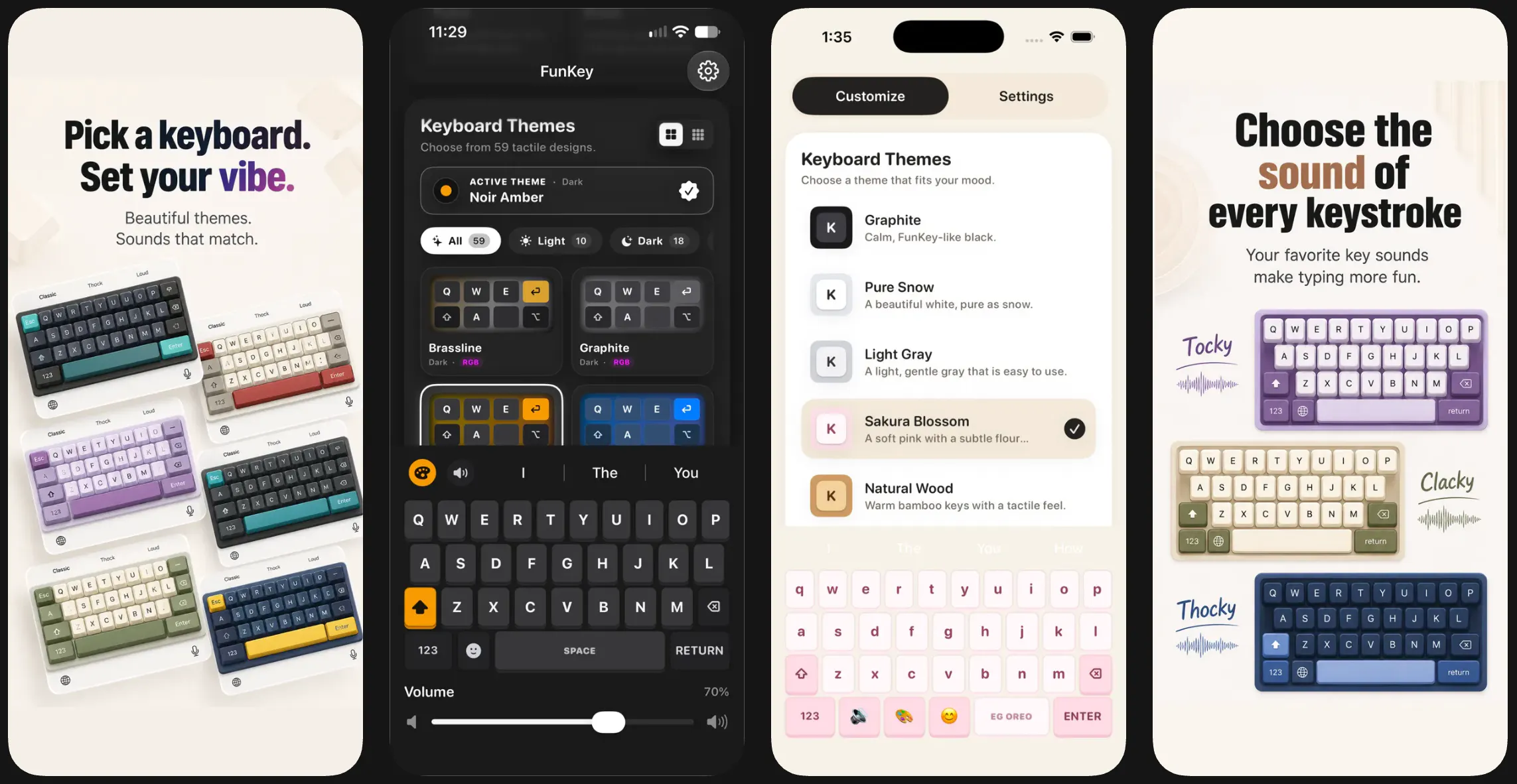
Pros
- ✓Provides realistic mechanical keyboard sounds for a satisfying typing experience
- ✓Easy to install and integrate with iPhone's default keyboard
- ✓Enhances user engagement and makes typing more fun
- ✓Compatible with various apps for messaging, social media, and note-taking
Cons
- ✗Adds auditory feedback which may not be suitable for quiet environments
- ✗Limited customization options for sound profiles or themes
- ✗Requires permissions that some users may be cautious about
Use Cases
Pricing
Pricing not verified
Quick Info
Topics
Makers

it0sh
@amanjain_iOSAlternatives
Similar Tools in AI Audio & Voice




Embed Badge
Add this badge to your website to show that Mechanical Keyboard App-FunKey is featured on Visalytica.
<a href="https://www.visalytica.com/tool/mechanical-keyboard-app-funkey" target="_blank" rel="noopener noreferrer" style="display:inline-flex;align-items:center;gap:6px;padding:6px 14px;background:#7c3aed;color:#fff;border-radius:8px;font-family:-apple-system,system-ui,sans-serif;font-size:13px;font-weight:600;text-decoration:none;transition:background .2s" onmouseover="this.style.background='#6d28d9'" onmouseout="this.style.background='#7c3aed'"><svg width="14" height="14" viewBox="0 0 24 24" fill="none" stroke="currentColor" stroke-width="2.5" stroke-linecap="round" stroke-linejoin="round"><path d="M12 20V10"/><path d="M18 20V4"/><path d="M6 20v-4"/></svg>Featured on Visalytica</a>