
MailToDock
Turn Gmail into Google Tasks with AI-powered
About MailToDock
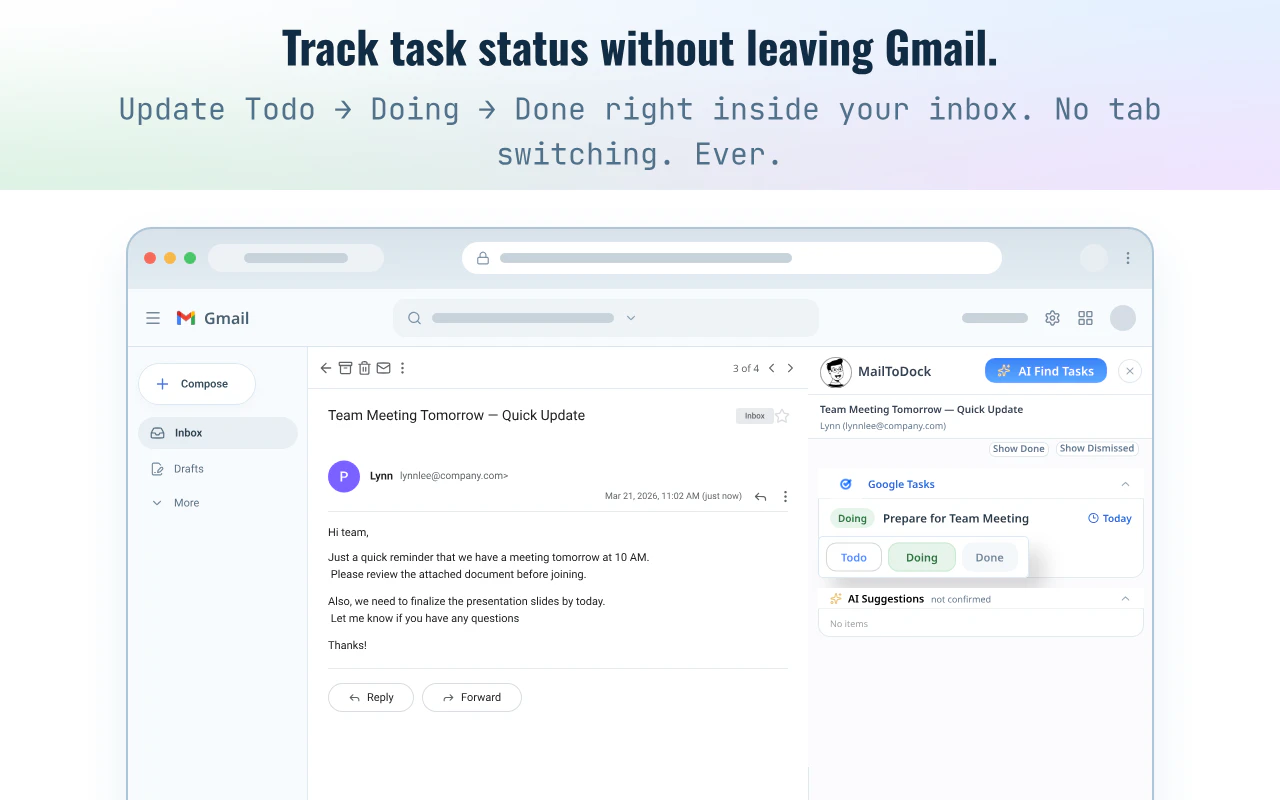
MailToDock is a innovative Chrome extension designed for busy professionals who want to streamline their email-to-task workflow. It seamlessly integrates with Gmail, allowing users to convert emails into actionable to-dos with just a click. Powered by AI, MailToDock analyzes email content and suggests task candidates, including titles, notes, due dates, priorities, and subtasks. Users can review and modify these suggestions before adding them directly to Google Tasks, eliminating the need to switch between apps. This tool is especially valuable for founders, operators, freelancers, and anyone overwhelmed by their inbox, helping them stay organized and productive without leaving Gmail. Its AI-driven approach simplifies task creation, making inbox management more efficient and less time-consuming.
Screenshots


Pros
- ✓Automates conversion of emails into actionable tasks with AI suggestions
- ✓Integrated directly within Gmail and Google Tasks for seamless workflow
- ✓Saves time by reducing manual task entry and email management
- ✓User-friendly interface with easy review and editing options
- ✓Ideal for busy professionals who want to stay organized without switching apps
Cons
- ✗Dependent on Gmail, limiting usability with other email providers
- ✗AI suggestions may require manual adjustments for accuracy
- ✗Limited information on free versus paid features; pricing details are not specified
Use Cases
Pricing
Likely operates on a freemium model, offering a free tier with basic features and premium plans for enhanced AI capabilities and integrations. Specific pricing details are not provided, but such tools typically start around $5-$15/month.
Quick Info
Topics
Similar Tools in AI Assistants




Embed Badge
Add this badge to your website to show that MailToDock is featured on Visalytica.
<a href="https://www.visalytica.com/tool/mailtodock" target="_blank" rel="noopener noreferrer" style="display:inline-flex;align-items:center;gap:6px;padding:6px 14px;background:#7c3aed;color:#fff;border-radius:8px;font-family:-apple-system,system-ui,sans-serif;font-size:13px;font-weight:600;text-decoration:none;transition:background .2s" onmouseover="this.style.background='#6d28d9'" onmouseout="this.style.background='#7c3aed'"><svg width="14" height="14" viewBox="0 0 24 24" fill="none" stroke="currentColor" stroke-width="2.5" stroke-linecap="round" stroke-linejoin="round"><path d="M12 20V10"/><path d="M18 20V4"/><path d="M6 20v-4"/></svg>Featured on Visalytica</a>