Magic Layers by Canva
Turn any flat image into a fully editable design
About Magic Layers by Canva
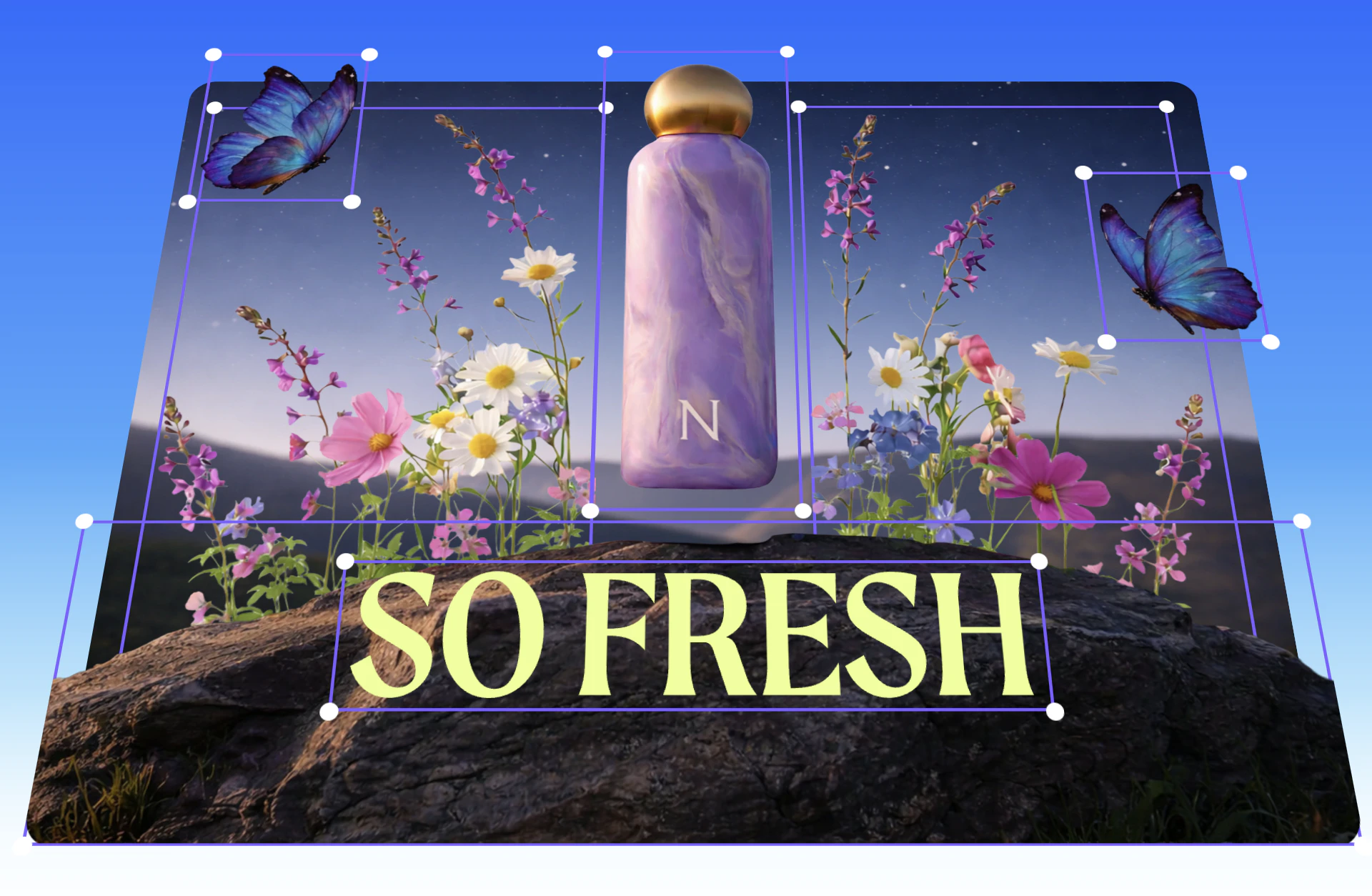

Magic Layers by Canva is an innovative tool that transforms static images into fully editable designs within Canva. By uploading any flat PNG or JPG, users can convert these images into layered files with live text, movable objects, and preserved layouts, making it ideal for marketers, creators, and teams refining AI-generated visuals. Its unique capability to maintain the original design's integrity while adding editability streamlines workflows and accelerates creative iteration. This tool is especially useful for those who want to repurpose or customize images without starting from scratch, saving time and effort in the design process. Magic Layers enhances Canva's existing features by providing an effortless way to unlock the full potential of flat images, turning them into versatile design assets that can be easily manipulated and refined.
Screenshots


Pros
- ✓Transforms flat images into fully editable Canva layers
- ✓Preserves original layout and design integrity
- ✓Enables easy editing of text and objects
- ✓Speeds up creative iteration and refinement
- ✓Integrates seamlessly with Canva's ecosystem
Cons
- ✗Limited to images in PNG or JPG formats
- ✗May require some familiarity with Canva for optimal use
- ✗Features might be basic for advanced editing needs
Use Cases
Pricing
Likely offered as a paid add-on or feature within Canva's subscription plans, possibly with a free trial or limited free access. Exact pricing details are not specified but may be included in Canva's premium tiers.
Quick Info
Topics
Alternatives
Similar Tools in AI Image & Design




Embed Badge
Add this badge to your website to show that Magic Layers by Canva is featured on Visalytica.
<a href="https://www.visalytica.com/tool/magic-layers-by-canva" target="_blank" rel="noopener noreferrer" style="display:inline-flex;align-items:center;gap:6px;padding:6px 14px;background:#7c3aed;color:#fff;border-radius:8px;font-family:-apple-system,system-ui,sans-serif;font-size:13px;font-weight:600;text-decoration:none;transition:background .2s" onmouseover="this.style.background='#6d28d9'" onmouseout="this.style.background='#7c3aed'"><svg width="14" height="14" viewBox="0 0 24 24" fill="none" stroke="currentColor" stroke-width="2.5" stroke-linecap="round" stroke-linejoin="round"><path d="M12 20V10"/><path d="M18 20V4"/><path d="M6 20v-4"/></svg>Featured on Visalytica</a>